News


Hands On: Surface Pro 4, Surface Book, & New Lumia Phones

Hands On: Surface Pro 4, Surface Book, & New Lumia Phones

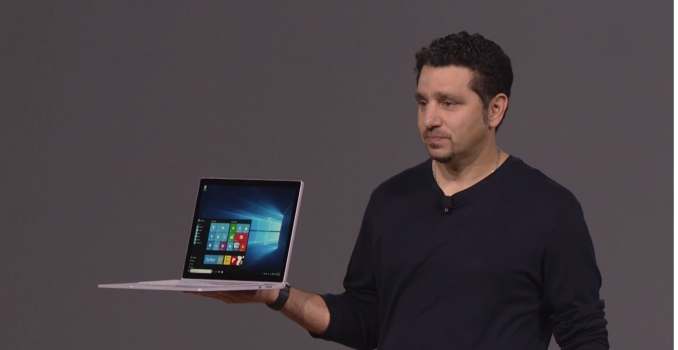
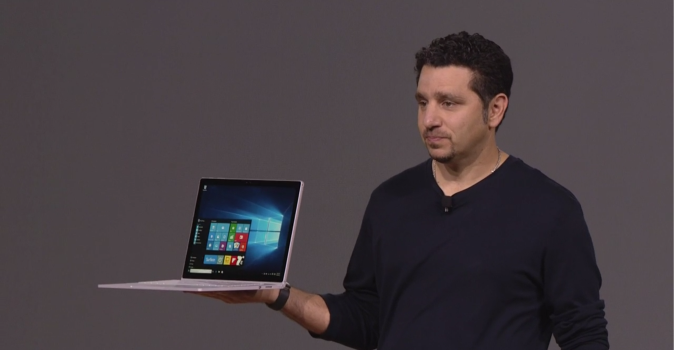
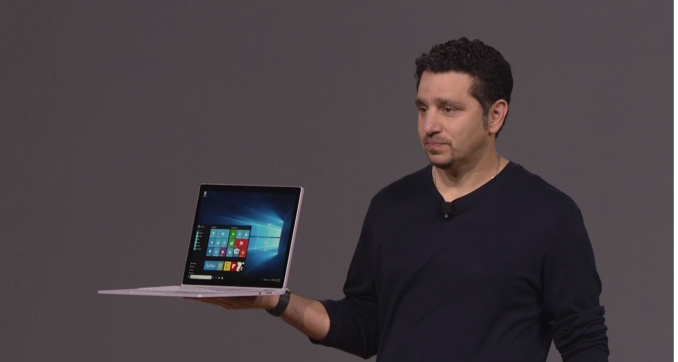
After the press event today, Microsoft had all of the devices available for a hands-on experience. Of all the devices, I was most excited to see the Surface Book and what it brings to the table so let’s start there

The Surface Book is of cour…

Microsoft Launches Three New Lumia Phones

Microsoft Launches Three New Lumia Phones

Today Microsoft officially revealed three phones which have been showing up in leaks for the past while. Leaks always seem to take away some of the wow factor at a launch, but the latest Windows 10 Mobile phones look to be a solid offering from the Redmond group in a division which has seen a lot of disruption over the last year or so.

Let’s start with the flagship phones. The Lumia division has not had a flagship phone since the Lumia 930 launched as the Lumia Icon back in February of 2014. That is an eternity in the smartphone space, and considering it was not exactly bleeding edge at the time, it has quickly fallen behind some of the other players.

Lumias
  Lumia 550 Lumia 950 Lumia 950XL
SoC Qualcomm Snapdragon 210 quad-core A7 Qualcomm Snapdragon 808 2xA57+4xA53 Qualcomm Snapdragon 810 4xA57+4xA53
Memory unknown
Display 4.7″ 1280×720 LCD with Glance 5.2″ 2560×1440 OLED with Glance 5.7″ 2560×1440 OLED with Glance
Storage unknown 32 GB plus microSD
Camera 5MP Rear, 2MP Front 20MP w/OIS Rear, Triple LED flash, 5MP Front
Price $139 $549 $649

Microsoft is launching two models of their flagship to suit different peoples wants and needs. First, the Lumia 950 is a 5.2-inch device with a 2560×1440 OLED display. It has a Qualcomm Snapdragon 808 processor, 32 GB of storage, and a 20 MP camera. The Lumia 950XL is its larger cousin, and has a 5.7-inch display with the same 2560×1440 resolution, and it is also OLED. The main difference between the two other than the display size is the 950XL moves up to the Snapdragon 810.

Lumia 950XL

One thing that I have been wondering for a while is whether or not Windows 10 Mobile would launch with ARM 64-bit support, and the answer is unfortunately no. The processors are of course 64-bit capable but Windows 10 Mobile has decided to target 32-bit support.

With that bad news out of the way, the phones themselves are solid offerings and should have plenty of performance compared to the current generation of Windows devices. Microsoft was keen to show off their Continuum experience, which allows the phone to be connected to a display and used as a Windows 10 desktop, albeit with only access to Universal Windows Apps. The demo was good though and they showed off the app loading and multitasking capabilities very well.

Lumia 950

The 950 and 950XL feature a removable back, so you can get some interesting rear colors and material choices. Microsoft had some leather backs on display that looked and felt great, and there were several colors to choose from as well.

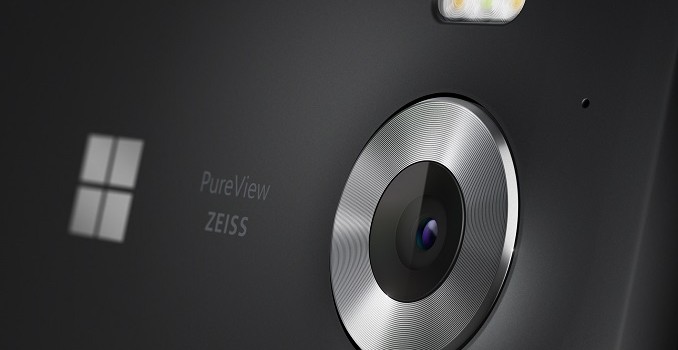
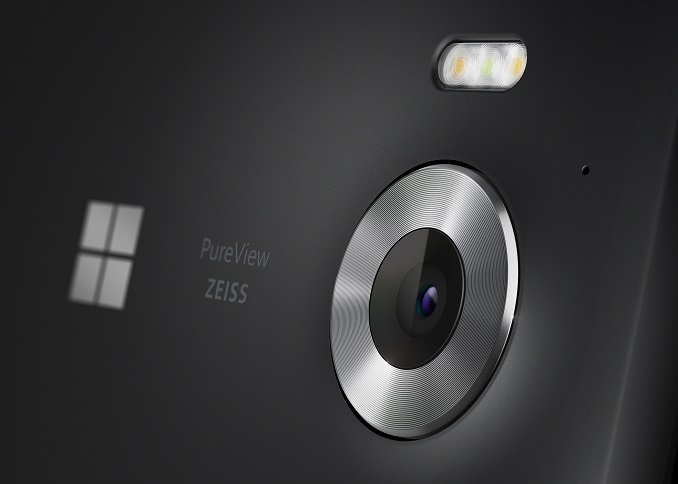
The camera has generally been a strong point of the Lumia line, and the 20 MP model has the same number of pixels as the Lumia 930 but is backed by a 5th generation optical image stabilization. Although there was no chance to test the low light capabilities, we hope to have more time to test these out soon.

One thing that has made its way back is the Glance Screen, which leverages the OLED to allow the Lumia to display important information on the display even when the phone is turned off. This is a fantastic feature that I have used on several phones, and having a phone without it is a burden after you have used it.

They will also feature Windows Hello facial recognition to unlock the phone. The demo took a couple of seconds which is too long, but it may have been non-ideal lighting. It needs to be as easy as fingerprint unlock to gain traction so this will also need to be tested further.

The Lumia 950 and 950XL will go on sale in November at $549 and $649 respectively.

The other Lumia announced was a much less expensive option. The Lumia 550 is a new low cost model featuring the Snapdragon 210 quad-core processor and LTE. The camera is just 5 MP but the 4.7-inch 1280×720 LCD display also features Glance. The 550 is decidedly less exciting, but the price is just $139 with it arriving in December.

Microsoft Launches Three New Lumia Phones

Microsoft Launches Three New Lumia Phones

Today Microsoft officially revealed three phones which have been showing up in leaks for the past while. Leaks always seem to take away some of the wow factor at a launch, but the latest Windows 10 Mobile phones look to be a solid offering from the Redmond group in a division which has seen a lot of disruption over the last year or so.

Let’s start with the flagship phones. The Lumia division has not had a flagship phone since the Lumia 930 launched as the Lumia Icon back in February of 2014. That is an eternity in the smartphone space, and considering it was not exactly bleeding edge at the time, it has quickly fallen behind some of the other players.

Lumias
  Lumia 550 Lumia 950 Lumia 950XL
SoC Qualcomm Snapdragon 210 quad-core A7 Qualcomm Snapdragon 808 2xA57+4xA53 Qualcomm Snapdragon 810 4xA57+4xA53
Memory unknown
Display 4.7″ 1280×720 LCD with Glance 5.2″ 2560×1440 OLED with Glance 5.7″ 2560×1440 OLED with Glance
Storage unknown 32 GB plus microSD
Camera 5MP Rear, 2MP Front 20MP w/OIS Rear, Triple LED flash, 5MP Front
Price $139 $549 $649

Microsoft is launching two models of their flagship to suit different peoples wants and needs. First, the Lumia 950 is a 5.2-inch device with a 2560×1440 OLED display. It has a Qualcomm Snapdragon 808 processor, 32 GB of storage, and a 20 MP camera. The Lumia 950XL is its larger cousin, and has a 5.7-inch display with the same 2560×1440 resolution, and it is also OLED. The main difference between the two other than the display size is the 950XL moves up to the Snapdragon 810.

Lumia 950XL

One thing that I have been wondering for a while is whether or not Windows 10 Mobile would launch with ARM 64-bit support, and the answer is unfortunately no. The processors are of course 64-bit capable but Windows 10 Mobile has decided to target 32-bit support.

With that bad news out of the way, the phones themselves are solid offerings and should have plenty of performance compared to the current generation of Windows devices. Microsoft was keen to show off their Continuum experience, which allows the phone to be connected to a display and used as a Windows 10 desktop, albeit with only access to Universal Windows Apps. The demo was good though and they showed off the app loading and multitasking capabilities very well.

Lumia 950

The 950 and 950XL feature a removable back, so you can get some interesting rear colors and material choices. Microsoft had some leather backs on display that looked and felt great, and there were several colors to choose from as well.

The camera has generally been a strong point of the Lumia line, and the 20 MP model has the same number of pixels as the Lumia 930 but is backed by a 5th generation optical image stabilization. Although there was no chance to test the low light capabilities, we hope to have more time to test these out soon.

One thing that has made its way back is the Glance Screen, which leverages the OLED to allow the Lumia to display important information on the display even when the phone is turned off. This is a fantastic feature that I have used on several phones, and having a phone without it is a burden after you have used it.

They will also feature Windows Hello facial recognition to unlock the phone. The demo took a couple of seconds which is too long, but it may have been non-ideal lighting. It needs to be as easy as fingerprint unlock to gain traction so this will also need to be tested further.

The Lumia 950 and 950XL will go on sale in November at $549 and $649 respectively.

The other Lumia announced was a much less expensive option. The Lumia 550 is a new low cost model featuring the Snapdragon 210 quad-core processor and LTE. The camera is just 5 MP but the 4.7-inch 1280×720 LCD display also features Glance. The 550 is decidedly less exciting, but the price is just $139 with it arriving in December.

Microsoft Reveals the Surface Book

Microsoft Reveals the Surface Book

Pretty much since the original Surface was born, I, and many others, have wished that Microsoft would try their hands at a laptop computer. It’s not even that the original Surface was a great device, but the whole idea was to kickstart some new device types, and now Surface has turned into a big business in its own right. The latest Surface Pro 4 looks to be the best iteration yet.

So today Microsoft is trying to redefine the laptop category with the Surface Book. With Surface Pro, it was the tablet that can replace your laptop, and with Surface Book, it is what Microsoft is calling “The Ultimate Laptop” and we shall see about that but it has a lot going for it. Compared to the Surface Pro 4, the display is larger at 13.5-inches but keeps the same 3:2 aspect ratio that has now defined the Surface lineup. People sick of 16:9 laptops should be happy to see this.

The display itself is 3000×2000 pixels, which works out to exactly 6,000,000 pixels and the same 267 pixels per inch of the Surface Pro 4. It has the same 0.4 mm thick Gorilla Glass covering as well, and contains the same PixelSense capabilities that mean it will also work with the pen and of course touch. Each panel is calibrated for sRGB out of the box.

This is not your ordinary laptop where the display is just the display and the key components of the notebook are under the keys. Instead, the screen is detachable like many two-in-one devices, but the base itself is connected and houses the NVIDIA GPU and some batteries, as well as USB ports and a SD card reader like you would expect on an Ultrabook.

The hinge is certainly very interesting, and it kind of reminds me of a new take on the Yoga 3 Pro’s keyboard hinge, although this one is much thicker. Microsoft calls it a Dynamic Fulcrum Hinge. One weird thing about the hinge is that when the device is closed, the top and bottom don’t meet. It is weird to see but I would need some more time with it to see if it is an issue. A benefit of the slightly raised rear is when the display is connected flipped around for writing, the glass is slightly tilted towards you which is something I often find myself doing with the Surface lineup of tablets.

The latching system is ridiculously strong. Microsoft is using a wire that can change its length if a voltage is applied to it. You have to press and hold a button on the keyboard to invoke this charge so the actual separation is never going to be by accident, but it does take longer than some other detachable devices.

I am a bit of a keyboard nut myself, and I really like a proper keyboard, so it is great to see that the Surface Book will have 1.6 mm of key travel, and a nice layout. I am generally not a fan of light keys with backlighting so we will have to see how this holds up in the real world. The trackpad is a Microsoft Precision trackpad with a glass top and five points of touch.

On the spec side, there will be Core i5 and i7 versions of this available, and the GPU is optional with the Core i5, but standard with the Core i7. Base configurations come with 8 GB of memory, but there is a 16 GB version as well, and storage is PCIe based SSDs from 128 GB to 1 TB.

Surface Book
  Core i5 Core i5 w/GPU Core i7 w/GPU
GPU Intel HD 520 Intel + NVIDIA GeForce dGPU
(Maxwell w/GDDR5)
CPU 6th Generation Intel Core i5 (15w)
6th Generation Intel Core i5 (15w)
6th Generation Intel Core i7 (15w)
Memory 8-16GB RAM
Display 13.5″ PixelSense 3000×2000 resolution
1800:1 Contrast Ratio
100% sRGB, individually calibrated
10 point touch and Pen support
Storage PCIe 3.0 SSD 128 GB to 1 TB
I/O USB 3.0 x 2 (In Base)
SD Card reader (In Base)
Surface Connector (In Tablet and Base)
Headset Jack
Mini DisplayPort
Dimensions Laptop
(mm) : 232 x 312 x 13.0-22.8
(inches) : 9.14 x 12.3 x 0.51-0.90
Tablet Only
(mm) : 220.2 x 312.3 x 7.7
(inches) : 8.67 x 12.3 x 0.30
Weight Laptop
1.515 kg / 3.34 lbs
Tablet Only
726 g / 1.6 lbs
Laptop
1.579 kg / 3.48 lbs
Tablet Only
726 g / 1.6 lbs
Camera Windows Hello (Front)
8 MP Rear Facing
5 MP Front Facing
Price $1499+ $1899+ $2099+

Size and weight are always a key with this class of device, and despite the 13.5-inch size, the tablet itself only comes in at 1.6 lbs or 726 grams. Adding the keyboard moves the Surface Book out past the incredible weight of some of the latest Ultrabooks, with the non-GPU version coming in at 3.34 lbs or 1.51 kg, and the GPU adds a bit more weight to come in at 3.48 lbs or 1.58 kg.

The Surface Book will go on pre-order tomorrow starting at $1499 up to $2699 for the Core i7 with 16 GB of RAM and the GPU. No 1 TB models are listed yet but they were announced. Microsoft is likely waiting on manufacturers to offer M.2 1 TB models.

Microsoft Reveals the Surface Book

Microsoft Reveals the Surface Book

Pretty much since the original Surface was born, I, and many others, have wished that Microsoft would try their hands at a laptop computer. It’s not even that the original Surface was a great device, but the whole idea was to kickstart some new device types, and now Surface has turned into a big business in its own right. The latest Surface Pro 4 looks to be the best iteration yet.

So today Microsoft is trying to redefine the laptop category with the Surface Book. With Surface Pro, it was the tablet that can replace your laptop, and with Surface Book, it is what Microsoft is calling “The Ultimate Laptop” and we shall see about that but it has a lot going for it. Compared to the Surface Pro 4, the display is larger at 13.5-inches but keeps the same 3:2 aspect ratio that has now defined the Surface lineup. People sick of 16:9 laptops should be happy to see this.

The display itself is 3000×2000 pixels, which works out to exactly 6,000,000 pixels and the same 267 pixels per inch of the Surface Pro 4. It has the same 0.4 mm thick Gorilla Glass covering as well, and contains the same PixelSense capabilities that mean it will also work with the pen and of course touch. Each panel is calibrated for sRGB out of the box.

This is not your ordinary laptop where the display is just the display and the key components of the notebook are under the keys. Instead, the screen is detachable like many two-in-one devices, but the base itself is connected and houses the NVIDIA GPU and some batteries, as well as USB ports and a SD card reader like you would expect on an Ultrabook.

The hinge is certainly very interesting, and it kind of reminds me of a new take on the Yoga 3 Pro’s keyboard hinge, although this one is much thicker. Microsoft calls it a Dynamic Fulcrum Hinge. One weird thing about the hinge is that when the device is closed, the top and bottom don’t meet. It is weird to see but I would need some more time with it to see if it is an issue. A benefit of the slightly raised rear is when the display is connected flipped around for writing, the glass is slightly tilted towards you which is something I often find myself doing with the Surface lineup of tablets.

The latching system is ridiculously strong. Microsoft is using a wire that can change its length if a voltage is applied to it. You have to press and hold a button on the keyboard to invoke this charge so the actual separation is never going to be by accident, but it does take longer than some other detachable devices.

I am a bit of a keyboard nut myself, and I really like a proper keyboard, so it is great to see that the Surface Book will have 1.6 mm of key travel, and a nice layout. I am generally not a fan of light keys with backlighting so we will have to see how this holds up in the real world. The trackpad is a Microsoft Precision trackpad with a glass top and five points of touch.

On the spec side, there will be Core i5 and i7 versions of this available, and the GPU is optional with the Core i5, but standard with the Core i7. Base configurations come with 8 GB of memory, but there is a 16 GB version as well, and storage is PCIe based SSDs from 128 GB to 1 TB.

Surface Book
  Core i5 Core i5 w/GPU Core i7 w/GPU
GPU Intel HD 520 Intel + NVIDIA GeForce dGPU
(Maxwell w/GDDR5)
CPU 6th Generation Intel Core i5 (15w)
6th Generation Intel Core i5 (15w)
6th Generation Intel Core i7 (15w)
Memory 8-16GB RAM
Display 13.5″ PixelSense 3000×2000 resolution
1800:1 Contrast Ratio
100% sRGB, individually calibrated
10 point touch and Pen support
Storage PCIe 3.0 SSD 128 GB to 1 TB
I/O USB 3.0 x 2 (In Base)
SD Card reader (In Base)
Surface Connector (In Tablet and Base)
Headset Jack
Mini DisplayPort
Dimensions Laptop
(mm) : 232 x 312 x 13.0-22.8
(inches) : 9.14 x 12.3 x 0.51-0.90
Tablet Only
(mm) : 220.2 x 312.3 x 7.7
(inches) : 8.67 x 12.3 x 0.30
Weight Laptop
1.515 kg / 3.34 lbs
Tablet Only
726 g / 1.6 lbs
Laptop
1.579 kg / 3.48 lbs
Tablet Only
726 g / 1.6 lbs
Camera Windows Hello (Front)
8 MP Rear Facing
5 MP Front Facing
Price $1499+ $1899+ $2099+

Size and weight are always a key with this class of device, and despite the 13.5-inch size, the tablet itself only comes in at 1.6 lbs or 726 grams. Adding the keyboard moves the Surface Book out past the incredible weight of some of the latest Ultrabooks, with the non-GPU version coming in at 3.34 lbs or 1.51 kg, and the GPU adds a bit more weight to come in at 3.48 lbs or 1.58 kg.

The Surface Book will go on pre-order tomorrow starting at $1499 up to $2699 for the Core i7 with 16 GB of RAM and the GPU. No 1 TB models are listed yet but they were announced. Microsoft is likely waiting on manufacturers to offer M.2 1 TB models.