News


The Kaveri Refresh ‘Godavari’ Review: Testing AMD’s A10-7870K

Astute readers will recognize that we recently posted two reviews covering more of the stack of AMD processors with the codename ‘Kaveri’ which covered the A6-7400K, A8-7650K and the A10-7700K in our recent coverage. Today we review the newest element that sits on top of all others, the A10-7870K Kaveri Refresh APU.

Corsair unleashes the Bulldog DIY 4K Gaming PC

Corsair unleashes the Bulldog DIY 4K Gaming PC

Corsair certainly is a company that is not afraid of diversification and has proved that multiple times in the past. They started as a memory products manufacturer, diversified into the power, case and cooling market segments and today they even have their own gaming division.

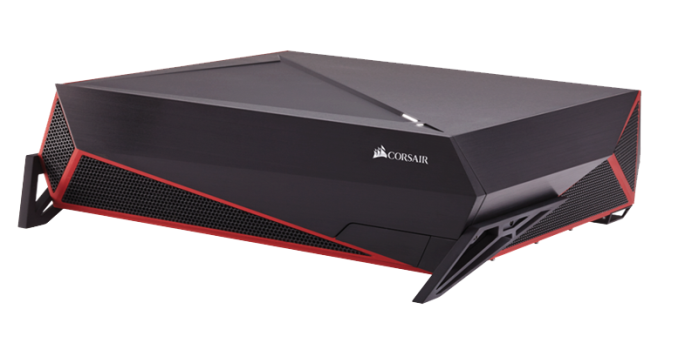
With a company as active as Corsair is, their latest move was no surprise to us. Corsair combined their knowledge of chassis design and thermal performance, used their industry contacts and brought about the creation of the Bulldog, a DIY 4K Gaming PC designed to fit into living rooms.

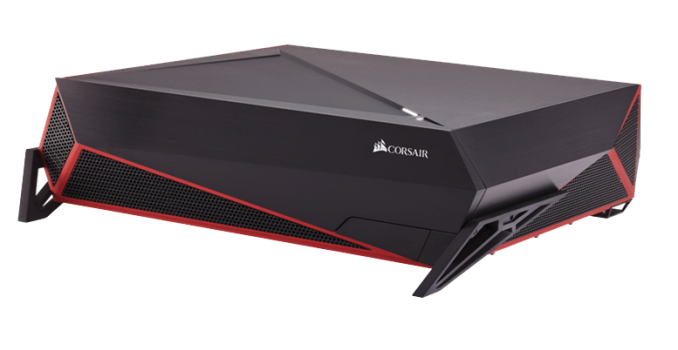
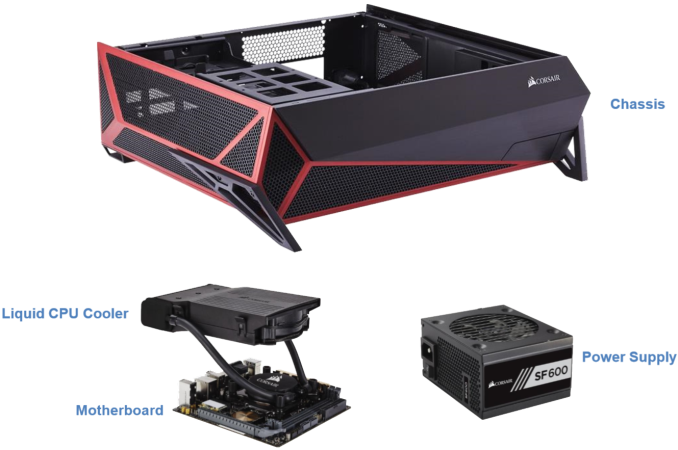
The Bulldog is the combination of a desktop PC case styled to appear as a gaming console with a 600W SFX power supply, a liquid cooler for the CPU and an ITX motherboard. Corsair’s aim was to reduce a very high performance gaming PC to fit within the dimensions of a gaming console. In order to do that, they managed to fit dual liquid cooling systems (one for the CPU and, optionally, one for the GPU) and a high output SFX PSU into the desktop chassis. In terms of size, the Bulldog is relatively small but not too small, as it had to be tall enough for a high-end graphics card to fit.

The base configuration of the Bulldog includes the case, the ITX motherboard, the H5SF CPU liquid cooler and the 600W SFX power supply. It starts with a MSRP of $399, which seems a little steep at first but it is not really overpriced considering the specs of the motherboard. We are not aware of very specific details regarding the motherboard that is installed in the Bulldog, but it will support DDR4 RAM, USB 3.1, 7.1 audio, Gigabit Ethernet and WiFi. (It’s worth noting that at this point, the only mini-ITX motherboard that can support DDR4 is the ASRock X99E-ITX, but in the pictures provided by Corsair the board used seems to be a DDR3 based ASUS. It doesn’t take much to pinpoint that the Bulldog is mostly likely aimed for a future DDR4 capable platform, or currently just for the ASRock motherboard if Corsair wishes to pursue the DDR4 route exclusively.) Corsair has also collaborated with NVIDIA and MSI to create drop-in ready liquid cooled variations of the Geforce GTX Titan X, GTX 980, GTX 980 Ti and GTX 970. Combinations of the Corsair H55 liquid AIO cooler and the HG10 graphics card cooling bracket may also be used.
Corsair’s timing with that release seems perfect, as the first few graphics cards that can borderline handle 4K gaming are just hitting the market. A few months ago and 4K gaming without at least two high-end GPUs installed was impossible. However, you cannot install two graphic cards in a system with an ITX motherboard, which made the creation of very small 4K gaming PCs very difficult. Aesthetically, we feel that many will question the overly aggressive appearance of the Bulldog for a machine that is meant to be into living rooms. It definitely stands out a lot and that is not what people with modernized/minimalistic interior designs want. However, if Corsair’s endeavor proves to be successful, it would be rather easy for them to base other designs on this, offering new products to cover a variety of tastes.

Alongside with the Bulldog, Corsair is also releasing the Lapdog, a gaming control center for use in the living room. Long story short, the Lapdog is a wired keyboard/mouse dock designed to sit on someone’s lap. Aside from the presence of a USB hub and the memory foam cushion for user comfort, we do not have many details about the Lapdog at this point of time. Corsair will be offering it as a standalone station for $89 or with a keyboard for $199. The included keyboard obviously is the Corsair Gaming K65 RGB but we are unaware regarding the Lapdog’s compatibility with other keyboards.  

Corsair unleashes the Bulldog DIY 4K Gaming PC

Corsair unleashes the Bulldog DIY 4K Gaming PC

Corsair certainly is a company that is not afraid of diversification and has proved that multiple times in the past. They started as a memory products manufacturer, diversified into the power, case and cooling market segments and today they even have their own gaming division.

With a company as active as Corsair is, their latest move was no surprise to us. Corsair combined their knowledge of chassis design and thermal performance, used their industry contacts and brought about the creation of the Bulldog, a DIY 4K Gaming PC designed to fit into living rooms.

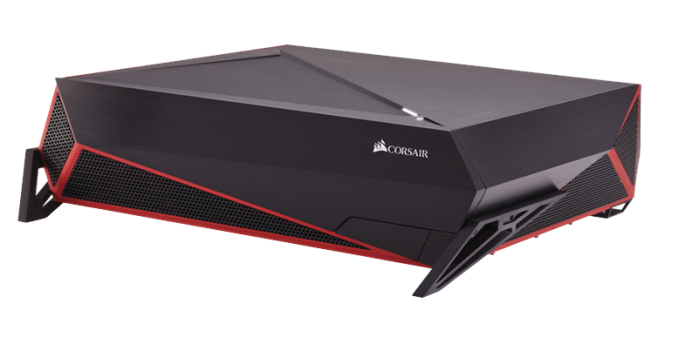
The Bulldog is the combination of a desktop PC case styled to appear as a gaming console with a 600W SFX power supply, a liquid cooler for the CPU and an ITX motherboard. Corsair’s aim was to reduce a very high performance gaming PC to fit within the dimensions of a gaming console. In order to do that, they managed to fit dual liquid cooling systems (one for the CPU and, optionally, one for the GPU) and a high output SFX PSU into the desktop chassis. In terms of size, the Bulldog is relatively small but not too small, as it had to be tall enough for a high-end graphics card to fit.

The base configuration of the Bulldog includes the case, the ITX motherboard, the H5SF CPU liquid cooler and the 600W SFX power supply. It starts with a MSRP of $399, which seems a little steep at first but it is not really overpriced considering the specs of the motherboard. We are not aware of very specific details regarding the motherboard that is installed in the Bulldog, but it will support DDR4 RAM, USB 3.1, 7.1 audio, Gigabit Ethernet and WiFi. (It’s worth noting that at this point, the only mini-ITX motherboard that can support DDR4 is the ASRock X99E-ITX, but in the pictures provided by Corsair the board used seems to be a DDR3 based ASUS. It doesn’t take much to pinpoint that the Bulldog is mostly likely aimed for a future DDR4 capable platform, or currently just for the ASRock motherboard if Corsair wishes to pursue the DDR4 route exclusively.) Corsair has also collaborated with NVIDIA and MSI to create drop-in ready liquid cooled variations of the Geforce GTX Titan X, GTX 980, GTX 980 Ti and GTX 970. Combinations of the Corsair H55 liquid AIO cooler and the HG10 graphics card cooling bracket may also be used.

Corsair’s timing with that release seems perfect, as the first few graphics cards that can borderline handle 4K gaming are just hitting the market. A few months ago and 4K gaming without at least two high-end GPUs installed was impossible. However, you cannot install two graphic cards in a system with an ITX motherboard, which made the creation of very small 4K gaming PCs very difficult. Aesthetically, we feel that many will question the overly aggressive appearance of the Bulldog for a machine that is meant to be into living rooms. It definitely stands out a lot and that is not what people with modernized/minimalistic interior designs want. However, if Corsair’s endeavor proves to be successful, it would be rather easy for them to base other designs on this, offering new products to cover a variety of tastes.

Alongside with the Bulldog, Corsair is also releasing the Lapdog, a gaming control center for use in the living room. Long story short, the Lapdog is a wired keyboard/mouse dock designed to sit on someone’s lap. Aside from the presence of a USB hub and the memory foam cushion for user comfort, we do not have many details about the Lapdog at this point of time. Corsair will be offering it as a standalone station for $89 or with a keyboard for $199. The included keyboard obviously is the Corsair Gaming K65 RGB but we are unaware regarding the Lapdog’s compatibility with other keyboards.  

Microsoft Announces That Windows 10 Will Launch On July 29

Microsoft Announces That Windows 10 Will Launch On July 29

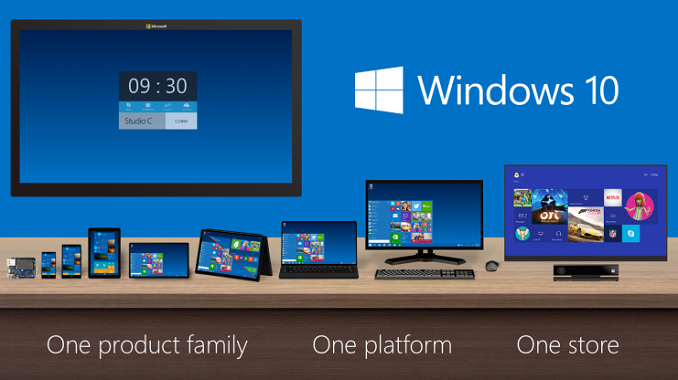
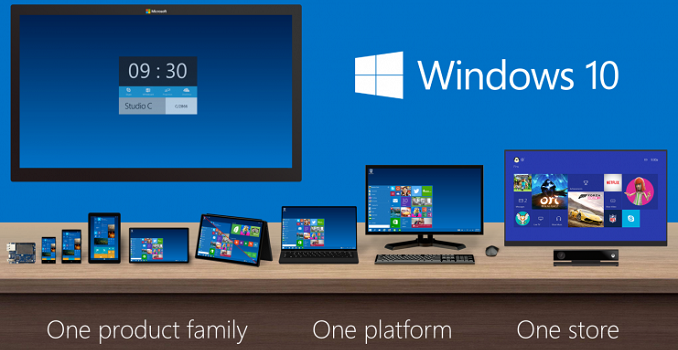
Today Microsoft formally announced the release date for Windows 10, the latest version of their Windows operating system. Up until this point, all Microsoft had said was that they were aiming for a summer release. Today’s post on the official Windows blog states the release date for Windows 10 has now been set for July 29, less than two months from now.

According to the blog post, Microsoft will be simultaniously launching Windows 10 around the globe to some 1.5 billion Windows users that currently reside in over 190 different countries, making it the widest Windows has ever been released at once. Windows 10 is Microsoft’s chance to win back users who didn’t embrace the changes made in Windows 8, and they have a lot riding on its success. Offering it as a free upgrade to existing Windows users will certainly help in gaining adoption.

Even with the free nature of the upgrade, the promise of a July release date for such a monumental update is quite a bold move on Microsoft’s part. The less than optimal state of the current Windows 10 testing builds means that Microsoft has a great deal of work ahead of them as they squash bugs and improve the stability of Windows 10 in the two months between now and release. As a user who is keen on upgrading from Windows 7 to Windows 10, I really hope they succeed.

Finally, Microsoft has revealed a few more details about how Windows 10 distribution will work. Starting today, users can “reserve” Windows 10 on Windows 7/8.1 machines. Reserving Windows will in turn flag a machine for pre-loading, with Microsoft distributing most of Windows 10 ahead of time as to get it in to customers’ hands more quickly to better balance the expected load on their server backend. According to Microsoft’s FAQ, reserving/pre-loading Windows 10 only downloads it, and users will still manually confirm the installation, or for that matter users can cancel the reservation entirely. Pre-loading has not started yet, and while Microsoft doesn’t say when it will start, I expect it won’t be until very near July 29th.

Windows 10 Upgrade Paths
Win10 Win7 Win8.1
Windows 10 Home Windows 7 Starter Windows 8.1 (Core)
Windows 7 Home Basic Windows 8.1 (Country-Specific)
Windows 7 Home Premium Windows 8.1 w/Bing
Windows 10 Pro Windows 7 Professional Windows 8.1 Pro
Windows 7 Ultimate Windows 8.1 Pro for Students
Windows 10 Mobile N/A Windows Phone 8.1

Along with detailing the reservation process, Microsoft has also confirmed the upgrade paths for various versions of Windows. As expected, all Pro/Ultimate versions of Windows 7 and 8.1 will get upgraded to Windows 10 Pro, while all other versions of desktop/tablet Windows will get upgraded to Windows 10 Home. And of course, Windows Phone 8.1 devices will upgrade to Windows 10 Mobile.

Microsoft Announces That Windows 10 Will Launch On July 29

Microsoft Announces That Windows 10 Will Launch On July 29

Today Microsoft formally announced the release date for Windows 10, the latest version of their Windows operating system. Up until this point, all Microsoft had said was that they were aiming for a summer release. Today’s post on the official Windows blog states the release date for Windows 10 has now been set for July 29, less than two months from now.

According to the blog post, Microsoft will be simultaniously launching Windows 10 around the globe to some 1.5 billion Windows users that currently reside in over 190 different countries, making it the widest Windows has ever been released at once. Windows 10 is Microsoft’s chance to win back users who didn’t embrace the changes made in Windows 8, and they have a lot riding on its success. Offering it as a free upgrade to existing Windows users will certainly help in gaining adoption.

Even with the free nature of the upgrade, the promise of a July release date for such a monumental update is quite a bold move on Microsoft’s part. The less than optimal state of the current Windows 10 testing builds means that Microsoft has a great deal of work ahead of them as they squash bugs and improve the stability of Windows 10 in the two months between now and release. As a user who is keen on upgrading from Windows 7 to Windows 10, I really hope they succeed.

Finally, Microsoft has revealed a few more details about how Windows 10 distribution will work. Starting today, users can “reserve” Windows 10 on Windows 7/8.1 machines. Reserving Windows will in turn flag a machine for pre-loading, with Microsoft distributing most of Windows 10 ahead of time as to get it in to customers’ hands more quickly to better balance the expected load on their server backend. According to Microsoft’s FAQ, reserving/pre-loading Windows 10 only downloads it, and users will still manually confirm the installation, or for that matter users can cancel the reservation entirely. Pre-loading has not started yet, and while Microsoft doesn’t say when it will start, I expect it won’t be until very near July 29th.

Windows 10 Upgrade Paths
Win10 Win7 Win8.1
Windows 10 Home Windows 7 Starter Windows 8.1 (Core)
Windows 7 Home Basic Windows 8.1 (Country-Specific)
Windows 7 Home Premium Windows 8.1 w/Bing
Windows 10 Pro Windows 7 Professional Windows 8.1 Pro
Windows 7 Ultimate Windows 8.1 Pro for Students
Windows 10 Mobile N/A Windows Phone 8.1

Along with detailing the reservation process, Microsoft has also confirmed the upgrade paths for various versions of Windows. As expected, all Pro/Ultimate versions of Windows 7 and 8.1 will get upgraded to Windows 10 Pro, while all other versions of desktop/tablet Windows will get upgraded to Windows 10 Home. And of course, Windows Phone 8.1 devices will upgrade to Windows 10 Mobile.