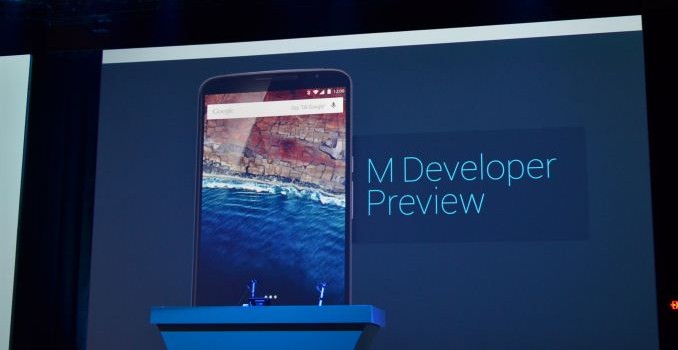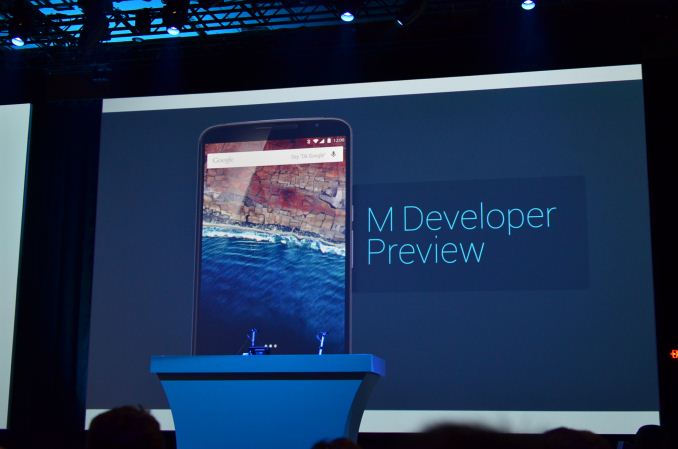
Today Google formally announced the next version of their Android operating system at their Google I/O developer conference. Much like how Android Lollipop was originally previewed under the name Android L, the next major release of Android is being referred to as Android M. After the comprehensive redesign and under the hood changes in Lollipop, Android M brings a greater focus on bringing greater polish to Android and improving the user experience. During the keynote Google outlined six major areas that they had targeted for improvement in Android M.
The first area of improvement is permissions. The permissions system on Android has been less than optimal since its earliest days. The big issue has always been that applications have to ask for permissions access at the time of install. This means that if a user wanted to install an application like Skype, but didn’t want to give it access to their microphone, then they would not be allowed to install the application at all.
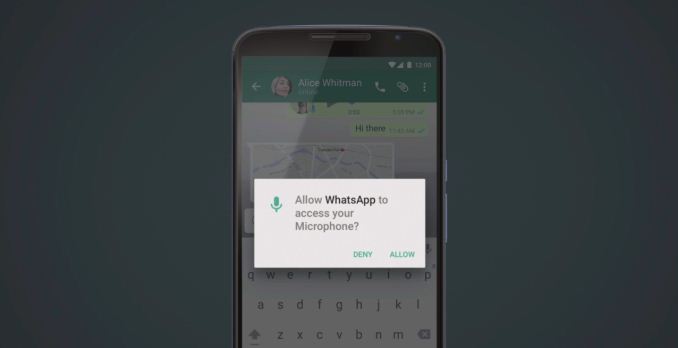
Android M changes the existing permissions system this by breaking down user permissions into specific categories, and having apps ask the user for permission at the time access to a feature is required. You can see an example of this above, where an application like Whatsapp will ask for microphone access when the user tries to do something that requires it. This means that the user can grant applications some permissions but not others, and they can manage permissions access after the fact. It also makes it more clear to the user what an application is asking to do.
The new permissions system in Android M is only available for applications that target Android M with the new version of the Android SDK. Unfortunately, this means that it won’t be automatically available to existing applications when users update to Android M.
The next area of improvement in Android M is to the behavior of web views within other applications. This is through a feature called Chrome Custom Tabs. Essentially this feature allows applications to have the Chrome browser run atop their app whenever the user clicks on a link. This means that all of a user’s autofill data, passwords, and cache are available when they open links within that application.
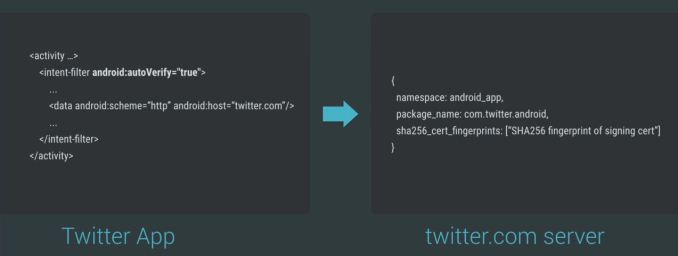
The third major improvement Google is making in Android M is to how Android Intents handles web links. Because many web services now have native applications, selecting a link in an application will often bring up a menu asking the user whether they would like to open that link using a web browser, or whether they would like to have an app on the phone handle it. With Android M, app developers can now have the operating system verify that certain types of links are meant to be opened with their app by checking with the web server that those links point to and verifying that it is meant to be opened with that app.
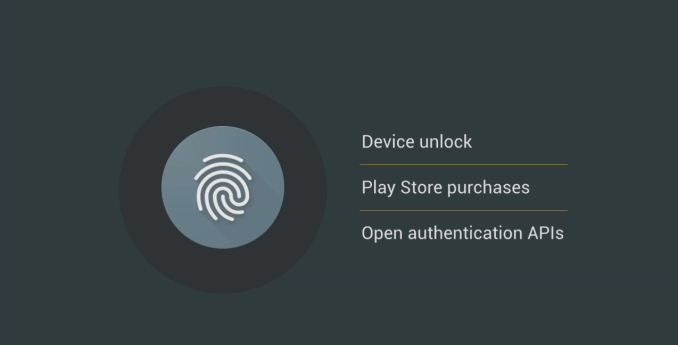
Google’s next two areas of focus relate strongly to Android Pay, the mobile payments system they announced at MWC earlier this year. Android Pay is not strictly an addition to Android M, as it will be available on devices that run KitKat or newer. However, Android M will allow a greater degree of security when using Android Pay through a new API to standardize fingerprint sensors on Android devices. This means that users will be able to authorize Android Pay transactions both at stores and in apps using their fingerprint. It also means that app developers will be able to use a user’s fingerprint for verification, which is currently not feasible with the various different standards and implementations for fingerprint scanners on Android devices.
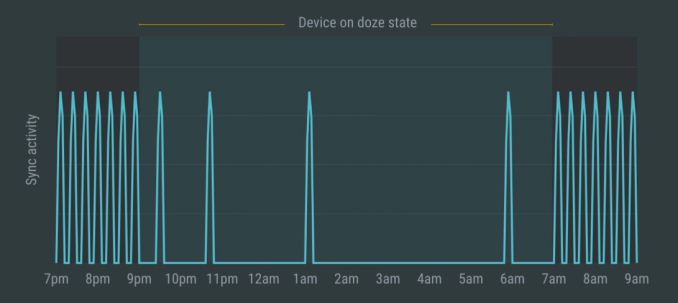
The last area of focus in Android M is arguably the most important. It’s a focus on power usage, and more specifically, the power that a device uses when it’s idle. With an OS like Android which supports multitasking, there’s always a delicate balance between managing power and keeping applications running in the background updated. With Android M, Google is introducing a new feature called Doze. Doze uses motion detection to see whether or not a device has been left idle for a long period of time, such as when it’s sitting on a table or in a dock. If it has been left idle for a long period, the operating system will greatly scale back background activity in order to reduce idle power usage. According to Google, they’ve seen up to 2x longer idle battery life on the Nexus 9.
In addition to improvements in power usage, Google is implementing new charging options for future devices that use USB Type C. Type C allows devices to negotiate whether they should be the device being used to charge from, or the device being charged, and this will be supported in Android M. This means that a user can use their tablet’s battery to charge their smartphone from.
Android M looks like a more minor release than Android Lollipop was. However, what Google has detailed here is only scratching the surface of the many small improvements and bug fixes that it will bring to Android. Other improvements include changes to how text selection works, and further changes to the not very popular changes to the volume controls that were made in Android Lollipop.
Much like when Android Lollipop was announced at Google I/O last year, this year’s release is accompanied by a preview for developers so they can test their apps and give Google feedback on the changes that they are making to Android. The Android M developer preview will be available today for the Nexus 5, the Nexus 6, and the Nexus 9.