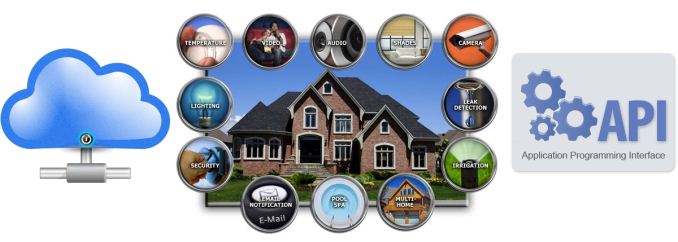
The Internet of Things (IoT) concept has gained a lot of traction over the last couple of years. One of the main applications of IoT lies in the home automation space. Consumers have many options in this space, but none of them have the right combination of comprehensiveness, economy, extensibility and ease of use. We provided an introduction to IoT / home automation back in 2012, and the space has rapidly evolved since then.
As we ramp up our IoT / home automation coverage, we wanted to bring out a set of aspects that consumers should analyse in detail when choosing a home automation system. They will also help us in reviewing home automation systems / devices from a consumer’s perspective. This piece will begin with a short overview of how home automation systems have evolved since our last coverage.
Introduction
There are a wide variety of home automation devices, but the common / popular ones fulfill one or more of the following:
- Control state of an electrical outlet or switch
- Monitor energy consumption of an electrical outlet or switch
- Control light bulb intensity and/or color
- Monitor environmental data (parameters such as temperature, humidity etc. or detection of motion, open doors or windows, live video feed etc.) via connected sensors
It is also expected that a home automation solution will allow configuration and automatic triggering of events based on data collected from the component devices.
Why is Home Automation Hot?
It is an interesting exercise to look into why home automation and IoT tend to draw a lot of players (established companies, VC-funded startups and crowd-funding seekers) into the market. The potential for revenue is huge (multiple devices per household) and development of single-function components is not resource intensive (many home automation devices are simple to design and suitable even for undergraduate engineering projects). This is the reason why established companies go for an ecosystem of products, while others try to start with one or two devices.
Home Automation and the Cloud
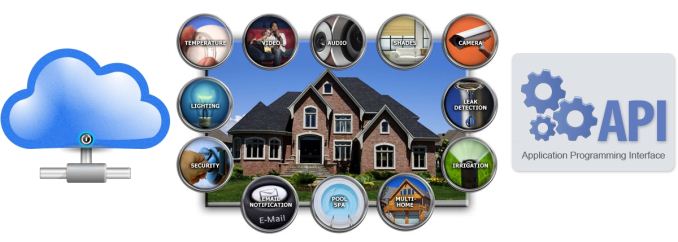
The cloud has come as a messiah for all the IoT / home automation device vendors seeking venture funding. As mentioned earlier, home automation devices need to be controlled and/or monitored and their state needs to be actionable. This requires intelligence that has traditionally been resident in the in-house command center. Some vendors opt to offer service plans by moving this intelligence to the cloud and making all user interactions go via their servers. It also provides them with data mining opportunities. In certain cases, vendors can claim delivering of a better experience for customers using machine learning on the cloud side.
Open APIs
The presence of a cloud-based service-oriented model also makes companies hesitant to be part of an open ecosystem. It is desirable to have open APIs, or better still, a full description of the internal workings of the system and how to access it. For crowd-funded products and those from small startups, this is important for a couple of reasons: becoming part of the ecosystem of products controlled by devices like the Logitech Harmony Hub is easier and power users (typically having more weight for their word of mouth) can develop their own applications to interact with the device or integrate it with their existing home automation system.
The above points help us in understanding the current state of the home automation market. Armed with this knowledge, consumers should be able to identify hidden costs in any home automation system under consideration. Our next section will draw up a checklist for consumers in this area.
Drawing up a Checklist
In evaluating home automation devices, there are a number of questions that the consumer needs to ask before committing to a particular product family.
1. Does the unit require an always-on Internet connection? What are its capabilities in an ‘Intranet of Things’ scenario?
Devices which need the Internet all the time typically put all intelligence in the cloud and force the cloud component on the end user. Note that this is different from systems that use the cloud to make things easier for novice users. In the case of a forced cloud component, it would be desirable for consumers to get more clarification from the vendor. A purchase decision should be made only if one is satisfied with the answers provided.
- What happens when the Internet connection in the consumer premises goes down?
- What happens if the IoT product vendor’s servers experience downtime at a critical juncture?
- If the IoT product vendor were to go out of business, would the IoT device be rendered useless?
- Is the consumer expected to ‘purchase’ the IoT device with the mindset that he is just leasing the product from the company with no guarantee of availability / operation in the future?
- Is there a guarantee for security / hacker-proofing on the cloud side to ensure that the unit doesn’t act like a Trojan horse for nefarious access into one’s internal network?
Many companies try to justify a cloud-only model by trumping up the benefits of analytics in the cloud. Typically, they are useful for IP cameras (but, even in that case, there is nothing on the technical side that justifies preventing users from getting a less-featured local network-only experience).
Consumers need to fight back against pure-cloud plays in the home automation space
For most other home automation devices like thermostats, it is mostly a matter of data mining / customer lock-in, rather than user experience.
2. Is it possible for authorized third-party applications or devices to control the unit without compromising security?
This is another way of checking if the device has open APIs available for control. Even if open APIs are available, one has to check if the communication always passes through the device vendor’s servers. In that case, all the concerns voiced earlier need to be considered here too.
In terms of security, consumers also have to look into how access is authorized (for both native and third-party API control). IoT security is a hot topic right now, and even the average consumer needs to be aware of the protection mechanisms on a device that has unfettered access to one’s internal network.
Consumers must encourage devices with secure, but open APIs
On the other hand, control of devices can even be set up by integrating with cloud services such as IFTTT (If-This-Then-That). IFTTT is quite popular and encouraged / promoted even by the IoT device manufacturers. In those types of situations, consumers must think about whether such cloud services can be trusted with access to one’s social media accounts. It can’t be stressed enough – when dealing with home automation devices, consumers must always keep security on top of their mind.
3. Does the installation require new wires or ‘hubs’ in addition to the main unit? How is the command center implemented?
The rise in popularity of home automation can be attributed to the use of Wi-Fi as the communication medium of choice. Almost all Internet-connected homes have a Wi-Fi network, and hooking up a home automation device to it ensures that no other bridge devices are needed for communication. Unfortunately, 802.11ah, the version of Wi-Fi optimized for IoT (low-power and long range) doesn’t seem to be taking off as fast as expected. In the meanwhile, Z-Wave and ZigBee continue to strengthen their install base. Some devices have also opted for Bluetooth. Bluetooth works well for wearables where the IoT device talks to a smartphone. However, it requires some adaptation for usage in a home automation setting (CSR’s proprietary BLE extensions with mesh networking support, CSRmesh, is an example). Other than Wi-Fi, everything else requires some sort of hub device to interface with the IP network.
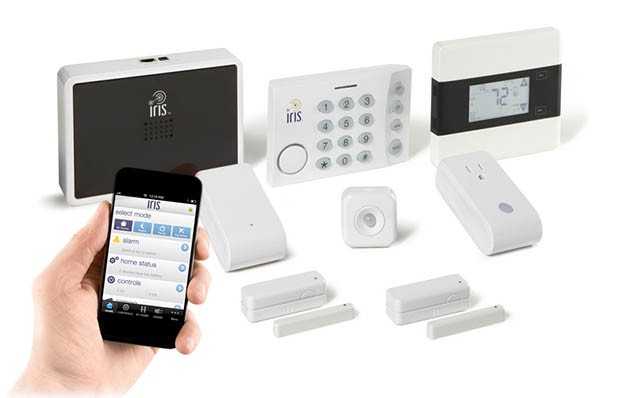
Lowe’s Iris uses a smartphone app as the command center. A ZigBee / Z-Wave to IP hub can be seen in the top left
Legacy home automation systems often had a centralized command center / station where the components could be controlled and rules could be programmed. With the advent of mobile devices, command and control is achieved via mobile apps. The rules can be either stored in the cloud (and integrated with cloud-base rules services such as IFTTT (If-This-Then-That)) or locally in the device or a control hub.
4. What are the power requirements of the device? If powered via batteries, what type is used, and how often do they need to be changed?
Many home automation devices that fulfill duties such as door / windows closure sensing tend to be battery-operated. In such cases, it is important for consumers to identify the type of battery being used and their expected lifetime. Usage of Wi-Fi as a communication medium in such devices is not usually a good choice – low power protocols such as Z-Wave and ZigBee are better suited. AC-powered home automation devices don’t need to worry about this aspect. That said, if Wi-Fi is being used, it would be an added bonus if the device were to sport a low-power Wi-Fi SoC. Data rates are not that big of a concern when it comes to IoT devices. Reduction in power requirements often trumps the bandwidth aspect.
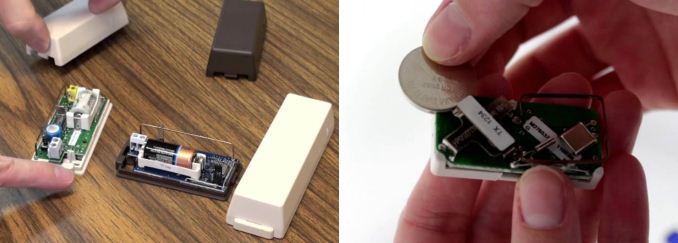
Door/window contact sensors might use CR2 batteries or CR2032 coin cells, depending on the vendor
In case the device under consideration connects to a wired network (common in devices such as IP surveillance cameras), it would be an added advantage if PoE (power over Ethernet) were to be used in order to reduce cabling requirements.
5. Is the device a standalone product or a member of an ecosystem of products? What are the pricing aspects?
Consumers need to identify whether the device under consideration is a standalone product or one of many components in a product family. In the former case, the importance of open APIs and ability for third-party applications to control the unit is increased. Otherwise, the consumer is likely to end up with multiple mobile apps for controlling different devices. In the latter case, it is good to check if all the devices in the product family can be controlled via a single interface (usually a mobile app or a central home automation server).
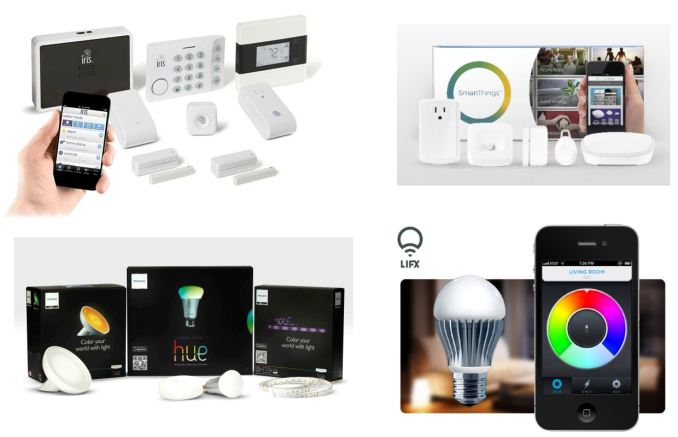
Home automation solutions may have products for multiple use-cases (eg. Lowe’s Iris & SmartThings) or have a narrow focus (eg. smart lighting with Philips Hue & LIFX)
The final aspect that consumers need to consider is pricing. Home automation has remained a niche market so far because not many consumers can afford the price of professionally installed systems. There is nothing wrong in going for such a high-priced system – if you can afford it. That said, home automation technology is becoming more and more user-friendly (in terms of ease of installation and operation). Devices are becoming more and more affordable. Some devices such as those that do energy monitoring / power outlet scheduling and temperature control often end up paying for themselves over the long run in saved electricity and heating costs. In any case, it is important for consumers to shop around for their home automation needs. There are many offerings providing the same functionality. In addition to being satisfied with the answers to the four questions above, being comfortable with the short and long-term costs is also an important aspect. Some devices have a monthly subscription fee for cloud-based access, and that needs to be considered in the overall cost structure.
Concluding Remarks
This piece has brought out a set of aspects that go beyond what the usual company press releases / tech press coverage shed light on. These typically also lead to the negative aspects (from a consumer perspective) of any home automation system. In order to bring out the true picture of any device / system targeting home automation in the IoT / IoE space, we will be carrying a summary table covering the following points in each of our home automation reviews:
- Communication Technology (Wi-Fi / Bluetooth / Z-Wave / ZigBee etc.)
- Power Source
- Hub / Bridge Requirement
- Control Center (Local device / cloud / local server etc.)
- User Control Interface (Mobile apps / web server / dedicated consumer premises equipment etc.)
- Notes on Open APIs
- Notes on Cloud Reliance (includes subscription aspects)
- Notes on Security
- Pricing
The aspects brought out in the preceding section were presented in the form of questions that the consumers need to ask. Note that most of them are open-ended ones, and a non-consumer friendly answer to any of them doesn’t automatically make the product a disappointing one. For example, Dropcam – one of the more successful exits in the home automation / IoT space – has always actively prevented local access to the video feed. This didn’t prevent them from selling a large number of cameras. The intention of this piece is to educate consumers – they should vote with their wallets to encourage open devices and systems. Hopefully, the next Dropcam‘s product family members will be as much friendly to power users as they will be easy to use.