News


ARM Announces New 28nm POP IP For UMC Foundry
ARM Announces New 28nm POP IP For UMC Foundry

Today ARM announces a new POP IP offering directed at UMC’s new 28HPCmanufacturing process. To date we haven’t had the opportunity to properly explain what ARM’s POP IP actually is and how it enables vendors to achieve better implementation of ARM’s IP offerings. While for today’s pipeline announcement we’ll be just explaining the basics, we’re looking forward to a more in-depth article in the following months as to how vendors take various IPs through the different stages of development. 

When we talk about a vendor licensing an ARM IP (CPU for example), this generally means that they are taking the RTL (Register Transfer Level) design of an IP. The RTL is just a logical representation of the functioning of a block, and to get to from this form to one that can be implemented into actual silicon requires different development phases which is generally referred to as the physical implementation part of semiconductor development. 

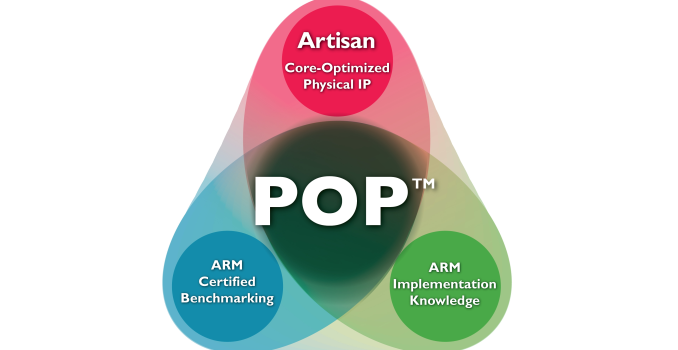
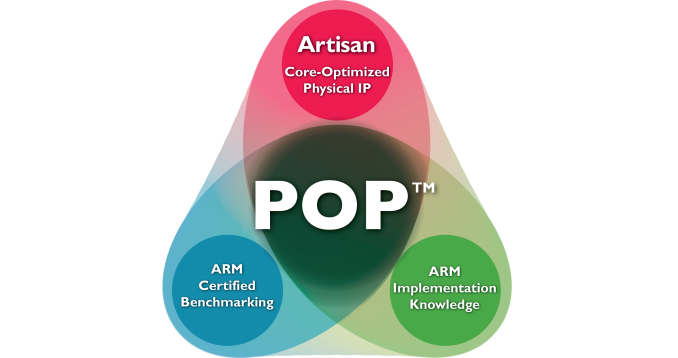
It’s here where ARM’s POP IP (Which by the way is not an acronym) comes into play: Roughly speaking, POP IP is a set of tools and resources that are created by ARM to accelerate and facilitate the implementation part of SoC development. This includes standard cell libraries, memory compilers, timing benchmarks, process optimized design changes and in general implementation knowledge that ARM is able to amass during the IP block development phase.
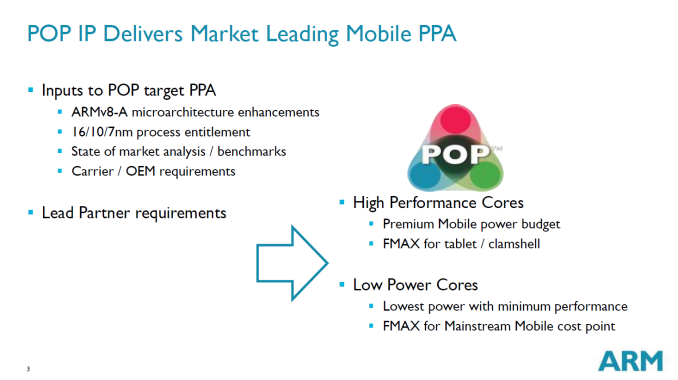
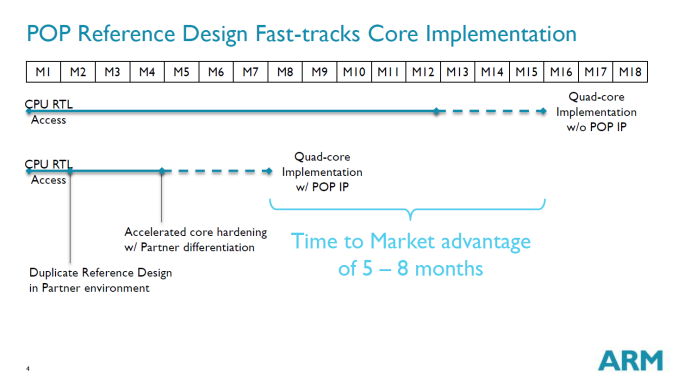
The main goal is to relieve the vendor from re-doing work that ARM has already done and thus enable a much better time-to-market compared to vendors which have their in-house implementation methodology (Samsung and Qualcomm, among others, for example). ARM explains this can give an up to 5-8 month time to market advantage which is critical in the fast-moving mobile SoC space.

One aspect that seemed to be misunderstood, and even myself had some unclear notions about, is that POP IP is not a hard-macro offering but rather all the resources that enable a vendor to achieve that hard-macro (GDSII implementation).

This is where we come back to today’s announcement. ARM’s new POP IP targets UMC’s new 28nm process called 28HPCfor ARM’s Cortex A7 and Cortex A53 cores. The acronym has a dual meaning standing for 28nm High Performance Compact “UMC” or “Ultra-Low IDDQ” with IDDQ being the leakage current which is being describes as being considerably lower than UMC’s first-generation 28nm HKMG process and able to give significant battery life improvements to devices. 

While ARM isn’t able to disclose which vendors use POP IP, they state that the main target is low-cost Asian market, which most likely means various Chinese vendors. According to S.C. Chien, vice president, corporate marketing, UMC:

“Multiple customers from a variety of applications have engaged with UMC to design their products on 28HPCU. Our collaboration with long-time partner ARM enables UMC to offer a comprehensive design platform with POP IP for two of the most efficient ARM processor cores.”
Alpenföhn Unveils Olymp: A Giant Air Cooler Rated for 340W TDP

Alpenföhn Unveils Olymp: A Giant Air Cooler Rated for 340W TDP

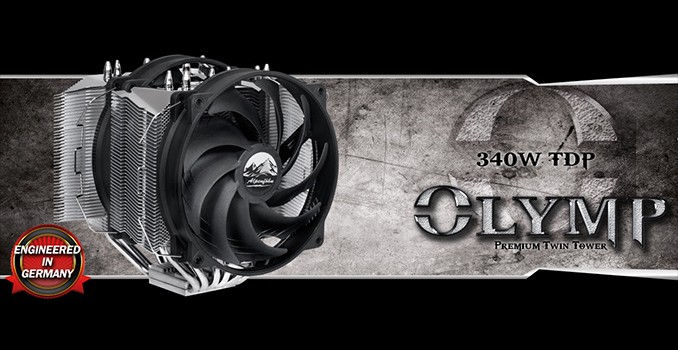
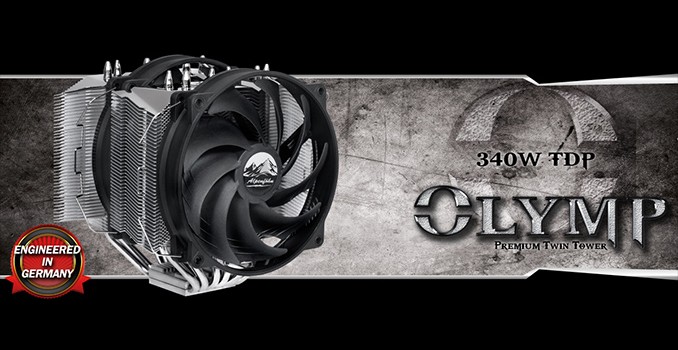
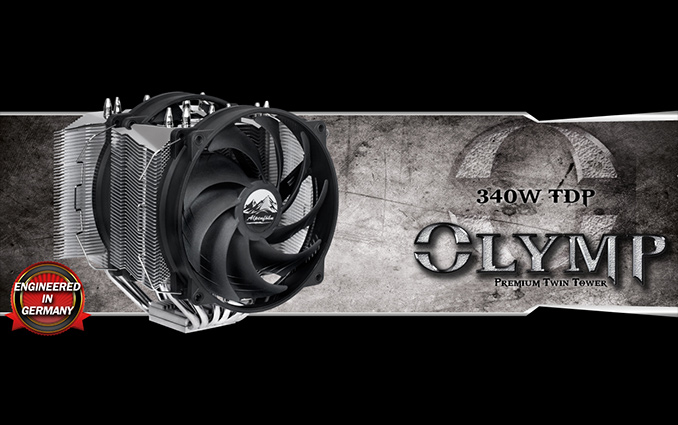
As the market for PC CPU coolers has matured over the last half-decade or so and closed loop liquid coolers have encroached in the space, we haven’t seen very many announcements of high-end CPU air coolers. However when we do see new coolers announced, they tend to aim for the stars, and now cooler manufacturer Alpenföhn is doing just that. This week the company is announcing their new Olymp cooler, a rather large tower CPU cooler rated to dissipate up to 340W of heat.

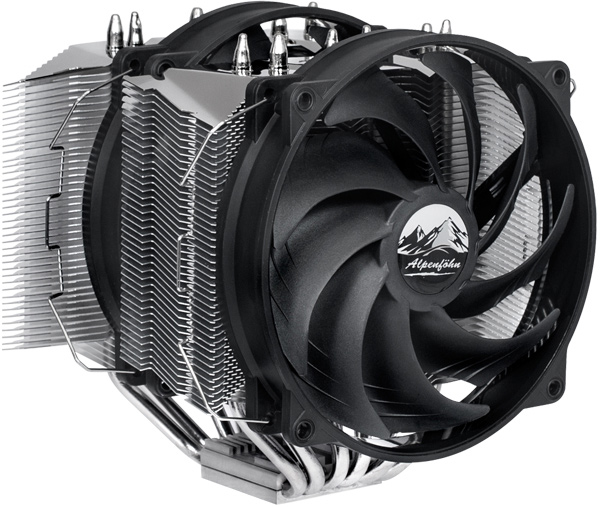
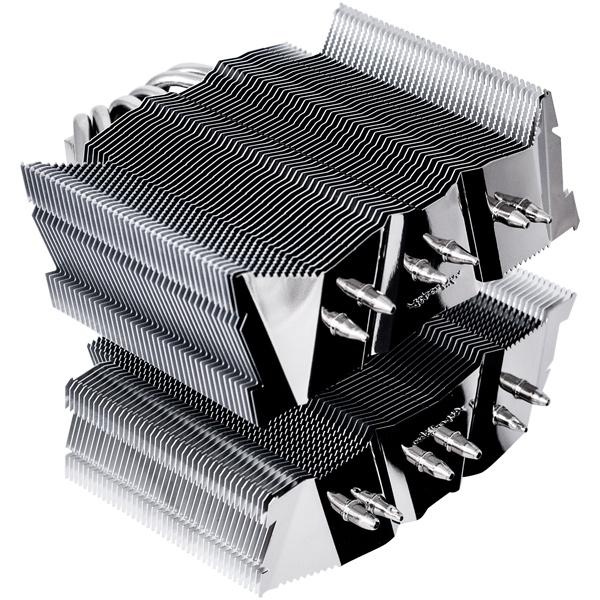
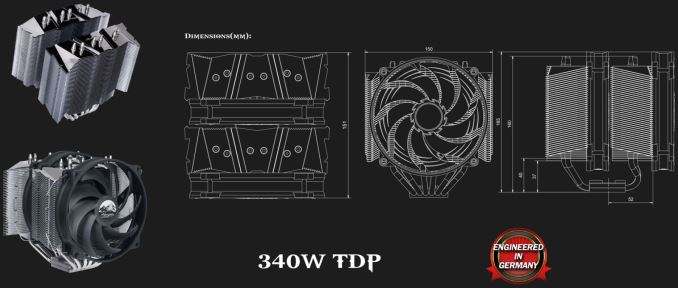
The Alpenföhn Olymp is an oversized asymmetric twin-tower cooler made of aluminum with a nickel-plated copper base as well as six U-shaped 6-mm nickel-plated heat-pipes. The heatsink is 165x151x150mm in size and weighs 1.2 kilograms (without fans); it requires a special mounting mechanism with custom retention plates and will not fit into many small form-factor PC cases (especially with fans installed). The sides of the fins of the heatsink are slightly bent in order to make the most of their surface area and to optimize airflow.

Alpenföhn does not disclose exact cooling fin surface area of the Olymp, but it is pretty clear that it is huge. While heatsinks of such weight and dimensions can cool-down even higher-end CPUs passively (for example, Thermalright positions its HR22 and Macho Zero as passive cooling solutions), the Alpenföhn Olymp can be equipped with 140-mm fans to maximize its potential. Since the cooler is gargantuan, to ensure maximum compatibility with memory modules Alpenföhn proposes installing one fan between the towers and another on the backside of the cooler. Such configuration is common for oversized coolers and it’s a rather straightforward solution for dual-channel memory platforms (i.e., LGA115x, FM2/AM3, etc.). However users of quad-channel memory platforms (i.e., LGA2011, where modules are installed on both sides of the CPU socket) will have to adjust height of front and/or back fans so not restrict the installation of memory modules in slots that need to be used.

The Alpenfoehn Olymp is shipped with two WingBoost 140-mm fans with PWM control that have 300 – 1400 RPM speed and can push up to 123.38 m3 of air per hour. The airflow pressure of Olymp’s fans is slightly lower than that of the competing Noctua NH-D15 (140.2 m3/h), but with a heatsink that large, it shouldn’t matter much for the vast majority of real-world use cases. The fans are rated to produce from 8 to 26.8 dbA of noise — just slightly louder than the maximum amount noise declared for the NH-D15. Alpenföhn rates its fans for 280 thousand hours MTTF (mean time till failure), or about 32 years of 24/7 operation.

The manufacturer believes that its Olymp cooler can effectively dissipate up to 340 W of heat, an extreme amount that greatly exceeds any reasonable TDP of a commercial chip. The Alpenfoehn Olymp will compete against other super-coolers, including Thermalright SilverArrow Extreme (officially rated for 320 W TDP), as well as advanced liquid cooling solutions.

The Alpenföhn Olymp is compatible with virtually all modern CPU platforms, including Intel’s LGA115x, LGA2011 and LGA775 as well as AMD’s AM2/AM3 and FM1. Keeping in mind its huge dimensions and weight, it makes a lot of sense to check thoroughly whether the cooler is compatible with a particular setup before purchase. The cooler is available for €79.9 in various stores across Europe.

Alpenföhn Unveils Olymp: A Giant Air Cooler Rated for 340W TDP

Alpenföhn Unveils Olymp: A Giant Air Cooler Rated for 340W TDP

As the market for PC CPU coolers has matured over the last half-decade or so and closed loop liquid coolers have encroached in the space, we haven’t seen very many announcements of high-end CPU air coolers. However when we do see new coolers announced, they tend to aim for the stars, and now cooler manufacturer Alpenföhn is doing just that. This week the company is announcing their new Olymp cooler, a rather large tower CPU cooler rated to dissipate up to 340W of heat.

The Alpenföhn Olymp is an oversized asymmetric twin-tower cooler made of aluminum with a nickel-plated copper base as well as six U-shaped 6-mm nickel-plated heat-pipes. The heatsink is 165x151x150mm in size and weighs 1.2 kilograms (without fans); it requires a special mounting mechanism with custom retention plates and will not fit into many small form-factor PC cases (especially with fans installed). The sides of the fins of the heatsink are slightly bent in order to make the most of their surface area and to optimize airflow.

Alpenföhn does not disclose exact cooling fin surface area of the Olymp, but it is pretty clear that it is huge. While heatsinks of such weight and dimensions can cool-down even higher-end CPUs passively (for example, Thermalright positions its HR22 and Macho Zero as passive cooling solutions), the Alpenföhn Olymp can be equipped with 140-mm fans to maximize its potential. Since the cooler is gargantuan, to ensure maximum compatibility with memory modules Alpenföhn proposes installing one fan between the towers and another on the backside of the cooler. Such configuration is common for oversized coolers and it’s a rather straightforward solution for dual-channel memory platforms (i.e., LGA115x, FM2/AM3, etc.). However users of quad-channel memory platforms (i.e., LGA2011, where modules are installed on both sides of the CPU socket) will have to adjust height of front and/or back fans so not restrict the installation of memory modules in slots that need to be used.

The Alpenfoehn Olymp is shipped with two WingBoost 140-mm fans with PWM control that have 300 – 1400 RPM speed and can push up to 123.38 m3 of air per hour. The airflow pressure of Olymp’s fans is slightly lower than that of the competing Noctua NH-D15 (140.2 m3/h), but with a heatsink that large, it shouldn’t matter much for the vast majority of real-world use cases. The fans are rated to produce from 8 to 26.8 dbA of noise — just slightly louder than the maximum amount noise declared for the NH-D15. Alpenföhn rates its fans for 280 thousand hours MTTF (mean time till failure), or about 32 years of 24/7 operation.

The manufacturer believes that its Olymp cooler can effectively dissipate up to 340 W of heat, an extreme amount that greatly exceeds any reasonable TDP of a commercial chip. The Alpenfoehn Olymp will compete against other super-coolers, including Thermalright SilverArrow Extreme (officially rated for 320 W TDP), as well as advanced liquid cooling solutions.

The Alpenföhn Olymp is compatible with virtually all modern CPU platforms, including Intel’s LGA115x, LGA2011 and LGA775 as well as AMD’s AM2/AM3 and FM1. Keeping in mind its huge dimensions and weight, it makes a lot of sense to check thoroughly whether the cooler is compatible with a particular setup before purchase. The cooler is available for €79.9 in various stores across Europe.

Dell To Add Off-Host BIOS Verification To Endpoint Security Suite Enterprise

Dell To Add Off-Host BIOS Verification To Endpoint Security Suite Enterprise

At CES this year, Dell kind of broke from tradition and focused more on their business products. When I had a chance to talk to them, they were very enthusiastic about the fact that Dell is one of the few companies that does complete end to end solutions for the enterprise. Part of that end to end solution is Dell’s Endpoint Security Suite Enterprise, which includes data protection, authentication, and malware prevention.

A new feature coming to this suite is going to be BIOS verification. Dell found that there was a gap in the market with regards to securing the boot process. BIOS attacks are especially nasty, because they load up before the operating system and can more easily avoid detection. Most malware protection products focus on heuristics and virus signatures, but that landscape is changing with less mass targeting of malware and more directed attacks at specific companies, or even people. Dell’s Endpoint suite was recently updated to use Cylance as their anti-virus engine, and it uses machine learning which, according to Dell, can stop 99% of malware, even if it’s a zero-day or unknown exploit. Signature based detection is accurate 50% or less of the time, according to the same tests.

But all of that is to protect the operating system. If malware gets into the BIOS, it can be very difficult to detect. There are already methods to help deal with this – Microsoft Windows offers protection called Measured Boot which verifies the BIOS with help of the Trusted Platform Module. Dell wants to take this one step further, and remove the local host from the equation at all. Instead, Dell computers with the Endpoint Suite will be able to compare a SHA256 hash of the BIOS against a known good version kept on Dell’s servers. Since Dell is the one that originally creates the BIOS, they would be the authority to ensure that it has not been compromised.

Dell’s suite will perform a hash function on the BIOS, and send it to Dell. If the BIOS is found to have a non-matching return value, Dell’s servers will send an alert to the designated IT admins for the organization.

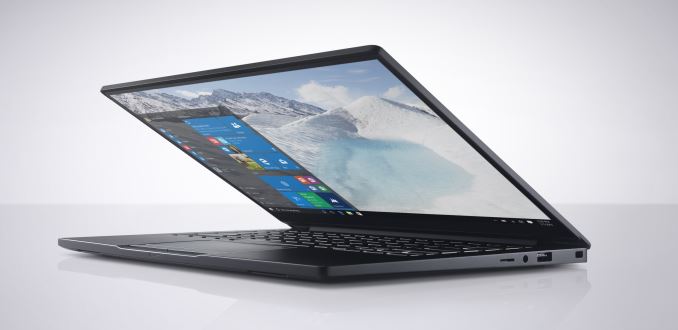
Dell’s Latitude 13 7000 will be available with BIOS Verification

Unlike Secure Boot, Dell’s solution does not actually stop the device from booting, or even alert the end user. The hashing and comparison is not done in real-time, but rather after the machine finishes booting, the Endpoint Suite will send it to Dell. Dell made it very clear that their intention was not to interfere with the device itself, but rather to give the IT admins notification of an issue so that they can deal with it through their own response and policy.

One obvious question I had to ask was if this same hashing could be done on a continuous basis, rather than just at boot, because the Endpoint Suite is what gathers the information and sends it to Dell. They were happy to let me know that a policy based scan of the BIOS is something they are working on, and they are hoping for it to be available in Q2 of this year. Scanning the BIOS every hour, or whatever is deemed a good time by the IT admins, would give them a leg up to catch the software before it even gets to go through a boot process and get itself into the system.

Dell has focused very much on being a one-stop shop for all of a companies computing needs, from servers, to desktops, to displays, and even services. This addition to their Enterprise Security Suite Enterprise will initially be available for Dell’s lineup of commercial PCs based on 6th generation Intel processors. They were keen to point out that BIOS attacks are not anywhere near as commonplace as traditional malware, but it is important to be out in front of these types of attacks.

Source: Dell

Dell To Add Off-Host BIOS Verification To Endpoint Security Suite Enterprise

Dell To Add Off-Host BIOS Verification To Endpoint Security Suite Enterprise

At CES this year, Dell kind of broke from tradition and focused more on their business products. When I had a chance to talk to them, they were very enthusiastic about the fact that Dell is one of the few companies that does complete end to end solutions for the enterprise. Part of that end to end solution is Dell’s Endpoint Security Suite Enterprise, which includes data protection, authentication, and malware prevention.

A new feature coming to this suite is going to be BIOS verification. Dell found that there was a gap in the market with regards to securing the boot process. BIOS attacks are especially nasty, because they load up before the operating system and can more easily avoid detection. Most malware protection products focus on heuristics and virus signatures, but that landscape is changing with less mass targeting of malware and more directed attacks at specific companies, or even people. Dell’s Endpoint suite was recently updated to use Cylance as their anti-virus engine, and it uses machine learning which, according to Dell, can stop 99% of malware, even if it’s a zero-day or unknown exploit. Signature based detection is accurate 50% or less of the time, according to the same tests.

But all of that is to protect the operating system. If malware gets into the BIOS, it can be very difficult to detect. There are already methods to help deal with this – Microsoft Windows offers protection called Measured Boot which verifies the BIOS with help of the Trusted Platform Module. Dell wants to take this one step further, and remove the local host from the equation at all. Instead, Dell computers with the Endpoint Suite will be able to compare a SHA256 hash of the BIOS against a known good version kept on Dell’s servers. Since Dell is the one that originally creates the BIOS, they would be the authority to ensure that it has not been compromised.

Dell’s suite will perform a hash function on the BIOS, and send it to Dell. If the BIOS is found to have a non-matching return value, Dell’s servers will send an alert to the designated IT admins for the organization.

Dell’s Latitude 13 7000 will be available with BIOS Verification

Unlike Secure Boot, Dell’s solution does not actually stop the device from booting, or even alert the end user. The hashing and comparison is not done in real-time, but rather after the machine finishes booting, the Endpoint Suite will send it to Dell. Dell made it very clear that their intention was not to interfere with the device itself, but rather to give the IT admins notification of an issue so that they can deal with it through their own response and policy.

One obvious question I had to ask was if this same hashing could be done on a continuous basis, rather than just at boot, because the Endpoint Suite is what gathers the information and sends it to Dell. They were happy to let me know that a policy based scan of the BIOS is something they are working on, and they are hoping for it to be available in Q2 of this year. Scanning the BIOS every hour, or whatever is deemed a good time by the IT admins, would give them a leg up to catch the software before it even gets to go through a boot process and get itself into the system.

Dell has focused very much on being a one-stop shop for all of a companies computing needs, from servers, to desktops, to displays, and even services. This addition to their Enterprise Security Suite Enterprise will initially be available for Dell’s lineup of commercial PCs based on 6th generation Intel processors. They were keen to point out that BIOS attacks are not anywhere near as commonplace as traditional malware, but it is important to be out in front of these types of attacks.

Source: Dell