News


Microsoft Adds New Features To The Microsoft Band
Microsoft Adds New Features To The Microsoft Band

I only just got done the review on the Microsoft Band 2, and there were a couple of shortcomings that I was hoping the new Band model would address. Today Microsoft has addressed some of those issues with an update. This brings quite a bit more to the Band, and addresses some of the key issues I had with the device.

First up, you can now control music playback right on the Band. This was something that needed to be there, and it’s great to see that it has been added. Music playback is pretty common when exercising, or even when you are using the Band as just a smartwatch, so while this is a small feature, it should be well received. It works with any of the smartphone platforms, so you don’t need a Windows Phone to use this function either. The lack of integration with the smartphone was one of the sore points in the review, so I am glad this is addressed.

Second, and another issue I had with the Band, was that it didn’t do much with the vast amounts of data it collects. Yes, you can look at all of the data yourself in Microsoft Health, but I wanted the Band to be more proactive with that data. The Band can now notify you during the day if you haven’t been active for a while, which is something that Apple got right with their Apple Watch. Once again, it’s a small change, but a good one, especially at the demographic that the Band targets.

The Band has an Exercise tile, which is a generic catch-all for workouts that involve activity but not things like step counting or GPS. There is more customization now and you can select popular options within the tile to track specific activities, like yoga, or weightlifting. If you are into something else, you can also name your own activities and add them in.

Finally, the Band now has a “What’s New” tile, which will notify you when there are updates for your Band available. It will point out the new features and functionality that are available.

Altogether, these seem like four small points, but in total, this is a great update to the Band. It specifically addresses several of the issues I had with it during review, and it’s great to see software updates coming to improve functionality.

Source: Microsoft

 

Microsoft Adds New Features To The Microsoft Band

Microsoft Adds New Features To The Microsoft Band

I only just got done the review on the Microsoft Band 2, and there were a couple of shortcomings that I was hoping the new Band model would address. Today Microsoft has addressed some of those issues with an update. This brings quite a bit more to the Band, and addresses some of the key issues I had with the device.

First up, you can now control music playback right on the Band. This was something that needed to be there, and it’s great to see that it has been added. Music playback is pretty common when exercising, or even when you are using the Band as just a smartwatch, so while this is a small feature, it should be well received. It works with any of the smartphone platforms, so you don’t need a Windows Phone to use this function either. The lack of integration with the smartphone was one of the sore points in the review, so I am glad this is addressed.

Second, and another issue I had with the Band, was that it didn’t do much with the vast amounts of data it collects. Yes, you can look at all of the data yourself in Microsoft Health, but I wanted the Band to be more proactive with that data. The Band can now notify you during the day if you haven’t been active for a while, which is something that Apple got right with their Apple Watch. Once again, it’s a small change, but a good one, especially at the demographic that the Band targets.

The Band has an Exercise tile, which is a generic catch-all for workouts that involve activity but not things like step counting or GPS. There is more customization now and you can select popular options within the tile to track specific activities, like yoga, or weightlifting. If you are into something else, you can also name your own activities and add them in.

Finally, the Band now has a “What’s New” tile, which will notify you when there are updates for your Band available. It will point out the new features and functionality that are available.

Altogether, these seem like four small points, but in total, this is a great update to the Band. It specifically addresses several of the issues I had with it during review, and it’s great to see software updates coming to improve functionality.

Source: Microsoft
 

StarTech Launches USB Docking Station With UHD Display Support

StarTech Launches USB Docking Station With UHD Display Support

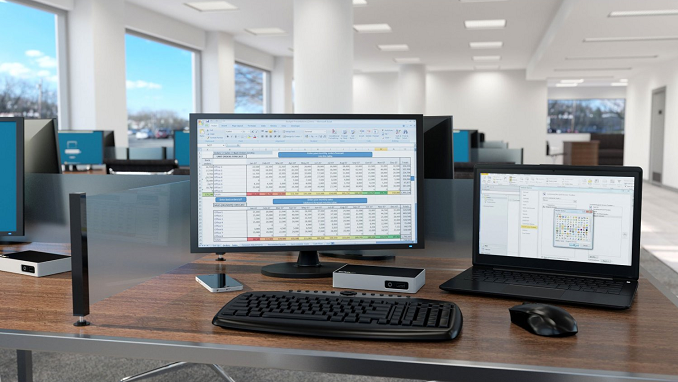
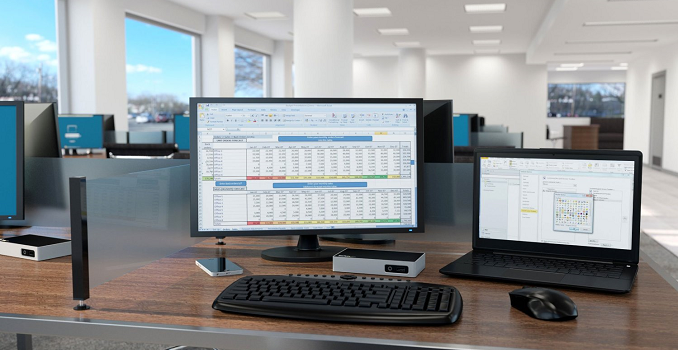
StarTech has launched three new USB based docking stations for the home-office or BYOD workforce. Being that they are based on USB 3.0, they will work with any Windows 7 and up PC, or Mac OS 10.8 and later. While a USB dock may not offer all of the same performance and connectivity of a business class docking station, the fact is that most laptops don’t offer any sort of docking solution.

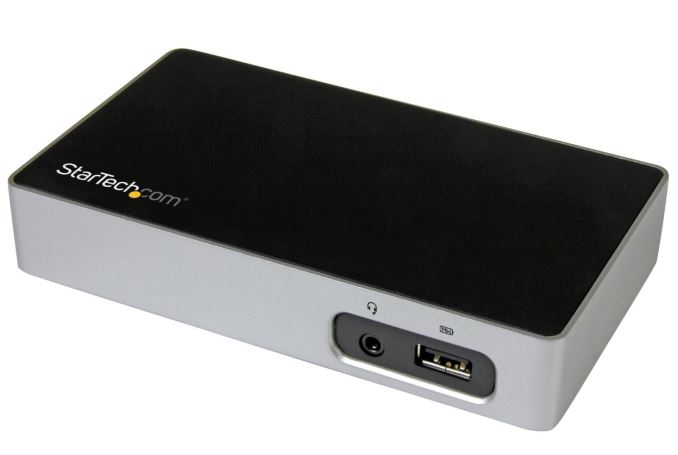
The new docks are the USB3VDOCK4DP (4K DisplayPort), USB3VDOCKD (DVI), and USB3VDOCKH (HDMI), which means that no matter what kind of connectivity you need, StarTech has a model to suit your equipment. It’s interesting too that the DisplayPort model will even support UHD resolutions, albeit at just 30 Hz. StarTech is using a DisplayLink DL series chipset to drive the displays, with a different model depending on which dock you get. The DisplayPort model uses the DL-5700, and the HDMI and DVI docks use the DL-3700, which offers a maximum resolution of 2048×1152.

StarTech Docking Stations
Model USB3VDOCK4DP USB3VDOCKD USB3VDOCKH
Display Output DisplayPort DVI HDMI
Chipset DisplayLink DL-5700 DisplayLink DL-3700 DisplayLink DL-3700
Max Resolution 3840×2160 (30Hz max)
2560×1600 (60Hz)
2048×1152 2048×1152
USB Ports 2 x USB 3.0
1 x USB 3.0 w/USB Battery Charge Spec 1.2
Networking Gigabit Ethernet with Wake-on LAN
Audio 3.5mm Headset Jack
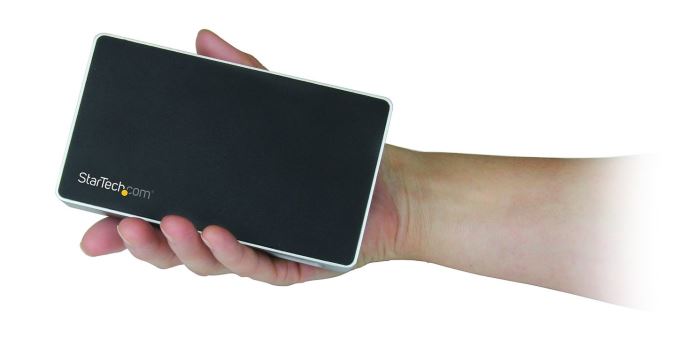
Size Height: 26 mm (1″)
Width: 79 mm (3.1″)
Length: 139 mm (5.5″)
Included Docking Station
USB 3.0 Host Cable
Power Adapter
Price $157.99 $134.99 $135.99

In addition to the display connection, you also get three USB 3.0 ports, with one of them being a fast-charge port with USB Battery Charging 1.2 spec, which offers up to 7.5 watts of power. Gigabit Ethernet is also on tap, with Wake-on LAN capabilities, and the docks include a 3.5mm headset jack as well.

If you’ve wanted to connect your laptop to a keyboard, mouse, and monitor, StarTech will be offering the Docks for $135 for the HDMI/DVI models, and $158 for the DisplayPort model. It should be available in the next couple of weeks.

Source: StarTech

StarTech Launches USB Docking Station With UHD Display Support

StarTech Launches USB Docking Station With UHD Display Support

StarTech has launched three new USB based docking stations for the home-office or BYOD workforce. Being that they are based on USB 3.0, they will work with any Windows 7 and up PC, or Mac OS 10.8 and later. While a USB dock may not offer all of the same performance and connectivity of a business class docking station, the fact is that most laptops don’t offer any sort of docking solution.

The new docks are the USB3VDOCK4DP (4K DisplayPort), USB3VDOCKD (DVI), and USB3VDOCKH (HDMI), which means that no matter what kind of connectivity you need, StarTech has a model to suit your equipment. It’s interesting too that the DisplayPort model will even support UHD resolutions, albeit at just 30 Hz. StarTech is using a DisplayLink DL series chipset to drive the displays, with a different model depending on which dock you get. The DisplayPort model uses the DL-5700, and the HDMI and DVI docks use the DL-3700, which offers a maximum resolution of 2048×1152.

StarTech Docking Stations
Model USB3VDOCK4DP USB3VDOCKD USB3VDOCKH
Display Output DisplayPort DVI HDMI
Chipset DisplayLink DL-5700 DisplayLink DL-3700 DisplayLink DL-3700
Max Resolution 3840×2160 (30Hz max)
2560×1600 (60Hz)
2048×1152 2048×1152
USB Ports 2 x USB 3.0
1 x USB 3.0 w/USB Battery Charge Spec 1.2
Networking Gigabit Ethernet with Wake-on LAN
Audio 3.5mm Headset Jack
Size Height: 26 mm (1″)
Width: 79 mm (3.1″)
Length: 139 mm (5.5″)
Included Docking Station
USB 3.0 Host Cable
Power Adapter
Price $157.99 $134.99 $135.99

In addition to the display connection, you also get three USB 3.0 ports, with one of them being a fast-charge port with USB Battery Charging 1.2 spec, which offers up to 7.5 watts of power. Gigabit Ethernet is also on tap, with Wake-on LAN capabilities, and the docks include a 3.5mm headset jack as well.

If you’ve wanted to connect your laptop to a keyboard, mouse, and monitor, StarTech will be offering the Docks for $135 for the HDMI/DVI models, and $158 for the DisplayPort model. It should be available in the next couple of weeks.

Source: StarTech

The Qualcomm Snapdragon 820 Performance Preview: Meet Kryo

I don’t think there’s any way to sugarcoat this, but 2015 has not been a particularly great year for Qualcomm in the high-end SoC business. The company remains a leading SoC developer, but Snapdragon 810, the company’s first ARMv8 AA…