Best Video Cards: October 2014
After a couple of months off due to a very busy fall product season, we’re finally back again with our monthly guide to video cards and video card industry recap. Since our last guide it has been a busy couple of months, so there’s quite a bit to cover.
The big news this fall has of course been the new video card launches from AMD and NVIDIA. While October has been a relatively quiet month, both companies kept September busy by pushing new products out the door and took others off the shelves.
AMD for their part released the first of their GCN 1.2 architecture GPUs: Tonga. Tonga serves as AMD’s replacement for the nearly 3 year old Tahiti GPU, the very first of AMD’s GPUs first launched in 2011. Tonga is an interesting – if still slightly mysterious – GPU, as we suspect we have not seen everything it and GCN 1.2 can offer. From a high level GCN 1.2 is a further refinement on the GCN architecture, bringing with it greatly improved Delta Color Compression for graphics buffers, a faster video decode block (H.264 L5.2 support), and a further optimized geometry frontend that better handles extreme tessellation factors. At the same time we suspect there are some compute/HSA improvements in the design that AMD has not disclosed and are being saved for the rumored Carrizo APU, Kaveri’s successor.
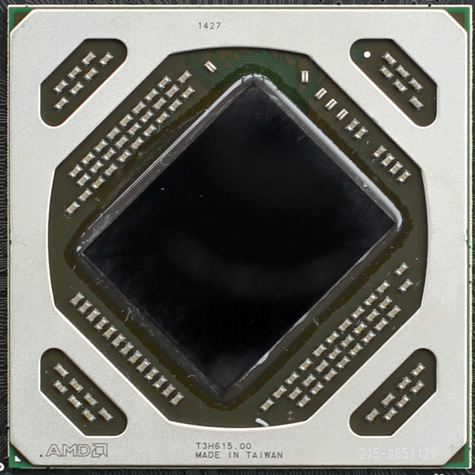
As for AMD’s desktop product stack, Tonga has been used so far in a single product, the Radeon R9 285. Like Tonga to Tahiti, R9 285 is designed to replace the R9 280 and similar second-tier Tahiti designs. Compared to R9 280, R9 285 is an unusual sidegrade that packs the GCN 1.2 features, a narrower 256-bit memory bus, and virtually identical performance to R9 280. Tahiti and R9 280 were in need of an update and R9 285 is a fine replacement, but if it has any weakness it’s that it hasn’t done much to push the overall performance envelope.
Meanwhile not to be left behind, NVIDIA released their own new wave of video cards powered by the Maxwell 2 architecture. The immediate successor to the Maxwell 1 architecture used in the GeForce GTX 750 series, Maxwell 2 brought NVIDIA’s previous power efficiency gains to the high-end with their new GM204 GPU, along with some new architectural features that make Maxwell 2 stand further apart from Maxwell 1. Among these is HDMI 2.0 support, HEVC hardware encoding, NVIDIA’s VXGI voxel rendering technology, and a suite of new graphics features that will be part of the Direct3D 11.3 specification.
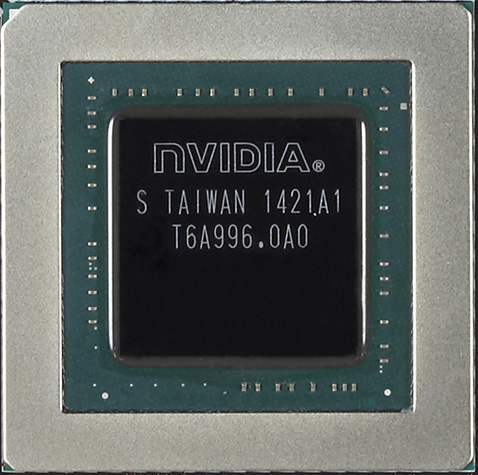
GM204 in turn lies at the heart of the GeForce GTX 980 and GTX 970, which had a significant impact on the PC video card market almost overnight. GTX 980 took the top spot as the fastest single-GPU video card, pushing aside AMD’s Radeon R9 290X and even NVIDIA’s own GTX 780 Ti while setting new marks for power efficiency (all the more impressive since this is still TSMC’s 28nm process). Meanwhile the more affordable GTX 970 retained much of GTX 980’s performance at a lower price, which had a significant spoiler effect on the market due to its strong performance – second only to GTX 980 and often tied with R9 290X – coupled with a low $330 price tag.
In fact it’s only now, over a month post-launch that NVIDIA and their partners have finally caught up with demand. For the last month GTX 900 cards have been hard (though not impossible) to come by, reflecting the impact they’ve had on the market. The AMD ecosystem for its part has cut prices in response in order to stay competitive, and while AMD is facing a technological gap they can’t completely close with the R9 290 series, they can still put up a good fight with competitive positioning.
Finally, on a software note, we’re seeing the launch of this fall’s major video games, including games that were designed around the current-generation game consoles. Though the era of AAA action games being cross-platform means that PC video cards don’t always get used to their full potential, the flip side of this is that once there’s a console generation jump, we see a significant increase in the GPU requirements as the PC video card advantage gets reset. Of particular note, games like Shadows of Mordor and Assassin’s Creed: Unity are hitting shelves with high performance requirements and VRAM-hungry assets that can eat into 4GB+ of VRAM, as consoles are now using GPUs and graphical effects in from the same generation as current PC GPUs. For gamers this means upgrades may be in order, something AMD and NVIDIA are itching to provide.
Anyhow, market summaries behind us, let’s look at individual recommendations. As always, we’ve laid out our ideas of price/performance bands and recommendations in our table below, with our full explanations and alternative options to follow. As always, in the case of the sub-$200 market it’s worth pointing out that there’s a video card for roughly every $10, so picking a good video card is as much about budgets as it is finding an especially strong card.
| October 2014 GPU Performance Guide | ||||
| Performance Band | Price Range | Recommendation | ||
| 1080p (Low) | $99-$149 | AMD Radeon R7 260X | ||
| 1080p (Med) |
$149-$189
|
|||
| 1080p (High) |
$189-$279
|
|||
| 1440p (Med) |
$279-$349
|
|||
| 1440p (High) |
$349
|
|||
| 1440p (Max) |
$579+
|
|||
| 4K/Multi-Monitor (High) |
$560+
|
|||
As a general recommendation for gaming, we suggest starting at $99. There are cards below this price, but the amount of performance you have to give up below $99 far outweighs the cost. Even then, performance gains will generally exceed the price increases up to $150 or so.
Meanwhile for gamers looking for high quality 1080p gaming or better, that will start at around $199. Going above that will find cards that are good for 1440p, 4K, and multi-monitor, while going below that will find cards that will require some quality sacrifices to stay at 1080p.
Finally, this guide is by its very nature weighted towards price/performance, based on the passionate feedback we’ve received from our readers. For these purposes we consider AMD and NVIDIA to be equal from a functionality and compatibility perspective, but it should be said that both parties have been building out their ecosystem in the past year, and this will only continue to grow as the two companies try to differentiate themselves. So if you need or want functionality beyond the core functionality a video card offers, it may be worthwhile to familiarize yourself with the NVIDIA and AMD ecosystems, including Gameworks, Eyefinity, G-Sync, Mantle, GeForce Experience, and more.
Budget (<$100): AMD Radeon R7 260X
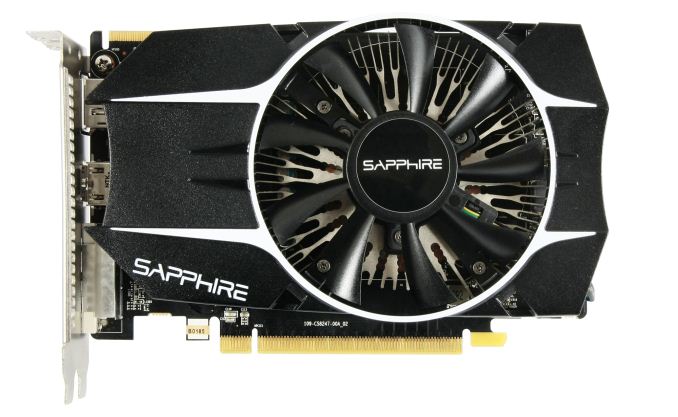
Though always a bit of a mess due to the sheer number of cards around the $99 price point, for this month the market for budget cards is going to be pretty cut and dry. At under $100 AMD’s Radeon R9 260X is going to be the fastest option available. Based on a full-fledged version of AMD’s Bonaire GPU, the R7 260X offers a good balance between price and performance, delivering the best performance to be found for this price segment.
Now this still isn’t going to quite hit the overall performance sweet spot we outlined earlier, but for those gamers on a strict budget it will get the job done. For current games it will be able to run most of them at 1080p with medium-to-low settings. For newer cross-platform games however, we expect to see it get forced back to low quality. One piece of advice here is that if you can snag one, a 2GB card is going to have longer legs than a 1GB card. Unfortunately most sub-$100 cards are the 1GB variety, but there is usually a 2GB card or two also available at that price.
Runner Up: NVIDIA GeForce GTX 750
Our second runner up here is NVIDIA’s GeForce GTX 750. Most GTX 750 cards are over $100, but there is a decent selection at $99, enough to make purchasing one at this price an option. Against the R7 260X it’s still going to be several percent slower, but it has an ace up its sleeve in its sub-75W power consumption, making it more favorable in power or cooling constrained systems.
Mainstream Sweet Spot ($149): AMD Radeon R7 265
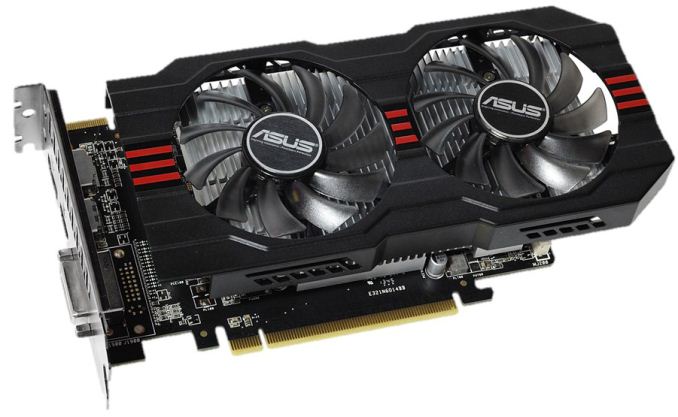
At this point in time the $149 price point is in an odd spot due to how this price point is bracketed by cards above and below it. The card you’re most likely to find at this price point is AMD’s Radeon R7 265, the company’s lowest-tier Pitcairn card. Essentially a 7850 with a higher GPU clockspeed and a revised memory bus allowing for higher memory clockspeeds, the R7 265 a capable card for the price.
From a performance standpoint the R7 265 not going to be able to play every game at 1080p at high settings, but it will be fast enough for medium-to-high depending on the game, which will be a couple of notches higher than what the $99 cards can do. Meanwhile the 2GB of VRAM will mean that future games shouldn’t bog down the card quite as badly; higher graphical fidelity games will slow it down like any other card, but there’s enough VRAM to keep up with the demands of higher resolution textures and heavier use of intermediate buffers.
Runner Up: AMD Radeon R9 270 & NVIDIA GeForce GTX 750 Ti
While R7 265 is AMD’s official $149 card, the more powerful R9 270 has been flirting with the $149 mark as well. There aren’t really enough cards available at this price to qualify R7 270 as a $149 card, but it can be found at that price by the smart shopper. All things considered the R7 270 is the better card at around 10% faster, and if it can be found at $149 you should take it over an R7 265.
Alternatively, we have NVIDIA’s GeForce GTX 750 Ti, a card that offers below the R7 265 but with much lower power consumption. The GTX 750 Ti is a sub-75W card – no external PCIe power connector required – allowing it to work in cases and systems where the near-150W R7 265 cannot, while also offering the improved acoustics that come with lower power consumption. And at around $129 it’s going to be lighter on the wallet than R7 265, but performance standpoint it will trail by about 16%.
1080p Gaming ($189): AMD Radeon R9 280
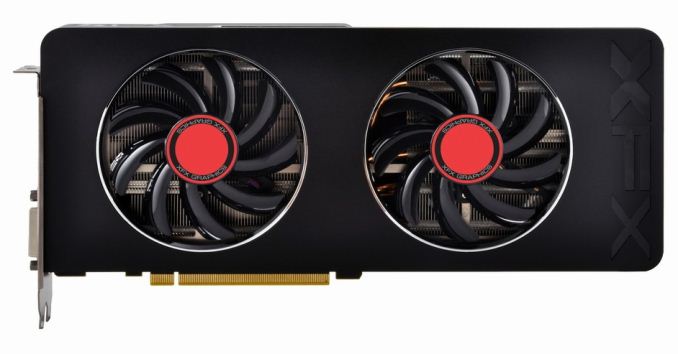
Once we start approaching $200 we begin reaching some rather powerful cards, and in the process cross a pretty good fight for the $200 spot between AMD and NVIDIA. But at the end of the day AMD has the edge with their Radeon R9 280, the company’s second-tier Tahiti part. Officially this part is in clearance sale mode, but that has been the case for almost 2 months now with the supply still holding strong, so as long as that remains the case this is going to be the strongest card for those looking around the $200 price point.
The R9 280 should breeze through 1080p gaming, and with its 3GB of VRAM it should hold up to newer cross-platform games a bit better than some other cards. This card should even be able to hit 1440p in some scenarios, but I expect the next round of cross-platform games will keep it working hard just to stay at 1080p with high quality settings.
Runner Up: NVIDIA GeForce GTX 760
The GeForce GTX 760 falls a bit short of R9 280’s performance, but should R9 280 supplies finally dry up or you’re just looking for a $200 NVIDIA card it’s still a solid choice. As NVIDIA’s second-tier GK104 card it still packs quite a punch.
1440p Power ($279): AMD Radeon R9 290
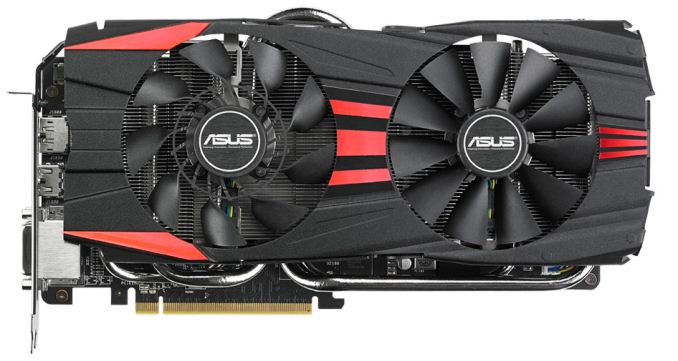
Past $200, the launch of the GTX 900 series has caused a major disruption of pricing and sweet spots. Between the $189 R9 280 and $279 R9 290 there are some cards such as the R9 285 and GTX 770, but none of them are very interesting nor make all that much sense right now. With the R9 290 at $279, your best bet after the $200 mark is to just keep on going until you reach the first of our high performance cards.
At $300 or less there’s really no choice here. To that end AMD essentially wins by default, but the real winner is gamers who are getting a good card at a great price. Based on the second-tier version of AMD’s flagship Hawaii GPU, the R9 290 packs enough performance to tackle 1440p at medium-to-high settings, and its 4GB of VRAM means that it should have no problem even with demanding cross-platform games. Alternatively, if you want to drive 120Hz without spending a fortune, the R9 290 should get you there.
The Performance Sweet Spot ($349): NVIDIA GeForce GTX 970
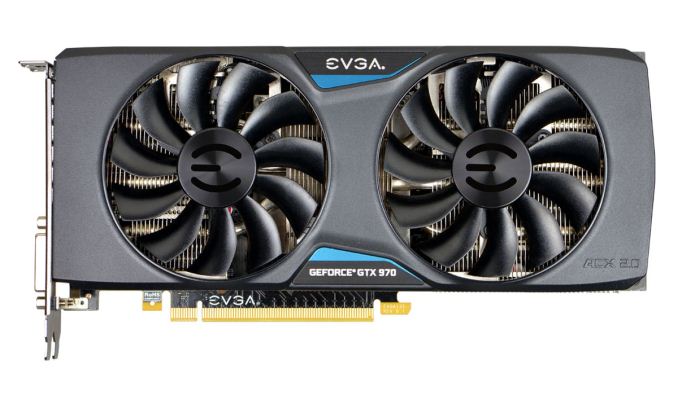
Above the R9 290 and the biggest factor in reshaping the performance video card landscape in the last month is the cheaper of NVIDIA’s two GTX 900 series cards, the GeForce GTX 970. The GTX 970 is the reason AMD had to cut prices, and along with its sibling is arguably unmatched from a technological perspective. AMD can offer similar performance, but they can’t match NVIDIA’s power efficiency in this segment of the market. Making it possible to have a high performance card without also having the heat and noise that so often comes with it.
From a performance perspective the GTX 970 is a solid step up from the R9 290, and this is coupled with its very significant power advantage. It should have no trouble handling 1440p games on high settings, and between this level of performance, power consumption, and price it’s undoubtedly the sweet spot card for performance gamers. You can get faster cards, but not at this balance between performance and price.
The only downside here is that pricing is currently not holding to the card’s initial $330 MSRP. It’s not completely clear whether this is due to the previously limited availability, retailer’s taking advantage of demand, or board partners pushing their premium customized cards, but you have to be ready to shell out $350 to get a choice of GTX 970 cards. This does hurt GTX 970’s sweet spot designation a bit, though it’s still the strongest contender.
Runner Up: AMD Radeon R9 290X
As an alternative to the GTX 970 we have AMD’s Radeon R9 290X. At sub-4K resolutions it’s basically tied with the GTX 970 on performance, and consumes quite a bit more power in the process. But if you’re after AMD’s best card or just additional options at this price/performance level, it won’t disappoint.
Taking the Single-GPU Crown ($579): NVIDIA GeForce GTX 980
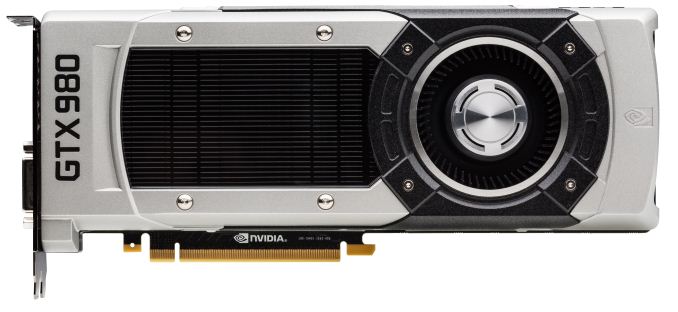
For the fastest single-GPU card on the market for gamers, NVIDIA’s top tier GM204 part, GeForce GTX 980, stands alone. As is often the case for NVIDIA’s flagship cards, NVIDIA is clearly charging a premium for the card, but in return you get performance a step ahead of any other card on the market. And power consumption is second only to the lower performing GTX 970, making it perhaps the most power efficient card of them all.
Overall GTX 980 should be able to handle 1440p with maximum quality settings, including a good amount of anti-aliasing. It’s not quite up to the task of handling 4K on its own (at least not without a compromise in quality settings), but owners of 120Hz 1440p monitors will find that it has enough power to push past 60fps at 1440p in several games.
4K for Me ($560): 2x AMD Radeon R9 290
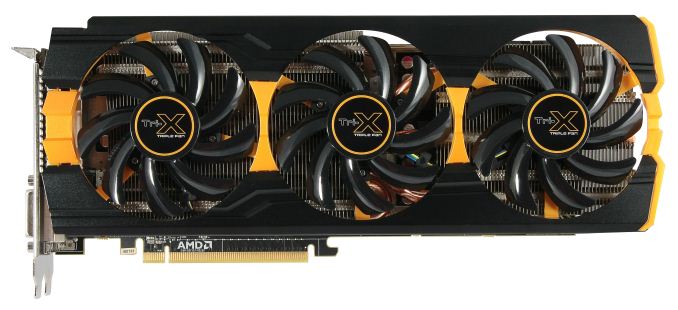
If anything, the hardest pick is finding the best choice for a true high performance, high quality 4K gaming setup. No one GPU can deliver this, so instead we’re presented with a number of options for multiple GPUs.
Truth be told there are a couple of different ways to do this. Right now the two best options are both AMD, and this is due to the combination of their XDMA engine and their greater scaling at 4K. In the single-GPU race NVIDIA is untouched, but they’re still facing at challenge at 4K.
The cheapest way to get to 4K is with a pair of AMD’s Radeon R9 290 cards. From a pure performance perspective R9 290 in CF delivers a solid 4K experience; most games scale well over a single card, and there’s enough performance on tap that 4K at high quality settings is a practical option. All told this combination runs for $560, which also happens to be around the price of a 4K TN monitor.
The big drawback with this setup is that all of the good 290 cards are open air coolers, which means they require more space and better chassis cooling. A pair of blowers would be easier to work with here, but that would require moving up to a pair of R9 290Xs, and if we wanted a good blower that would require an even bigger step up to the GTX 980.
Runner Up: AMD Radeon R9 295X2 & 2x GeForce GTX 980
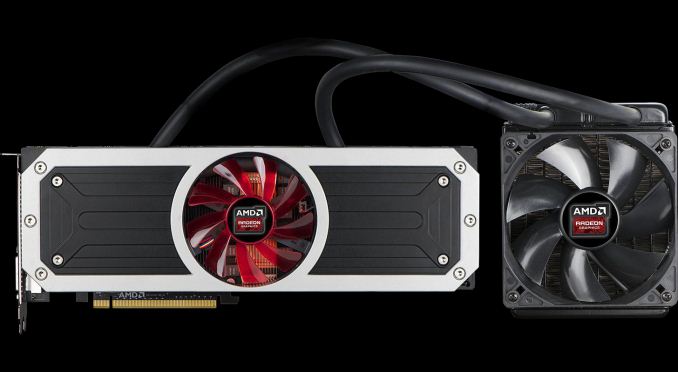
While at $900 it’s quite a bit more than a pair of R9 290Xs, AMD’s dual-GPU R9 295X2 makes for a very tantalizing alternative. AMD’s dual-GPU flagship card offers all of the performance of the 290X in Crossfire with vastly improved acoustics and in a smaller package, which alleviates the drawback of our 4K budget option.
Finally, the GTX 980 in SLI is also going to be a viable alternative here. From a performance perspective it’s going to trade blows with the R9 295X2 much of the time, so it’s still going to offer best-in-class performance regardless. The catch is that at $1160 for the dual card setup it’s some $260 more expensive than the R9 295X2 for what’s only similar performance. But unlike either AMD option, the GTX 980 is available in a high quality blower configuration, allowing a 3rd option between the widely spaced open air cards of R9 290 and the unconventional CLLC of the R9 295X2.