Vik


Best Tablets: Q1 2017
Best Tablets: Q1 2017

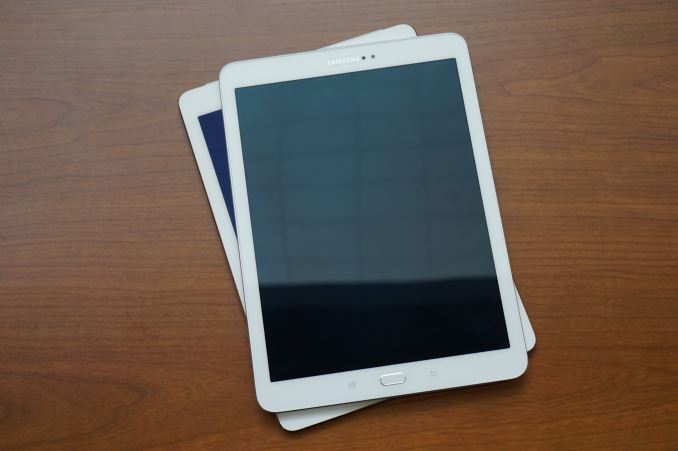
Unlike the red-hot smartphone market that continues to grow, with new models appearing at a blistering rate, the tablet market is, well….a little boring. Apple still releases a few iPads every year, and Microsoft’s efforts with its Surface products has sparked some interest in Windows tablets, but Android tablets just do not seem to be a priority for OEMs, especially at the high-end of the price scale.

There have been a few notable products released over the past few months, though, including a new premium Android tablet, Samsung’s Galaxy Tab S3, to compete with the iPads. Samsung also announced a new Windows 10 tablet at MWC 2017, the Galaxy Book, which focuses on productivity and the enterprise.

Apple also made a few changes to its iPad lineup. Both the iPad Air 2 and the iPad Mini 2 have been discontinued. The 32GB iPad Mini 4 has also been eliminated, leaving the 128GB Mini 4 as the only small-screened iPad option. To fill the void at the lower end of its lineup, Apple introduced a new 9.7-inch model simply (and confusingly) named iPad, which starts at $329.

With so much activity in the smartphone market, along with our current staffing shortage, we’ve fallen behind in our tablet coverage. Normally we only recommend products we’ve reviewed, but we’re relaxing this requirement for tablets, so some of the following recommendations are based on limited time with the product or our intuition.

Best High-End Tablets: Apple iPad Pro (12.9-inch & 9.7-inch), Samsung Galaxy Tab S3, Microsoft Surface Pro 4

Apple 12.9-inch iPad Pro & 9.7-inch iPad Pro

The best Apple has to offer, the iPad Pro aims to blend productivity with media consumption. Productivity improvements come mostly from iOS 10’s new split-screen multitasking features and by adding accessories. The Apple Pencil, which costs $99, is comfortable to hold and easy to use. It works great for taking notes at work or school, and creative types can use it for drawing and inking. There’s also the Smart Keyboard—$149 for the 9.7-inch or $169 for the 12.9-inch—that improves the typing experience. It uses the Smart Connector for transferring data and power, so there’s no need for Bluetooth pairing or recharging a keyboard battery. Like all keyboard covers, however, Apple’s Smart Keyboard is not very sturdy and difficult to use on anything other than a table.
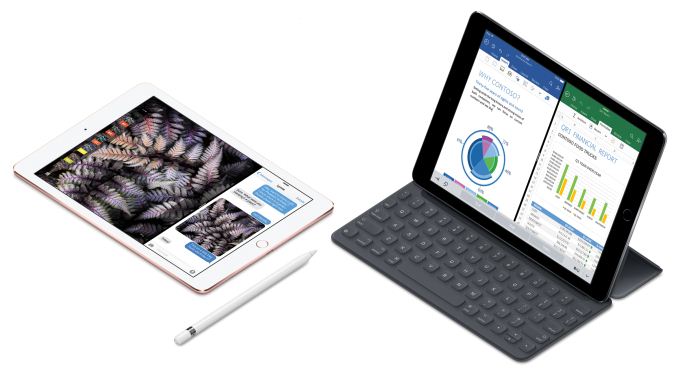
The larger 12.9-inch iPad Pro comes with a 2732×2048 (264ppi) IPS display and weighs either 713 or 723 grams (a little more than 1.5 pounds) for the Wi-Fi only or Wi-Fi + LTE models, respectively. Weight drops to 437 or 444 grams (just less than 1.0 pound) for the 9.7-inch iPad Pro, which comes with a 2048×1536 (264ppi) IPS display. Both Pros include Apple’s Touch ID fingerprint sensor, four external speakers (and 3.5mm headphone jacks), 802.11ac Wi-Fi with MIMO, and Apple’s speedy A9X SoC.

There are a few other differences between the two Pros beyond screen size and weight, partly because the two different models were released several months apart. The 9.7-inch iPad Pro’s True Tone display adjusts the white point in response to ambient lighting, and it also supports the DCI-P3 color gamut. There’s also a much improved antireflective coating applied, which is the best I’ve ever seen and makes a huge difference in screen legibility. The smaller Pro also has better cameras: resolution increases from 1.2MP to 5MP for the front-facing camera, while the older 8MP f/2.4 camera gets updated to the 12MP f/2.2 module from the iPhone 6s, adding the ability to record 4K video and improving slow-motion video to 1080p120 or 720p240 instead of 720p120.

The 9.7-inch iPad Pro starts at $599 (32GB, Wi-Fi) or $729 (32GB, Wi-Fi + LTE), while the 12.9-inch iPad Pro starts at $799 (32GB, Wi-Fi) or $1029 (128GB, Wi-Fi + LTE).

Read the 12.9-inch iPad Pro and 9.7-inch iPad Pro reviews

Samsung Galaxy Tab S3

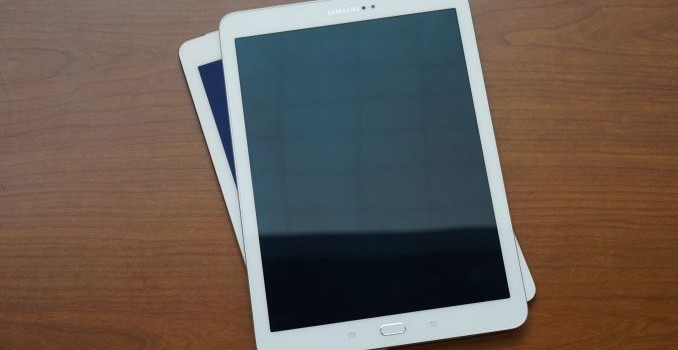
Samsung’s Galaxy Tab S3 is a premium Android 7.0 tablet that sandwiches an aluminum frame between edge-to-edge glass on the front and back and weighs in at 429 grams (0.95 pounds). The 9.7-inch 2048×1536 SAMOLED display covers 97% of the DCI-P3 color gamut and also includes a blue light filter to reduce eye strain while reading.

Inside is a Qualcomm Snapdragon 820 SoC and 4GB of LPDDR4 RAM. There’s only 32GB of internal storage, though, which is pretty limiting for a tablet. Fortunately, additional storage can be added with a microSD card. There’s also a 6000mAh battery that supports Adaptive Fast Charging.
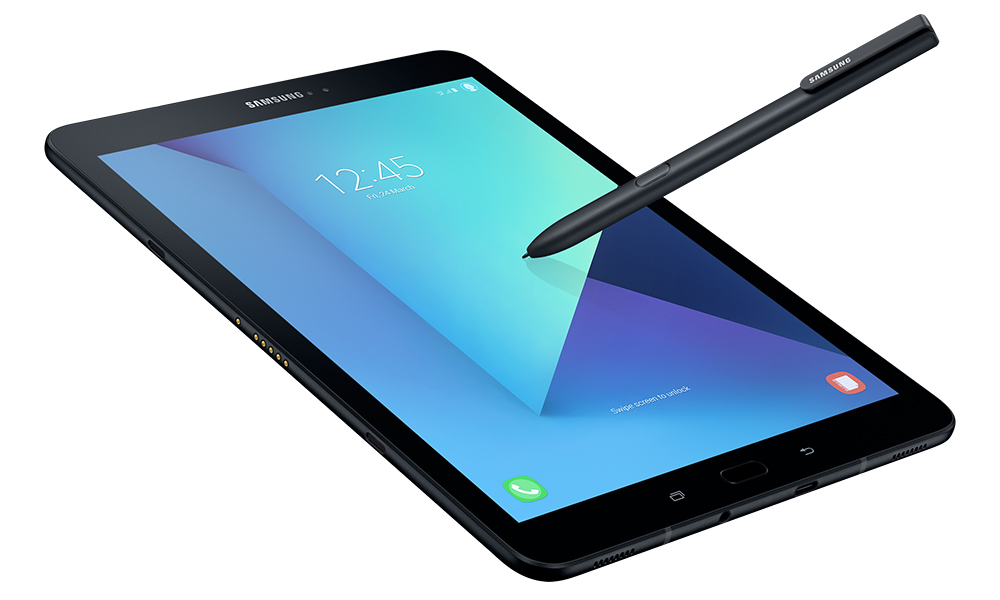
Like the 9.7-inch iPad Pro it’s competing with, the Galaxy Tab S3 blends media consumption with productivity. Its HDR-ready display and four external speakers that adjust audio response when the tablet is shifted between portrait and landscape makes it a “9.7-inch home theater solution,” according to Samsung. Its productivity play is similar to the iPad’s, namely multi-window capability from the OS coupled with Samsung’s S Pen and optional keyboard accessories. The S Pen, which comes bundled with the tablet, uses Wacom technology to provide pressure and angle sensitivity. It also does not use batteries so it never needs to be charged.

The Galaxy Tab S3 costs $600 (32GB, Wi-Fi), the same as a similarly configured 9.7-inch iPad Pro.

Microsoft Surface Pro 4

Microsoft’s Surface Pro 4 is more of a laptop with a detachable keyboard than a true tablet. It’s built from PC components and runs Windows 10, which makes it more suitable for productivity than media consumption—basically the opposite of the pure tablet options.

The Surface Pro 4 comes in more configurations than can be listed here, with prices ranging from $699 for the fanless model that includes an Intel Core m3-6Y30 CPU, 4GB of RAM, and a 128GB PCIe SSD, all the way to $2699 for a dual-core Intel Core i7-6650U, 16GB of RAM, and a 1TB PCIe SSD. The battery capacities also vary based on CPU choice. While the base model is similar in price to the 12.7-inch iPad Pro once you factor in what Apple charges for accessories, the higher SKUs make them more like laptop replacements than tablets considering the performance and price.
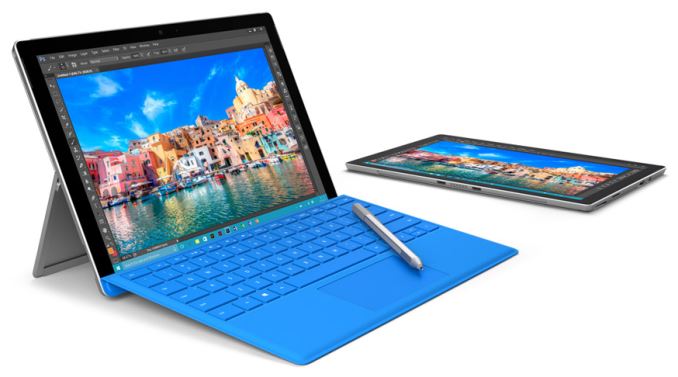
All Surface Pro 4 models come with a 12.3-inch 2736×1824 (3:2 aspect ratio and 267ppi) display, dual front-facing speakers, 802.11ac Wi-Fi, and a microSD card reader. The magnesium chassis looks professional and keeps weight in check (766 or 786 grams). The Core i5 and Core i7 models are not able to be passively cooled like the Core m3 model and must use a fan for cooling.

The Microsoft Surface Pen, which costs $60, comes bundled with all but the base model, and supports 1,024 levels of pressure sensitivity. There’s even an eraser on the end. Microsoft’s Surface Type Cover, which is not included with the tablet, costs $129 or $159 if you opt for the version that has a fingerprint scanner for authentication.

Best Mid-Range Tablets: Apple iPad (5th generation), Apple iPad Mini 4, Huawei MediaPad M3

Apple iPad (5th generation)
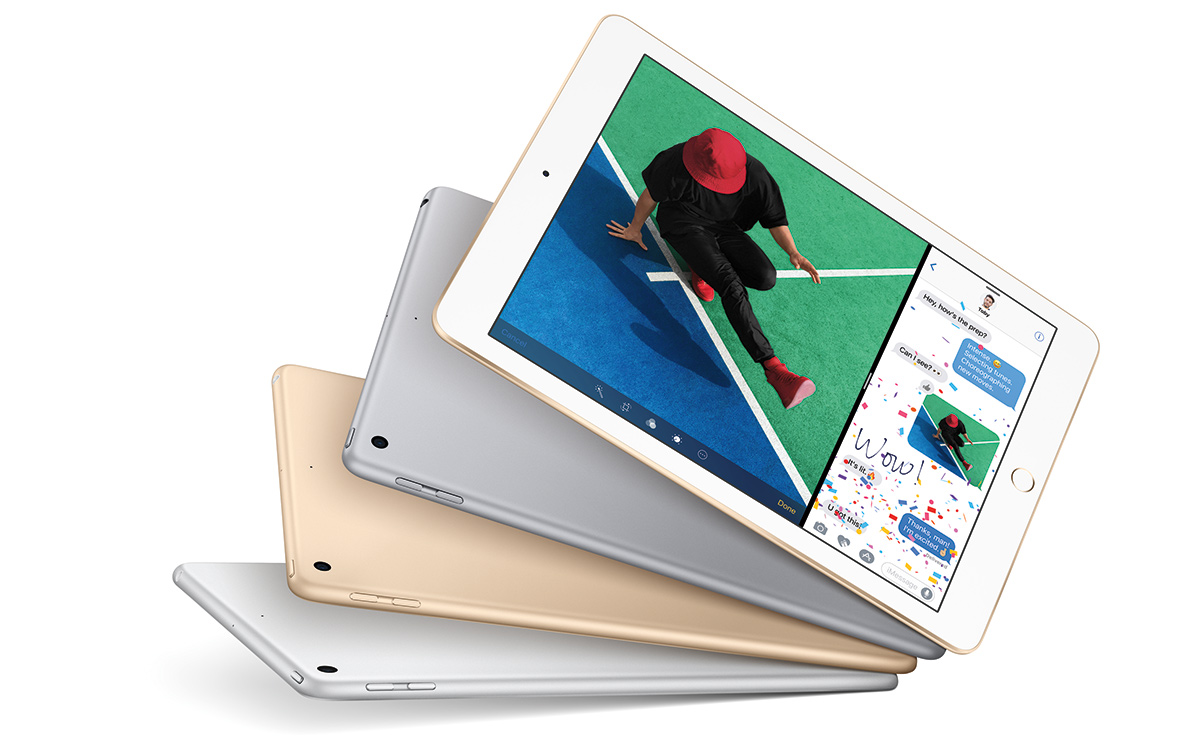
Apple’s newest iPad is not really new at all, but a combination of existing parts primarily from the iPad Air 1, iPad Air 2, and iPhone 6s. The aluminum shell comes from the iPad Air 1, giving the new iPad the same dimensions and weight. The 9.7-inch 2048×1536 IPS display also comes from the iPad Air 1, which means the cover glass is not laminated to the panel like on the newer models and lacks the more sophisticated antireflective coating.

Most of the motherboard components come from the iPhone 6s, including an Apple A9 SoC, with a dual-core Twister CPU and PowerVR GT7600 GPU, paired with 2GB of LPDDR4 RAM. Its 32.4Wh battery has 18% more capacity than the 9.7-inch iPad Pro and the outgoing iPad Air 2, which should further boost battery life, especially when paired with the phone SoC. The iPad Air 2 donates its 1.2MP f/2.2 front-facing camera and 8MP f/2.4 rear camera, neither of which is anything special.

Basically this new iPad is a slightly thicker and heavier iPad Air 2 with a bigger battery and a lower price. The 2×2 802.11ac Wi-Fi only version costs $329 for 32GB of storage and $429 for 128GB. The Wi-Fi + LTE version costs $459 for 32GB and $559 for 128GB.

Apple iPad Mini 4
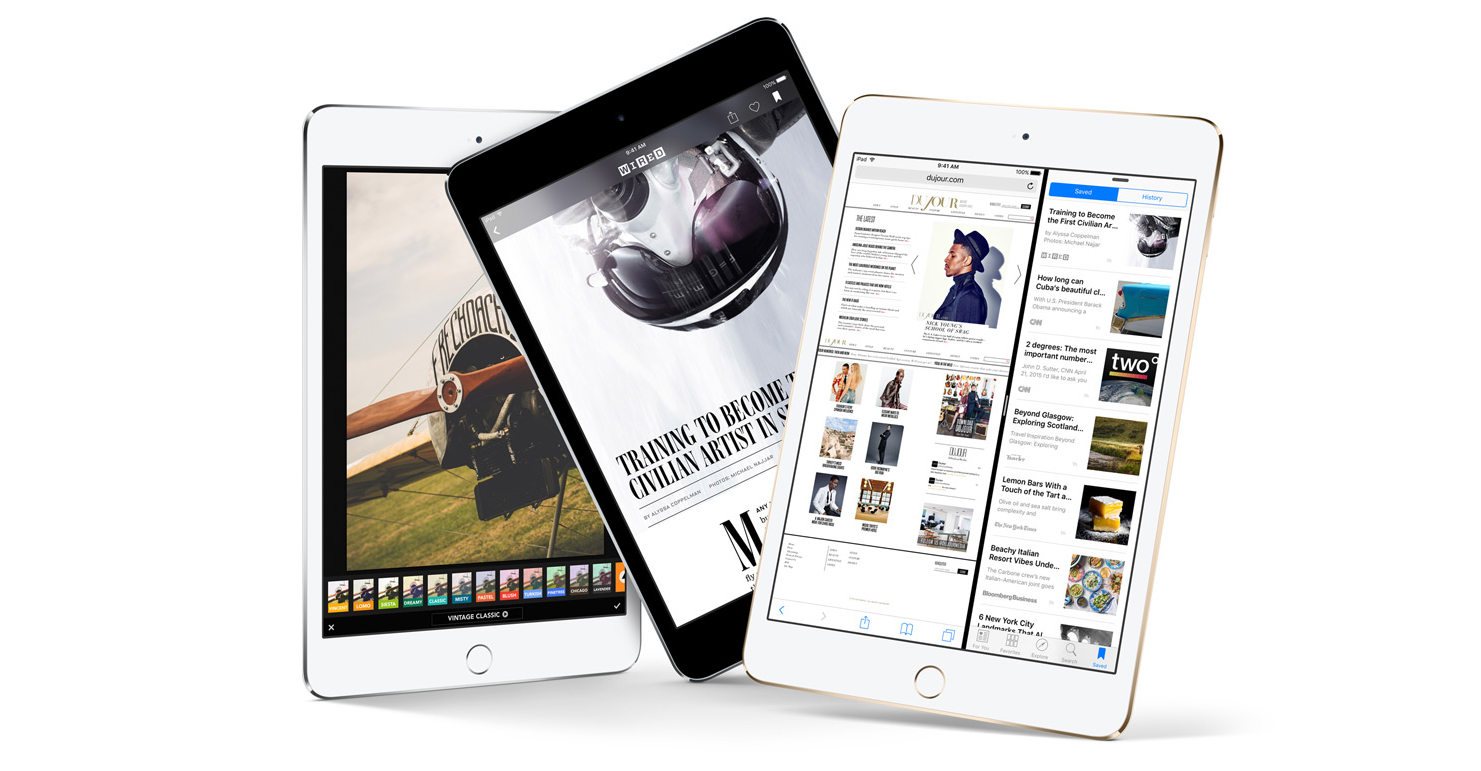
The iPad Mini 4’s only advantage is its smaller size. Its 7.9-inch 2048×1536 (326ppi) display makes it noticeably smaller in every dimension relative to the new 5th generation iPad, with weight dropping from 469 grams to only 299 grams. It uses the slightly older Apple A8 SoC that first appeared in the iPhone 6 and 6 Plus, but comes with 2GB of RAM like the 9.7-inch iPads, enabling support for iOS 10’s split-screen multitasking feature; however, its smaller screen means that you’ll often only use the iPad Mini 4 with a single app at a time, so the additional RAM is mostly useful for keeping additional Safari tabs and apps in memory. There are still some use cases for split-screen view, though, like pinning a chat app to one side. You also get full sRGB coverage on the display, along with laminated cover glass and Apple’s AR coating which reduces reflections and increases effective contrast. The iPad Mini 4 comes with the same cameras, wireless connectivity options, and Touch ID fingerprint sensor as the new 5th generation iPad.

The iPad Mini 4 is not a particularly good value compared to the new 9.7-inch iPad. With a starting price of $399 for the 128GB Wi-Fi model, it costs more than the entry-level iPad and is only $30 less than a 128GB iPad, making it a tough sell unless you really need the smaller size. There’s also 128GB Wi-Fi + LTE version for $529.

Read the iPad Mini 4 review

Huawei MediaPad M3
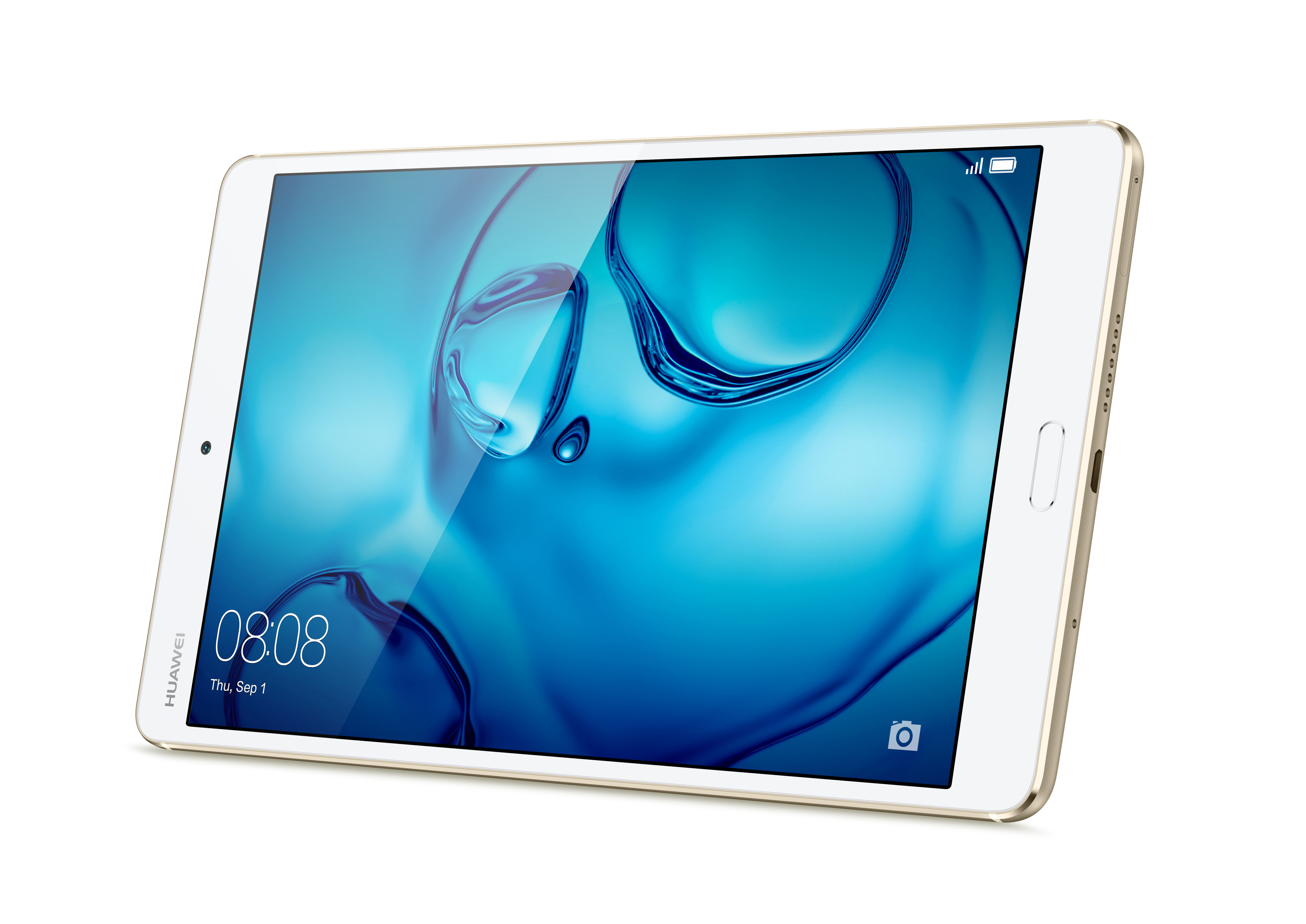
Huawei’s MediaPad M3 comes with an 8.4-inch 2560×1600 (16:10 aspect ratio) IPS display that is one of the sharpest displays (359ppi) you’ll see on a tablet, with most other Android tablets of this size and resolution using PenTile AMOLED panels that have reduced red and blue subpixel density causing issues with text rendition. Powering this media-centric tablet is HiSilicon’s Kirin 950 SoC, which is also found in Huawei’s Mate 8 and Honor 8 flagship phones, paired with 4GB of LPDDR4 RAM, and either 32GB or 64GB of internal storage with microSD support. There’s also 802.11ac Wi-Fi, a fingerprint sensor integrated into the physical home button, and stereo speakers built into the left and right sides of the aluminum chassis.

The Wi-Fi only version costs $299 for 32GB of storage and $349 for 64GB. There’s also a Wi-Fi + LTE version sold outside the US.

Best Budget Tablets: Amazon Fire HD 8, NVIDIA SHIELD Tablet K1

Amazon Fire HD 8
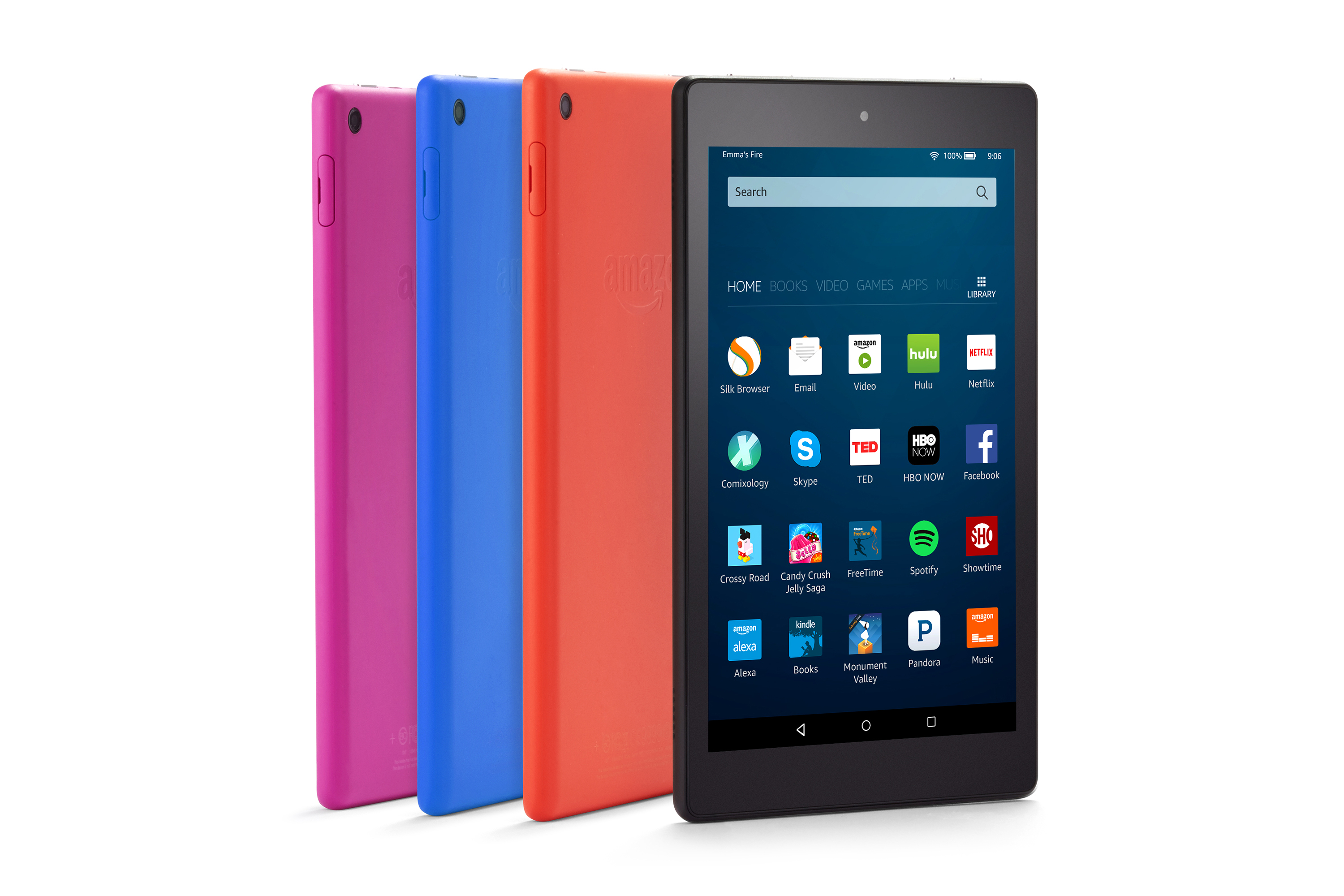
The Amazon Fire HD 8 is a good choice for an inexpensive Android tablet geared specifically towards media-consumption. It has an 8.0-inch 1280×800 (189ppi) IPS display, and is powered by MediaTek’s MT8163 SoC, which uses a 1.3GHz quad-core Cortex-A53 CPU, paired with 1.5GB of RAM. Performance is hardly mind-blowing, but the point of the Fire HD 8 is that it starts at only $90 for the 16GB model. The caveat is that you’ll see ads on the lock screen and parts of the launcher. Paying an extra $15 removes the ads, and given that the ads are not really intrusive, I would imagine that the most price-conscious customers would opt to just keep them. There’s also a 32GB model that costs $120. Internal storage is tight for a media-oriented tablet, but it’s possible to expand storage with a microSD card.

It’s important to note that the Fire HD 8 does not have access to Google services. This means no Gmail app, no Chrome, no Youtube, and no Google Play. Amazon’s own app store has most of the big names in the mobile app space, and the intended target market for these devices are not users who really make heavy use of apps anyway. Amazon Prime users have a lot to like about it, though, especially those in markets where Amazon’s media services like Prime Video and Prime Music are available. Heavy readers will also have easy access to Amazon’s library of eBooks. The Fire HD 8 even includes Amazon Alexa voice service now.

NVIDIA SHIELD Tablet K1

NVIDIA’s little tablet has been around forever, but despite its older hardware it’s still a capable device. NVIDIA also continues to provide software updates—it just recently received an update to Android 7.0—which is pretty amazing since it’s almost 3 years old now (it originally shipped with Android KitKat 4.4.2). The SHIELD Tablet’s software is also notable for providing a clean, stock Android experience and includes access to Google’s apps and services as you would expect.

Being a product made by NVIDIA, it should be no surprise that it’s geared towards gaming and media consumption. The included SHIELD Hub app is the gateway to all of your gaming and media content, giving you convenient access to your existing titles, and allowing you to shop for new ones. It also gives you access to NVIDIA’s GameStream service that allows you to play your PC games on the tablet, which is a cool feature (the games run on your PC with NVIDIA GPU and the video output is streamed over Wi-Fi), and it’s compatible with the GeForce NOW cloud gaming service. To take full advantage of the SHIELD Tablet’s gaming options, you’ll need to buy the optional wireless SHIELD controller for $60.

It comes with an 8.0-inch 1920×1200 IPS display that can feel a little cramped when playing PC games, and its less-than-sRGB color gamut hurts color accuracy, but you have to expect some concessions at this price point. Inside the plastic chassis is NVIDIA’s Tegra K1 SoC with a quad-core Cortex-A15 CPU and a single SMX (192 core) Kepler GPU paired with 2GB of RAM. There’s only 16GB of internal storage, but you can use a microSD card to add more. Other perks include front-facing stereo speakers and a Mini-HDMI port with HDCP 1.4 output for connecting the tablet to an external TV for gaming on the big screen.

The SHIELD Tablet K1 costs $200. Accessories include a flip cover that doubles as a stand for $40 and the aforementioned SHIELD controller for $60.
Best Tablets: Q1 2017

Best Tablets: Q1 2017

Unlike the red-hot smartphone market that continues to grow, with new models appearing at a blistering rate, the tablet market is, well….a little boring. Apple still releases a few iPads every year, and Microsoft’s efforts with its Surface products has sparked some interest in Windows tablets, but Android tablets just do not seem to be a priority for OEMs, especially at the high-end of the price scale.

There have been a few notable products released over the past few months, though, including a new premium Android tablet, Samsung’s Galaxy Tab S3, to compete with the iPads. Samsung also announced a new Windows 10 tablet at MWC 2017, the Galaxy Book, which focuses on productivity and the enterprise.

Apple also made a few changes to its iPad lineup. Both the iPad Air 2 and the iPad Mini 2 have been discontinued. The 32GB iPad Mini 4 has also been eliminated, leaving the 128GB Mini 4 as the only small-screened iPad option. To fill the void at the lower end of its lineup, Apple introduced a new 9.7-inch model simply (and confusingly) named iPad, which starts at $329.

With so much activity in the smartphone market, along with our current staffing shortage, we’ve fallen behind in our tablet coverage. Normally we only recommend products we’ve reviewed, but we’re relaxing this requirement for tablets, so some of the following recommendations are based on limited time with the product or our intuition.

Best High-End Tablets: Apple iPad Pro (12.9-inch & 9.7-inch), Samsung Galaxy Tab S3, Microsoft Surface Pro 4

Apple 12.9-inch iPad Pro & 9.7-inch iPad Pro

The best Apple has to offer, the iPad Pro aims to blend productivity with media consumption. Productivity improvements come mostly from iOS 10’s new split-screen multitasking features and by adding accessories. The Apple Pencil, which costs $99, is comfortable to hold and easy to use. It works great for taking notes at work or school, and creative types can use it for drawing and inking. There’s also the Smart Keyboard—$149 for the 9.7-inch or $169 for the 12.9-inch—that improves the typing experience. It uses the Smart Connector for transferring data and power, so there’s no need for Bluetooth pairing or recharging a keyboard battery. Like all keyboard covers, however, Apple’s Smart Keyboard is not very sturdy and difficult to use on anything other than a table.

The larger 12.9-inch iPad Pro comes with a 2732×2048 (264ppi) IPS display and weighs either 713 or 723 grams (a little more than 1.5 pounds) for the Wi-Fi only or Wi-Fi + LTE models, respectively. Weight drops to 437 or 444 grams (just less than 1.0 pound) for the 9.7-inch iPad Pro, which comes with a 2048×1536 (264ppi) IPS display. Both Pros include Apple’s Touch ID fingerprint sensor, four external speakers (and 3.5mm headphone jacks), 802.11ac Wi-Fi with MIMO, and Apple’s speedy A9X SoC.

There are a few other differences between the two Pros beyond screen size and weight, partly because the two different models were released several months apart. The 9.7-inch iPad Pro’s True Tone display adjusts the white point in response to ambient lighting, and it also supports the DCI-P3 color gamut. There’s also a much improved antireflective coating applied, which is the best I’ve ever seen and makes a huge difference in screen legibility. The smaller Pro also has better cameras: resolution increases from 1.2MP to 5MP for the front-facing camera, while the older 8MP f/2.4 camera gets updated to the 12MP f/2.2 module from the iPhone 6s, adding the ability to record 4K video and improving slow-motion video to 1080p120 or 720p240 instead of 720p120.

The 9.7-inch iPad Pro starts at $599 (32GB, Wi-Fi) or $729 (32GB, Wi-Fi + LTE), while the 12.9-inch iPad Pro starts at $799 (32GB, Wi-Fi) or $1029 (128GB, Wi-Fi + LTE).

Read the 12.9-inch iPad Pro and 9.7-inch iPad Pro reviews

Samsung Galaxy Tab S3

Samsung’s Galaxy Tab S3 is a premium Android 7.0 tablet that sandwiches an aluminum frame between edge-to-edge glass on the front and back and weighs in at 429 grams (0.95 pounds). The 9.7-inch 2048×1536 SAMOLED display covers 97% of the DCI-P3 color gamut and also includes a blue light filter to reduce eye strain while reading.

Inside is a Qualcomm Snapdragon 820 SoC and 4GB of LPDDR4 RAM. There’s only 32GB of internal storage, though, which is pretty limiting for a tablet. Fortunately, additional storage can be added with a microSD card. There’s also a 6000mAh battery that supports Adaptive Fast Charging.

Like the 9.7-inch iPad Pro it’s competing with, the Galaxy Tab S3 blends media consumption with productivity. Its HDR-ready display and four external speakers that adjust audio response when the tablet is shifted between portrait and landscape makes it a “9.7-inch home theater solution,” according to Samsung. Its productivity play is similar to the iPad’s, namely multi-window capability from the OS coupled with Samsung’s S Pen and optional keyboard accessories. The S Pen, which comes bundled with the tablet, uses Wacom technology to provide pressure and angle sensitivity. It also does not use batteries so it never needs to be charged.

The Galaxy Tab S3 costs $600 (32GB, Wi-Fi), the same as a similarly configured 9.7-inch iPad Pro.

Microsoft Surface Pro 4

Microsoft’s Surface Pro 4 is more of a laptop with a detachable keyboard than a true tablet. It’s built from PC components and runs Windows 10, which makes it more suitable for productivity than media consumption—basically the opposite of the pure tablet options.

The Surface Pro 4 comes in more configurations than can be listed here, with prices ranging from $699 for the fanless model that includes an Intel Core m3-6Y30 CPU, 4GB of RAM, and a 128GB PCIe SSD, all the way to $2699 for a dual-core Intel Core i7-6650U, 16GB of RAM, and a 1TB PCIe SSD. The battery capacities also vary based on CPU choice. While the base model is similar in price to the 12.7-inch iPad Pro once you factor in what Apple charges for accessories, the higher SKUs make them more like laptop replacements than tablets considering the performance and price.

All Surface Pro 4 models come with a 12.3-inch 2736×1824 (3:2 aspect ratio and 267ppi) display, dual front-facing speakers, 802.11ac Wi-Fi, and a microSD card reader. The magnesium chassis looks professional and keeps weight in check (766 or 786 grams). The Core i5 and Core i7 models are not able to be passively cooled like the Core m3 model and must use a fan for cooling.

The Microsoft Surface Pen, which costs $60, comes bundled with all but the base model, and supports 1,024 levels of pressure sensitivity. There’s even an eraser on the end. Microsoft’s Surface Type Cover, which is not included with the tablet, costs $129 or $159 if you opt for the version that has a fingerprint scanner for authentication.

Best Mid-Range Tablets: Apple iPad (5th generation), Apple iPad Mini 4, Huawei MediaPad M3

Apple iPad (5th generation)

Apple’s newest iPad is not really new at all, but a combination of existing parts primarily from the iPad Air 1, iPad Air 2, and iPhone 6s. The aluminum shell comes from the iPad Air 1, giving the new iPad the same dimensions and weight. The 9.7-inch 2048×1536 IPS display also comes from the iPad Air 1, which means the cover glass is not laminated to the panel like on the newer models and lacks the more sophisticated antireflective coating.

Most of the motherboard components come from the iPhone 6s, including an Apple A9 SoC, with a dual-core Twister CPU and PowerVR GT7600 GPU, paired with 2GB of LPDDR4 RAM. Its 32.4Wh battery has 18% more capacity than the 9.7-inch iPad Pro and the outgoing iPad Air 2, which should further boost battery life, especially when paired with the phone SoC. The iPad Air 2 donates its 1.2MP f/2.2 front-facing camera and 8MP f/2.4 rear camera, neither of which is anything special.

Basically this new iPad is a slightly thicker and heavier iPad Air 2 with a bigger battery and a lower price. The 2×2 802.11ac Wi-Fi only version costs $329 for 32GB of storage and $429 for 128GB. The Wi-Fi + LTE version costs $459 for 32GB and $559 for 128GB.

Apple iPad Mini 4

The iPad Mini 4’s only advantage is its smaller size. Its 7.9-inch 2048×1536 (326ppi) display makes it noticeably smaller in every dimension relative to the new 5th generation iPad, with weight dropping from 469 grams to only 299 grams. It uses the slightly older Apple A8 SoC that first appeared in the iPhone 6 and 6 Plus, but comes with 2GB of RAM like the 9.7-inch iPads, enabling support for iOS 10’s split-screen multitasking feature; however, its smaller screen means that you’ll often only use the iPad Mini 4 with a single app at a time, so the additional RAM is mostly useful for keeping additional Safari tabs and apps in memory. There are still some use cases for split-screen view, though, like pinning a chat app to one side. You also get full sRGB coverage on the display, along with laminated cover glass and Apple’s AR coating which reduces reflections and increases effective contrast. The iPad Mini 4 comes with the same cameras, wireless connectivity options, and Touch ID fingerprint sensor as the new 5th generation iPad.

The iPad Mini 4 is not a particularly good value compared to the new 9.7-inch iPad. With a starting price of $399 for the 128GB Wi-Fi model, it costs more than the entry-level iPad and is only $30 less than a 128GB iPad, making it a tough sell unless you really need the smaller size. There’s also 128GB Wi-Fi + LTE version for $529.

Read the iPad Mini 4 review

Huawei MediaPad M3

Huawei’s MediaPad M3 comes with an 8.4-inch 2560×1600 (16:10 aspect ratio) IPS display that is one of the sharpest displays (359ppi) you’ll see on a tablet, with most other Android tablets of this size and resolution using PenTile AMOLED panels that have reduced red and blue subpixel density causing issues with text rendition. Powering this media-centric tablet is HiSilicon’s Kirin 950 SoC, which is also found in Huawei’s Mate 8 and Honor 8 flagship phones, paired with 4GB of LPDDR4 RAM, and either 32GB or 64GB of internal storage with microSD support. There’s also 802.11ac Wi-Fi, a fingerprint sensor integrated into the physical home button, and stereo speakers built into the left and right sides of the aluminum chassis.

The Wi-Fi only version costs $299 for 32GB of storage and $349 for 64GB. There’s also a Wi-Fi + LTE version sold outside the US.

Best Budget Tablets: Amazon Fire HD 8, NVIDIA SHIELD Tablet K1

Amazon Fire HD 8

The Amazon Fire HD 8 is a good choice for an inexpensive Android tablet geared specifically towards media-consumption. It has an 8.0-inch 1280×800 (189ppi) IPS display, and is powered by MediaTek’s MT8163 SoC, which uses a 1.3GHz quad-core Cortex-A53 CPU, paired with 1.5GB of RAM. Performance is hardly mind-blowing, but the point of the Fire HD 8 is that it starts at only $90 for the 16GB model. The caveat is that you’ll see ads on the lock screen and parts of the launcher. Paying an extra $15 removes the ads, and given that the ads are not really intrusive, I would imagine that the most price-conscious customers would opt to just keep them. There’s also a 32GB model that costs $120. Internal storage is tight for a media-oriented tablet, but it’s possible to expand storage with a microSD card.

It’s important to note that the Fire HD 8 does not have access to Google services. This means no Gmail app, no Chrome, no Youtube, and no Google Play. Amazon’s own app store has most of the big names in the mobile app space, and the intended target market for these devices are not users who really make heavy use of apps anyway. Amazon Prime users have a lot to like about it, though, especially those in markets where Amazon’s media services like Prime Video and Prime Music are available. Heavy readers will also have easy access to Amazon’s library of eBooks. The Fire HD 8 even includes Amazon Alexa voice service now.

NVIDIA SHIELD Tablet K1

NVIDIA’s little tablet has been around forever, but despite its older hardware it’s still a capable device. NVIDIA also continues to provide software updates—it just recently received an update to Android 7.0—which is pretty amazing since it’s almost 3 years old now (it originally shipped with Android KitKat 4.4.2). The SHIELD Tablet’s software is also notable for providing a clean, stock Android experience and includes access to Google’s apps and services as you would expect.

Being a product made by NVIDIA, it should be no surprise that it’s geared towards gaming and media consumption. The included SHIELD Hub app is the gateway to all of your gaming and media content, giving you convenient access to your existing titles, and allowing you to shop for new ones. It also gives you access to NVIDIA’s GameStream service that allows you to play your PC games on the tablet, which is a cool feature (the games run on your PC with NVIDIA GPU and the video output is streamed over Wi-Fi), and it’s compatible with the GeForce NOW cloud gaming service. To take full advantage of the SHIELD Tablet’s gaming options, you’ll need to buy the optional wireless SHIELD controller for $60.

It comes with an 8.0-inch 1920×1200 IPS display that can feel a little cramped when playing PC games, and its less-than-sRGB color gamut hurts color accuracy, but you have to expect some concessions at this price point. Inside the plastic chassis is NVIDIA’s Tegra K1 SoC with a quad-core Cortex-A15 CPU and a single SMX (192 core) Kepler GPU paired with 2GB of RAM. There’s only 16GB of internal storage, but you can use a microSD card to add more. Other perks include front-facing stereo speakers and a Mini-HDMI port with HDCP 1.4 output for connecting the tablet to an external TV for gaming on the big screen.

The SHIELD Tablet K1 costs $200. Accessories include a flip cover that doubles as a stand for $40 and the aforementioned SHIELD controller for $60.
Best Android Phones: Q1 2017

Best Android Phones: Q1 2017

Flowers are blooming and temperatures are rising, which means it’s time for our Q1 2017 Best Android Smartphones guide. There’s been a flurry of phone announcements over the first few months of the year. HTC launched its new U series phones, including the flagship HTC U Ultra, which has a 5.7-inch IPS display with a secondary 2.0-inch ticker display along the top, and the smaller, less-expensive 5.2-inch HTC U Play that comes with a MediaTek Helio P10 SoC. We also saw several new phones announced at MWC 2017, including Huawei’s P10, which shares much of its internal hardware with the larger Huawei Mate 9, and LG’s redesigned G6, which seems to correct some of the G5’s shortcomings while adopting a new, elongated 18:9 aspect ratio for its display that provides some extra screen area without making it more difficult to hold by increasing the phone’s width. Samsung took a similar approach with the recently announced Galaxy S8 and S8+ that also come with taller, 18.5:9 displays with rounded corners.

There were a number of mid-range and low-end phones announced too. At CES 2017, Huawei announced the $250 Honor 6X, which comes with a 5.5-inch IPS display and has a much better look and feel than the Honor 5X. Motorola unveiled the similarly priced Moto G5 Plus at MWC, and ZTE announced a trio of phones in its Blade V8 series: Blade V8 Pro ($250, 5.5-inch, Snapdragon 625), Blade V8 Mini (5.0-inch, Snapdragon 435), and Blade V8 Lite (5.0-inch, MediaTek MT6750).

Not all of these phones are shipping yet, though. And with our current resource shortage, we were not able to look closely enough at those that are available for them to be considered in this Q1 guide (we only include phones that we’ve reviewed). With that disclaimer out of the way, here are the Android phones we currently like.

Best Android Phablet: Huawei Mate 9

There’s a lot of options to choose from when shopping for a phablet considering the disproportionate number of Android phones having a screen size of 5.5-inches or larger. A number of these fall into the mid-range category, which we cover below. For people living outside of North America there are even more, usually less-expensive, options to consider too. But for this pick, we’re sticking with globally-available flagships.

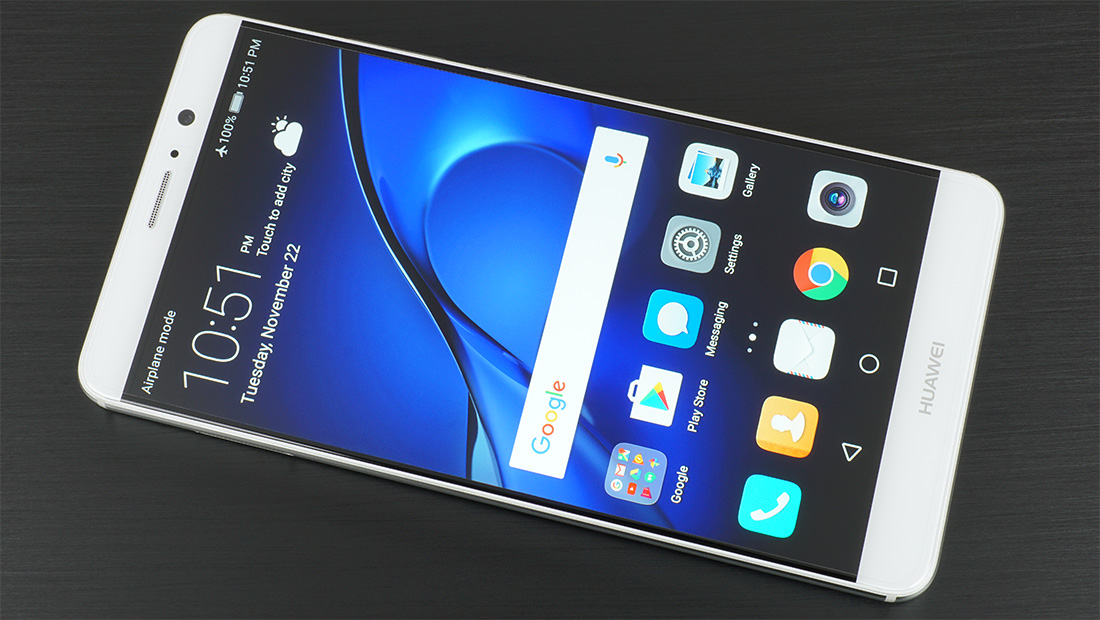
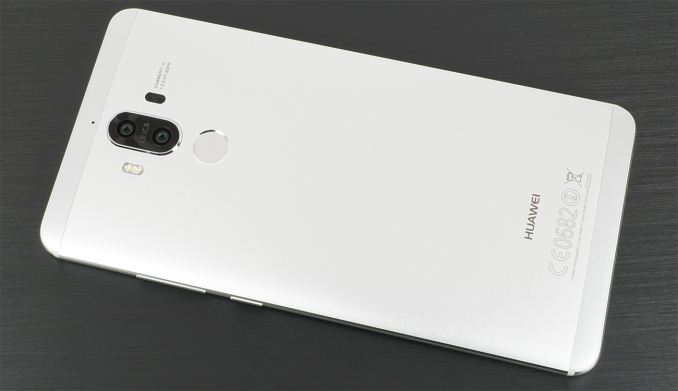
With its 5.9-inch IPS display, Huawei’s Mate 9 is a true phablet. Its sturdy aluminum chassis with polished accents give it a solid feel and a classy look, and its good balance and rounded corners make it less unwieldy to hold than you would expect. Its $600 US price is not cheap, but it’s still less than many other competing flagships.

Inside is a Kirin 960 SoC, 4GB LPDDR4 RAM, and 64GB of UFS 2.1 storage that’s expandable via microSD card. Combining this hardware with the F2FS filesystem and other software optimizations gives the Mate 9 excellent in-app performance. Apps launch and install quickly too, and the UI feels responsive.

The Mate 9 also gets excellent battery life as long as you do not lean on the GPU or big CPU cores too hard. The Kirin 960’s power efficiency is not as good as the Kirin 950’s in the Mate 8, but Huawei was able to save power elsewhere (display), ultimately helping the Mate 9 and its 4000 mAh battery outlast the previous generation.

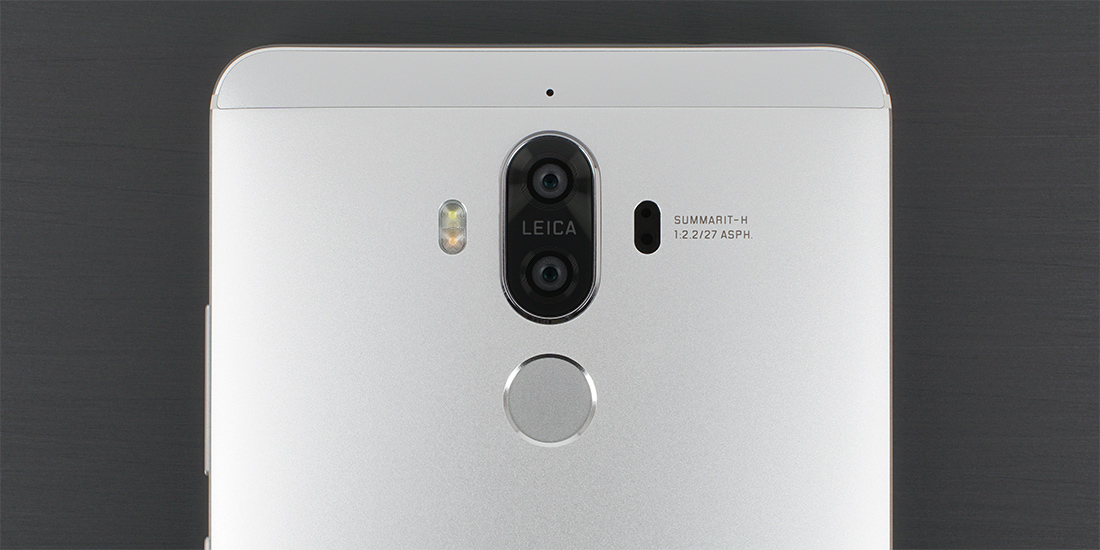
The dual rear camera that Huawei co-developed with Leica captures excellent, natural looking images, with consistently good exposure, gamma, and white balance. Its HDR mode is pretty weak, however, and its images do not show as much fine detail as those from Google’s Pixel XL and Samsung’s Galaxy S7 edge.

I was also extremely impressed with the Mate 9’s fingerprint sensor, which is by far the fastest and most accurate I’ve used. Its single, downward-firing speaker gets plenty loud, with the earpiece providing high frequency support for a pseudo-stereo effect. Huawei’s redesigned EMUI 5.0 software looks cleaner and is easier to navigate too, with a look that draws less inspiration from Apple’s iOS (there’s even an optional app drawer now).

The one area where the Mate 9 falls short of its peers is display quality. It gets very bright and has excellent black levels for an IPS panel, but an overly cool white point, imperfect gamma, and lack of a proper sRGB mode conspire to reduce grayscale and color accuracy. Viewing angles are not up to flagship standards either.

Best High-End Android Smartphones: Samsung Galaxy S7 edge and HTC 10

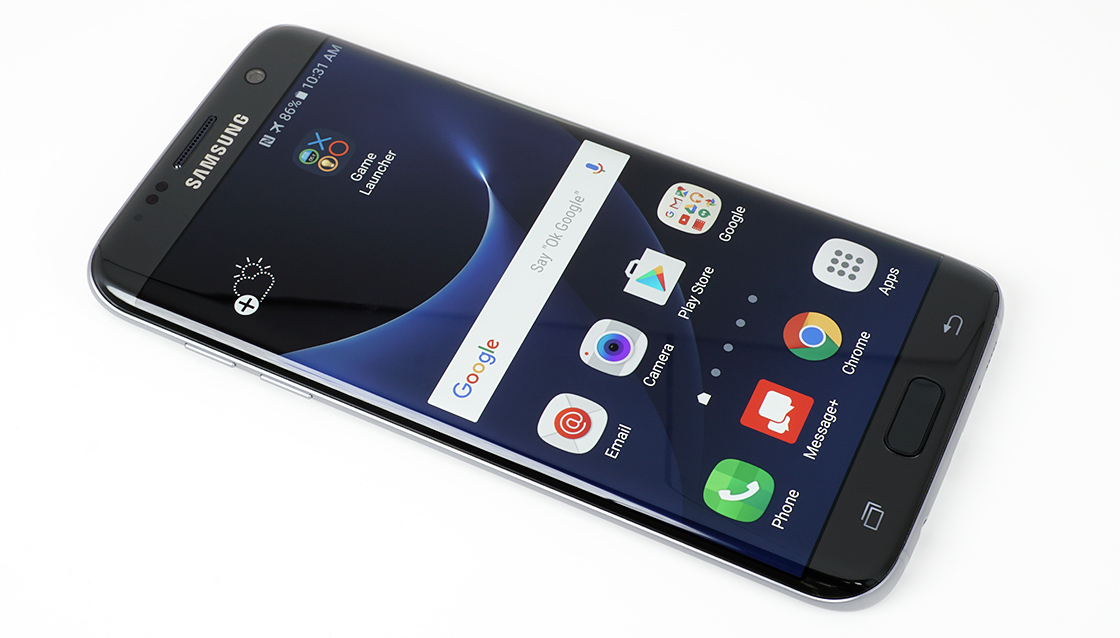
The Galaxy S7 edge improves upon the design and features of the popular Galaxy S6 edge. The design is very similar, but Samsung has tweaked the curvature of the back, edges, and cover glass to make the phone significantly more ergonomic. The chassis does get thicker and heavier, but this allows for a significant reduction to the camera hump and an increase in battery capacity.

Its 5.5-inch 2560×1440 SAMOLED display is among the best available. The 12MP rear camera with OIS and an f/1.7 aperture captures great pictures, especially in low-light, and the dual pixel PDAF is extremely fast. Battery life is pretty good thanks to a 3600mAh battery. The rest of its hardware and features are shared with the smaller Galaxy S7, including IP68 dust and water protection, fast charging, and wireless charging.

Depending on where you live you’ll either get Qualcomm’s Snapdragon 820 or Samsung’s Exynos 8890 SoC, both of which use custom ARM CPU cores, along with 4GB of LPDDR4 RAM and either 32GB or 64GB of UFS 2.0 NAND with support for microSD cards. Performance is generally good, but the UI can stutter or stall occasionally.

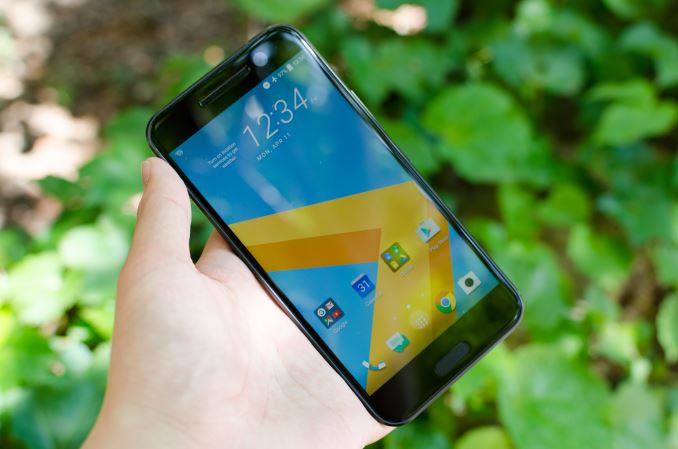
The other phone worth discussing at the high end is the HTC 10, which manages to best the Galaxy S7 edge in at least a few areas. In terms of audio quality, design, OEM UI, and other areas like perceptual latency I would argue that HTC is just clearly ahead of Samsung. HTC also has proper USB 3.1 and USB-C support, which does make the device more future-proof than the Galaxy S7 edge’s microUSB connector in that regard. The front-facing camera is also just clearly better on the basis of having OIS and optics that can actually focus on a subject instead of being set to infinity at all times.

However, Samsung is clearly ahead in display and its camera is clearly the fastest I’ve ever seen in any phone, bar none. Samsung is also just clearly shipping better Wi-Fi implementations right now in terms of antenna sensitivity and software implementation, along with IP68 water resistance and magstripe payments for the US and South Korea.

To further muddy the waters, there are areas where HTC and Samsung trade blows. While Samsung’s camera is clearly faster, HTC often has better detail in their images, especially at the center of the frame, but the Galaxy S7 edge has better detail at the edge of the frame. Noise reduction tends to be a bit less heavy-handed and sharpening artifacts are not nearly as strong as they are on the S7 edge. HTC’s larger sensor also means that it’s possible to get actual dSLR-like bokeh with macro shots.

Overall, I think it’s pretty fair to say that the HTC 10 is a solid choice. If I had to pick between the two I would probably lean towards the HTC 10, but this is based upon personal priorities. I don’t think you can really go wrong between the two. The HTC 10 with 32GB of internal storage is currently $699 USD when bought unlocked through HTC and comes in Carbon Gray and Glacial Silver.

Best (Upper) Mid-Range Android Smartphone: OnePlus 3T

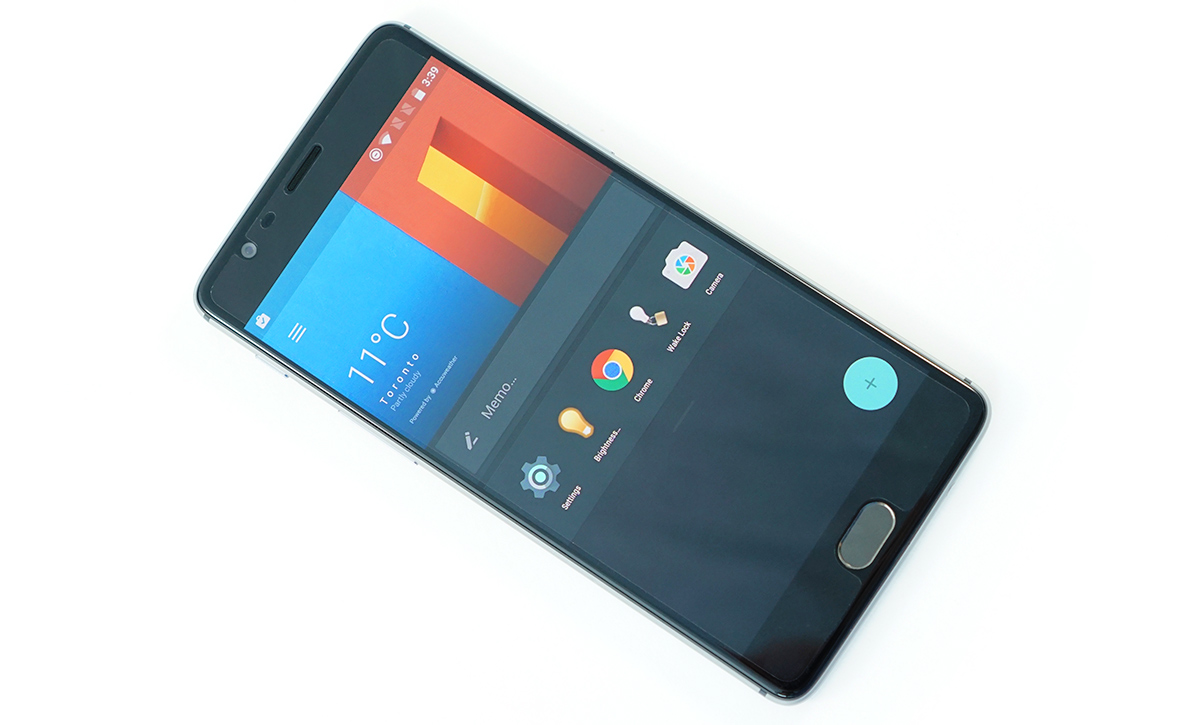
The OnePlus 3T is a mid-cycle update to the OnePlus 3 that launched last summer. The two phones are the same size and weight, have the same excellent build quality, use the same 5.5-inch 1080p AMOLED display, come with 6GB LPDDR4 RAM, and offer the same connectivity options, including 802.11ac Wi-Fi, BT 4.2, and NFC. They also share the same 16MP Sony IMX298 rear camera with PDAF and OIS, which is capable of taking decent photos.

For the 3T, OnePlus replaces the Qualcomm Snapdragon 820 SoC with the updated Snapdragon 821, although the actual performance gain is negligible. The switch to the F2FS filesystem significantly improves storage performance, and OnePlus adds an additional storage tier, providing a choice between 64GB or 128GB, which is good because the 3T does not support microSD cards. The other notable improvement is a 13% increase in battery size from 3000 mAh to 3400 mAh. The 64GB model costs $439, while the 128GB model costs $479.

The Motorola Moto Z Play Droid costs $408 (the unlocked version costs $450) and includes a nice display, a good camera, and a large, long-lasting battery—not to mention support for Moto Mods such as the Hasselblad True Zoom Mod—but its eight Cortex-A53 CPU cores and Adreno 506 GPU cannot offer the same level of performance as the OnePlus 3T’s Snapdragon 821 SoC. The Moto Z Play Droid also comes with less RAM (3GB), less internal storage (32GB), and lacks 802.11ac Wi-Fi. Its little brother, the Moto G4 Plus costs less than the OnePlus 3T—$299 for 4GB of RAM and 64GB of internal NAND—but again falls short of the OnePlus 3T’s overall user experience.

Huawei’s Honor 8 is another contender that costs about same as the OnePlus 3T ($400) and is available in the US and internationally. It also has a smaller 5.2-inch display, giving it a smaller footprint than the OnePlus 3T, although its heavily blue-tinted screen may turn some people off. General system performance is on par with the 3T, but its Mali-T880MP4 GPU cannot match the Adreno 530’s peak performance.

Best Budget Android Smartphone: Xiaomi Redmi Note 3 Pro

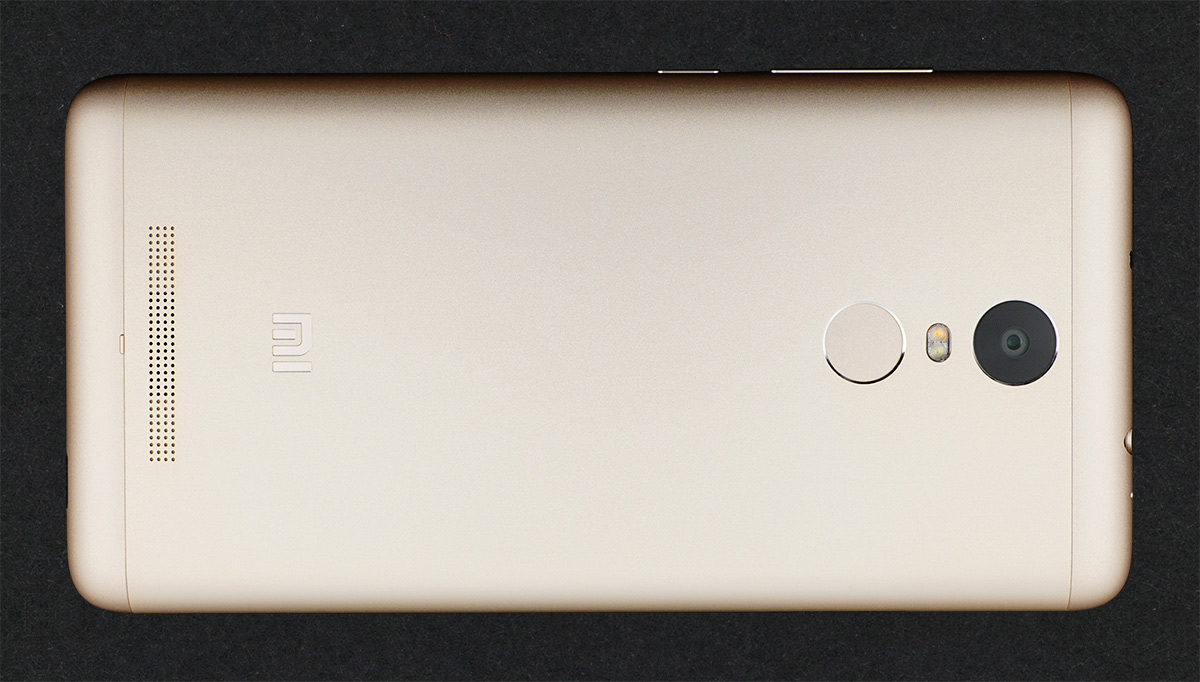
While the rest of the planet is awash with lower-cost phones containing decent hardware, it’s difficult to recommend a budget smartphone for the US market. Take the Xiaomi Redmi Note 3 Pro, for example. Its Snapdragon 650 SoC contains two high-performance Cortex-A72 CPU cores running at up to 1.8GHz and four Cortex-A53 cores at up to 1.4GHz, which easily outperforms the standard octa-core A53 SoCs common at this price point. Its performance is really quite remarkable, rivaling some upper mid-range and flagship devices. The Adreno 510 GPU supports the latest graphics APIs, including support for tessellation, and is fast enough to play most games currently available. Battery life is excellent too, thanks in part to a large 4050 mAh battery. There’s even an infrared blaster and support for 802.11ac Wi-Fi and FM radio.

Of course some sacrifices need to be made to reach such a low price. The Redmi Note 3 Pro’s weakest component is its 5.5-inch 1080p IPS display, whose poor black level and inaccurate white point and gamma calibration hurt image quality. The panel’s backlight does not fully cover the sRGB gamut, which further reduces color accuracy. While not perfect, it clearly moves the bar higher in this segment and raises our expectations for future lower-cost phones.

Unfortunately, the Redmi Note 3 Pro, like most phones made by Chinese OEMs, is not sold in the US and does not support the LTE frequencies used by US carriers. Because we have not been able to keep up with this category like we should, we have no budget recommendation for US consumers right now.

Best Android Phones: Q1 2017

Best Android Phones: Q1 2017

Flowers are blooming and temperatures are rising, which means it’s time for our Q1 2017 Best Android Smartphones guide. There’s been a flurry of phone announcements over the first few months of the year. HTC launched its new U series phones, including the flagship HTC U Ultra, which has a 5.7-inch IPS display with a secondary 2.0-inch ticker display along the top, and the smaller, less-expensive 5.2-inch HTC U Play that comes with a MediaTek Helio P10 SoC. We also saw several new phones announced at MWC 2017, including Huawei’s P10, which shares much of its internal hardware with the larger Huawei Mate 9, and LG’s redesigned G6, which seems to correct some of the G5’s shortcomings while adopting a new, elongated 18:9 aspect ratio for its display that provides some extra screen area without making it more difficult to hold by increasing the phone’s width. Samsung took a similar approach with the recently announced Galaxy S8 and S8+ that also come with taller, 18.5:9 displays with rounded corners.

There were a number of mid-range and low-end phones announced too. At CES 2017, Huawei announced the $250 Honor 6X, which comes with a 5.5-inch IPS display and has a much better look and feel than the Honor 5X. Motorola unveiled the similarly priced Moto G5 Plus at MWC, and ZTE announced a trio of phones in its Blade V8 series: Blade V8 Pro ($250, 5.5-inch, Snapdragon 625), Blade V8 Mini (5.0-inch, Snapdragon 435), and Blade V8 Lite (5.0-inch, MediaTek MT6750).

Not all of these phones are shipping yet, though. And with our current resource shortage, we were not able to look closely enough at those that are available for them to be considered in this Q1 guide (we only include phones that we’ve reviewed). With that disclaimer out of the way, here are the Android phones we currently like.

Best Android Phablet: Huawei Mate 9

There’s a lot of options to choose from when shopping for a phablet considering the disproportionate number of Android phones having a screen size of 5.5-inches or larger. A number of these fall into the mid-range category, which we cover below. For people living outside of North America there are even more, usually less-expensive, options to consider too. But for this pick, we’re sticking with globally-available flagships.

With its 5.9-inch IPS display, Huawei’s Mate 9 is a true phablet. Its sturdy aluminum chassis with polished accents give it a solid feel and a classy look, and its good balance and rounded corners make it less unwieldy to hold than you would expect. Its $600 US price is not cheap, but it’s still less than many other competing flagships.

Inside is a Kirin 960 SoC, 4GB LPDDR4 RAM, and 64GB of UFS 2.1 storage that’s expandable via microSD card. Combining this hardware with the F2FS filesystem and other software optimizations gives the Mate 9 excellent in-app performance. Apps launch and install quickly too, and the UI feels responsive.

The Mate 9 also gets excellent battery life as long as you do not lean on the GPU or big CPU cores too hard. The Kirin 960’s power efficiency is not as good as the Kirin 950’s in the Mate 8, but Huawei was able to save power elsewhere (display), ultimately helping the Mate 9 and its 4000 mAh battery outlast the previous generation.

The dual rear camera that Huawei co-developed with Leica captures excellent, natural looking images, with consistently good exposure, gamma, and white balance. Its HDR mode is pretty weak, however, and its images do not show as much fine detail as those from Google’s Pixel XL and Samsung’s Galaxy S7 edge.

I was also extremely impressed with the Mate 9’s fingerprint sensor, which is by far the fastest and most accurate I’ve used. Its single, downward-firing speaker gets plenty loud, with the earpiece providing high frequency support for a pseudo-stereo effect. Huawei’s redesigned EMUI 5.0 software looks cleaner and is easier to navigate too, with a look that draws less inspiration from Apple’s iOS (there’s even an optional app drawer now).

The one area where the Mate 9 falls short of its peers is display quality. It gets very bright and has excellent black levels for an IPS panel, but an overly cool white point, imperfect gamma, and lack of a proper sRGB mode conspire to reduce grayscale and color accuracy. Viewing angles are not up to flagship standards either.

Best High-End Android Smartphones: Samsung Galaxy S7 edge and HTC 10

The Galaxy S7 edge improves upon the design and features of the popular Galaxy S6 edge. The design is very similar, but Samsung has tweaked the curvature of the back, edges, and cover glass to make the phone significantly more ergonomic. The chassis does get thicker and heavier, but this allows for a significant reduction to the camera hump and an increase in battery capacity.

Its 5.5-inch 2560×1440 SAMOLED display is among the best available. The 12MP rear camera with OIS and an f/1.7 aperture captures great pictures, especially in low-light, and the dual pixel PDAF is extremely fast. Battery life is pretty good thanks to a 3600mAh battery. The rest of its hardware and features are shared with the smaller Galaxy S7, including IP68 dust and water protection, fast charging, and wireless charging.

Depending on where you live you’ll either get Qualcomm’s Snapdragon 820 or Samsung’s Exynos 8890 SoC, both of which use custom ARM CPU cores, along with 4GB of LPDDR4 RAM and either 32GB or 64GB of UFS 2.0 NAND with support for microSD cards. Performance is generally good, but the UI can stutter or stall occasionally.

The other phone worth discussing at the high end is the HTC 10, which manages to best the Galaxy S7 edge in at least a few areas. In terms of audio quality, design, OEM UI, and other areas like perceptual latency I would argue that HTC is just clearly ahead of Samsung. HTC also has proper USB 3.1 and USB-C support, which does make the device more future-proof than the Galaxy S7 edge’s microUSB connector in that regard. The front-facing camera is also just clearly better on the basis of having OIS and optics that can actually focus on a subject instead of being set to infinity at all times.

However, Samsung is clearly ahead in display and its camera is clearly the fastest I’ve ever seen in any phone, bar none. Samsung is also just clearly shipping better Wi-Fi implementations right now in terms of antenna sensitivity and software implementation, along with IP68 water resistance and magstripe payments for the US and South Korea.

To further muddy the waters, there are areas where HTC and Samsung trade blows. While Samsung’s camera is clearly faster, HTC often has better detail in their images, especially at the center of the frame, but the Galaxy S7 edge has better detail at the edge of the frame. Noise reduction tends to be a bit less heavy-handed and sharpening artifacts are not nearly as strong as they are on the S7 edge. HTC’s larger sensor also means that it’s possible to get actual dSLR-like bokeh with macro shots.

Overall, I think it’s pretty fair to say that the HTC 10 is a solid choice. If I had to pick between the two I would probably lean towards the HTC 10, but this is based upon personal priorities. I don’t think you can really go wrong between the two. The HTC 10 with 32GB of internal storage is currently $699 USD when bought unlocked through HTC and comes in Carbon Gray and Glacial Silver.

Best (Upper) Mid-Range Android Smartphone: OnePlus 3T

The OnePlus 3T is a mid-cycle update to the OnePlus 3 that launched last summer. The two phones are the same size and weight, have the same excellent build quality, use the same 5.5-inch 1080p AMOLED display, come with 6GB LPDDR4 RAM, and offer the same connectivity options, including 802.11ac Wi-Fi, BT 4.2, and NFC. They also share the same 16MP Sony IMX298 rear camera with PDAF and OIS, which is capable of taking decent photos.

For the 3T, OnePlus replaces the Qualcomm Snapdragon 820 SoC with the updated Snapdragon 821, although the actual performance gain is negligible. The switch to the F2FS filesystem significantly improves storage performance, and OnePlus adds an additional storage tier, providing a choice between 64GB or 128GB, which is good because the 3T does not support microSD cards. The other notable improvement is a 13% increase in battery size from 3000 mAh to 3400 mAh. The 64GB model costs $439, while the 128GB model costs $479.

The Motorola Moto Z Play Droid costs $408 (the unlocked version costs $450) and includes a nice display, a good camera, and a large, long-lasting battery—not to mention support for Moto Mods such as the Hasselblad True Zoom Mod—but its eight Cortex-A53 CPU cores and Adreno 506 GPU cannot offer the same level of performance as the OnePlus 3T’s Snapdragon 821 SoC. The Moto Z Play Droid also comes with less RAM (3GB), less internal storage (32GB), and lacks 802.11ac Wi-Fi. Its little brother, the Moto G4 Plus costs less than the OnePlus 3T—$299 for 4GB of RAM and 64GB of internal NAND—but again falls short of the OnePlus 3T’s overall user experience.

Huawei’s Honor 8 is another contender that costs about same as the OnePlus 3T ($400) and is available in the US and internationally. It also has a smaller 5.2-inch display, giving it a smaller footprint than the OnePlus 3T, although its heavily blue-tinted screen may turn some people off. General system performance is on par with the 3T, but its Mali-T880MP4 GPU cannot match the Adreno 530’s peak performance.

Best Budget Android Smartphone: Xiaomi Redmi Note 3 Pro

While the rest of the planet is awash with lower-cost phones containing decent hardware, it’s difficult to recommend a budget smartphone for the US market. Take the Xiaomi Redmi Note 3 Pro, for example. Its Snapdragon 650 SoC contains two high-performance Cortex-A72 CPU cores running at up to 1.8GHz and four Cortex-A53 cores at up to 1.4GHz, which easily outperforms the standard octa-core A53 SoCs common at this price point. Its performance is really quite remarkable, rivaling some upper mid-range and flagship devices. The Adreno 510 GPU supports the latest graphics APIs, including support for tessellation, and is fast enough to play most games currently available. Battery life is excellent too, thanks in part to a large 4050 mAh battery. There’s even an infrared blaster and support for 802.11ac Wi-Fi and FM radio.

Of course some sacrifices need to be made to reach such a low price. The Redmi Note 3 Pro’s weakest component is its 5.5-inch 1080p IPS display, whose poor black level and inaccurate white point and gamma calibration hurt image quality. The panel’s backlight does not fully cover the sRGB gamut, which further reduces color accuracy. While not perfect, it clearly moves the bar higher in this segment and raises our expectations for future lower-cost phones.

Unfortunately, the Redmi Note 3 Pro, like most phones made by Chinese OEMs, is not sold in the US and does not support the LTE frequencies used by US carriers. Because we have not been able to keep up with this category like we should, we have no budget recommendation for US consumers right now.

ECS LIVA Z Fanless Dual-LAN Apollo Lake UCFF PC Review

The market for UCFF (ultra-compact form factor) PCs has seen tremendous growth since the introduction of the Intel NUCs in early 2013. Various motherboard and system vendors have their own offerings in this space. ECS started selling their own UCFF PC…