Vik


Philips BDM4037UW Goes on Sale: 40 Inch 4K Curved Display for $800
Philips BDM4037UW Goes on Sale: 40 Inch 4K Curved Display for $800

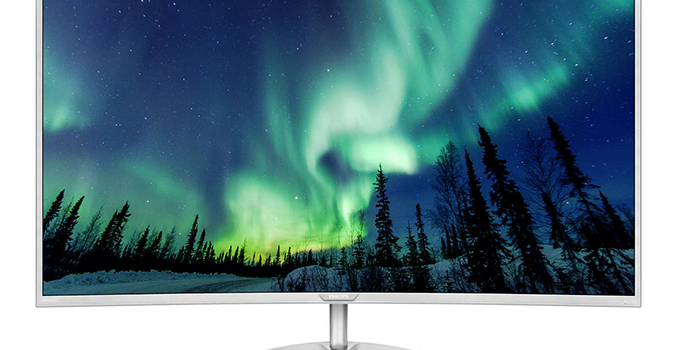
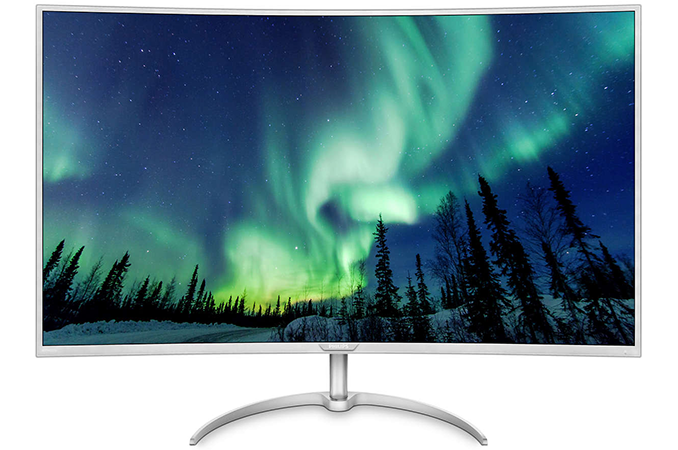
TPV Technology, the company that produces monitors under the Philips brand, this week began to sell one of the world’s first curved displays with a 4K resolution that was formally introduced at IFA last September. The BDM4037UW monitor was designed primarily for consumers seeking for UHD experience on the PC, which is why the screen is not too expensive when its dimensions, curvature and resolution are considered. Nonetheless, PBP and PiP capabilities of the display make it useful for various control room applications as well.

Curved and UHD monitors are gaining traction these days because prices of models featuring good panels with decent brightness, contrast ratio and viewing angles have become more palatable in the recent quarters. However, the popularization of curved and UHD displays have been two isolated trends so far. The majority of curved monitors are ultra-wide and feature approximately 21:9 (2.33:1) aspect ratio because manufacturers want users to have a more immersive experience. By contrast, flat 4K UHD displays feature an aspect ratio of 16:9. So far, no company has introduced a curved 4K computer monitor because its curvature would hardly bring a lot of advantages for 27” – 32” panels (typical for computer screens). Meanwhile, Philips decided to offer a curved UHD display that is large enough for curvature to make sense.

The Philips BDM4037UW display is based on a 40” VA panel with a 3840×2160 resolution, 300 nits brightness, 3000R curvature, a 4000:1 contrast ratio, a 60 Hz refresh rate and a 4 ms response time. The manufacturer claims that the monitor can reproduce 1.07 billion colors (listed online as ‘dithered 10-bit’, but doesn’t clarify native support) and is rated to support 85% of the NTSC color gamut. Technically speaking, 85% of the NTSC color space is wider than 100% of the sRGB color space, but what we do not know is whether the latter is officially rated out-of-the-box (and it seems odd not to confirm sRGB coverage). 

Philips Brilliance 4K Ultra HD LCD
  BDM4037UW
Panel 40″ VA
Native Resolution 3840 × 2160
Maximum Refresh Rate 60 Hz
Response Time 4 ms GTG
Brightness 300 cd/m²
Contrast 4000:1
Viewing Angles 178°/178° horizontal/vertical
Curvature 3000R
Color Gamut NTSC 85%
Pixel Pitch 0.230 mm × 0.230 mm
Pixel Density 110 PPI
Inputs 2 × DP 1.2
1 × HDMI 1.4
1 × HDMI 2.0
1 × D-Sub
Audio 3.5 mm input/output
2 × 5 W
USB Hub 4 × USB 3.0 Type-A connectors
1 × USB 3.0 Type-B input
Power Consumption Idle: 0.5 W
Eco: 32.6 W
Active: 43.7 W
Link BDM4037UW

While the BDM4037UW is primarily aimed at consumers, one of its key selling points (apart from dimensions, resolution, and curvature) is support for Philips’ MultiView PBP (picture-by-picture) technology for up to four devices as well as PiP (picture-in-picture) for up to two devices that will be useful in various control or trade rooms where one of such displays can replace four monitors with a lower resolution. To enable PBP and PiP features, the BDM4037UW is equipped with two DisplayPort 1.2, one HDMI 1.4, one HDMI 2.0 and one D-Sub input. In addition, the monitor has a quad-port USB 3.0 hub with one header supporting fast charging. As for audio, the display is equipped with two 5 W stereo speakers.

At present, the Philips BDM4037UW monitor is available in Europe. The display costs £589 in the U.K. and €749 in Eurozone. Meanwhile, it is unknown when TPV plans to start selling the BDM7037UW monitor in the U.S. as well as its pricing.

Related Reading:

Sources: Hexus, XGN

Intel Officially Launches Baby Canyon NUCs with Kaby Lake: Thunderbolt Makes a Re-entry

Intel Officially Launches Baby Canyon NUCs with Kaby Lake: Thunderbolt Makes a Re-entry

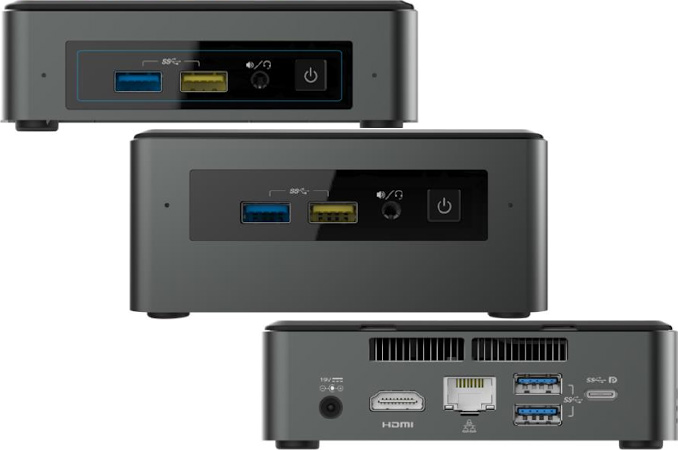
The Baby Canyon NUCs were leaked in July 2016, and Intel officially launched the units at CES 2017. The first-generation NUCs based on Ivy Bridge had a SKU with Thunderbolt support. However, Thunderbolt went missing till it came back in the Skull Canyon NUC (NUC6i7KYK) last year. The Alpine Ridge controller for Thunderbolt 3 also integrates a USB 3.1 Gen 2 controller, making the Type-C Thunderbolt 3 port quite versatile. The Baby Canyon NUCs bring Thunderbolt back into the UCFF NUC form-factor. All the Baby Canyon NUCs have the Alpine Ridge controller. However, the i3 model is limited by firmware, allowing the Type-C port to support only USB 3.1 Gen 2 and Display Port 1.2. The i7 and i5 models have full Thunderbolt 3 support.

The leaked specifications we wrote about in July were more or less accurate, and the official specifications allow us to fill in some of the missing blanks. The updated table is presented below. SKUs ending with K are units that do not support a 2.5″ drive (only M.2 SSDs are supported).

Intel Baby Canyon NUC PCs
  NUC7i7BNH NUC7i5BNH NUC7i5BNK NUC7i3BNH NUC7i3BNK
CPU Core i7-7567U
2C/4T
28 W TDP
Core i5-7260U
2C/4T
15 W TDP
Core i3-7100U
2C/4T
15 W TDP
Graphics Intel Iris Plus Graphics 650 Intel Iris Plus Graphics 640 Intel HD Graphics 620
PCH Intel Sunrise Point-LP for Kaby Lake-U
Memory Two SO-DIMM slots, up to 32 GB of DDR4-2133
2.5″ bay 1×2.5″/9.5mm bay, SATA3 None 1×2.5″/9.5 mm bay, SATA3 None
M.2 Slot Up to M.2-2280 SSD with SATA3 or PCIe 3.0 x4 interface
Wi-Fi/BT Soldered-down Intel Wireless-AC 8265 (802.11ac 2×2 + BT 4.2) with WiDi support
Ethernet Intel I219V Gigabit Ethernet controller
Display Outputs DisplayPort 1.2 via USB-C connector
HDMI 2.0
Audio 3.5 mm TRRS audio jack
7.1 channel audio output via HDMI or DP
Thunderbolt
& USB-C
1x Thunderbolt 3 Type-C (40 Gbps) (USB 3.1 Gen 2 and Display Port functionality included) 1x USB 3.1 Gen 2 Type-C (with Display Port functionality included)
USB 4 USB 3.0 Type-A (5 Gbps), one with charging
Other I/O MicroSDXC card reader with UHS-I support
One infrared receiver
Size (mm) 115 × 111 × 51 115 × 111 × 31 115 × 111 × 51 115 × 111 × 31
PSU External, 65 W
OS Compatible with Windows 7/8.1/10
Product Page NUC7i7BNH Specifications NUC7i5BNH Specifications NUC7i5BNK Specifications NUC7i3BNH Specifications NUC7i3BNK Specifications

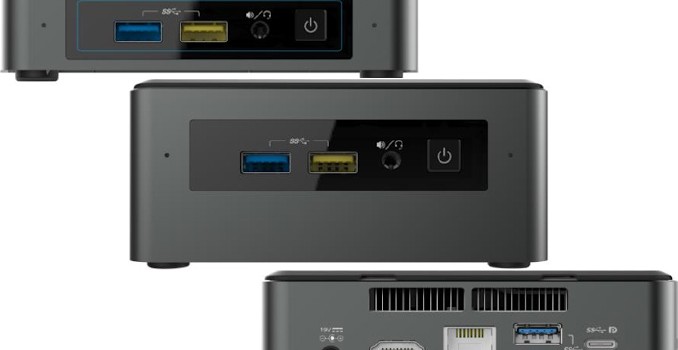
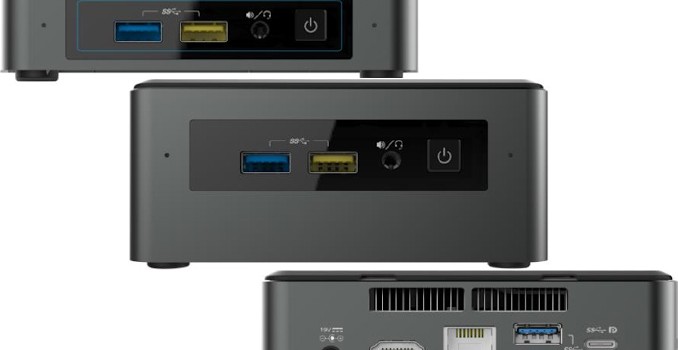
In terms of appearance, the chassis sides now have a shade of gray to provide a better look when seen along with the black lid. We have a micro-SDXC slot on the side (a full-sized SDXC slot couldn’t apparently work with their thermal design). In terms of performance, Kaby Lake should provide the claimed 7 – 11% improvement over the corresponding Skylake products. The new NUCs are also Optane-ready – allowing Optane M.2 SSDs to work seamlessly in conjunction with 2.5″ hard drives in the future (when the Optane SSDs come into the market). One important thing to note here is that the i7 model uses a 28W TDP SKU (the Core i7-7567U), compared to the 15W TDP SKUs used in the i3 and i5 models. The i7 and i5 models have Iris Plus graphics with 64MB of eDRAM. None of the Baby Canyon NUCs support vPro. HDMI 2.0 with HDCP 2.2 is supported, thanks to the inclusion of a LSPCon in the BOM. This should make the units into perfect HTPCs with Netflix 4K capability. Compared to the NUCs from the last few generations, these units are not a big upgrade in terms of unique features for other use-cases. Generally speaking, we are not convinced that the Optane-ready feature is a big enough reason to upgrade to the Baby Canyon NUCs. That said, the i7 model should prove pretty interesting to compare against the Broadwell-U Iris NUC.

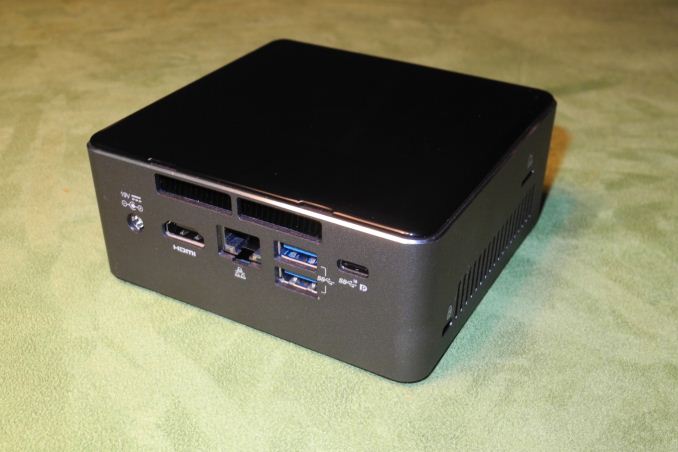
The NUC7i3BNH with the neutered Alpine Ridge Controller
(Note that the Type-C port only carries the SS10 / DP logos)

Intel indicated that the kits are slated to come into the market over the next few months at price points similar to the current Skylake versions. While official MSRPs were not provided, we see the NUC7i7BNH for pre-order at $700, the NUC7i5BNH at $610, and the NUC7i3BNH at $496.


Intel Officially Launches Baby Canyon NUCs with Kaby Lake: Thunderbolt Makes a Re-entry

Intel Officially Launches Baby Canyon NUCs with Kaby Lake: Thunderbolt Makes a Re-entry

The Baby Canyon NUCs were leaked in July 2016, and Intel officially launched the units at CES 2017. The first-generation NUCs based on Ivy Bridge had a SKU with Thunderbolt support. However, Thunderbolt went missing till it came back in the Skull Canyon NUC (NUC6i7KYK) last year. The Alpine Ridge controller for Thunderbolt 3 also integrates a USB 3.1 Gen 2 controller, making the Type-C Thunderbolt 3 port quite versatile. The Baby Canyon NUCs bring Thunderbolt back into the UCFF NUC form-factor. All the Baby Canyon NUCs have the Alpine Ridge controller. However, the i3 model is limited by firmware, allowing the Type-C port to support only USB 3.1 Gen 2 and Display Port 1.2. The i7 and i5 models have full Thunderbolt 3 support.

The leaked specifications we wrote about in July were more or less accurate, and the official specifications allow us to fill in some of the missing blanks. The updated table is presented below. SKUs ending with K are units that do not support a 2.5″ drive (only M.2 SSDs are supported).

Intel Baby Canyon NUC PCs
  NUC7i7BNH NUC7i5BNH NUC7i5BNK NUC7i3BNH NUC7i3BNK
CPU Core i7-7567U
2C/4T
28 W TDP
Core i5-7260U
2C/4T
15 W TDP
Core i3-7100U
2C/4T
15 W TDP
Graphics Intel Iris Plus Graphics 650 Intel Iris Plus Graphics 640 Intel HD Graphics 620
PCH Intel Sunrise Point-LP for Kaby Lake-U
Memory Two SO-DIMM slots, up to 32 GB of DDR4-2133
2.5″ bay 1×2.5″/9.5mm bay, SATA3 None 1×2.5″/9.5 mm bay, SATA3 None
M.2 Slot Up to M.2-2280 SSD with SATA3 or PCIe 3.0 x4 interface
Wi-Fi/BT Soldered-down Intel Wireless-AC 8265 (802.11ac 2×2 + BT 4.2) with WiDi support
Ethernet Intel I219V Gigabit Ethernet controller
Display Outputs DisplayPort 1.2 via USB-C connector
HDMI 2.0
Audio 3.5 mm TRRS audio jack
7.1 channel audio output via HDMI or DP
Thunderbolt
& USB-C
1x Thunderbolt 3 Type-C (40 Gbps) (USB 3.1 Gen 2 and Display Port functionality included) 1x USB 3.1 Gen 2 Type-C (with Display Port functionality included)
USB 4 USB 3.0 Type-A (5 Gbps), one with charging
Other I/O MicroSDXC card reader with UHS-I support
One infrared receiver
Size (mm) 115 × 111 × 51 115 × 111 × 31 115 × 111 × 51 115 × 111 × 31
PSU External, 65 W
OS Compatible with Windows 7/8.1/10
Product Page NUC7i7BNH Specifications NUC7i5BNH Specifications NUC7i5BNK Specifications NUC7i3BNH Specifications NUC7i3BNK Specifications

In terms of appearance, the chassis sides now have a shade of gray to provide a better look when seen along with the black lid. We have a micro-SDXC slot on the side (a full-sized SDXC slot couldn’t apparently work with their thermal design). In terms of performance, Kaby Lake should provide the claimed 7 – 11% improvement over the corresponding Skylake products. The new NUCs are also Optane-ready – allowing Optane M.2 SSDs to work seamlessly in conjunction with 2.5″ hard drives in the future (when the Optane SSDs come into the market). One important thing to note here is that the i7 model uses a 28W TDP SKU (the Core i7-7567U), compared to the 15W TDP SKUs used in the i3 and i5 models. The i7 and i5 models have Iris Plus graphics with 64MB of eDRAM. None of the Baby Canyon NUCs support vPro. HDMI 2.0 with HDCP 2.2 is supported, thanks to the inclusion of a LSPCon in the BOM. This should make the units into perfect HTPCs with Netflix 4K capability. Compared to the NUCs from the last few generations, these units are not a big upgrade in terms of unique features for other use-cases. Generally speaking, we are not convinced that the Optane-ready feature is a big enough reason to upgrade to the Baby Canyon NUCs. That said, the i7 model should prove pretty interesting to compare against the Broadwell-U Iris NUC.

The NUC7i3BNH with the neutered Alpine Ridge Controller
(Note that the Type-C port only carries the SS10 / DP logos)

Intel indicated that the kits are slated to come into the market over the next few months at price points similar to the current Skylake versions. While official MSRPs were not provided, we see the NUC7i7BNH for pre-order at $700, the NUC7i5BNH at $610, and the NUC7i3BNH at $496.