Vik


Dell Announces UP3218K: Its First 8K Display, Due in March
Dell Announces UP3218K: Its First 8K Display, Due in March

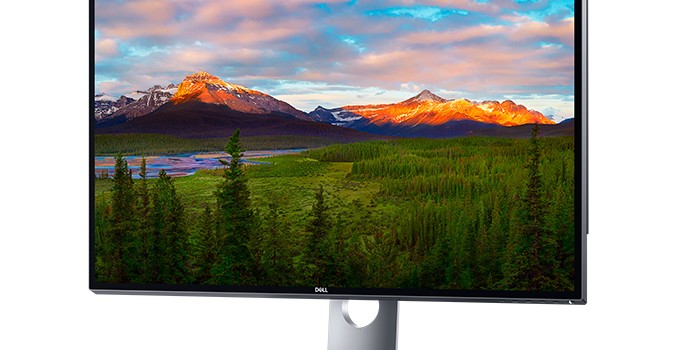
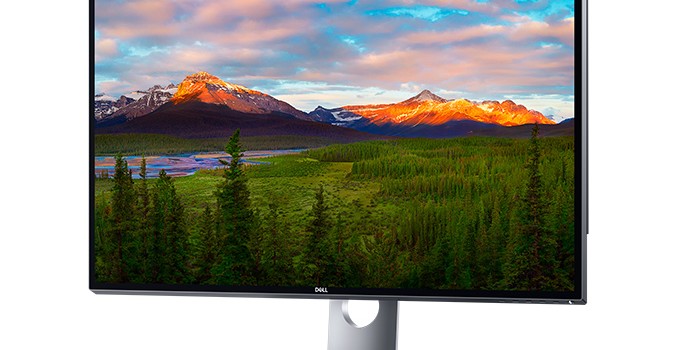
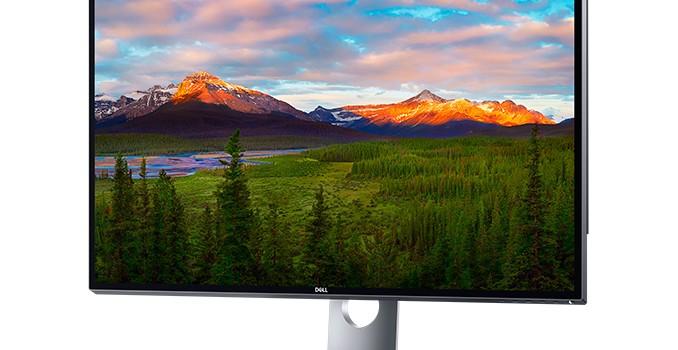
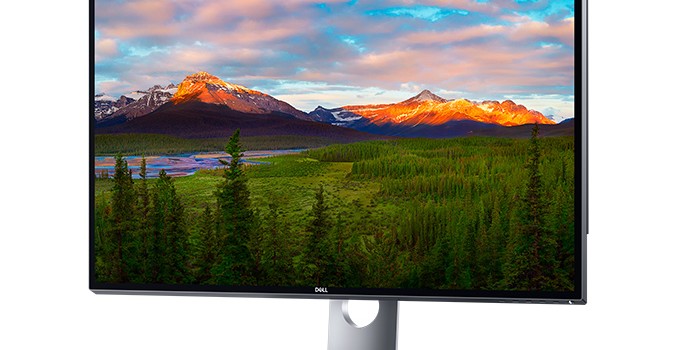
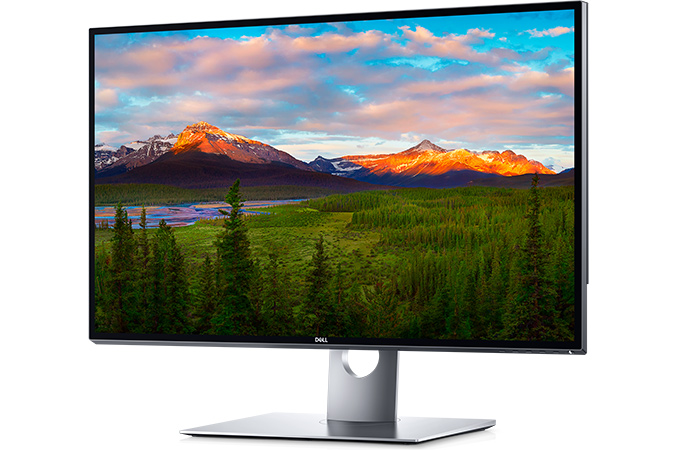
Dell introduced the industry’s first mass-market 8K display aimed at professional designers, engineers, photographers and software developers. The UP3218K will be available this March, but its rough $5,000 price tag will be rather high even for professionals dealing with content creation. That being said, $5K or so was the price that the original 4K MST monitors launched at in 2013, which perhaps makes this display price more palatable. On the other hand, right now an 8K professional display is such a niche product that the vast majority of users will have to wait a few years to see the price come down.

Up to now, 8K reference displays were available only from Canon, in very low quantities and at very high prices. The displays were primarily aimed at video professionals from TV broadcasting companies like NHK, who are working on 8K (they call it Super Hi-Vision) content to be available over-the-air in select regions of Japan next year. A number of TV makers have also announced their ultra large 8K UHDTVs, but these are hardly found in retail. Overall, Dell is the first company to offer an 8K display that can be bought online by any individual with the money and be focused on the monitor market rather than TVs.

At present, Dell is not publishing the full specifications of its UltraSharp 32 Ultra HD 8K monitor (UP3218K), but reveals key specs like resolution (7680×4320), contrast ratio (1300:1), brightness (400 nits), pixel density (280 ppi) as well as supported color spaces: 100% Adobe RGB and 100% sRGB. 

Preliminary Specifications
Dell UltraSharp 32 Ultra HD 8K (UP3218K)
Panel 32″ (IPS?)
Resolution 7680 × 4320
Brightness 400 cd/m²
Contrast Ratio 1300:1
Refresh Rate 60 Hz
Viewing Angles 178°/178° horizontal/vertical
Color Saturation 100% Adobe RGB
100% sRGB
Display Colors 1.07 billion
Inputs 2 × DisplayPort 1.3

For interconnection with host PCs, as a single DisplayPort 1.3/1.4 cable does not provide enough bandwidth for the 7680×4320@60 Hz configuration Dell is targeting, the UltraSharp UP3218K uses two DisplayPort 1.3 inputs to provide the necessary bandwidth, stitching the two display streams together internally using tiling. This is similar to early 5K displays, which used a pair of DisplayPort cables to get around the bandwidth limitations of DisplayPort 1.2. Using two cables not a big problem given the target market, but it’s interesting to note that because 7680×4320@60Hz alone consumes all of the bandwidth supplied by the two cables, there isn’t any leftover bandwidth to support HDR or the Rec. 2020 color space.

On a side note, while the company could have used DisplayPort 1.4’s Display Stream Compression 1.2 (DSC) feature to reduce the bandwidth requirements of the monitor, they opted not to. DSC is promoted as visually lossless, but given how demanding many professionals are and problems that potential artifacts introduced by DSC could bring, Dell decided to stick to two DisplayPort cables as a result.
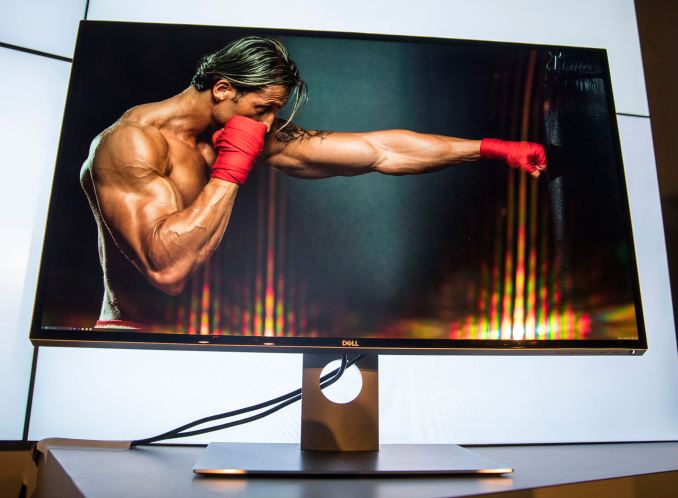
While a high display resolution is good for photos and images, it also makes everything smaller; and while modern operating systems support scaling, it does not work perfectly for all programs. It’s likely that professional applications like AutoCAD or Photoshop will support 8K the day the UltraSharp UP3218K hits the market, but general use applications, already struggling with 4K and HiDPI in general, will be another matter. Practically speaking, if the price tag alone isn’t convincing enough that this is a monitor for specific editing tasks and not for general desktop usage, then the lack of good HiDPI support elsewhere will. And while I’m sure someone will try to use the UP3218K as a gaming display, at four times the resolution of a 4K monitor, we’re at least a few years off from GPUs being able to render high-fidelity games at a 33Mpix resolution.

Dell promised to start sales of the Dell UltraSharp 32 Ultra HD 8K monitor (UP3218K) on March 23 on its web-site. Initially, the monitor is stated to cost $4999. Time to put in some hardware requisition forms.

Related Reading:

Dell Announces UP3218K: Its First 8K Display, Due in March

Dell Announces UP3218K: Its First 8K Display, Due in March

Dell introduced the industry’s first mass-market 8K display aimed at professional designers, engineers, photographers and software developers. The UP3218K will be available this March, but its rough $5,000 price tag will be rather high even for professionals dealing with content creation. That being said, $5K or so was the price that the original 4K MST monitors launched at in 2013, which perhaps makes this display price more palatable. On the other hand, right now an 8K professional display is such a niche product that the vast majority of users will have to wait a few years to see the price come down.

Up to now, 8K reference displays were available only from Canon, in very low quantities and at very high prices. The displays were primarily aimed at video professionals from TV broadcasting companies like NHK, who are working on 8K (they call it Super Hi-Vision) content to be available over-the-air in select regions of Japan next year. A number of TV makers have also announced their ultra large 8K UHDTVs, but these are hardly found in retail. Overall, Dell is the first company to offer an 8K display that can be bought online by any individual with the money and be focused on the monitor market rather than TVs.

At present, Dell is not publishing the full specifications of its UltraSharp 32 Ultra HD 8K monitor (UP3218K), but reveals key specs like resolution (7680×4320), contrast ratio (1300:1), brightness (400 nits), pixel density (280 ppi) as well as supported color spaces: 100% Adobe RGB and 100% sRGB. 

Preliminary Specifications
Dell UltraSharp 32 Ultra HD 8K (UP3218K)
Panel 32″ (IPS?)
Resolution 7680 × 4320
Brightness 400 cd/m²
Contrast Ratio 1300:1
Refresh Rate 60 Hz
Viewing Angles 178°/178° horizontal/vertical
Color Saturation 100% Adobe RGB
100% sRGB
Display Colors 1.07 billion
Inputs 2 × DisplayPort 1.3

For interconnection with host PCs, as a single DisplayPort 1.3/1.4 cable does not provide enough bandwidth for the 7680×4320@60 Hz configuration Dell is targeting, the UltraSharp UP3218K uses two DisplayPort 1.3 inputs to provide the necessary bandwidth, stitching the two display streams together internally using tiling. This is similar to early 5K displays, which used a pair of DisplayPort cables to get around the bandwidth limitations of DisplayPort 1.2. Using two cables not a big problem given the target market, but it’s interesting to note that because 7680×4320@60Hz alone consumes all of the bandwidth supplied by the two cables, there isn’t any leftover bandwidth to support HDR or the Rec. 2020 color space.

On a side note, while the company could have used DisplayPort 1.4’s Display Stream Compression 1.2 (DSC) feature to reduce the bandwidth requirements of the monitor, they opted not to. DSC is promoted as visually lossless, but given how demanding many professionals are and problems that potential artifacts introduced by DSC could bring, Dell decided to stick to two DisplayPort cables as a result.

While a high display resolution is good for photos and images, it also makes everything smaller; and while modern operating systems support scaling, it does not work perfectly for all programs. It’s likely that professional applications like AutoCAD or Photoshop will support 8K the day the UltraSharp UP3218K hits the market, but general use applications, already struggling with 4K and HiDPI in general, will be another matter. Practically speaking, if the price tag alone isn’t convincing enough that this is a monitor for specific editing tasks and not for general desktop usage, then the lack of good HiDPI support elsewhere will. And while I’m sure someone will try to use the UP3218K as a gaming display, at four times the resolution of a 4K monitor, we’re at least a few years off from GPUs being able to render high-fidelity games at a 33Mpix resolution.

Dell promised to start sales of the Dell UltraSharp 32 Ultra HD 8K monitor (UP3218K) on March 23 on its web-site. Initially, the monitor is stated to cost $4999. Time to put in some hardware requisition forms.

Related Reading:

Dell Announces UP3218K: Its First 8K Display, Due in March

Dell Announces UP3218K: Its First 8K Display, Due in March

Dell introduced the industry’s first mass-market 8K display aimed at professional designers, engineers, photographers and software developers. The UP3218K will be available this March, but its rough $5,000 price tag will be rather high even for professionals dealing with content creation. That being said, $5K or so was the price that the original 4K MST monitors launched at in 2013, which perhaps makes this display price more palatable. On the other hand, right now an 8K professional display is such a niche product that the vast majority of users will have to wait a few years to see the price come down.

Up to now, 8K reference displays were available only from Canon, in very low quantities and at very high prices. The displays were primarily aimed at video professionals from TV broadcasting companies like NHK, who are working on 8K (they call it Super Hi-Vision) content to be available over-the-air in select regions of Japan next year. A number of TV makers have also announced their ultra large 8K UHDTVs, but these are hardly found in retail. Overall, Dell is the first company to offer an 8K display that can be bought online by any individual with the money and be focused on the monitor market rather than TVs.

At present, Dell is not publishing the full specifications of its UltraSharp 32 Ultra HD 8K monitor (UP3218K), but reveals key specs like resolution (7680×4320), contrast ratio (1300:1), brightness (400 nits), pixel density (280 ppi) as well as supported color spaces: 100% Adobe RGB and 100% sRGB. 

Preliminary Specifications
Dell UltraSharp 32 Ultra HD 8K (UP3218K)
Panel 32″ (IPS?)
Resolution 7680 × 4320
Brightness 400 cd/m²
Contrast Ratio 1300:1
Refresh Rate 60 Hz
Viewing Angles 178°/178° horizontal/vertical
Color Saturation 100% Adobe RGB
100% sRGB
Display Colors 1.07 billion
Inputs 2 × DisplayPort 1.3

For interconnection with host PCs, as a single DisplayPort 1.3/1.4 cable does not provide enough bandwidth for the 7680×4320@60 Hz configuration Dell is targeting, the UltraSharp UP3218K uses two DisplayPort 1.3 inputs to provide the necessary bandwidth, stitching the two display streams together internally using tiling. This is similar to early 5K displays, which used a pair of DisplayPort cables to get around the bandwidth limitations of DisplayPort 1.2. Using two cables not a big problem given the target market, but it’s interesting to note that because 7680×4320@60Hz alone consumes all of the bandwidth supplied by the two cables, there isn’t any leftover bandwidth to support HDR or the Rec. 2020 color space.

On a side note, while the company could have used DisplayPort 1.4’s Display Stream Compression 1.2 (DSC) feature to reduce the bandwidth requirements of the monitor, they opted not to. DSC is promoted as visually lossless, but given how demanding many professionals are and problems that potential artifacts introduced by DSC could bring, Dell decided to stick to two DisplayPort cables as a result.

While a high display resolution is good for photos and images, it also makes everything smaller; and while modern operating systems support scaling, it does not work perfectly for all programs. It’s likely that professional applications like AutoCAD or Photoshop will support 8K the day the UltraSharp UP3218K hits the market, but general use applications, already struggling with 4K and HiDPI in general, will be another matter. Practically speaking, if the price tag alone isn’t convincing enough that this is a monitor for specific editing tasks and not for general desktop usage, then the lack of good HiDPI support elsewhere will. And while I’m sure someone will try to use the UP3218K as a gaming display, at four times the resolution of a 4K monitor, we’re at least a few years off from GPUs being able to render high-fidelity games at a 33Mpix resolution.

Dell promised to start sales of the Dell UltraSharp 32 Ultra HD 8K monitor (UP3218K) on March 23 on its web-site. Initially, the monitor is stated to cost $4999. Time to put in some hardware requisition forms.

Related Reading:

Dell Announces UP3218K: Its First 8K Display, Due in March

Dell Announces UP3218K: Its First 8K Display, Due in March

Dell introduced the industry’s first mass-market 8K display aimed at professional designers, engineers, photographers and software developers. The UP3218K will be available this March, but its rough $5,000 price tag will be rather high even for professionals dealing with content creation. That being said, $5K or so was the price that the original 4K MST monitors launched at in 2013, which perhaps makes this display price more palatable. On the other hand, right now an 8K professional display is such a niche product that the vast majority of users will have to wait a few years to see the price come down.

Up to now, 8K reference displays were available only from Canon, in very low quantities and at very high prices. The displays were primarily aimed at video professionals from TV broadcasting companies like NHK, who are working on 8K (they call it Super Hi-Vision) content to be available over-the-air in select regions of Japan next year. A number of TV makers have also announced their ultra large 8K UHDTVs, but these are hardly found in retail. Overall, Dell is the first company to offer an 8K display that can be bought online by any individual with the money and be focused on the monitor market rather than TVs.

At present, Dell is not publishing the full specifications of its UltraSharp 32 Ultra HD 8K monitor (UP3218K), but reveals key specs like resolution (7680×4320), contrast ratio (1300:1), brightness (400 nits), pixel density (280 ppi) as well as supported color spaces: 100% Adobe RGB and 100% sRGB. 

Preliminary Specifications
Dell UltraSharp 32 Ultra HD 8K (UP3218K)
Panel 32″ (IPS?)
Resolution 7680 × 4320
Brightness 400 cd/m²
Contrast Ratio 1300:1
Refresh Rate 60 Hz
Viewing Angles 178°/178° horizontal/vertical
Color Saturation 100% Adobe RGB
100% sRGB
Display Colors 1.07 billion
Inputs 2 × DisplayPort 1.3

For interconnection with host PCs, as a single DisplayPort 1.3/1.4 cable does not provide enough bandwidth for the 7680×4320@60 Hz configuration Dell is targeting, the UltraSharp UP3218K uses two DisplayPort 1.3 inputs to provide the necessary bandwidth, stitching the two display streams together internally using tiling. This is similar to early 5K displays, which used a pair of DisplayPort cables to get around the bandwidth limitations of DisplayPort 1.2. Using two cables not a big problem given the target market, but it’s interesting to note that because 7680×4320@60Hz alone consumes all of the bandwidth supplied by the two cables, there isn’t any leftover bandwidth to support HDR or the Rec. 2020 color space.

On a side note, while the company could have used DisplayPort 1.4’s Display Stream Compression 1.2 (DSC) feature to reduce the bandwidth requirements of the monitor, they opted not to. DSC is promoted as visually lossless, but given how demanding many professionals are and problems that potential artifacts introduced by DSC could bring, Dell decided to stick to two DisplayPort cables as a result.

While a high display resolution is good for photos and images, it also makes everything smaller; and while modern operating systems support scaling, it does not work perfectly for all programs. It’s likely that professional applications like AutoCAD or Photoshop will support 8K the day the UltraSharp UP3218K hits the market, but general use applications, already struggling with 4K and HiDPI in general, will be another matter. Practically speaking, if the price tag alone isn’t convincing enough that this is a monitor for specific editing tasks and not for general desktop usage, then the lack of good HiDPI support elsewhere will. And while I’m sure someone will try to use the UP3218K as a gaming display, at four times the resolution of a 4K monitor, we’re at least a few years off from GPUs being able to render high-fidelity games at a 33Mpix resolution.

Dell promised to start sales of the Dell UltraSharp 32 Ultra HD 8K monitor (UP3218K) on March 23 on its web-site. Initially, the monitor is stated to cost $4999. Time to put in some hardware requisition forms.

Related Reading:

ASUS PRO B9440: Durable Ultra-Thin Business Laptop with 10-Hour Battery for $999

ASUS PRO B9440: Durable Ultra-Thin Business Laptop with 10-Hour Battery for $999

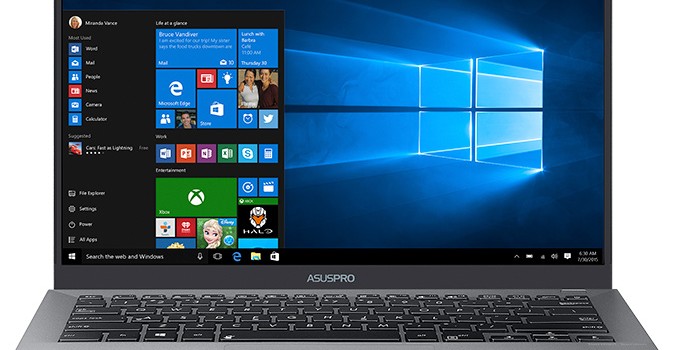
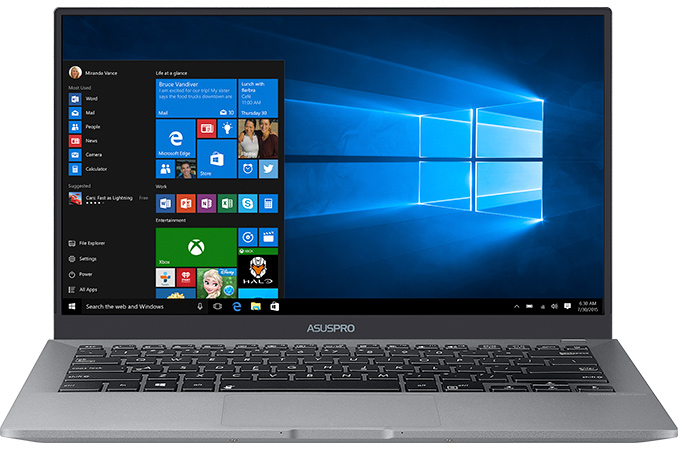
ASUS introduced its new ultra-thin business laptop that weds ultra-thin form-factor, long battery life, spill-resistant keyboard, good performance and a moderate price. The ASUS PRO B9440 is powered by Intel’s new Core i5/i7 Kaby Lake-U CPUs, weighs only around one kilogram and can work for 10 hours on one charge.

Since various people have different requirements and workloads, there are many types of business notebooks: from 12” ultra-thin and compact machines to 15” laptops with workstation-like performance and features. The ASUS PRO B9440 is located somewhere between in terms of design and performance: it comes in 13”-class chassis made of magnesium alloy and has so thin display bezels that it actually features a 14” display with FHD resolution and anti-glare coating. To make the PC more comfortable to use, ASUS installed a spill-resistant keyboard with large keycaps, backlighting, and 1.5 mm key travel. Meanwhile, the weight of the PC is around a kilogram (2.31 lbs), but it is MIL-STD 810G-rated for durability so it can survive shocks, vibration, exposure to low/high temperatures and so on.

From hardware standpoint, the ASUS PRO B9440 is a mainstream PC running Intel’s Core i5/i7 Kaby Lake-U processor, equipped with 8 or 16 GB of LPDDR3 memory, up to 512 GB SSD, a 2×2 802.11ac Wi-Fi with BT module, two USB 3.0 Type-C connectors, stereo speakers, a fingerprint reader, and a 48 Wh battery. ASUS customers can order PRO B9440 machines with enabled Intel’s vPro for remote management as well as Trusted Platform Module (TPM) for hardware-based data encryption.

The ASUS PRO B9440 Laptops Preliminary Specifications
  Mainstream Premium
Screen Resolution 1920×1080
CPU Family Core i5 Core i7
Core Kaby Lake-U
Options vPro
Graphics Intel HD Graphics 620 or Iris Plus Graphics 640
RAM 8 GB LPDDR3 onboard 16 GB LPDDR3 onboard
Storage Up to 512 GB M.2 SSD (SATA or PCIe)
Wi-Fi 2×2 802.11ac Wi-Fi with BT
USB 2 × USB 3.0 Type-C (one port supports docking, power delivery)
Fingerprint Sensor Yes
Other I/O Microphone, Harman Kardon stereo speakers, TRRS audio jack
Battery 4-cell 48 Wh Li-polymer
Thickness 8.9 – 14.85 mm
Weight 1.04 kilograms
2.31 lbs
Price Starts at $999
  ASUS SimPro Dock USB-C Docking Station
Display Outputs 2 × DisplayPort
1 × HDMI
1 × D-Sub
USB Type-A 2 × USB 3.0 Type-A
Type-C 1 × USB 3.0 Type-C
Card Reader SD card reader
Gigabit Ethernet Yes

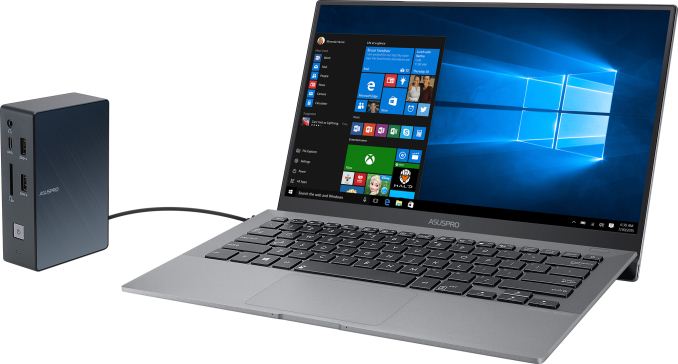
To make the PRO B9440 compact, thin and durable, ASUS had to make certain design decisions. First, the company eliminated the webcam, which helped to shrink the display bezel (and will also please corporate IT security personnel). Second, ASUS removed all I/O ports except two USB 3.0 Type-C and a TRRS audio jack from the PC, which helped to shrink the chassis. While an ultra-thin form-factor is generally an advantage, it also means that to connect an external display, mouse and a keyboard, the ASUS PRO B9440 will require the ASUS SimPro Dock USB-C docking station that is sold separately, which effectively makes the system more expensive. Engineers from ASUS are not the only to make the aforementioned design decisions, so it looks like for many laptops docking stations will be required in the future.

ASUS will ship the PRO B9440 notebook in May for the price that starts at $999. The cost of the ASUS SimPro Dock is unknown, yet its MSRP will be an important factor for those who plan to use the ASUS PRO B9440 in office environments.

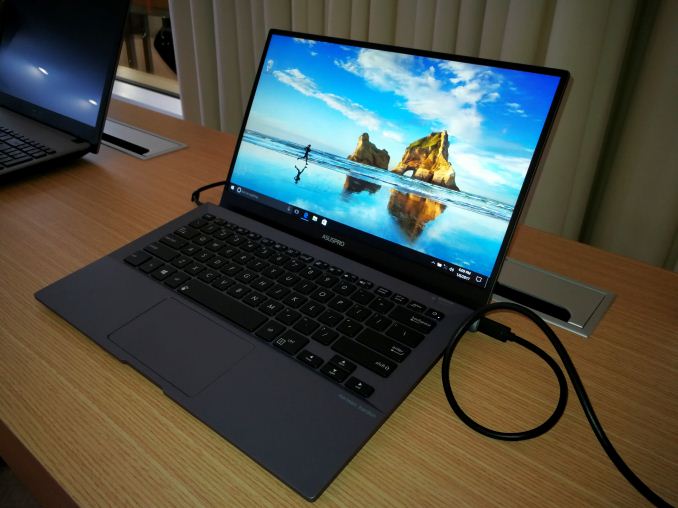
Ian says: Ultimately it’s a clear shot across the bow of Dell’s XPS 13, and seeing one at the show I was mightily impressed by form factor and weight. The trackpad had a good feel, and for writing it came across well. Other editors had reservations with the hinge mechanism, as it props up the keyboard and angles any hot air across the screen, but having used the Zenbook Infinity for 3 years, that doesn’t bother me personally so much. Personally I guess I would have liked to see 32GB DDR4 and a touch screen model, and a key proponent here will be battery life. My current ZBI barely holds an hour of ‘active’ use (up to 5 hrs ‘airplane word editing’ use), and the B9440 looks pretty enticing right now if the battery life can hold up.

Related Reading: