
Vik


Best Mechanical Keyboards: Holiday 2016

Best Mechanical Keyboards: Holiday 2016

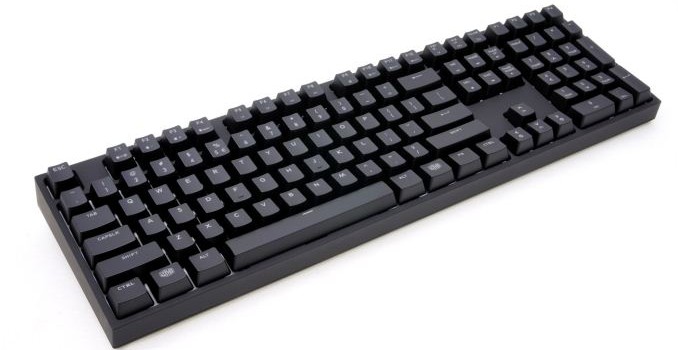
Mechanical keyboards have become highly popular during the past few years, with almost every advanced PC user wanting one on his/her desk. There are many arguments regarding the advantages and disadvantages of mechanical keyboards: they are far more durable than membrane keyboards, easier to maintain and provide better tactile feedback, yet noisier and significantly more expensive. However, what makes mechanical keyboards so popular is, as vague as this sounds, their feeling. It is very difficult to put it into words but if someone uses a mechanical keyboard for a few days, all membrane keyboards will be feeling like a toy afterward.

Membrane-based keyboards have their actuation point at the bottom of the key travel and require maximum pressure force at the beginning of their travel, requiring a relatively large amount of strength to be pressed that will inevitably force the key to bottom down. Mechanical keyboards are very different, with both the actuation point and the pressure point somewhere along the travel distance of the key, with several different switch variations offering better flexibility for the consumers. There are tactile and linear switches, audible and quiet, with various key travel lengths for consumers to choose from.

There are many arguments about how mechanical switches can make you type or react faster because they are easier to actuate and/or because the key does not have to bottom down. In terms of speed, the truth is that the difference is marginal at best. Mechanical switches are however much more comfortable for long-term use, making mechanical keyboards a nearly necessary tool for professionals and hardcore gamers who value their tendons. Similarly, many argue about which mechanical switch is the “best”. Simply put, there is no “best” switch. Whether you prefer strong linear switches because soft linear switches are too easy to bottom down or audible instead of quiet switches, it virtually always is a matter of individual personal preference.

For this holiday buyer’s guide, we are having a look at mechanical keyboards. Our aim is to offer our suggestions to both gamers and professionals by dividing the market according to the user’s needs.

Low-Cost Mechanical Keyboards

Before we begin this section, we should point out that we are aware of the many Asian manufacturers that flooded the market with $35-60 mechanical keyboards. However, we prefer not to have an opinion on their products before they are actually tested in our labs. 

If you are a professional and are seeking a no-frills mechanical keyboard that will simply be reliable and comfortable for you to do your job with, then the Nixeus Moda Pro is a good place to start. It is currently selling for $65 at the time of this review but it can be frequently found on offer for as low as $50. However, our recommendation is to spend a little extra and go for a Cougar Attack X3. $15 more will get you original Cherry MX switches and backlighting, while the keyboard is fully programmable and comes with a rather good software package. Having a fully programmable keyboard is not something to pass lightly; even if the programmability does not sound like a useful feature to you at this point of time, it can easily become useful in a future game or application. If lighting is your fancy, Patriot’s Viper V760 is also retailing for the same price as the Cougar Attack X3, offering RGB lighting at the expense of using lower quality switches and having a poor software package. 

Mainstream Mechanical Keyboards

The Corsair Gaming K70 LUX is perhaps the best choice for a fully featured, reliable mechanical keyboard. If you steer clear from the “special” shortened RAPIDFIRE switches and RGB lighting, the LUX version offers excellent long-term reliability, red backlighting, original Cherry MX switches, a fully programmable layout and the best, most flexible software package currently available. It is one of the most popular mechanical keyboards for a simple reason; there are very few equal alternatives for $97. 

Sadly, the RGB version of the Corsair Gaming K70 LUX is currently disproportionately expensive, adding $65 to its price tag. The G.Skill Ripjaws KM780R is an excellent alternative for a fully programmable gaming keyboard with RGB lighting, and its current retail price of $115 is a steal. G.Skill’s software, however, is not as sophisticated as Corsair’s and perhaps a third-party macro recording software might prove to be necessary.

Top-Tier Mechanical Keyboards

If you need/want a fully featured keyboard with many extra macro keys, we will once again suggest a product from Corsair, the Gaming K95. There are many mechanical keyboards selling for $130, which is the current retail price of the K95, yet it has a very significant advantage over the competition and that is Corsair’s CUE Engine software. Whether you are a gamer or a professional, the need for several extra keys suggests that you will also need a flexible software package and Corsair’s CUE Engine is one of the very few serious mechanical keyboard software packages currently available.

An RGB version of the Gaming K95 is also available for $180, which probably sounds very steep at first, yet it actually is comparable to the price of premium professional mechanical keyboards that are neither programmable or have RGB backlighting. When the quality and exceptional flexibility of the Corsair Gaming K95 RGB are put into perspective, then the retail price of $180 seems very reasonable. G.Skill’s Ripjaws KM780 mechanical keyboard is a reasonable and cheaper alternative for a fully programmable keyboard with some extra keys and RGB lighting, currently retailing for $150, but the accompanying software is not (nearly) as flexible as Corsair’s.
Best Mechanical Keyboards: Holiday 2016

Best Mechanical Keyboards: Holiday 2016

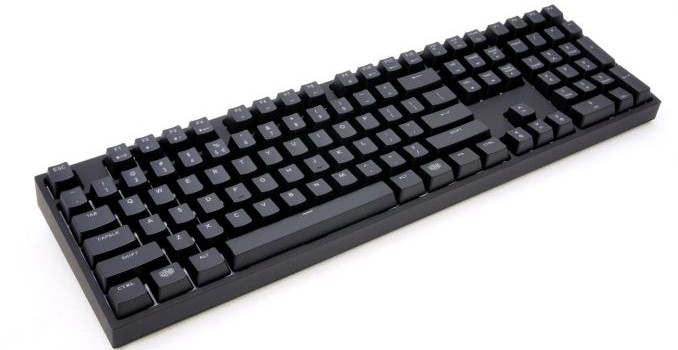
Mechanical keyboards have become highly popular during the past few years, with almost every advanced PC user wanting one on his/her desk. There are many arguments regarding the advantages and disadvantages of mechanical keyboards: they are far more durable than membrane keyboards, easier to maintain and provide better tactile feedback, yet noisier and significantly more expensive. However, what makes mechanical keyboards so popular is, as vague as this sounds, their feeling. It is very difficult to put it into words but if someone uses a mechanical keyboard for a few days, all membrane keyboards will be feeling like a toy afterward.

Membrane-based keyboards have their actuation point at the bottom of the key travel and require maximum pressure force at the beginning of their travel, requiring a relatively large amount of strength to be pressed that will inevitably force the key to bottom down. Mechanical keyboards are very different, with both the actuation point and the pressure point somewhere along the travel distance of the key, with several different switch variations offering better flexibility for the consumers. There are tactile and linear switches, audible and quiet, with various key travel lengths for consumers to choose from.

There are many arguments about how mechanical switches can make you type or react faster because they are easier to actuate and/or because the key does not have to bottom down. In terms of speed, the truth is that the difference is marginal at best. Mechanical switches are however much more comfortable for long-term use, making mechanical keyboards a nearly necessary tool for professionals and hardcore gamers who value their tendons. Similarly, many argue about which mechanical switch is the “best”. Simply put, there is no “best” switch. Whether you prefer strong linear switches because soft linear switches are too easy to bottom down or audible instead of quiet switches, it virtually always is a matter of individual personal preference.

For this holiday buyer’s guide, we are having a look at mechanical keyboards. Our aim is to offer our suggestions to both gamers and professionals by dividing the market according to the user’s needs.

Low-Cost Mechanical Keyboards

Before we begin this section, we should point out that we are aware of the many Asian manufacturers that flooded the market with $35-60 mechanical keyboards. However, we prefer not to have an opinion on their products before they are actually tested in our labs. 

If you are a professional and are seeking a no-frills mechanical keyboard that will simply be reliable and comfortable for you to do your job with, then the Nixeus Moda Pro is a good place to start. It is currently selling for $65 at the time of this review but it can be frequently found on offer for as low as $50. However, our recommendation is to spend a little extra and go for a Cougar Attack X3. $15 more will get you original Cherry MX switches and backlighting, while the keyboard is fully programmable and comes with a rather good software package. Having a fully programmable keyboard is not something to pass lightly; even if the programmability does not sound like a useful feature to you at this point of time, it can easily become useful in a future game or application. If lighting is your fancy, Patriot’s Viper V760 is also retailing for the same price as the Cougar Attack X3, offering RGB lighting at the expense of using lower quality switches and having a poor software package. 

Mainstream Mechanical Keyboards

The Corsair Gaming K70 LUX is perhaps the best choice for a fully featured, reliable mechanical keyboard. If you steer clear from the “special” shortened RAPIDFIRE switches and RGB lighting, the LUX version offers excellent long-term reliability, red backlighting, original Cherry MX switches, a fully programmable layout and the best, most flexible software package currently available. It is one of the most popular mechanical keyboards for a simple reason; there are very few equal alternatives for $97. 

Sadly, the RGB version of the Corsair Gaming K70 LUX is currently disproportionately expensive, adding $65 to its price tag. The G.Skill Ripjaws KM780R is an excellent alternative for a fully programmable gaming keyboard with RGB lighting, and its current retail price of $115 is a steal. G.Skill’s software, however, is not as sophisticated as Corsair’s and perhaps a third-party macro recording software might prove to be necessary.

Top-Tier Mechanical Keyboards

If you need/want a fully featured keyboard with many extra macro keys, we will once again suggest a product from Corsair, the Gaming K95. There are many mechanical keyboards selling for $130, which is the current retail price of the K95, yet it has a very significant advantage over the competition and that is Corsair’s CUE Engine software. Whether you are a gamer or a professional, the need for several extra keys suggests that you will also need a flexible software package and Corsair’s CUE Engine is one of the very few serious mechanical keyboard software packages currently available.

An RGB version of the Gaming K95 is also available for $180, which probably sounds very steep at first, yet it actually is comparable to the price of premium professional mechanical keyboards that are neither programmable or have RGB backlighting. When the quality and exceptional flexibility of the Corsair Gaming K95 RGB are put into perspective, then the retail price of $180 seems very reasonable. G.Skill’s Ripjaws KM780 mechanical keyboard is a reasonable and cheaper alternative for a fully programmable keyboard with some extra keys and RGB lighting, currently retailing for $150, but the accompanying software is not (nearly) as flexible as Corsair’s.

The ASUS ROG Strix GL502VS Review: Mainstream GTX 1070 with G-SYNC

ASUS offers a wide assortment of gaming laptops under “Republic of Gamers”, or ‘ROG’, with models such as the G752 lineup, the liquid cooled models in the GX800 series, and a few models for those who need more gaming per dollar. Today we are looking at the ASUS ROG Strix GL502VS, which ASUS labels “Compact and Potent”. The Strix branding has morphed a bit over the years, and now tends to signify the more economical products from ASUS, and the GL502VS certainly fits that bill, with quite a bit of hardware packed into a reasonable budget.

The ASUS ROG Strix GL502VS Review: Mainstream GTX 1070 with G-SYNC

ASUS offers a wide assortment of gaming laptops under “Republic of Gamers”, or ‘ROG’, with models such as the G752 lineup, the liquid cooled models in the GX800 series, and a few models for those who need more gaming per dollar. Today we are looking at the ASUS ROG Strix GL502VS, which ASUS labels “Compact and Potent”. The Strix branding has morphed a bit over the years, and now tends to signify the more economical products from ASUS, and the GL502VS certainly fits that bill, with quite a bit of hardware packed into a reasonable budget.

Gigabyte Expands Xtreme Gaming Lineup with XC700W and XC300W Chassis

Gigabyte Expands Xtreme Gaming Lineup with XC700W and XC300W Chassis

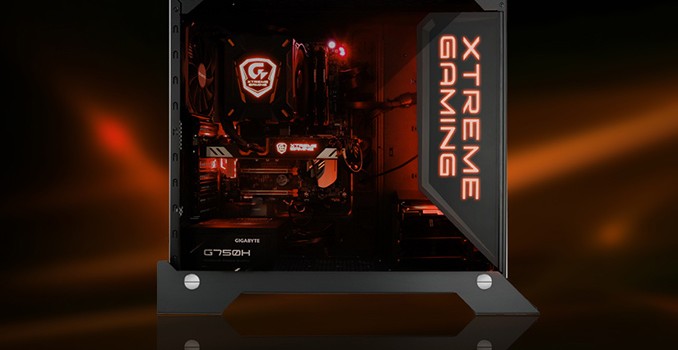
GIGABYTE this month quietly introduced two PC chassis that belong to the flagship Xtreme Gaming family of products. Both computer cases can boast a distinctive design as well as organized internal airflows, cable management, customizable RGB lighting that can be controlled using software, transparent full side panel windows, detachable dust filters and other elements typical of a high-end chassis. The XC700W and the XC300W are aimed at slightly different classes of PCs.

The GIGABYTE Xtreme Gaming XC700W: Big

The flagship of the Xtreme Gaming chassis lineup is the XC700W that GIGABYTE positions for high-end desktops. Following the latest industry trends, this PC case does not support any 5.25” devices and thus will not be able to house even a mobile ODD. The total amount of hard drives or SSDs that the XC700W can house is six (three 2.5” and three 3.5”), which is lower than the amount of SATA connectors on advanced motherboards, but which should be enough for gamers if they use top-of-the-range drives.

GIGABYTE Xtreme Gaming XC700W
Motherboard Size ATX, Micro-ATX, Mini-ITX
Drive Bays External None
Internal 3 × 3.5″ (with 3.5″ to 2.5″ frame)
3 × 2.5″ (behind MB)
Cooling Front None
Rear 1 × 140 mm (included)
Top 3 × 120 mm or 2 × 140 mm
HDD/Side None
Bottom None
Radiator Support Front None
Rear 140 mm
Top Depends on installed cooling systems
Side
Bottom
Expansion Slots 8
I/O Port 2 × USB 3.0, 2 × USB 2.0, 1 × Headphone, 1 × Mic
Power Supply Size ATX (up to 220 mm)
Dimensions 593.5 × 240.5 × 546.6 mm
Features · Tempered glass side panel
· 16.8M customizable RGB lighting
· Detachable dust filter
Price unknown

The XC700W PC case has plenty of space inside and can accommodate both custom-built as well as all-in-one liquid cooling systems. In addition, the case supports up to six fans to ensure proper airflows.

As for materials, the full-tower case is made of steel, aluminum and tempered black glass. The weight of the chassis is 15.4 kilograms. Meanwhile, pricing of the XC700W is unknown.

The GIGABYTE Xtreme Gaming XC300W

The Xtreme Gaming XC300W is considerably smaller than the XC700W and weighs just around 7 kilograms. The chassis is made of steel and plastic, which is why it is logical to expect it to be more affordable as well (exact MSRP will vary by region).

The XC300W is designed for compact gaming systems, but it can accommodate ATX motherboards as well as up to four SSDs or HDDs (two 2.5” and two 3.5” drives). Just like its bigger brother, the XC300W does not support ODDs.

GIGABYTE Xtreme Gaming XC300W
Motherboard Size ATX, Micro-ATX, Mini-ITX
Drive Bays External None
Internal 2 × 3.5″ (with 3.5″ to 2.5″ frame)
2 × 2.5″ (behind MB)
Cooling Front 3 × 120 mm or 2 × 140 mm
Rear 1 × 120 mm (included) or 1 × 140 mm
Top 2 × 120 mm or 2 × 140 mm
HDD/Side None
Bottom None
Radiator Support Front None
Rear 140 mm
Top
Side
Bottom
Expansion Slots 7 or 2 (the case supports horizontal installation of a graphics card)
I/O Port 2 × USB 3.0, 1 × Headphone, 1 × Mic
Power Supply Size ATX (up to 200 mm)
Dimensions 440 × 210 × 469 mm
Features · Tempered glass side panel
· 16.8M customizable RGB lighting
· Detachable dust filter
Price unknown

Despite its relatively small sizes, the XC300W has enough space inside for AIO liquid cooling systems. In addition, the chassis can also house five 120-mm fans to cool down components with high TDP, including multi-core overclocked CPUs as well as high-end graphics cards. It is noteworthy that the XC300W supports vertical installation of video cards as well which will please modders as well as owners of custom-design graphics adapters (such as those in GIGABYTE’s own Xtreme Gaming lineup) with plenty of LEDs and stylish design.

Related Reading: