Vik


Dell Unveils UltraSharp U3417W: Makes Its Curved Display More Curved
Dell Unveils UltraSharp U3417W: Makes Its Curved Display More Curved

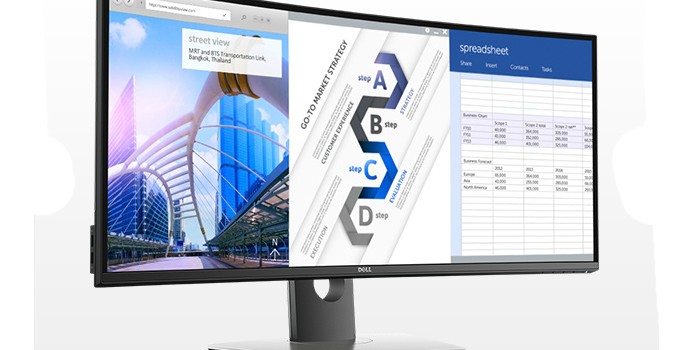
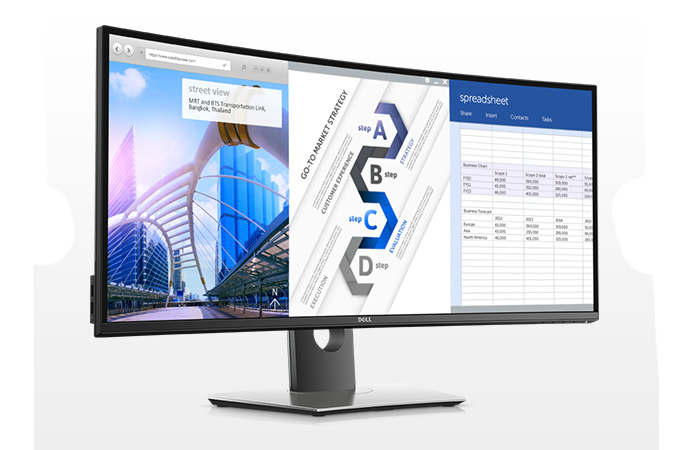
Dell has unveiled its new top-of-the-range 34” curved monitor for consumers. The new UltraSharp U3417W display has the same WHQD resolution as the U3415W introduced a year ago, but increased curvature and a new chassis design. The monitor is aimed particularly at users who do heavy multitasking but do not want to install two monitors on their desks.

Nowadays, the majority of display makers position their curved monitors primarily for gamers and multimedia enthusiasts, thus, trying to incorporate very high refresh rates along with dynamic refresh rate technologies like AMD’s FreeSync or NVIDIA’s G-Sync. Meanwhile, Dell, quotes IDC’s findings that professionals from many industries (including those, who do finance, accounting and creative work) can benefit both from ultra-wide 21:9 aspect ratio as well as curvature. As a result, Dell offers curved monitors specifically tailored for professionals. Back in April, 2015, the company released its first U3415W curved display and this month it unveiled a newer model, the U3417W.
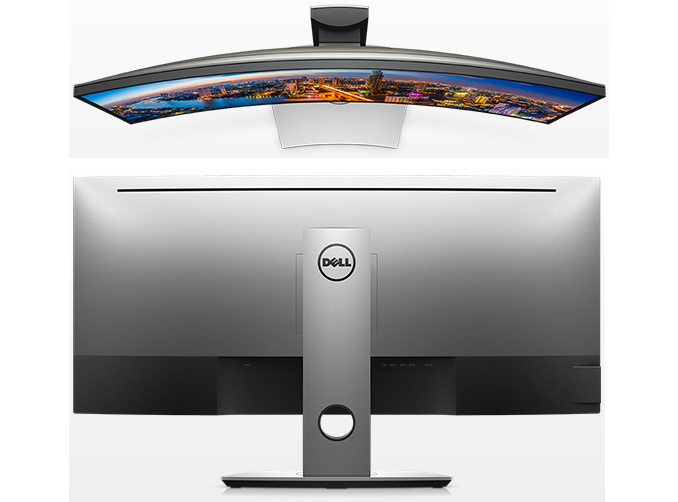
The Dell UltraSharp U3417W has higher curvature than its predecessor: 1900R vs 3800R. All the other specifications are generally similar: an IPS panel with 3440×1440 resolution, 1000:1 contrast ratio, 300 nits brightness, 178°/178° viewing angles, 5 ms response time in fast mode and a 60 Hz refresh rate. Dell believes that slightly higher curvature will further improve professional productivity.

Dell’s Curved Displays
  UltraSharp U3417W
2016 model
UltraSharp U3415W
2015 model
Panel 34″ IPS
Native Resolution 3440 × 1440
Maximum Refresh Rate 60 Hz
Response Time 5 ms in fast mode
8 ms in normal mode
Brightness 300 cd/m²
Contrast 1000:1
Viewing Angles 178°/178° horizontal/vertical 172°/178° horizontal/vertical
Curvature 1900R 3800R
Pixel Pitch 0.233 mm 0.2325 mm
Pixel Density 109 ppi unknown
Anti-Glare Coating Yes
Diagonally Viewable Size 86.72 cm
34.14 Inches
86.5 cm
34.055 inches
Preset Display Area 799.80 mm × 334.80 mm
31.49″ × 13.18″
267773.04 mm²
415.01 inches²
798.20 mm × 334.80 mm
31.43″ × 13.18″
267237.36 mm²
414.2474 inches²
Inputs 1 × DP 1.2 (HDCP 1.4)
1 × mDP 1.2 (HDCP 1.4)
1 × DP 1.2 (out) with MST (HDCP 1.4)
2 × HDMI 2.0 (HDCP 1.4)
1 × DP 1.2
1 × mDP 1.2
1 × DP 1.2 (out) with MST
1 × HDMI 2.0
1 × MHL
USB Hub 4-port USB 3.0 hub, two ports support fast charging
2 USB Type-B upstream ports
Audio 9 W × 2
audio in/out ports
Launch Price $1199.99

When it comes to connectivity, the UltraSharp U3417W resembles other modern monitors from the company (e.g., the UP3017) designed for professionals as it supports two HDMI 2.0, one DP 1.2, and one mDP 1.2 inputs. For convenience, it has one DP 1.2 output with MST to for daisy-chaining to another display. Besides, the monitor also supports PBP and PiP features when connected to two PCs. Finally, it has a quad-port USB 3.0 hub with two receptacles supporting BC 1.2 charging as well as two USB Type-B upstream ports (to connect to two different computers).
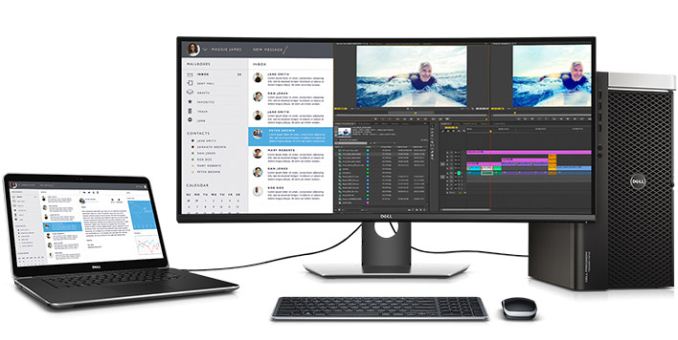
The Dell UltraSharp U3417W curved display is available now for $1199.99 from the manufacturer. Meanwhile, the older model, the U3415W is now available for $899.99. It is unknown whether Dell will keep selling both models, but for now the previous-gen display is available for the price, which is $300 below its original MSRP.

Logitech Multi-Device K780 Keyboard and M720 Triathlon Mouse Review

Logitech Multi-Device K780 Keyboard and M720 Triathlon Mouse Review

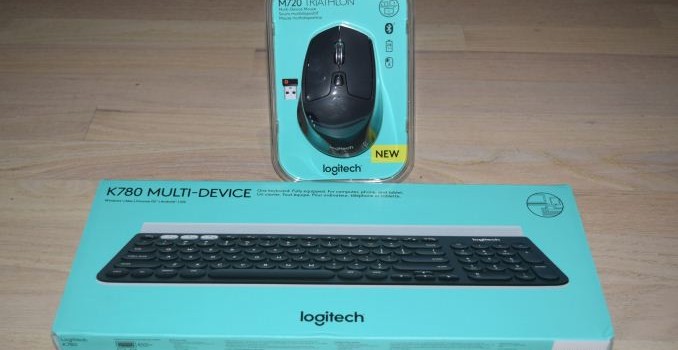
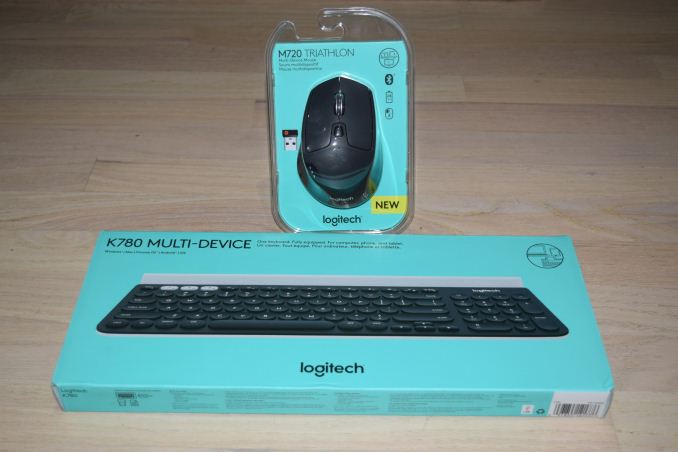
Logitech introduced an innovative multi-device Bluetooth keyboard, the Multi-Device K480, back in 2014. The K480 could be configured for use with up to three different devices, and definitely stood out in the crowded I/O peripherals market. Our wish-list for a follow-up product included an integrated trackball or touchpad and ability to use such multi-device peripherals with a wider range of PCs (not just the ones with Bluetooth capabilities).

This year, Logitech has expanded their multi-device lineup with two new products:

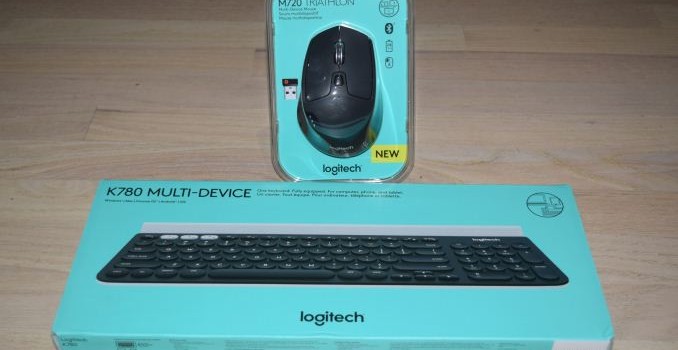
Both products retain the important characteristics of the K480. They can be paired with up to three different host devices and easily switch between them. The hosts can be Android, iOS, Mac or Windows devices, and the keys in the keyboard get automatically re-mapped depending on the host OS. Similar to the K480, the K780 has Mac / iOS inputs printed in grey on the keyboard. Both the mouse and the keyboard have explicit on/off buttons in order to conserve battery life.

The two products together address many of the shortcomings of the K480 from 2014. The important features / changes are summarized in the list below.

  • Consumers can use either Bluetooth or a 2.4GHz RF Unifying Receiver (included with both products) to communicate with the host device
  • A dedicated number pad is present in the K780 (96 keys), but, not in the K480 (79 keys)
  • The device-change mechanism for the keyboard has been altered. Instead of a rotary dial (used in the K480), the K780 uses multiplexed function keys for the same purpose
  • The wider K780 keyboard allows for compatibility with more devices (including the iPad Pro in portrait mode) when it comes to placement in the cradle at the top of the unit. The K780 is also heavier and more sturdy compared to the K480.
  • The keys in the K780 are easier to type on and provide a better usage experience compared to the ones in the K480.
  • The mouse contains buttons and gesture support that make it ideal for use with tablets as well as PCs.

The Logitech Options and Unifying Receiver Software

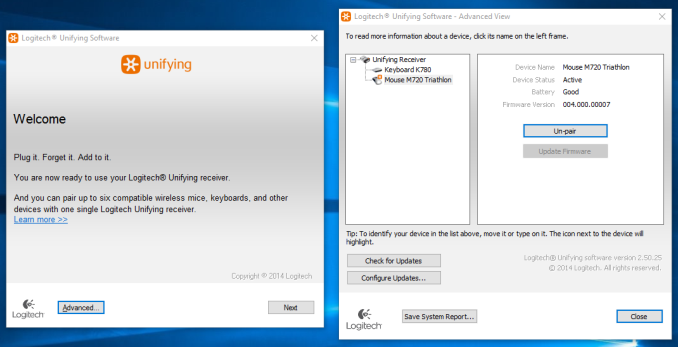
The addition of a USB receiver to both units indicates that Logitech is targeting the new devices towards PCs also. The K780 and M720 Triathlon are sold separately. Both of them come with their own Unifying Receivers. For use-cases that don’t involve the USB receiver, both units have compartments to safely stow them away.

In our review process, we first connected the M720 Triathlon to a PC with its USB receiver. After installing the Logitech Unifying Software, we were also able to pair the K780 without using its USB receiver.

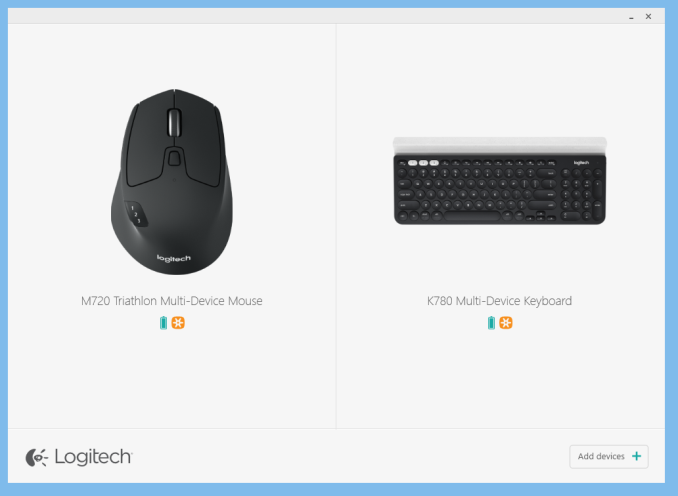
The Logitech Options software enables users to configure / alter the behavior of the configurable keys of all the attached compatible Logitech devices. The Unifying Receiver program can also be triggered from within this interface. The battery status of the devices can also be viewed through this program.

The K780 options include the ability to keep the keyboard always in the Windows layout and the option to use the F1-F12 keys as standard function keys (without using the Fn. key qualifier). The configurable keys include the Home button (F4), Right Click (F5), Back (F6) and the Search button (next to F12). They can be mapped to a variety of Windows functions / programs such as closing windows, Cortana, Calculator etc.

The M720 Triathlon is marketed as a 8-button device. Two of them (the one behind the scrollwheel that controls the rate at which it moves, and the one that switches the host device to which the mouse is paired) can’t be remapped. Everything else can be configured using the Options software.

The left and right buttons can be swapped. The pointer speed can be finely adjusted and the scrollwheel direction can also be swapped. The mouse also has a gesture button below the three raised buttons on the left side. The scrollwheel can be swayed right or left for horizontal scrolling (on mobile devices, that acts similar to swiping right or left on the touchscreen). Along with the device change button, we also have the Forward and Back buttons on the left. The scrollwheel can itself act as a middle mouse button. All of these can be mapped to one of a variety of Windows actions (same as the list available for the K780).

Concluding Remarks

The Logitech K780 and M720 Triathlon are a great addition to the set of multi-device I/O peripherals from Logitech. They work as advertised, and there is really not much to complain about. As mentioned earlier, the keys of the K780 are a definite improvement over the K480. Evaluation of keyboards and mice targeted towards day-to-day / casual usage is an inherently subjective exercise. In the table below, we compare the specifications of the K780 / M720 Triathlon with some of the other keyboard / mice combos that we have evaluated with a similar approach before. Some subjective scores have also been provided.

Keyboard Bench
Aspect Logitech K780 and M720 Logitech K830Perixx PERIBOARD-716Logitech TK820Perixx PERIBOARD-706 PLUSLogitech K480Adesso WKB-4000BBLogitech K400IOGEAR GKM561RSIIG JK-WR0412-S1SIIG JK-WR0312-S1Adesso WKB-3000UAdesso WKB-4400UBAdesso WKB-4000UBAdesso WKB-1200Logitech K780 and M720
Device Type Keyboard + Optical Mouse (2-button with scrollwheel / middle button and gesture support) Keyboard + 2-button Touchpad
Dimensions (Keyboard) 14.96″ x 6.22″ x (0.87″ to 0.32″)
(Mouse) 2.91″ x 4.53″ x 1.77″
14.40″ x 4.90″ x 0.65″
Weight (Keyboard) 1.93 lbs / 875 g
(Mouse) 0.3125 lbs / 135 g
1.09 lbs / 495 g
Power Source (Keyboard) 2x AAA
(Mouse) 1x AA
Internal rechargeable battery
Communication 2.4 GHz RF and Bluetooth 4.0 2.4 GHz RF
Power Saver Explicit On/Off Switches on both Keyboard and Mouse Explicit On/Off Switch
Keys Count 96 (with multiplexed Internet and multimedia hot keys) 79 + 3 volume control keys
Touchpad Dimensions (Diagonal) N/A 3.7″
USB Receiver Storage Compartment Yes on both Keyboard and Mouse No
Backlight No Yes
Keyboard Layout 8/10 8/10
Ergonomics (Keyboard) 8/10
(Mouse)10/10
8/10
Build Quality (Keyboard) 9/10
(Mouse) 9/10
9/10
MSRP (USD) (Keyboard) $79.99
(Mouse) $69.99
$99.99
Warranty 1 year 1 year

While it is difficult to find scope for improvement in the M720 Triathlon, the K780 can be made a little more attractive with full-height arrow keys (that would go well with the PC use-case).

The K780 multi-device keyboard is priced at $79.99 and the M720 Triathlon mouse is priced at $69.99. The K480 was a Bluetooth keyboard that fulfilled a niche market need. With the new multi-device models, Logitech is hoping to service that market with products that are better suited for the allied use-cases, while retaining similar price points.

Logitech Multi-Device K780 Keyboard and M720 Triathlon Mouse Review

Logitech Multi-Device K780 Keyboard and M720 Triathlon Mouse Review

Logitech introduced an innovative multi-device Bluetooth keyboard, the Multi-Device K480, back in 2014. The K480 could be configured for use with up to three different devices, and definitely stood out in the crowded I/O peripherals market. Our wish-list for a follow-up product included an integrated trackball or touchpad and ability to use such multi-device peripherals with a wider range of PCs (not just the ones with Bluetooth capabilities).

This year, Logitech has expanded their multi-device lineup with two new products:

Both products retain the important characteristics of the K480. They can be paired with up to three different host devices and easily switch between them. The hosts can be Android, iOS, Mac or Windows devices, and the keys in the keyboard get automatically re-mapped depending on the host OS. Similar to the K480, the K780 has Mac / iOS inputs printed in grey on the keyboard. Both the mouse and the keyboard have explicit on/off buttons in order to conserve battery life.

The two products together address many of the shortcomings of the K480 from 2014. The important features / changes are summarized in the list below.

  • Consumers can use either Bluetooth or a 2.4GHz RF Unifying Receiver (included with both products) to communicate with the host device
  • A dedicated number pad is present in the K780 (96 keys), but, not in the K480 (79 keys)
  • The device-change mechanism for the keyboard has been altered. Instead of a rotary dial (used in the K480), the K780 uses multiplexed function keys for the same purpose
  • The wider K780 keyboard allows for compatibility with more devices (including the iPad Pro in portrait mode) when it comes to placement in the cradle at the top of the unit. The K780 is also heavier and more sturdy compared to the K480.
  • The keys in the K780 are easier to type on and provide a better usage experience compared to the ones in the K480.
  • The mouse contains buttons and gesture support that make it ideal for use with tablets as well as PCs.

The Logitech Options and Unifying Receiver Software

The addition of a USB receiver to both units indicates that Logitech is targeting the new devices towards PCs also. The K780 and M720 Triathlon are sold separately. Both of them come with their own Unifying Receivers. For use-cases that don’t involve the USB receiver, both units have compartments to safely stow them away.

In our review process, we first connected the M720 Triathlon to a PC with its USB receiver. After installing the Logitech Unifying Software, we were also able to pair the K780 without using its USB receiver.

The Logitech Options software enables users to configure / alter the behavior of the configurable keys of all the attached compatible Logitech devices. The Unifying Receiver program can also be triggered from within this interface. The battery status of the devices can also be viewed through this program.

The K780 options include the ability to keep the keyboard always in the Windows layout and the option to use the F1-F12 keys as standard function keys (without using the Fn. key qualifier). The configurable keys include the Home button (F4), Right Click (F5), Back (F6) and the Search button (next to F12). They can be mapped to a variety of Windows functions / programs such as closing windows, Cortana, Calculator etc.

The M720 Triathlon is marketed as a 8-button device. Two of them (the one behind the scrollwheel that controls the rate at which it moves, and the one that switches the host device to which the mouse is paired) can’t be remapped. Everything else can be configured using the Options software.

The left and right buttons can be swapped. The pointer speed can be finely adjusted and the scrollwheel direction can also be swapped. The mouse also has a gesture button below the three raised buttons on the left side. The scrollwheel can be swayed right or left for horizontal scrolling (on mobile devices, that acts similar to swiping right or left on the touchscreen). Along with the device change button, we also have the Forward and Back buttons on the left. The scrollwheel can itself act as a middle mouse button. All of these can be mapped to one of a variety of Windows actions (same as the list available for the K780).

Concluding Remarks

The Logitech K780 and M720 Triathlon are a great addition to the set of multi-device I/O peripherals from Logitech. They work as advertised, and there is really not much to complain about. As mentioned earlier, the keys of the K780 are a definite improvement over the K480. Evaluation of keyboards and mice targeted towards day-to-day / casual usage is an inherently subjective exercise. In the table below, we compare the specifications of the K780 / M720 Triathlon with some of the other keyboard / mice combos that we have evaluated with a similar approach before. Some subjective scores have also been provided.

Keyboard Bench
Aspect Logitech K780 and M720 Logitech K830Perixx PERIBOARD-716Logitech TK820Perixx PERIBOARD-706 PLUSLogitech K480Adesso WKB-4000BBLogitech K400IOGEAR GKM561RSIIG JK-WR0412-S1SIIG JK-WR0312-S1Adesso WKB-3000UAdesso WKB-4400UBAdesso WKB-4000UBAdesso WKB-1200Logitech K780 and M720
Device Type Keyboard + Optical Mouse (2-button with scrollwheel / middle button and gesture support) Keyboard + 2-button Touchpad
Dimensions (Keyboard) 14.96″ x 6.22″ x (0.87″ to 0.32″)
(Mouse) 2.91″ x 4.53″ x 1.77″
14.40″ x 4.90″ x 0.65″
Weight (Keyboard) 1.93 lbs / 875 g
(Mouse) 0.3125 lbs / 135 g
1.09 lbs / 495 g
Power Source (Keyboard) 2x AAA
(Mouse) 1x AA
Internal rechargeable battery
Communication 2.4 GHz RF and Bluetooth 4.0 2.4 GHz RF
Power Saver Explicit On/Off Switches on both Keyboard and Mouse Explicit On/Off Switch
Keys Count 96 (with multiplexed Internet and multimedia hot keys) 79 + 3 volume control keys
Touchpad Dimensions (Diagonal) N/A 3.7″
USB Receiver Storage Compartment Yes on both Keyboard and Mouse No
Backlight No Yes
Keyboard Layout 8/10 8/10
Ergonomics (Keyboard) 8/10
(Mouse)10/10
8/10
Build Quality (Keyboard) 9/10
(Mouse) 9/10
9/10
MSRP (USD) (Keyboard) $79.99
(Mouse) $69.99
$99.99
Warranty 1 year 1 year

While it is difficult to find scope for improvement in the M720 Triathlon, the K780 can be made a little more attractive with full-height arrow keys (that would go well with the PC use-case).

The K780 multi-device keyboard is priced at $79.99 and the M720 Triathlon mouse is priced at $69.99. The K480 was a Bluetooth keyboard that fulfilled a niche market need. With the new multi-device models, Logitech is hoping to service that market with products that are better suited for the allied use-cases, while retaining similar price points.

The iOS 10 Review: Refining the iOS Experience Both Over & Under the Hood

The momentum of the mobile space has changed in the past year. As the market for high end smartphones approaches saturation, the focus on the software side has moved from massive feature expansions to refinement and optimization. We saw great examples of this with both iOS and Android over 2014 and 2015. Whereas iOS 8 and Android Lollipop were heavy with feature releases, iOS 9 and Android Marshmallow were much lighter. Following up to a large feature release provided both teams a good time to reflect upon their development directions and a focus on improving the user experience.

2016 marks a very special year for iOS. After launching as iPhone OS back in 2007, iOS has gone through many iterations and a name change, and has now arrived at version 10. Although version numbers are somewhat arbitrary – Apple has been on macOS 10 for sixteen years now – the tenth major release for an operating system is still an important and exciting milestone. It means that a platform has withstood the test of time, and ideally has had ample opportunity to mature. At the same time however, because it’s a milestone, it’s a reflection on both the past and the future; what has come before, and what is yet to come. For Apple and its eager customer base, iOS 10 embodies this well: the company is in a position where they need to deliver a substantial update, if for no other reason than to satisfy expectations.

Today we’ll be taking a look at just what Apple has done to meet those expectations, both above the hood and beneath it. The tenth iteration of iOS may not be a radical overhaul, but it is a release that has touched every part of the system. There are big design changes, and big app changes, plus new features and APIs so developers can make even better applications. On top of all that there are performance improvements to bring back the smoothness to areas where it was lost during Apple’s rapid redesign and feature boosts in iOS 7 and 8. 

The iOS 10 Review: Refining the iOS Experience Both Over & Under the Hood

The momentum of the mobile space has changed in the past year. As the market for high end smartphones approaches saturation, the focus on the software side has moved from massive feature expansions to refinement and optimization. We saw great examples of this with both iOS and Android over 2014 and 2015. Whereas iOS 8 and Android Lollipop were heavy with feature releases, iOS 9 and Android Marshmallow were much lighter. Following up to a large feature release provided both teams a good time to reflect upon their development directions and a focus on improving the user experience.

2016 marks a very special year for iOS. After launching as iPhone OS back in 2007, iOS has gone through many iterations and a name change, and has now arrived at version 10. Although version numbers are somewhat arbitrary – Apple has been on macOS 10 for sixteen years now – the tenth major release for an operating system is still an important and exciting milestone. It means that a platform has withstood the test of time, and ideally has had ample opportunity to mature. At the same time however, because it’s a milestone, it’s a reflection on both the past and the future; what has come before, and what is yet to come. For Apple and its eager customer base, iOS 10 embodies this well: the company is in a position where they need to deliver a substantial update, if for no other reason than to satisfy expectations.

Today we’ll be taking a look at just what Apple has done to meet those expectations, both above the hood and beneath it. The tenth iteration of iOS may not be a radical overhaul, but it is a release that has touched every part of the system. There are big design changes, and big app changes, plus new features and APIs so developers can make even better applications. On top of all that there are performance improvements to bring back the smoothness to areas where it was lost during Apple’s rapid redesign and feature boosts in iOS 7 and 8.