Vik


Samsung Demos Its First BGA SSD: 1500 MB/s Read Speed and Tiny Package
Samsung Demos Its First BGA SSD: 1500 MB/s Read Speed and Tiny Package

In the recent years SSDs in M.2 form-factor have greatly reduced the amount of space required for storage sub-systems inside modern PCs. However, as computers get even smaller, there is pressure for SSDs to further shrink as well. Solid-state drives in BGA packaging are considerably smaller than SSDs in M.2 form-factor and for a couple of years platform developers like Intel have been promoting such drives among PC makers. Intel said in 2014 that an M.2-2260 SSD could take 15% of space inside a 2-in-1 hybrid PC, whereas usage of a BGA SSD could save a great amount of space and could allow to increase battery size by around 10%. Moreover, in many cases usage of BGA storage can shrink Z-height of devices as well as improve thermal performance compared to M.2 modules, according to Intel.

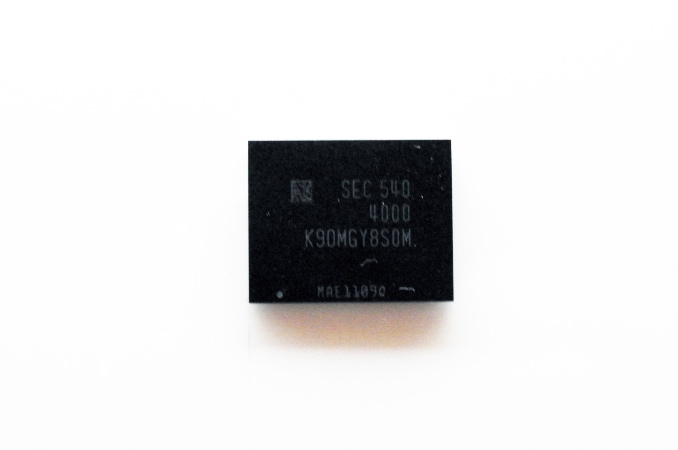
As a result, the market for BGA form factor SSDs has been growing in size and importance at a quick pace. To that end, at the 2016 Samsung SSD Forum Japan, Samsung demonstrated its first SSD in a BGA (ball-grid array) packaging. Despite of tiny form-factor, Samsung’s PM971 SSD offers rather high performance thanks to PCIe interface and a special controller. Meanwhile the little drive will be targetted for use inside PCs, tablets, 2-in-1s and other types of small computers or embedded applications.

First BGA SSD From Samsung

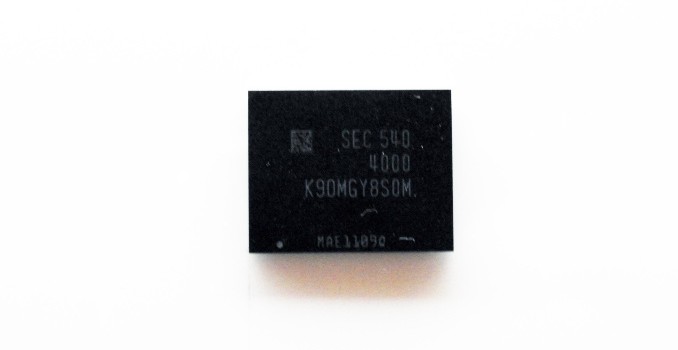
Samsung’s PM971 SSD is based on Samsung’s new Photon controller as well as MLC V-NAND flash memory. It is impossible to say at this time whether the Photon controller of the PM971 SSD has anything to do with the controller used inside the 750 EVO drives (the controller is smaller than usual as it has only two processing cores), but it looks very likely.

Samsung plans to offer three versions of the SSD, featuring 128 GB, 256 GB, and 512 GB capacities. The PM971 SSD supports sequential read speed of up to 1500 MB/s as well as sequential write speed of up to 600 MB/s, suggesting that it relies on PCIe 3.0 interface. The PM971 SSD can perform 190K random read IOPS as well as up to 150K random write IOPS, according to information disclosed by Samsung.


Samsung PM971 SSD. Image by PC Watch.

At the event, Samsung did not reveal anything about internal architecture of its BGA SSD, which is rather interesting because the NAND controller has to extract maximum performance out of a limited number of NAND devices over a limited number of channels (provided, of course, that internal architecture relies on industry standards). Moreover, it is unknown whether the drive is compatible with the proposed M.2 specification for BGA SSDs. The only thing that is known about the SSD right now is that it is smaller than an SD card, according to PC Watch web-site.

Samsung is aiming for tablets and 2-in-1 hybrid PCs with its BGA SSDs, The company expects device manufacturers to adopt the product in the second half of 2016 or in the first half of 2017.

Standards for BGA SSDs Proposed

While we’re on the subject of BGA SSDs, this is a good time to touch upon the recent developments in the standardization of SSDs in this format. Even with the recent growth of the market, SSDs in BGA packaging are not something completely new. Intel, Toshiba, SanDisk, Microsemi, Silicon Motion and some others have all offered SSDs in BGA form-factors for years to various makers of embedded applications, whom in turn needed to save space or run their storage sub-systems in harsh environments. Early last year Toshiba rolled-out its first BGA SSDs with PCIe interface, and in September several members of PCI SIG (the organization, which develops PCIe interface, its derivatives and standards for PCIe-based devices) proposed a set of mechanical standards for BGA SSDs, which could open the doors for many manufacturers to enter the emerging market.

BGA SSDs with PCIe 3.0 or SATA interfaces will be a part of the PCI SIG’s M.2 specifications. At present select members of the organization (HP, Intel, Lenovo, Micron, SanDisk, Seagate and Toshiba) propose four types of soldered-down solid-state storage solutions: Type 1620, Type 2024, Type 2228 and Type 2828. M.2 types traditionally define width and length of the package in millimeters, so, the smallest BGA SSD will have measurements of 16 × 20 mm, whereas the largest BGA SSD will feature 28 × 28 mm packaging. SSDs in a BGA package may have Z-height up to 2 mm (measured with solder balls collapsed), but may be slimmer.

BGA SSDs that comply with the proposed M.2 types use the same signals as the M.2 socket 3 (so, they are compliant with both PCIe 3.0 and SATA 3.2 protocols and can utilize up to four PCIe lanes), but use 1.2V, 1.8V and 3.3V power rails. All the BGA SSDs contain the common core ball map of Type 1620 (which look pretty much the same as the core ball map of Toshiba’s BG-series SSDs) for data and power, but the larger drives also feature additional mechanical retention balls. Some BGA SSDs can be placed on M.2 modules in a bid to enable design flexibility for device makers (and upgradeability option for end-users), but only on the condition that the modules have voltage conversion circuitry to provide 1.8V or 1.2V as required.

A BGA SSD not only integrates NAND flash memory, but also a NAND controller, DRAM and all the things that could be needed for a fully-functional solid-state storage solution. From the software perspective, M.2 spec BGA SSDs are just solid-state drives with PCIe or SATA interfaces. And unlike MCPs (multi-chip packages) consisting of DRAM and NAND that companies like Micron and Samsung offer to makers of mobile devices, BGA SSDs are complete storage systems that can be attached directly to appropriate host interfaces.

The proposed BGA M.2 form-factors intend to unify packaging of single-chip SSDs and make such SSDs industry-standard devices available from various makers. It is unknown at this time whether Samsung’s PM971 will be compliant with the proposed specs, but it’s worth noting that the company is a member of PCI SIG and typically makes products in standard packages and form factors.
Hands On With the Apple iPhone SE

Hands On With the Apple iPhone SE

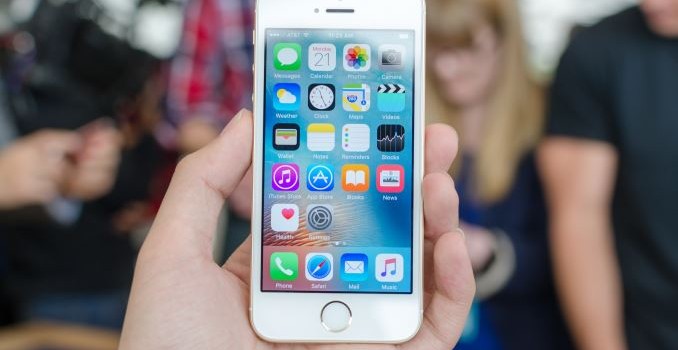
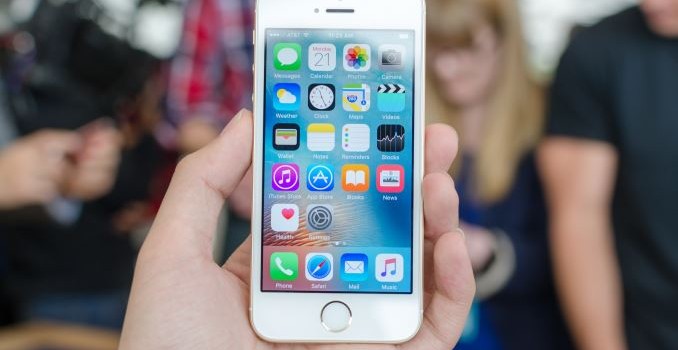
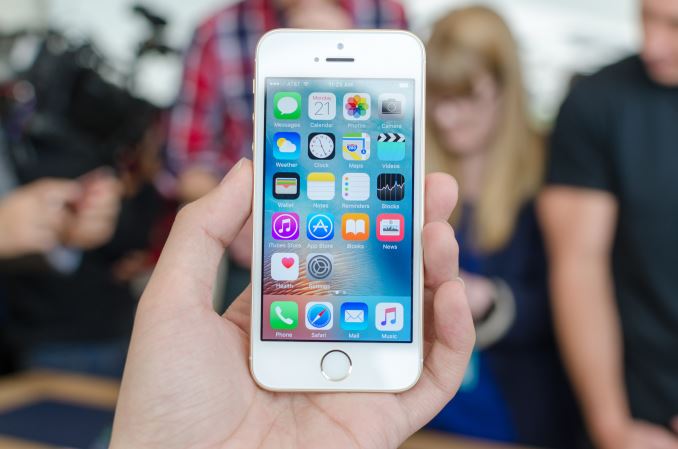
It’s probably not a secret at this point that a number of people were disappointed when Apple seemed to move away from the 4” form factor with the iPhone 6. It turns out that there’s a sizeable market for a smaller iPhone, so rather than letting the 4” size die away quietly Apple has introduced the 4” iPhone SE for those that want a smaller iPhone without having to buy something that is relatively out of date.

In the hand, the iPhone SE basically feels identical to the iPhone 5s. The design is pretty much the same with its lack of camera hump and sharp lines, but rather than polished chamfered edges Apple has elected to keep the chamfer sand-blasted matte. The weight of the phone is also noticeably less than the iPhone 6 or iPhone 6s, which is due to the lack of 3D Touch and the smaller size of the device. The display also looks to be quite similar to the iPhone 5s.

Other than this, I don’t really have a lot to say because it feels almost exactly like an iPhone 6s otherwise. As a heavy 3D Touch user, the lack of 3D Touch is noticeable, especially when playing back Live Photos. But other than that performance is similarly fast and I didn’t see any obvious problems, however many of these under the hood changes are going to be quite difficult to notice in the space of a few minutes as they’re quite subtle.

Although not quite in the realm of a hands-on, the main area of note here is the price as Apple has basically released a cheaper version of the iPhone 6s in a smaller size. In developing countries it seems that the cheaper iPhones are often the most popular, so it’s interesting to see how Apple has effectively upped the value of this version of the iPhone in a very big way. To get close to the 399 USD price point of the new iPhone SE, previously you had to get a phone 2 generations old with a relatively outdated SoC, so it’s impressive to see that now for the same price you can get something that has the latest and greatest in almost every way save for modem and size.

It’s also worth noting that Apple is basically completely uncontested in this part of the market. Although there are a lot of budget phones out there using 4″ screens to hit their respective price point, Apple seems to be the only OEM still playing in the 4” display size space for high-end phones. There are a few Android OEMs trying to keep phones at the 4.5-4.7” segment (i.e. iPhone 6s size) with similarly high-end specs, but no Android OEM is trying to sell a 4” phone with high-end hardware. It’ll be interesting to see what kind of effects this has on sales, although I’m not entirely sure that Android OEMs are going to be following Apple’s lead here as a smaller device makes battery efficiency more critical due to scaling effects.

Hands On With the Apple iPhone SE

Hands On With the Apple iPhone SE

It’s probably not a secret at this point that a number of people were disappointed when Apple seemed to move away from the 4” form factor with the iPhone 6. It turns out that there’s a sizeable market for a smaller iPhone, so rather than letting the 4” size die away quietly Apple has introduced the 4” iPhone SE for those that want a smaller iPhone without having to buy something that is relatively out of date.

In the hand, the iPhone SE basically feels identical to the iPhone 5s. The design is pretty much the same with its lack of camera hump and sharp lines, but rather than polished chamfered edges Apple has elected to keep the chamfer sand-blasted matte. The weight of the phone is also noticeably less than the iPhone 6 or iPhone 6s, which is due to the lack of 3D Touch and the smaller size of the device. The display also looks to be quite similar to the iPhone 5s.

Other than this, I don’t really have a lot to say because it feels almost exactly like an iPhone 6s otherwise. As a heavy 3D Touch user, the lack of 3D Touch is noticeable, especially when playing back Live Photos. But other than that performance is similarly fast and I didn’t see any obvious problems, however many of these under the hood changes are going to be quite difficult to notice in the space of a few minutes as they’re quite subtle.

Although not quite in the realm of a hands-on, the main area of note here is the price as Apple has basically released a cheaper version of the iPhone 6s in a smaller size. In developing countries it seems that the cheaper iPhones are often the most popular, so it’s interesting to see how Apple has effectively upped the value of this version of the iPhone in a very big way. To get close to the 399 USD price point of the new iPhone SE, previously you had to get a phone 2 generations old with a relatively outdated SoC, so it’s impressive to see that now for the same price you can get something that has the latest and greatest in almost every way save for modem and size.

It’s also worth noting that Apple is basically completely uncontested in this part of the market. Although there are a lot of budget phones out there using 4″ screens to hit their respective price point, Apple seems to be the only OEM still playing in the 4” display size space for high-end phones. There are a few Android OEMs trying to keep phones at the 4.5-4.7” segment (i.e. iPhone 6s size) with similarly high-end specs, but no Android OEM is trying to sell a 4” phone with high-end hardware. It’ll be interesting to see what kind of effects this has on sales, although I’m not entirely sure that Android OEMs are going to be following Apple’s lead here as a smaller device makes battery efficiency more critical due to scaling effects.

Hands On With the Apple 9.7 Inch iPad Pro

Hands On With the Apple 9.7 Inch iPad Pro

Over the past few months I’ve been able to spend some quality time with the iPad Pro and I’ve found that while the iPad Pro isn’t quite a computer replacement in the sense that you should toss your laptop out, it is the first tablet that can actually justify itself relative to a phablet. With the 9.7” iPad Pro, Apple has been able to take the elements of the iPad Pro 12.9” that differentiated it from Android tablets and previous iterations of the iPad, and fit it in a smaller form factor.

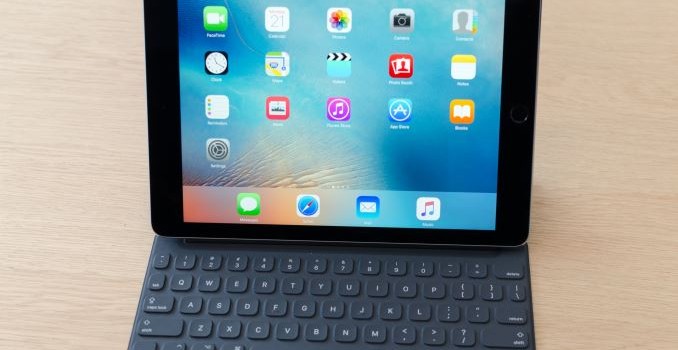
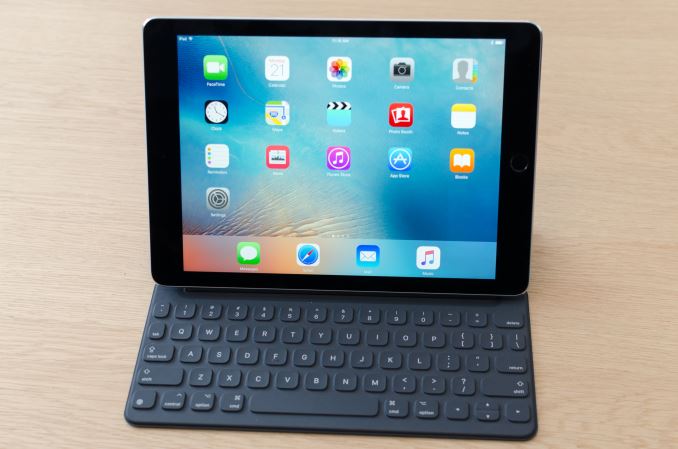
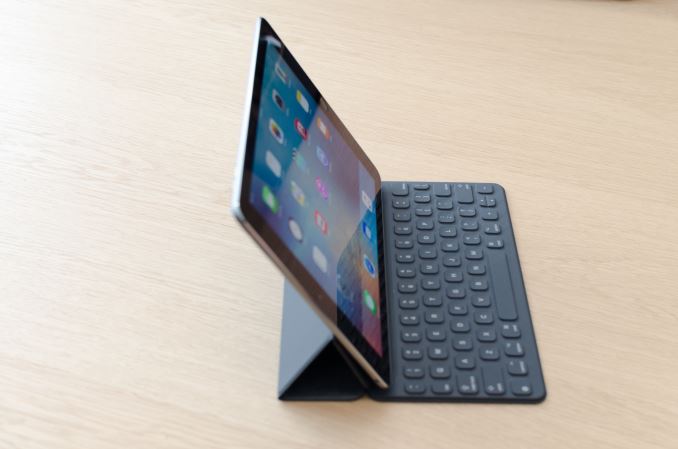
The main points of differentiation that make this device more than an iPad Air 3 include the Apple Pencil, Smart Keyboard, and speakers. The Apple Pencil behaves identically relative to the larger device, but the smaller display size makes it feel more cramped. Other than this, the feel of the tip on the glass is identical, as is the pressure sensitivity, tilt sensitivity, and latency.

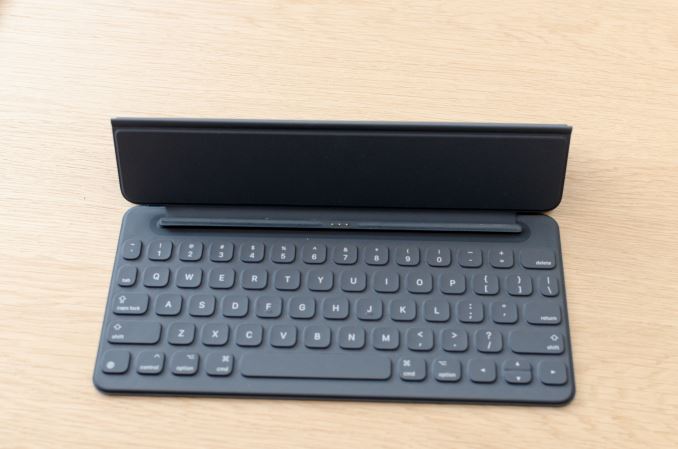
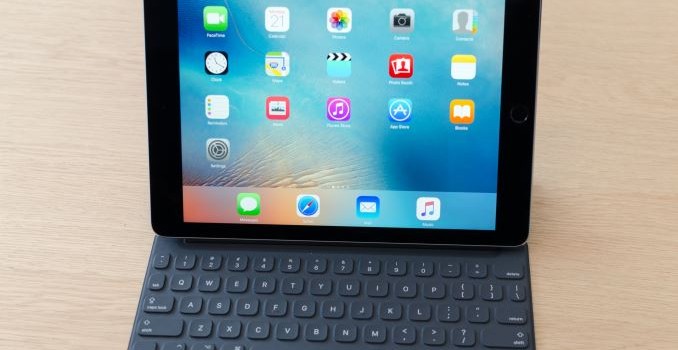
The Smart Keyboard for this version of the iPad Pro is significantly smaller than the version for the 13” iPad Pro. Right away it felt like it was a lot less comfortable to type on this iteration of the iPad Pro as a result as I couldn’t just rely on sheer muscle memory to place my fingers in the right place every time. However with some practice I was able to keep a typing pace that was pretty much identical, although it was relatively easy to make mistakes relative to a laptop keyboard because the keys are smaller so there’s less tolerance for errors in finger placement. With practice, like a smartphone keyboard, I’m sure it’ll be possible to type as quickly as you would on a laptop but I wasn’t able to reach that level of practice over the course of the two or so minutes I could spend with the keyboard.

Other than the size issue, everything else feels basically identical to the larger iteration of the Smart Keyboard. Those that love mechanical keyboards for their travel and tactile feedback will probably be disappointed by the feel, but I tend to bottom out keys no matter what keyboard I’m typing on so to me the relatively shallow travel of the keys was not a problem when it came to typing at a respectable rate.

Of course, the speakers are also shared with the iPad Pro, but in this case I wasn’t really able to test them properly as the hands on environment is rather chaotic and loud. I wouldn’t be surprised to know that the same speaker protection ICs are shared with the larger version of the iPad Pro for logistics reasons, but I wasn’t able to confirm that this is the case at the event. Similarly, the camera was not properly tested at the event as it wasn’t possible to do a proper comparison in the hands on environment.

The one other notable change that the 9.7” iPad Pro brings is True Tone display, which adjusts color temperature of the display based upon ambient light conditions. It turns out that this is something that you can toggle on and off on the fly, and the result that it produces seems to be designed to make the display more consistently neutral while other Apple mobile devices tend to end up with a colder white balance in most conditions. I didn’t see a toggle for color gamut, so it’s likely that the iPad Pro 9.7” is using either color management to enable a wider gamut on the fly or just displaying a wider color gamut all the time. To figure out which way Apple went here we’ll need to try a review unit, but given just how much emphasis Apple has placed on their displays I would be surprised if Apple wasn’t employing color management.

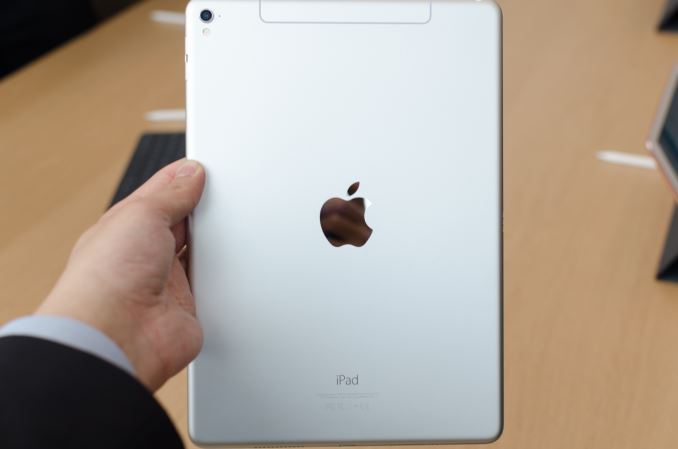
Other than these points of differentiation, the iPad Pro 9.7” pretty much feels like any other iPad. However, there are a few notable changes to the design, including a camera hump to handle the 12MP camera and replacing the large plastic RF window on the LTE variants with an external aluminum antenna and insulating plastic to separate it from the rest of the chassis. It’s appreciably lighter than the iPad Pro 13”, but feels pretty much identical to the iPad Air 2 in terms of size and weight.

Overall, if you liked the 13” iPad Pro but didn’t want to deal with the extra size or weight, it looks like this will be exactly what you’re looking for.

Hands On With the Apple 9.7 Inch iPad Pro

Hands On With the Apple 9.7 Inch iPad Pro

Over the past few months I’ve been able to spend some quality time with the iPad Pro and I’ve found that while the iPad Pro isn’t quite a computer replacement in the sense that you should toss your laptop out, it is the first tablet that can actually justify itself relative to a phablet. With the 9.7” iPad Pro, Apple has been able to take the elements of the iPad Pro 12.9” that differentiated it from Android tablets and previous iterations of the iPad, and fit it in a smaller form factor.

The main points of differentiation that make this device more than an iPad Air 3 include the Apple Pencil, Smart Keyboard, and speakers. The Apple Pencil behaves identically relative to the larger device, but the smaller display size makes it feel more cramped. Other than this, the feel of the tip on the glass is identical, as is the pressure sensitivity, tilt sensitivity, and latency.

The Smart Keyboard for this version of the iPad Pro is significantly smaller than the version for the 13” iPad Pro. Right away it felt like it was a lot less comfortable to type on this iteration of the iPad Pro as a result as I couldn’t just rely on sheer muscle memory to place my fingers in the right place every time. However with some practice I was able to keep a typing pace that was pretty much identical, although it was relatively easy to make mistakes relative to a laptop keyboard because the keys are smaller so there’s less tolerance for errors in finger placement. With practice, like a smartphone keyboard, I’m sure it’ll be possible to type as quickly as you would on a laptop but I wasn’t able to reach that level of practice over the course of the two or so minutes I could spend with the keyboard.

Other than the size issue, everything else feels basically identical to the larger iteration of the Smart Keyboard. Those that love mechanical keyboards for their travel and tactile feedback will probably be disappointed by the feel, but I tend to bottom out keys no matter what keyboard I’m typing on so to me the relatively shallow travel of the keys was not a problem when it came to typing at a respectable rate.

Of course, the speakers are also shared with the iPad Pro, but in this case I wasn’t really able to test them properly as the hands on environment is rather chaotic and loud. I wouldn’t be surprised to know that the same speaker protection ICs are shared with the larger version of the iPad Pro for logistics reasons, but I wasn’t able to confirm that this is the case at the event. Similarly, the camera was not properly tested at the event as it wasn’t possible to do a proper comparison in the hands on environment.

The one other notable change that the 9.7” iPad Pro brings is True Tone display, which adjusts color temperature of the display based upon ambient light conditions. It turns out that this is something that you can toggle on and off on the fly, and the result that it produces seems to be designed to make the display more consistently neutral while other Apple mobile devices tend to end up with a colder white balance in most conditions. I didn’t see a toggle for color gamut, so it’s likely that the iPad Pro 9.7” is using either color management to enable a wider gamut on the fly or just displaying a wider color gamut all the time. To figure out which way Apple went here we’ll need to try a review unit, but given just how much emphasis Apple has placed on their displays I would be surprised if Apple wasn’t employing color management.

Other than these points of differentiation, the iPad Pro 9.7” pretty much feels like any other iPad. However, there are a few notable changes to the design, including a camera hump to handle the 12MP camera and replacing the large plastic RF window on the LTE variants with an external aluminum antenna and insulating plastic to separate it from the rest of the chassis. It’s appreciably lighter than the iPad Pro 13”, but feels pretty much identical to the iPad Air 2 in terms of size and weight.

Overall, if you liked the 13” iPad Pro but didn’t want to deal with the extra size or weight, it looks like this will be exactly what you’re looking for.