Vik


Seagate Begins to Ship 2.5-Inch, 7mm Thick 2 TB Mobile Hard Drives with SMR
Seagate Begins to Ship 2.5-Inch, 7mm Thick 2 TB Mobile Hard Drives with SMR

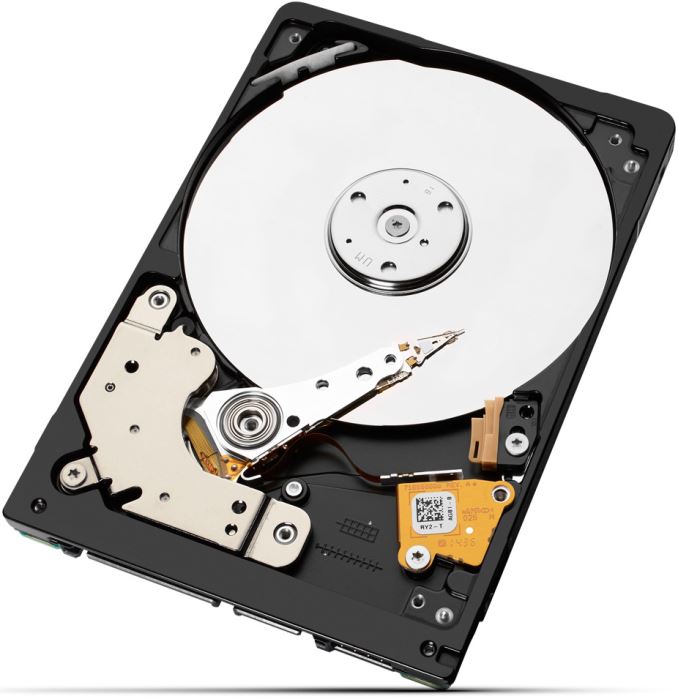
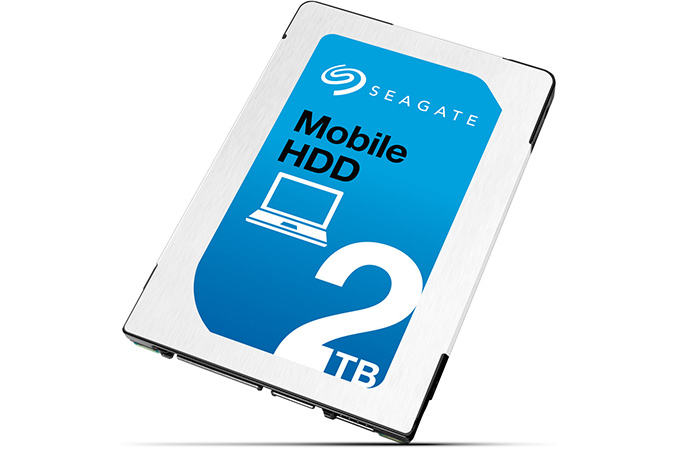
Seagate has started to ship its highest-capacity hard drives for notebooks. The new HDDs use shingled magnetic recording (SMR) technology with very high areal density as well as slimmed-down mechanics.

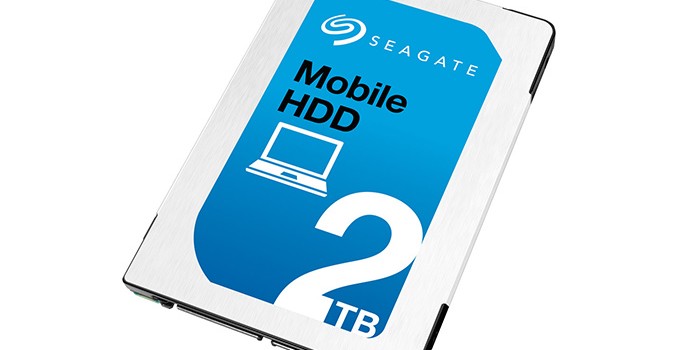
The new Seagate Mobile HDD 2 TB is the first hard drive to market in a 2.5-inch/7 mm form-factor with such extreme capacity. The hard drive is based on two 1 TB SMR platters running at 5400 RPM and features 128 MB of cache as well as SATA interface. The maximum sustainable transfer rate of the HDD is 100 MB/s, which is considerably lower than that of mainstream mobile hard drives (145 – 169 MB/s for Seagate’s own laptop HDDs). Seagate declares 13 ms average seek time for the hard drives. The new HDD weighs 3.17 oz (or 90 grams) and is aimed primarily at mobile computers or bulk cold storage, where you can arguably fit eight drives into a single 5.25-inch bay. Supermicro has an 88-bay 4U rack unit where each drive is hotswappable, though that fits a large PC in the rear; if hot-swappable isn’t required, we could be looking at nearly 200+ per storage 4U rack with appropriate backplanes.

Three sets of drives will be offered, in 1TB and 2TB configurations: 

  2TB 1TB
Base Model ST2000LM007 ST1000LM035
Seagate Secure Model
(Self Encryption)
ST2000LM009 ST1000LM037
Seagate Secure FIPS Model
(FIPS 140-2)
ST2000LM010 ST1000LM038

The SMR technology enables areal densities higher than 1 Tbit per square inch, but at the cost of performance. HDDs featuring shingled recording write new magnetic tracks that overlap part of the previously written tracks, which may slowdown writing since the architecture requires HDDs to rewrite adjacent tracks after any writing operation. In order to “hide” such peculiarities of SMR, Seagate has developed special firmware that ensures optimal writing performance. Part of the reason why Seagate installs a massive 128 MB cache on a 2 TB HDD is because the firmware needs it to store data from tracks that have to be overwritten. Alternatively, it is required to alter operating systems and software, which is not economically feasible.
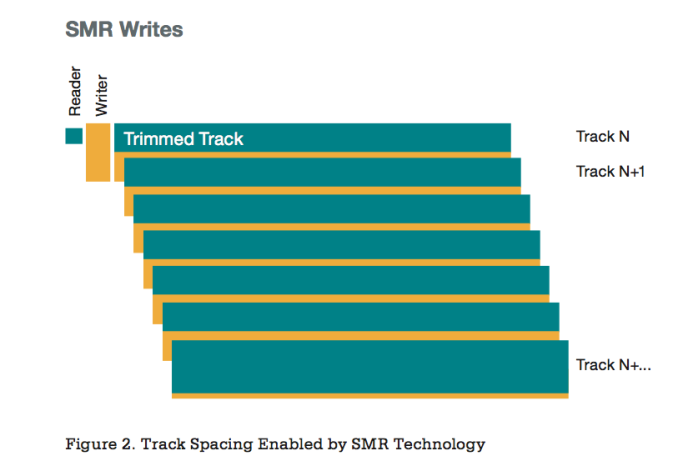
Usage of SMR technology is justified in environments that are used to archive cold data that is not updated frequently because write performance of such HDDs may be rather slow. Client PCs both read and record data and it remains to be seen whether performance offered by SMR-based client HDDs will be sufficient for the end-user. The Seagate Mobile HDD 2 TB is around 60% slower than the Seagate Laptop HDD 2 TB based on maximum sustainable transfer rate.

Seagate did not disclose whether SMR platters used inside the Mobile HDD 2 TB are made in-house, or by Showa Denko K.K. (SDK), the world’s largest independent producer of hard drive platters. In addition to SMR technology, Seagate used its new mechanics, including new head, preamp, channel and other mechanisms for the Mobile HDD 2 TB HDD. Slimmed down mechanical components allowed Seagate to integrate two platters into a 7 mm hard drive.

Seagate did not reveal any information concerning pricing of its new HDDs. While the product is unique because of its form-factor and capacity, its performance is lower compared to other HDDs. It will be very interesting to see how Seagate prices its new HDD, given its pros and cons.

Related Reading

Seagate to Ship 5TB HDD in 2014 using SMR – Brief SMR Overview
Seagate Mobile HDD Specifications (1TB and 2TB) – Specifications
SanDisk Ultra +Cloud 64GB + 64GB Flash Drive Review

USB flash drives (UFDs) are a dime a dozen in the current market. In order to stand out in the crowd, manufacturers have adopted a two-pronged approach. While one category is devoted to drives that provide maximum possible capacity in a minimal footprint, the other category aims at delivering the maximum possible performance at a reasonable cost. Usually, UFDs are worth a capsule review, since there is really not much to talk about other than performance / endurance and price. However, SanDisk has opted to go with a third strategy for one of their UFD product lines – bundling a 3-year cloud storage subscription along with a commodity USB 3.0 flash drive. Priced at $30, SanDisk’s Ultra +Cloud 64GB (local) + 64GB (cloud) seems like a no-brainer purchase. This review will analyze various aspects of the cloud storage component and also go into the performance of the flash drive itself.

SanDisk Ultra +Cloud 64GB + 64GB Flash Drive Review

USB flash drives (UFDs) are a dime a dozen in the current market. In order to stand out in the crowd, manufacturers have adopted a two-pronged approach. While one category is devoted to drives that provide maximum possible capacity in a minimal footprint, the other category aims at delivering the maximum possible performance at a reasonable cost. Usually, UFDs are worth a capsule review, since there is really not much to talk about other than performance / endurance and price. However, SanDisk has opted to go with a third strategy for one of their UFD product lines – bundling a 3-year cloud storage subscription along with a commodity USB 3.0 flash drive. Priced at $30, SanDisk’s Ultra +Cloud 64GB (local) + 64GB (cloud) seems like a no-brainer purchase. This review will analyze various aspects of the cloud storage component and also go into the performance of the flash drive itself.

Microsoft Patches Surface Book And Surface Pro 4 Sleep Issue

Microsoft Patches Surface Book And Surface Pro 4 Sleep Issue

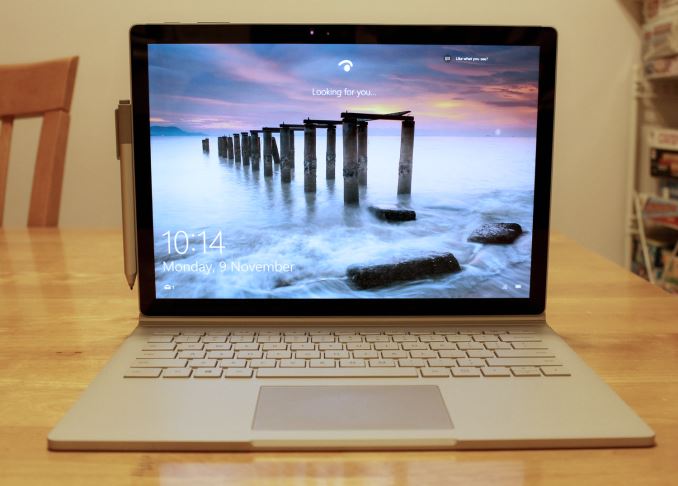
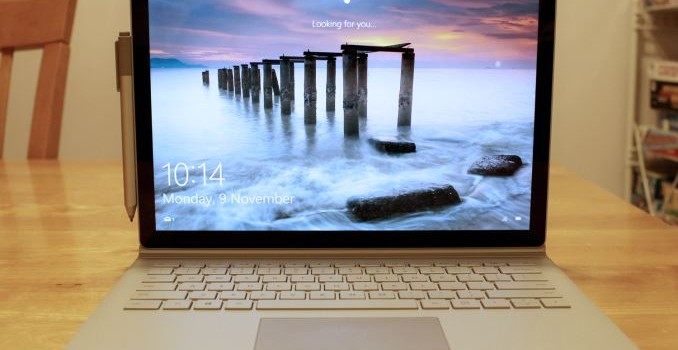
When I reviewed the Surface Book, there were a lot of bugs with the software. Some of them have been pretty minor, and Microsoft has been updating the firmware and drivers on it since before it was launched. Most of the issues have been sorted out, but there was still one issue which seemed to be elusive to the teams at Intel and Microsoft. The Surface Book would not always sleep, or, I should say, when it went to sleep it would actually use much more energy than when it was being used. Often times I would close the lid on the Surface Book and after a minute or two I’d hear the fans kick in, and the device would get very hot to the touch. This was an even bigger issue if you closed it and put it in a bag, since the bag would just trap all that heat.

This bug was so severe that I could not recommend the Surface Book at the time of the review. Apparently this bug can also strike the Surface Pro 4, but the two review units that I had never suffered from the same sleep bug issue as the Surface Book.

Today there is good news, or at least the chance of good news. Microsoft has released a firmware update which directly tackles the sleep issue. Normally firmware updates get released with little fanfare, but head of Microsoft’s hardware division, Panos Panay, has written a blog post letting everyone know that there is a firmware update. It’s not too often that the head of a division steps up and writes release notes, so clearly he felt that this issue was a big enough one to make a statement, and to be clear it is that big of an issue.

Whether or not this fixes the issue will remain to be seen, but I’m updating the Surface Book at the moment and will report back in time, but hopefully this solves it. As I said in the review, the Surface Book is solid hardware that was let down by software, and assuming this update does fix the major issue with the latest Surface models, it will be much easier to recommend it to others.

Here is everything listed in the release notes for today’s update:

  • System Hardware Update – 2/17/2016
  • Microsoft driver update for Surface UEFI
  • Microsoft driver update for Surface Management Engine
  • Microsoft driver update for Surface System Aggregator Firmware


  • Surface Management Engine update (v11.0.0.1202) improves system stability.
  • Surface System Aggregator Firmware update (v88.1081.257.0) improves accuracy of battery status and battery life during sleep.
  • Surface UEFI update (v104.1085.768.0) improves battery life and improves stability during power state transition changes into and out of sleep states.
  • Intel® Precise Touch Device driver update (v1.1.0.226) improves stability during power state transition changes into and out of sleep states.
  • Intel® HD Graphics 520 driver update (v20.19.15.4364) improves display stability, system stability and battery life.
  • Intel® Display Audio driver update (v8.20.0.745) supports compatibility with the updated graphics driver.
  • Realtek High Definition Audio(SST) driver update (v6.0.1.7734) improves system stability.
  • Intel® Smart Sound Technology (Intel® SST) Audio Controller driver update (v8.20.0.877) improves system stability.
  • Intel® Smart Sound Technology (Intel® SST) OED driver update (v8.20.0.877) improves system stability.
  • Intel® Management Engine Interface driver update (v11.0.0.1176) improves system stability.
  • Intel® Serial IO GPIO Host Controller driver update (v30.63.1603.5) improves auto rotation reliability when tablet mode is turned off.
  • Intel® Serial IO I2C Host Controller driver update (v30.63.1603.5) improves auto rotation reliability when tablet mode is turned off.
  • Surface Book Base Firmware driver update (v1.2.0.0) improves battery life during sleep.

If anyone owns the Surface Book or Surface Pro 4, I would highly recommend installing this. According to Microsoft the update is being rolled out right now, so if you don’t see it in your region just check back soon.

Source: Microsoft Devices Blog

Microsoft Patches Surface Book And Surface Pro 4 Sleep Issue

Microsoft Patches Surface Book And Surface Pro 4 Sleep Issue

When I reviewed the Surface Book, there were a lot of bugs with the software. Some of them have been pretty minor, and Microsoft has been updating the firmware and drivers on it since before it was launched. Most of the issues have been sorted out, but there was still one issue which seemed to be elusive to the teams at Intel and Microsoft. The Surface Book would not always sleep, or, I should say, when it went to sleep it would actually use much more energy than when it was being used. Often times I would close the lid on the Surface Book and after a minute or two I’d hear the fans kick in, and the device would get very hot to the touch. This was an even bigger issue if you closed it and put it in a bag, since the bag would just trap all that heat.

This bug was so severe that I could not recommend the Surface Book at the time of the review. Apparently this bug can also strike the Surface Pro 4, but the two review units that I had never suffered from the same sleep bug issue as the Surface Book.

Today there is good news, or at least the chance of good news. Microsoft has released a firmware update which directly tackles the sleep issue. Normally firmware updates get released with little fanfare, but head of Microsoft’s hardware division, Panos Panay, has written a blog post letting everyone know that there is a firmware update. It’s not too often that the head of a division steps up and writes release notes, so clearly he felt that this issue was a big enough one to make a statement, and to be clear it is that big of an issue.

Whether or not this fixes the issue will remain to be seen, but I’m updating the Surface Book at the moment and will report back in time, but hopefully this solves it. As I said in the review, the Surface Book is solid hardware that was let down by software, and assuming this update does fix the major issue with the latest Surface models, it will be much easier to recommend it to others.

Here is everything listed in the release notes for today’s update:

  • System Hardware Update – 2/17/2016
  • Microsoft driver update for Surface UEFI
  • Microsoft driver update for Surface Management Engine
  • Microsoft driver update for Surface System Aggregator Firmware


  • Surface Management Engine update (v11.0.0.1202) improves system stability.
  • Surface System Aggregator Firmware update (v88.1081.257.0) improves accuracy of battery status and battery life during sleep.
  • Surface UEFI update (v104.1085.768.0) improves battery life and improves stability during power state transition changes into and out of sleep states.
  • Intel® Precise Touch Device driver update (v1.1.0.226) improves stability during power state transition changes into and out of sleep states.
  • Intel® HD Graphics 520 driver update (v20.19.15.4364) improves display stability, system stability and battery life.
  • Intel® Display Audio driver update (v8.20.0.745) supports compatibility with the updated graphics driver.
  • Realtek High Definition Audio(SST) driver update (v6.0.1.7734) improves system stability.
  • Intel® Smart Sound Technology (Intel® SST) Audio Controller driver update (v8.20.0.877) improves system stability.
  • Intel® Smart Sound Technology (Intel® SST) OED driver update (v8.20.0.877) improves system stability.
  • Intel® Management Engine Interface driver update (v11.0.0.1176) improves system stability.
  • Intel® Serial IO GPIO Host Controller driver update (v30.63.1603.5) improves auto rotation reliability when tablet mode is turned off.
  • Intel® Serial IO I2C Host Controller driver update (v30.63.1603.5) improves auto rotation reliability when tablet mode is turned off.
  • Surface Book Base Firmware driver update (v1.2.0.0) improves battery life during sleep.

If anyone owns the Surface Book or Surface Pro 4, I would highly recommend installing this. According to Microsoft the update is being rolled out right now, so if you don’t see it in your region just check back soon.

Source: Microsoft Devices Blog