Vik


BCLK Overclocking Intel’s non-K Skylake Processors: Coming Soon
BCLK Overclocking Intel’s non-K Skylake Processors: Coming Soon

Anyone who has kept tabs on the extreme overclocking community recently would have noticed that the overclocker Dhenzjhen recently took a Core i3-6320 up to 127 MHz on increasing the base clock on his modified SuperMicro C7H170-M motherboard. We have heard that this feature may be coming to other motherboards through a simple BIOS update in the near future.

For the last few generations Intel has locked down its processors in terms of the CPU multiplier such that only a handful of parts allow a full range of overclocking. CPU frequency is determined by its base frequency (or base clock, typically 100 MHz) and multiplier (20x, 32x, 40x and all in-between depending on the part). The base clock has always been ‘open’, however in Sandy Bridge, Ivy Bridge and Haswell it has been linked to other parts of the system, such as the storage or the PCIe, meaning that any overclocking beyond 103-105 MHz led to other issues such as signal degradation or data loss. The Skylake platform changes this – as we noted back in our initial Skylake launch details, the chipset and PCIe now have their own clock domains, meaning that the base frequency only affects the CPU (core, uncore, cache), integrated graphics and DRAM.

Despite this, our best efforts to overclock non-K processors in-house (we have an i5-6500 for review at some point) are limited to a few MHz – the 103/104 MHz boundary has been tough to penetrate if possible at all. This makes what Dhenzjhen posted very interesting, as he was able to get a 27% performance boost (albeit under liquid nitrogen for an overclocking competition). Even with a 10-15% jump for day-to-day use, this allows the array of Pentium and Core i3 processors that are multiplier unlocked to get another 200-300 MHz boost in performance. We can postulate as to the reasons why Intel doesn’t release a Core i3 unlocked model, but if non-K overclocking can be enabled then this at least pushes some of the way there. Supermicro are in the process of shipping me the board in question and an i3 for testing. For clarification, Dhenzjhen is associated with Supermicro – many top overclockers are associated with a technology company in some way to help push the technology forward.


Dhenzjhen’s setup, although liquid nitrogen isn’t needed for 10-20%

After speaking with Supermicro, ASRock knocked on my Skype chat to tell me they can do the same thing, and I received a string of messages and emails saying that they can do it on their motherboards, such as the Z170 Extreme7+ which we reviewed a couple of weeks ago, with nothing more than a simple BIOS update.

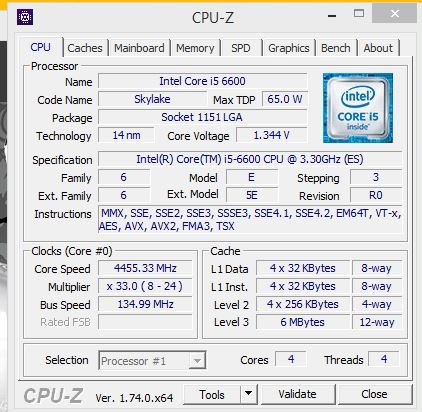
   

ASRock forwarded me images saying that on their Z170 OC Formula, they can successfully adjust the base clock of the Pentium G4400 by 20+%, the Core i3-6300T by 20% and the i5-6600 by over 30%. I was told that they will be rolling out a BIOS update to a large number of their motherboards after internal validation has been carried out and this should give a slow trickle of BIOS updates over the next week or so.

I should point out specifically that ASRock states that their results (20-30% OC) were all done on air cooling.

I am not being told (yet) as to what is required on the manufacturer side to do this, and I have a small amount of conflicting information also depending on whether this adjustment requires a physical change on top of the firmware adjustment. I suspect something in the chain that shares the clock domain with the CPU is being given an extenal reference clock, which is not part of Intel specifications but some motherboard manufacturers are doing automatically which requires some firmware adjustment. When all the motherboard manufacturers are doing this, then the exact reasons why should make its way out into the open, along with lists of compatible motherboards. Though it is worth noting that any BCLK overclock on this scale will result in the integrated graphics being disabled automatically by Intel’s VGA driver if it is installed – before installation, the integrated graphics can still function I am being told.

Overall, this opens up the gates for interesting $800-like builds based on Pentium or Core i3 processors, and if we get a number of these in we will give our experiences and benchmark results in both stock and overclocked modes. I suspect that for the Pentium side of the equation we will see similar to the overclockable Pentium G3258 that Intel released last year, but the Core i3 angle proves to be interesting.

Additional: Since Dhenzjhen’s initial score, elmor has achieved a 152.8 MHz overclock (again, under extreme conditions for competition) on a Core i3-6300, giving a total frequency of 5.8 GHz using an ASUS Maximux VIII Gene. Given elmor’s ties to ASUS, I suspect that ASUS will also roll out adjustments over time for BCLK non-K overclocking.

Given Supermicro, ASRock and ASUS are doing this (presumably GIGABYTE, MSI and EVGA will follow), I wonder what Intel’s reaction will be to it. Despite most Intel processors being multiplier locked and the different clock domains and Intel’s push towards being ‘for gaming’ and ‘for overclockers’, the locked CPUs quizzically fall on the wrong side of that strategy, but for CPU manufacturers it does encourage users to buy the premium parts. If users can now buy the slightly cheaper Core i3 or Core i5 parts with hopes of a 10-15% overclock, there are many potential scenarios as to how this plays out both for consumers and Intel’s bottom line. There’s also the fact that non-K processors have several features that the overclocking processors do not, such as Trusted Execution / TXT. We have reached out for an official response to the BCLK non-K overclocking methods that the motherboard manufacturers are using. But I have no doubt that system integrators will offer pre-overclocked systems as well. There is also the angle of enterprise to consider, if this opens up the Xeon side. While Xeon and overclocking might not be a good thing for most use cases, in the financial industry and areas where DRAM performance matters, it could be interesting. 

Source: HWBot, ASRock

Microsoft Adds New Features To The Microsoft Band

Microsoft Adds New Features To The Microsoft Band

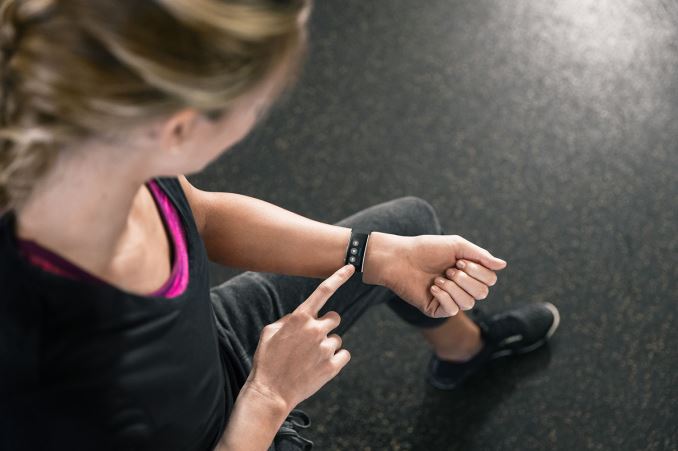
I only just got done the review on the Microsoft Band 2, and there were a couple of shortcomings that I was hoping the new Band model would address. Today Microsoft has addressed some of those issues with an update. This brings quite a bit more to the Band, and addresses some of the key issues I had with the device.

First up, you can now control music playback right on the Band. This was something that needed to be there, and it’s great to see that it has been added. Music playback is pretty common when exercising, or even when you are using the Band as just a smartwatch, so while this is a small feature, it should be well received. It works with any of the smartphone platforms, so you don’t need a Windows Phone to use this function either. The lack of integration with the smartphone was one of the sore points in the review, so I am glad this is addressed.

Second, and another issue I had with the Band, was that it didn’t do much with the vast amounts of data it collects. Yes, you can look at all of the data yourself in Microsoft Health, but I wanted the Band to be more proactive with that data. The Band can now notify you during the day if you haven’t been active for a while, which is something that Apple got right with their Apple Watch. Once again, it’s a small change, but a good one, especially at the demographic that the Band targets.

The Band has an Exercise tile, which is a generic catch-all for workouts that involve activity but not things like step counting or GPS. There is more customization now and you can select popular options within the tile to track specific activities, like yoga, or weightlifting. If you are into something else, you can also name your own activities and add them in.

Finally, the Band now has a “What’s New” tile, which will notify you when there are updates for your Band available. It will point out the new features and functionality that are available.

Altogether, these seem like four small points, but in total, this is a great update to the Band. It specifically addresses several of the issues I had with it during review, and it’s great to see software updates coming to improve functionality.

Source: Microsoft


Microsoft Adds New Features To The Microsoft Band

Microsoft Adds New Features To The Microsoft Band

I only just got done the review on the Microsoft Band 2, and there were a couple of shortcomings that I was hoping the new Band model would address. Today Microsoft has addressed some of those issues with an update. This brings quite a bit more to the Band, and addresses some of the key issues I had with the device.

First up, you can now control music playback right on the Band. This was something that needed to be there, and it’s great to see that it has been added. Music playback is pretty common when exercising, or even when you are using the Band as just a smartwatch, so while this is a small feature, it should be well received. It works with any of the smartphone platforms, so you don’t need a Windows Phone to use this function either. The lack of integration with the smartphone was one of the sore points in the review, so I am glad this is addressed.

Second, and another issue I had with the Band, was that it didn’t do much with the vast amounts of data it collects. Yes, you can look at all of the data yourself in Microsoft Health, but I wanted the Band to be more proactive with that data. The Band can now notify you during the day if you haven’t been active for a while, which is something that Apple got right with their Apple Watch. Once again, it’s a small change, but a good one, especially at the demographic that the Band targets.

The Band has an Exercise tile, which is a generic catch-all for workouts that involve activity but not things like step counting or GPS. There is more customization now and you can select popular options within the tile to track specific activities, like yoga, or weightlifting. If you are into something else, you can also name your own activities and add them in.

Finally, the Band now has a “What’s New” tile, which will notify you when there are updates for your Band available. It will point out the new features and functionality that are available.

Altogether, these seem like four small points, but in total, this is a great update to the Band. It specifically addresses several of the issues I had with it during review, and it’s great to see software updates coming to improve functionality.

Source: Microsoft


StarTech Launches USB Docking Station With UHD Display Support

StarTech Launches USB Docking Station With UHD Display Support

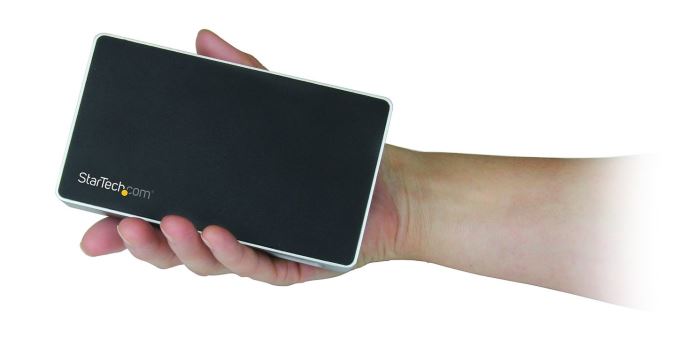
StarTech has launched three new USB based docking stations for the home-office or BYOD workforce. Being that they are based on USB 3.0, they will work with any Windows 7 and up PC, or Mac OS 10.8 and later. While a USB dock may not offer all of the same performance and connectivity of a business class docking station, the fact is that most laptops don’t offer any sort of docking solution.

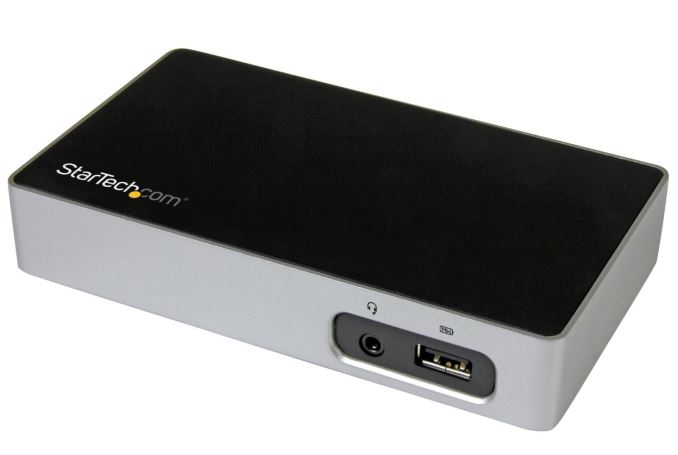
The new docks are the USB3VDOCK4DP (4K DisplayPort), USB3VDOCKD (DVI), and USB3VDOCKH (HDMI), which means that no matter what kind of connectivity you need, StarTech has a model to suit your equipment. It’s interesting too that the DisplayPort model will even support UHD resolutions, albeit at just 30 Hz. StarTech is using a DisplayLink DL series chipset to drive the displays, with a different model depending on which dock you get. The DisplayPort model uses the DL-5700, and the HDMI and DVI docks use the DL-3700, which offers a maximum resolution of 2048×1152.

StarTech Docking Stations
Model USB3VDOCK4DP USB3VDOCKD USB3VDOCKH
Display Output DisplayPort DVI HDMI
Chipset DisplayLink DL-5700 DisplayLink DL-3700 DisplayLink DL-3700
Max Resolution 3840×2160 (30Hz max)
2560×1600 (60Hz)
2048×1152 2048×1152
USB Ports 2 x USB 3.0
1 x USB 3.0 w/USB Battery Charge Spec 1.2
Networking Gigabit Ethernet with Wake-on LAN
Audio 3.5mm Headset Jack
Size Height: 26 mm (1″)
Width: 79 mm (3.1″)
Length: 139 mm (5.5″)
Included Docking Station
USB 3.0 Host Cable
Power Adapter
Price $157.99 $134.99 $135.99

In addition to the display connection, you also get three USB 3.0 ports, with one of them being a fast-charge port with USB Battery Charging 1.2 spec, which offers up to 7.5 watts of power. Gigabit Ethernet is also on tap, with Wake-on LAN capabilities, and the docks include a 3.5mm headset jack as well.

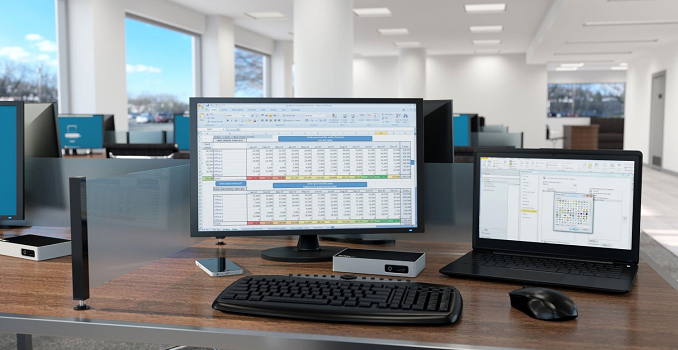
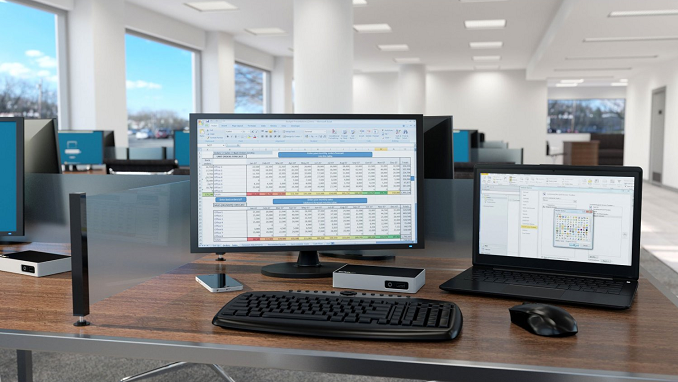
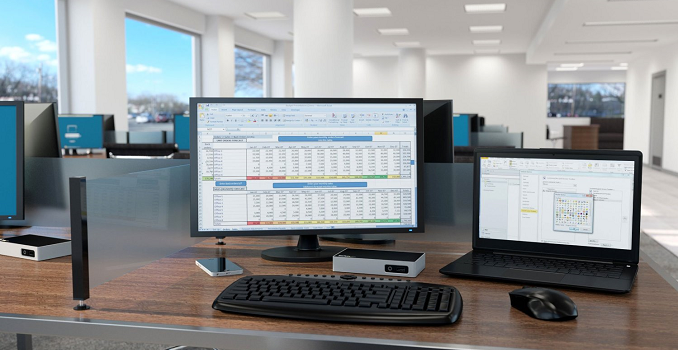
If you’ve wanted to connect your laptop to a keyboard, mouse, and monitor, StarTech will be offering the Docks for $135 for the HDMI/DVI models, and $158 for the DisplayPort model. It should be available in the next couple of weeks.

Source: StarTech

StarTech Launches USB Docking Station With UHD Display Support

StarTech Launches USB Docking Station With UHD Display Support

StarTech has launched three new USB based docking stations for the home-office or BYOD workforce. Being that they are based on USB 3.0, they will work with any Windows 7 and up PC, or Mac OS 10.8 and later. While a USB dock may not offer all of the same performance and connectivity of a business class docking station, the fact is that most laptops don’t offer any sort of docking solution.

The new docks are the USB3VDOCK4DP (4K DisplayPort), USB3VDOCKD (DVI), and USB3VDOCKH (HDMI), which means that no matter what kind of connectivity you need, StarTech has a model to suit your equipment. It’s interesting too that the DisplayPort model will even support UHD resolutions, albeit at just 30 Hz. StarTech is using a DisplayLink DL series chipset to drive the displays, with a different model depending on which dock you get. The DisplayPort model uses the DL-5700, and the HDMI and DVI docks use the DL-3700, which offers a maximum resolution of 2048×1152.

StarTech Docking Stations
Model USB3VDOCK4DP USB3VDOCKD USB3VDOCKH
Display Output DisplayPort DVI HDMI
Chipset DisplayLink DL-5700 DisplayLink DL-3700 DisplayLink DL-3700
Max Resolution 3840×2160 (30Hz max)
2560×1600 (60Hz)
2048×1152 2048×1152
USB Ports 2 x USB 3.0
1 x USB 3.0 w/USB Battery Charge Spec 1.2
Networking Gigabit Ethernet with Wake-on LAN
Audio 3.5mm Headset Jack
Size Height: 26 mm (1″)
Width: 79 mm (3.1″)
Length: 139 mm (5.5″)
Included Docking Station
USB 3.0 Host Cable
Power Adapter
Price $157.99 $134.99 $135.99

In addition to the display connection, you also get three USB 3.0 ports, with one of them being a fast-charge port with USB Battery Charging 1.2 spec, which offers up to 7.5 watts of power. Gigabit Ethernet is also on tap, with Wake-on LAN capabilities, and the docks include a 3.5mm headset jack as well.

If you’ve wanted to connect your laptop to a keyboard, mouse, and monitor, StarTech will be offering the Docks for $135 for the HDMI/DVI models, and $158 for the DisplayPort model. It should be available in the next couple of weeks.

Source: StarTech