Vik


Microsoft Reveals the Surface Book
Microsoft Reveals the Surface Book

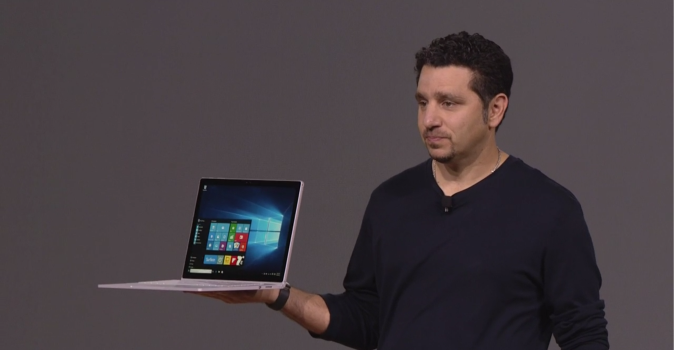
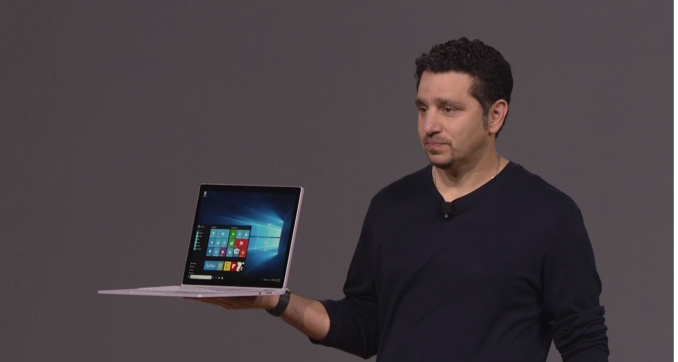
Pretty much since the original Surface was born, I, and many others, have wished that Microsoft would try their hands at a laptop computer. It’s not even that the original Surface was a great device, but the whole idea was to kickstart some new device types, and now Surface has turned into a big business in its own right. The latest Surface Pro 4 looks to be the best iteration yet.

So today Microsoft is trying to redefine the laptop category with the Surface Book. With Surface Pro, it was the tablet that can replace your laptop, and with Surface Book, it is what Microsoft is calling “The Ultimate Laptop” and we shall see about that but it has a lot going for it. Compared to the Surface Pro 4, the display is larger at 13.5-inches but keeps the same 3:2 aspect ratio that has now defined the Surface lineup. People sick of 16:9 laptops should be happy to see this.

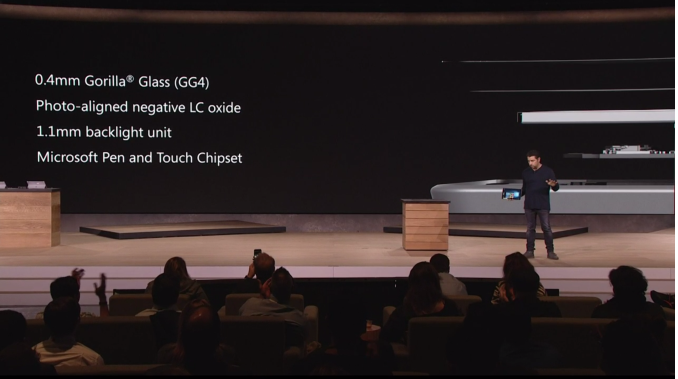
The display itself is 3000×2000 pixels, which works out to exactly 6,000,000 pixels and the same 267 pixels per inch of the Surface Pro 4. It has the same 0.4 mm thick Gorilla Glass covering as well, and contains the same PixelSense capabilities that mean it will also work with the pen and of course touch. Each panel is calibrated for sRGB out of the box.

This is not your ordinary laptop where the display is just the display and the key components of the notebook are under the keys. Instead, the screen is detachable like many two-in-one devices, but the base itself is connected and houses the NVIDIA GPU and some batteries, as well as USB ports and a SD card reader like you would expect on an Ultrabook.

The hinge is certainly very interesting, and it kind of reminds me of a new take on the Yoga 3 Pro’s keyboard hinge, although this one is much thicker. Microsoft calls it a Dynamic Fulcrum Hinge. One weird thing about the hinge is that when the device is closed, the top and bottom don’t meet. It is weird to see but I would need some more time with it to see if it is an issue. A benefit of the slightly raised rear is when the display is connected flipped around for writing, the glass is slightly tilted towards you which is something I often find myself doing with the Surface lineup of tablets.

The latching system is ridiculously strong. Microsoft is using a wire that can change its length if a voltage is applied to it. You have to press and hold a button on the keyboard to invoke this charge so the actual separation is never going to be by accident, but it does take longer than some other detachable devices.

I am a bit of a keyboard nut myself, and I really like a proper keyboard, so it is great to see that the Surface Book will have 1.6 mm of key travel, and a nice layout. I am generally not a fan of light keys with backlighting so we will have to see how this holds up in the real world. The trackpad is a Microsoft Precision trackpad with a glass top and five points of touch.

On the spec side, there will be Core i5 and i7 versions of this available, and the GPU is optional with the Core i5, but standard with the Core i7. Base configurations come with 8 GB of memory, but there is a 16 GB version as well, and storage is PCIe based SSDs from 128 GB to 1 TB.

Surface Book
  Core i5 Core i5 w/GPU Core i7 w/GPU
GPU Intel HD 520 Intel + NVIDIA GeForce dGPU
(Maxwell w/GDDR5)
CPU 6th Generation Intel Core i5 (15w)
6th Generation Intel Core i5 (15w)
6th Generation Intel Core i7 (15w)
Memory 8-16GB RAM
Display 13.5″ PixelSense 3000×2000 resolution
1800:1 Contrast Ratio
100% sRGB, individually calibrated
10 point touch and Pen support
Storage PCIe 3.0 SSD 128 GB to 1 TB
I/O USB 3.0 x 2 (In Base)
SD Card reader (In Base)
Surface Connector (In Tablet and Base)
Headset Jack
Mini DisplayPort
Dimensions Laptop
(mm) : 232 x 312 x 13.0-22.8
(inches) : 9.14 x 12.3 x 0.51-0.90
Tablet Only
(mm) : 220.2 x 312.3 x 7.7
(inches) : 8.67 x 12.3 x 0.30
Weight Laptop
1.515 kg / 3.34 lbs
Tablet Only
726 g / 1.6 lbs
Laptop
1.579 kg / 3.48 lbs
Tablet Only
726 g / 1.6 lbs
Camera Windows Hello (Front)
8 MP Rear Facing
5 MP Front Facing
Price $1499+ $1899+ $2099+

Size and weight are always a key with this class of device, and despite the 13.5-inch size, the tablet itself only comes in at 1.6 lbs or 726 grams. Adding the keyboard moves the Surface Book out past the incredible weight of some of the latest Ultrabooks, with the non-GPU version coming in at 3.34 lbs or 1.51 kg, and the GPU adds a bit more weight to come in at 3.48 lbs or 1.58 kg.

The Surface Book will go on pre-order tomorrow starting at $1499 up to $2699 for the Core i7 with 16 GB of RAM and the GPU. No 1 TB models are listed yet but they were announced. Microsoft is likely waiting on manufacturers to offer M.2 1 TB models.

Microsoft Announces the Surface Pro 4, from $900

Microsoft Announces the Surface Pro 4, from $900

Devices Day at Microsoft grows every year. We have seen the numerous Surface announcements come through the special event held in NYC, as well as the peripheral devices around the ecosystem and a few smartphones as well. As this is the first Device Day after Windows 10 launch, we were greeted with numbers and facts about Windows 10 adoption rates, such as 110 million Win10 installs in 10 weeks, 1 billion questions asked through Cortana and 1.25 billion visits to the Microsoft app store. While the Surface Book announcement arguably stole the show, the big presentation everyone was expecting was for the new Surface Pro 4.

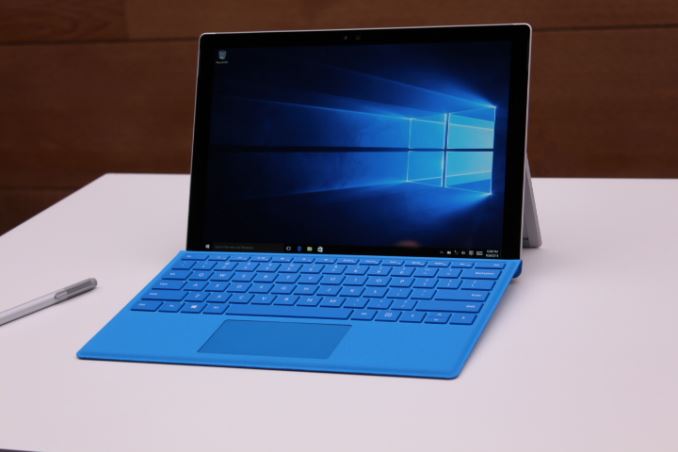
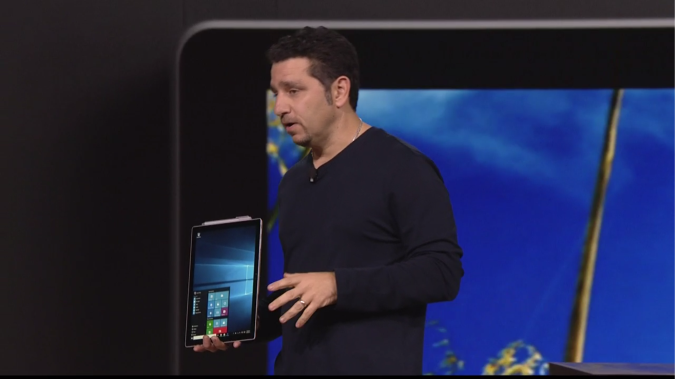
Panos Panay exalted the virtues and successes of the Surface Pro 3, such as the march towards 98% of users recommending the device. However the Surface Pro 4 aims to break such records. The device itself looks like an upgrade of the SP3, featuring 500 unique parts, however due to Intel’s major release of their 6th Generation Core platform, the SP4 was expected to get the whole platform upgrade. As a result we will see SP4 devices with Core M (Intel’s 4.5-watt platform), Core i5 and Core i7 processors up to 15W and ‘up to nine hours’ of battery life.

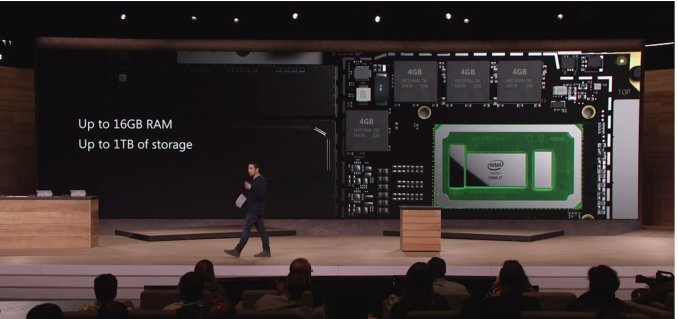
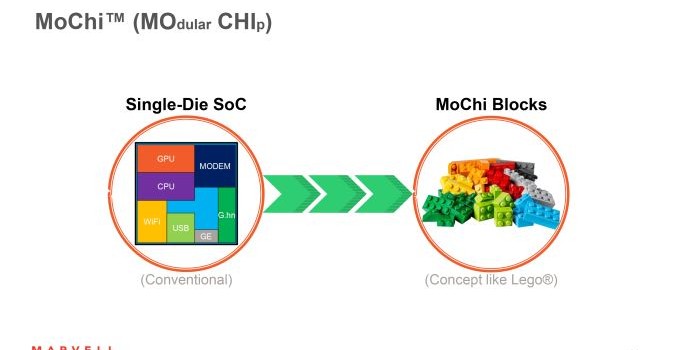
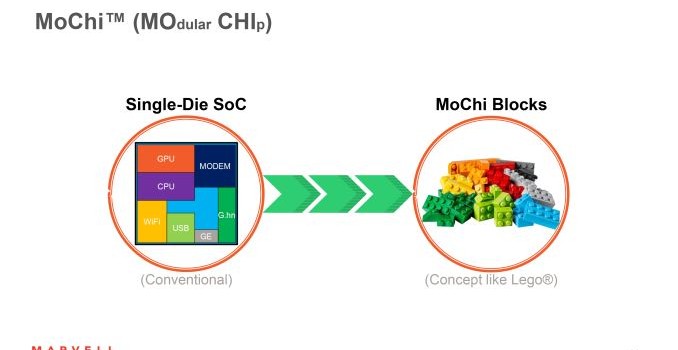
The Core i7 models will have Iris integrated graphics, which is part of Intel’s eDRAM strategy and we assume at this point that they will have 64MB of eDRAM. Microsoft showed the three-chip SoC in one of their presentation slides:

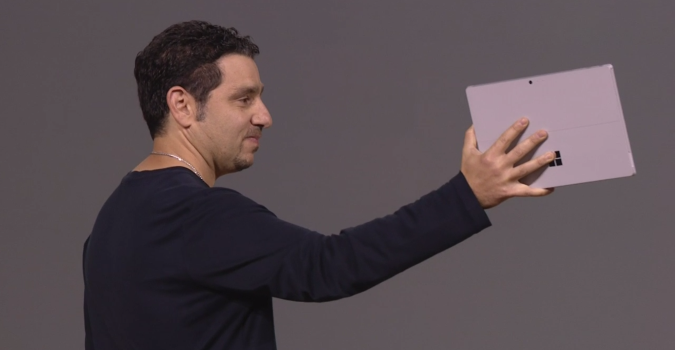
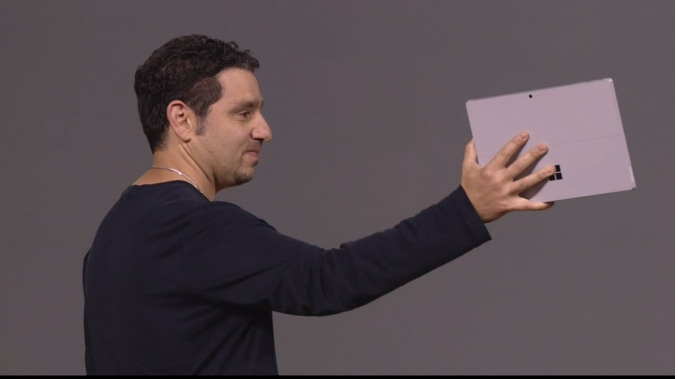
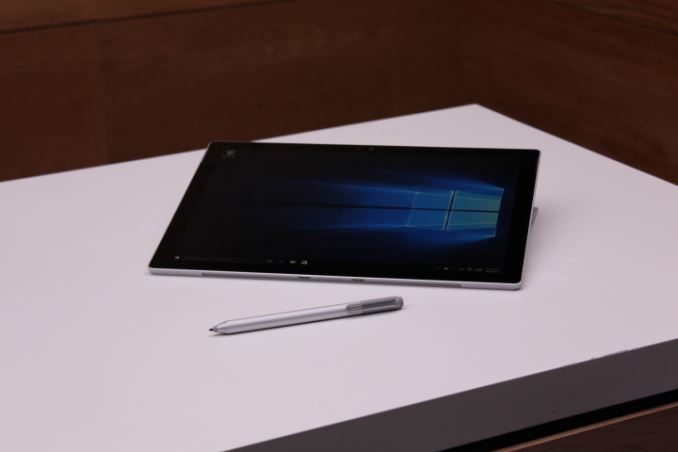
From 12-inches in the SP3 to 12.3-inches in the SP4, we are told that the device itself is not any bigger as Microsoft were able to reduce the size of the bezels. The display optical stack is also thinner than before, with Microsoft saying it is the thinnest optical stack ever fitted and comes with Microsoft custom silicon in the form of a G5 processor to help drive the display. The chassis is machined magnesium with the same SP3 kickstand that allows multi-position configurations. The SP4 comes in at 8.4 mm thick and a hybrid cooled system as well. The display retails the 3:2 aspect ratio of the SP3 but boasts a ‘5 million pixel display’, or 2736×1824 in numbers, with PixelSense. Each display is 100% sRGB with individual calibration, but also features 10-point multitouch.

Microsoft Surface Pro Comparison
  Pro 4 Pro 3 Pro 2 Pro
Dimensions 11.5 x 7.93 x 0.33″ 11.5 x 7.93 x 0.36″ 10.81 x 6.81 x 0.53″
Display 12.3-inch
2736 x 1824
12-inch
2160 x 1440
10.6-inch
1920 x 1080
10.6-inch
1920 x 1080
Weight 1.69 lbs (m3)
1.73 lbs (i5/i7)
1.76 lbs 2.0 lbs 2.0 lbs
Processor Core m3, i5 or i7 Core i3, i5 or i7 Core i5 Core i5
Cameras 8MP / 5MP
(front/rear)
5MP/5MP (front/rear) 1.2MP/1.2MP (front/rear) 1.2MP/1.2MP (front/rear)
Connectivity 2T2R 802.11ac 2T2R 802.11ac 2T2R 802.11n 2T2R 802.11n
Memory 4GB, 8GB or 16GB LPDDR3 4GB or 8GB LPDDR3 4GB or 8GB LPDDR3 4GB
Storage 128, 256, 512GB or 1TB
PCIe 3.0
64, 128, 256 or 512GB 64/128GB or 
256/512GB
64GB or 128GB
Battery ‘up to 9hrs’ 42.0 Wh 42.0 Wh 42.0 Wh
Starting Price $899 $799 $899 $799

The hardware will also come in 4GB, 8GB and 16GB models for DRAM, paired with 128GB, 256GB, 512GB or 1TB of PCIe 3.0 based SSD storage. We would assume this is PCIe 3.0 x4 in line with current high end storage in other PCs, although Microsoft does not specify at this point. 802.11ac 2T2R WiFi comes as standard with MIMO enabled.

Cameras come in the form of an 8MP rear facing auto-focus and a 5MP front-facing camera, both capable of 1080p. Nothing special was made about the microphones, but the SP4 comes with a full-size USB 3.0 port (note no USB 3.1 or Type-C here). Other inputs include a mini-DisplayPort for external displays, headphones/microphone jack and the Surface Connect for movement out to an external dock capable of driving more screens and USB ports.

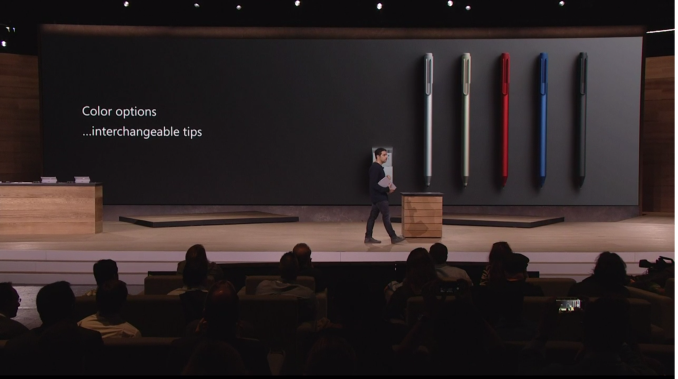
The new Surface Pen is an upgraded model, featuring 1024 levels of pressure sensitivity and is presumably a derivative from Microsoft’s acquisition of pen technology from N-Trig. Microsoft will offer several colors of pen, and adjustable tips to account for the feel of the pen. On stage we noted that these will be labelled similar to pencils, and Microsoft will offer B, HB, H and 2H alternatives but prices were not announced for these. The pen is stored by magnetic attachments to the SP4, rather than a storage bay

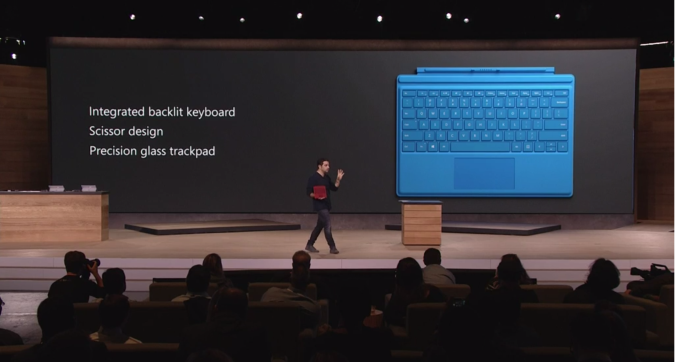
New Type Covers are inbound as well, featuring a new switch design that facilitates quiet operation and 1.3 mm travel due to a new scissor design. The keyboard is backlit, and the trackpad is 40% larger than previous type covers. It is also worth noting that the trackpad uses precision glass, which Microsoft claims should give a more accurate representation when used. They weren’t 100% clear on the use of fingerprint sensors on trackpads, but there seems to be some versions with fingerprint sensors enabled as well. No pricing was given on the new Type Covers.

The basic SP4 box will come with the device, a Surface Pen and a power supply (24W with Core m3, 36W with i5/i7 that also has a USB charging port).  Prices will start from $900 and go up to $2200, with pre-orders starting on October 7th. Devices will be available from October 26th, but Microsoft failed to mention which regions they would be available, so given the price information we could assume it might be a US/NA initial launch at this point with other regions to follow. If we get more information on this, we will update this post.

Microsoft Surface Pro 4 Configuration Options
Configuration $899 $999 $1299 $1599 $1799 $2199 $2699
CPU Core m3 Core i5 Core i5 Core i7 Core i7 Core i7 Core i7
TDP 4.5W ? 15W ? 15W ? 15W ? 15W ? 15 W ? 15 W ?
Cores/Threads 2/4 2/4 2/4 2/4 2/4 2/4 2/4
GPU Intel HD 515 Intel HD 520 Intel HD 520 Intel Iris 540 Intel Iris 540 Intel Iris 540 Intel Iris 540
GPU EUs 12 24 24 48 48 48 48
eDRAM None None None 64 MB 64 MB 64 MB 64 MB
Storage 128 GB 128 GB 256 GB 256 GB 256 GB 512 GB 1 TB
RAM 4 GB 4 GB 8 GB 8 GB 16 GB 16 GB 16 GB

At this point the exact CPU models are unknown, or whether each device will use some form of cTDP Up or cTDP Down to align with the chassis. One would assume the Core m3 is in cTDP Up mode to align with the performance of the others, though the battery life of the Core m3 device would be interesting nonetheless as the CPU draws less power overall. We will have to try and source at least one m3, i5 and i7 due to the configuration differences for review. 

Microsoft Announces the Surface Pro 4, from $900

Microsoft Announces the Surface Pro 4, from $900

Devices Day at Microsoft grows every year. We have seen the numerous Surface announcements come through the special event held in NYC, as well as the peripheral devices around the ecosystem and a few smartphones as well. As this is the first Device Day after Windows 10 launch, we were greeted with numbers and facts about Windows 10 adoption rates, such as 110 million Win10 installs in 10 weeks, 1 billion questions asked through Cortana and 1.25 billion visits to the Microsoft app store. While the Surface Book announcement arguably stole the show, the big presentation everyone was expecting was for the new Surface Pro 4.

Panos Panay exalted the virtues and successes of the Surface Pro 3, such as the march towards 98% of users recommending the device. However the Surface Pro 4 aims to break such records. The device itself looks like an upgrade of the SP3, featuring 500 unique parts, however due to Intel’s major release of their 6th Generation Core platform, the SP4 was expected to get the whole platform upgrade. As a result we will see SP4 devices with Core M (Intel’s 4.5-watt platform), Core i5 and Core i7 processors up to 15W and ‘up to nine hours’ of battery life.

The Core i7 models will have Iris integrated graphics, which is part of Intel’s eDRAM strategy and we assume at this point that they will have 64MB of eDRAM. Microsoft showed the three-chip SoC in one of their presentation slides:

From 12-inches in the SP3 to 12.3-inches in the SP4, we are told that the device itself is not any bigger as Microsoft were able to reduce the size of the bezels. The display optical stack is also thinner than before, with Microsoft saying it is the thinnest optical stack ever fitted and comes with Microsoft custom silicon in the form of a G5 processor to help drive the display. The chassis is machined magnesium with the same SP3 kickstand that allows multi-position configurations. The SP4 comes in at 8.4 mm thick and a hybrid cooled system as well. The display retails the 3:2 aspect ratio of the SP3 but boasts a ‘5 million pixel display’, or 2736×1824 in numbers, with PixelSense. Each display is 100% sRGB with individual calibration, but also features 10-point multitouch.

Microsoft Surface Pro Comparison
  Pro 4 Pro 3 Pro 2 Pro
Dimensions 11.5 x 7.93 x 0.33″ 11.5 x 7.93 x 0.36″ 10.81 x 6.81 x 0.53″
Display 12.3-inch
2736 x 1824
12-inch
2160 x 1440
10.6-inch
1920 x 1080
10.6-inch
1920 x 1080
Weight 1.69 lbs (m3)
1.73 lbs (i5/i7)
1.76 lbs 2.0 lbs 2.0 lbs
Processor Core m3, i5 or i7 Core i3, i5 or i7 Core i5 Core i5
Cameras 8MP / 5MP
(front/rear)
5MP/5MP (front/rear) 1.2MP/1.2MP (front/rear) 1.2MP/1.2MP (front/rear)
Connectivity 2T2R 802.11ac 2T2R 802.11ac 2T2R 802.11n 2T2R 802.11n
Memory 4GB, 8GB or 16GB LPDDR3 4GB or 8GB LPDDR3 4GB or 8GB LPDDR3 4GB
Storage 128, 256, 512GB or 1TB
PCIe 3.0
64, 128, 256 or 512GB 64/128GB or 
256/512GB
64GB or 128GB
Battery ‘up to 9hrs’ 42.0 Wh 42.0 Wh 42.0 Wh
Starting Price $899 $799 $899 $799

The hardware will also come in 4GB, 8GB and 16GB models for DRAM, paired with 128GB, 256GB, 512GB or 1TB of PCIe 3.0 based SSD storage. We would assume this is PCIe 3.0 x4 in line with current high end storage in other PCs, although Microsoft does not specify at this point. 802.11ac 2T2R WiFi comes as standard with MIMO enabled.

Cameras come in the form of an 8MP rear facing auto-focus and a 5MP front-facing camera, both capable of 1080p. Nothing special was made about the microphones, but the SP4 comes with a full-size USB 3.0 port (note no USB 3.1 or Type-C here). Other inputs include a mini-DisplayPort for external displays, headphones/microphone jack and the Surface Connect for movement out to an external dock capable of driving more screens and USB ports.

The new Surface Pen is an upgraded model, featuring 1024 levels of pressure sensitivity and is presumably a derivative from Microsoft’s acquisition of pen technology from N-Trig. Microsoft will offer several colors of pen, and adjustable tips to account for the feel of the pen. On stage we noted that these will be labelled similar to pencils, and Microsoft will offer B, HB, H and 2H alternatives but prices were not announced for these. The pen is stored by magnetic attachments to the SP4, rather than a storage bay

New Type Covers are inbound as well, featuring a new switch design that facilitates quiet operation and 1.3 mm travel due to a new scissor design. The keyboard is backlit, and the trackpad is 40% larger than previous type covers. It is also worth noting that the trackpad uses precision glass, which Microsoft claims should give a more accurate representation when used. They weren’t 100% clear on the use of fingerprint sensors on trackpads, but there seems to be some versions with fingerprint sensors enabled as well. No pricing was given on the new Type Covers.

The basic SP4 box will come with the device, a Surface Pen and a power supply (24W with Core m3, 36W with i5/i7 that also has a USB charging port).  Prices will start from $900 and go up to $2200, with pre-orders starting on October 7th. Devices will be available from October 26th, but Microsoft failed to mention which regions they would be available, so given the price information we could assume it might be a US/NA initial launch at this point with other regions to follow. If we get more information on this, we will update this post.

Microsoft Surface Pro 4 Configuration Options
Configuration $899 $999 $1299 $1599 $1799 $2199 $2699
CPU Core m3 Core i5 Core i5 Core i7 Core i7 Core i7 Core i7
TDP 4.5W ? 15W ? 15W ? 15W ? 15W ? 15 W ? 15 W ?
Cores/Threads 2/4 2/4 2/4 2/4 2/4 2/4 2/4
GPU Intel HD 515 Intel HD 520 Intel HD 520 Intel Iris 540 Intel Iris 540 Intel Iris 540 Intel Iris 540
GPU EUs 12 24 24 48 48 48 48
eDRAM None None None 64 MB 64 MB 64 MB 64 MB
Storage 128 GB 128 GB 256 GB 256 GB 256 GB 512 GB 1 TB
RAM 4 GB 4 GB 8 GB 8 GB 16 GB 16 GB 16 GB

At this point the exact CPU models are unknown, or whether each device will use some form of cTDP Up or cTDP Down to align with the chassis. One would assume the Core m3 is in cTDP Up mode to align with the performance of the others, though the battery life of the Core m3 device would be interesting nonetheless as the CPU draws less power overall. We will have to try and source at least one m3, i5 and i7 due to the configuration differences for review.