Vik


Understanding Qualcomm's ImproveTouch

Understanding Qualcomm’s ImproveTouch

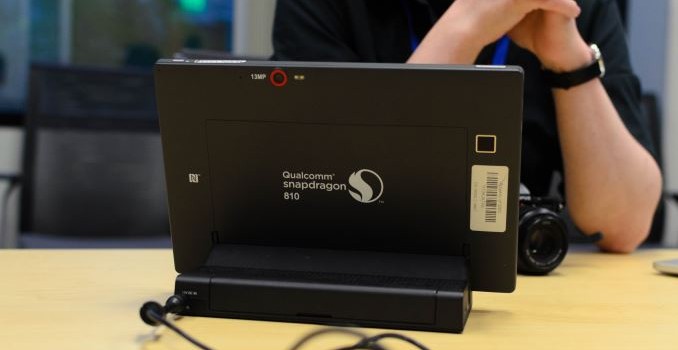
Although the Xperia Z4 Tablet was announced as far back as MWC, it wasn’t until recently that the enhanced noise rejection of the touchscreen was really shown off. At first it wasn’t exactly clear how this was accomplished, but it turns out that this is a Qualcomm technology at heart, namely improveTouch. For those that are unfamiliar with this technology I’ve attached a video from Qualcomm demonstrating the technology below.

At a high level, improveTouch uses a Snapdragon SoC to effectively replace aspects of external touchscreen controllers. This is done by moving touch processing from the touch screen controller to the SoC’s application processor. By doing this, it’s possible to enable faster sampling rates/lower touch latency for the digitizer and more advanced noise rejection algorithms like water droplet rejection. Although improveTouch currently doesn’t support underwater touch, according to Qualcomm it’s technically possible to implement such features in the future. It’s also possible for do additional advanced context awareness/sensor fusion with this system, such as improved proximity sensing with the use of a traditional IR sensor and the touch screen.

One obvious potential pitfall of such a move would be that power consumption could increase significantly over traditional systems, but according to Qualcomm power consumption is competitive with other solutions when at the same sampling rate and processing complexity, partially because touch controller solutions tend to lag on process node. For applications where the display is off and the AP is usually asleep like double-tap to wake, improveTouch has something called the Autonomous Touch Engine, which has an MCU and other components to avoid waking up the application processor unnecessarily. In addition, the cost of such a solution is competitive as some components from a traditional touch screen solution can be eliminated. It’s also worth noting that the CPU load of this system is said to be minimal and won’t affect performance of the AP, although Qualcomm didn’t disclose a specific figure and it’s likely that CPU load effects depend upon a large number of factors.

Although improveTouch is capable of improving user experience by reducing touch latency and more sophisticated digitizer functions like water droplet rejection, according to Qualcomm there are significant benefits on the OEM side as implementation is simpler with this architecture. By using a narrow-band filter on the analog front-end which is said to have 60 dB SNR (it isn’t clear whether this refers to dynamic range, average SNR, peak SNR, or some other measure), getting the touch sensor to work well with the touch controller is easier than traditional solutions. However, it remains to be seen whether adoption for improveTouch will become significant among OEMs that use Qualcomm SoCs.
Western Digital Updates WD Red Pro and WD Black with 5 & 6TB Models

Western Digital Updates WD Red Pro and WD Black with 5 & 6TB Models

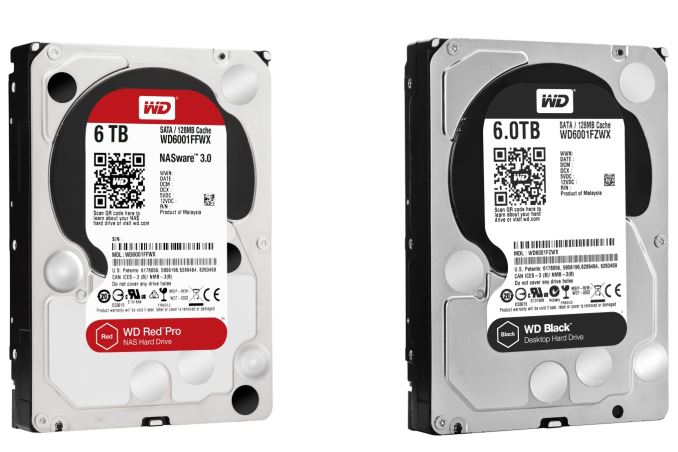
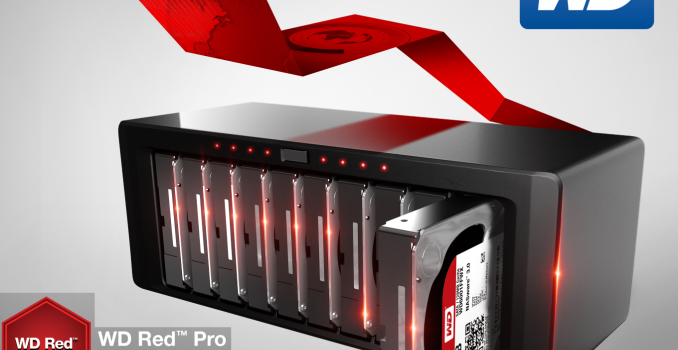
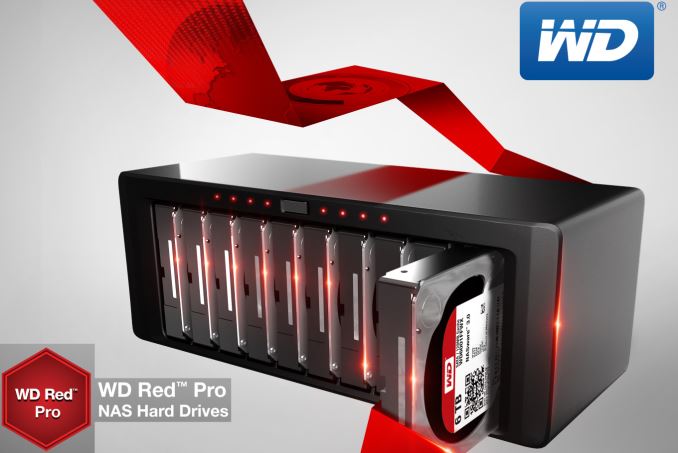
It is that time of the year when Western Digital updates their Red lineup. Launched in 2012, the WD Red drives target network attached storage units with an optimized set of features for SMB / SOHO NAS units (up to 8 bays). It was initially launched in 1, 2 and 3TB capacities. In 2013, we saw a 4TB variant being added to the lineup along with some 2.5″ drives. 2014 saw the addition of a Pro lineup (2,3 and 4TB) intended for use in NAS units with up to 16 bays. A 6TB Red version was also introduced. This year, we get 5 and 6TB WD Red Pro units. In addition, WD is also launching 5 and 6TB WD Black drives targeting gamers and creative professionals with a need for large capacity and high performance.

The important features of the WD Red Pro drives being announced today include:

  • 128 MB cache
  • Transfer rates up to 214 MBps
  • Vibration tolerance and shock protection using a multi-axis shock sensor and dynamic fly-height technology

There doesn’t seem to be any updates to the firmware (NASware 3.0, introduced last year, is retained). The Red Pro drives carry a 5 year warranty. The WD Red Pro 5TB version (WD5001FFWX) has a MSRP of $269, while the 6TB version (WD6001FFWX) is priced at $299. In terms of MSRP, this seems to be lower than the Seagate Enterprise NAS HDD by $50.

The WD Black is Western Digital’s desktop hard drive lineup with a focus on performance. Similar to the WD Red Pro, the Black lineup is also getting 5 and 6TB members priced at $264 and $294 respectively. These drives also have a 128 MB cache and spin at 7200 RPM (just like the WD Red Pro units). While WD didn’t provide hard performance numbers, the press release indicates that the 6TB version is 29% faster than the WD Black 4TB in terms of maximum data throughput, while scoring 10% more in PCMark Vantage. It also comes with a 5-year warranty.

Western Digital Updates WD Red Pro and WD Black with 5 & 6TB Models

Western Digital Updates WD Red Pro and WD Black with 5 & 6TB Models

It is that time of the year when Western Digital updates their Red lineup. Launched in 2012, the WD Red drives target network attached storage units with an optimized set of features for SMB / SOHO NAS units (up to 8 bays). It was initially launched in 1, 2 and 3TB capacities. In 2013, we saw a 4TB variant being added to the lineup along with some 2.5″ drives. 2014 saw the addition of a Pro lineup (2,3 and 4TB) intended for use in NAS units with up to 16 bays. A 6TB Red version was also introduced. This year, we get 5 and 6TB WD Red Pro units. In addition, WD is also launching 5 and 6TB WD Black drives targeting gamers and creative professionals with a need for large capacity and high performance.

The important features of the WD Red Pro drives being announced today include:

  • 128 MB cache
  • Transfer rates up to 214 MBps
  • Vibration tolerance and shock protection using a multi-axis shock sensor and dynamic fly-height technology

There doesn’t seem to be any updates to the firmware (NASware 3.0, introduced last year, is retained). The Red Pro drives carry a 5 year warranty. The WD Red Pro 5TB version (WD5001FFWX) has a MSRP of $269, while the 6TB version (WD6001FFWX) is priced at $299. In terms of MSRP, this seems to be lower than the Seagate Enterprise NAS HDD by $50.

The WD Black is Western Digital’s desktop hard drive lineup with a focus on performance. Similar to the WD Red Pro, the Black lineup is also getting 5 and 6TB members priced at $264 and $294 respectively. These drives also have a 128 MB cache and spin at 7200 RPM (just like the WD Red Pro units). While WD didn’t provide hard performance numbers, the press release indicates that the 6TB version is 29% faster than the WD Black 4TB in terms of maximum data throughput, while scoring 10% more in PCMark Vantage. It also comes with a 5-year warranty.

Google Revamps Hangouts On The Web

Google Revamps Hangouts On The Web

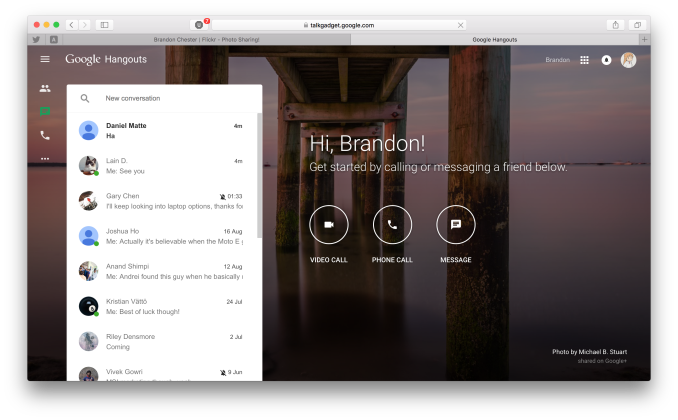
As someone who uses Google Hangouts for both personal and work related correspondence, I’ve always been frustrated that the only viable options for using it are to install Chrome and use the Hangouts extension, or to use the outdated looking interfaces on Google+ or the Hangouts website. With Hangouts becoming a product that extends to messages, phone calls, video conferences, and even the default SMS app on many Android devices, it really felt strange that its web presence seemed so neglected, and felt confined to just being a sidebar on other Google sites. Today that has changed with Google’s revamp of their dedicated Hangouts website.

While the new website wont satisfy users who still want a dedicated Hangouts application for their computers, it’s a much nicer experience than using it through Google+ or the old website. The page background rotates through a gallery of images from Google+ users, and the interface itself is instantly familiar to users who use the Hangouts application on the iOS or Android devices. Although the page has a Material Design inspired interface, the chat windows themselves have the same old Holo appearance, and really fit poorly with the rest of the site. Hopefully an update to the chat windows is something Google has planned for the near future. Anyone who wants to try out the new Hangouts website can do so by visiting the new web page here.

Source: Google via The Verge

Google Revamps Hangouts On The Web

Google Revamps Hangouts On The Web

As someone who uses Google Hangouts for both personal and work related correspondence, I’ve always been frustrated that the only viable options for using it are to install Chrome and use the Hangouts extension, or to use the outdated looking interfaces on Google+ or the Hangouts website. With Hangouts becoming a product that extends to messages, phone calls, video conferences, and even the default SMS app on many Android devices, it really felt strange that its web presence seemed so neglected, and felt confined to just being a sidebar on other Google sites. Today that has changed with Google’s revamp of their dedicated Hangouts website.

While the new website wont satisfy users who still want a dedicated Hangouts application for their computers, it’s a much nicer experience than using it through Google+ or the old website. The page background rotates through a gallery of images from Google+ users, and the interface itself is instantly familiar to users who use the Hangouts application on the iOS or Android devices. Although the page has a Material Design inspired interface, the chat windows themselves have the same old Holo appearance, and really fit poorly with the rest of the site. Hopefully an update to the chat windows is something Google has planned for the near future. Anyone who wants to try out the new Hangouts website can do so by visiting the new web page here.

Source: Google via The Verge