Vik


Apple Launches iOS 9 and OS X El Capitan Public Betas
Apple Launches iOS 9 and OS X El Capitan Public Betas

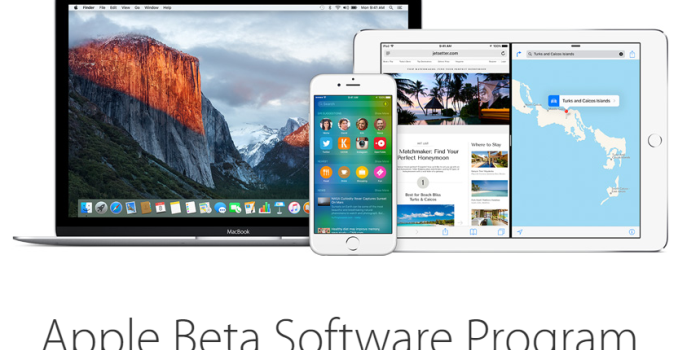
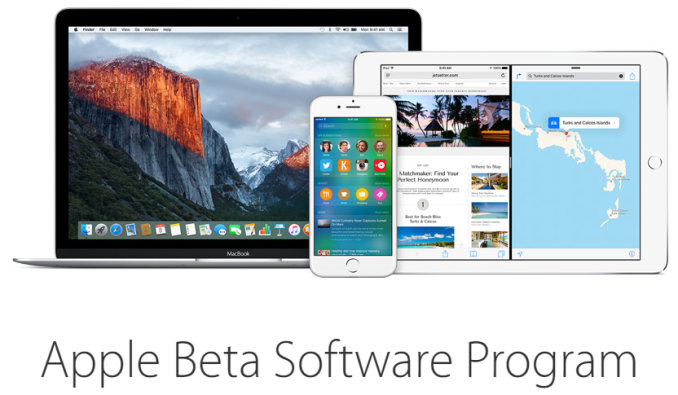
At this year’s WWDC Apple announced that like OS X Yosemite, OS X El Capitan would go through a period where public betas were available to a certain group of consumers in order to receive feedback about stability and features. What was also announced is that iOS 9 would also have a public beta. Consumers have long installed developer betas of iOS to try out new features, but the public beta for iOS 9 marks the first time that consumers have been officially invited to test out Apple’s mobile operating system.

Before installing either of the betas, Apple recommends that users back up their iOS devices to iCloud or their PC, and their Mac to a Time Machine drive. Much like last year, installing the public beta for OS X El Capitan involves entering a redemption code in the Mac App Store in order to add the beta as an item to your list of purchased software. The installer for OS X El Capitan will then begin downloading automatically. Since it’s a full OS upgrade, the installer weighs in at about 6GB.

As for the brand new iOS betas, users will have to install a configuration profile which allows their device to receive the beta updates from Apple. Users will have to agree to an agreement which essentially states that iOS 9 is a beta and things may break or have problems. After accepting, the device must be rebooted. Once all that is done the updates will become available over the air just like any other iOS update. For reference, the first public beta OTA update for the iPhone 5s is 1.4GB in size.

To enroll in the OS X El Capitan and iOS 9 betas users need to join the Apple Beta Software Program. The site is quite slow at the moment due to an influx of users, so it might be worth waiting a little bit if you haven’t enrolled in the program already.
OCZ Trion 100 (240GB, 480GB & 960GB) SSD Review: Bringing Toshiba to the Retail

It’s been a year and a half since OCZ went bankrupt and Toshiba acquired its assets. In this time we have seen OCZ transition all of its products to Toshiba NAND and we have also discussed how Toshiba has helped OCZ with its quality/validation processes, but quite frankly we haven’t seen anything truly concrete coming out of the partnership. The Trion 100 is here to change that as it’s the first Toshiba built drive that will retail under OCZ’s brand and it also the first TLC NAND based SSD from the Toshiba-OCZ organization. Can it match the competition? Read on and find out!

OCZ Trion 100 (240GB, 480GB & 960GB) SSD Review: Bringing Toshiba to the Retail

It’s been a year and a half since OCZ went bankrupt and Toshiba acquired its assets. In this time we have seen OCZ transition all of its products to Toshiba NAND and we have also discussed how Toshiba has helped OCZ with its quality/validation processes, but quite frankly we haven’t seen anything truly concrete coming out of the partnership. The Trion 100 is here to change that as it’s the first Toshiba built drive that will retail under OCZ’s brand and it also the first TLC NAND based SSD from the Toshiba-OCZ organization. Can it match the competition? Read on and find out!

Microsoft Releases Office 2016 For Mac

Microsoft Releases Office 2016 For Mac

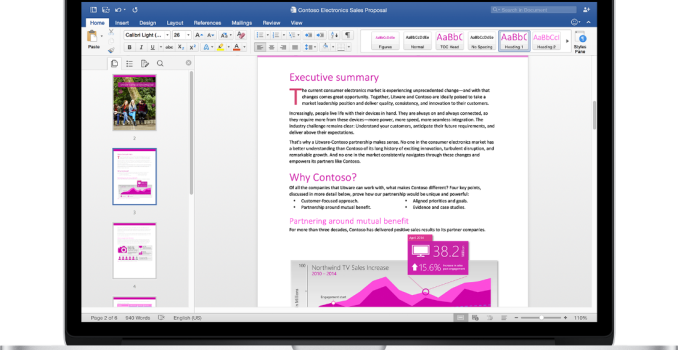
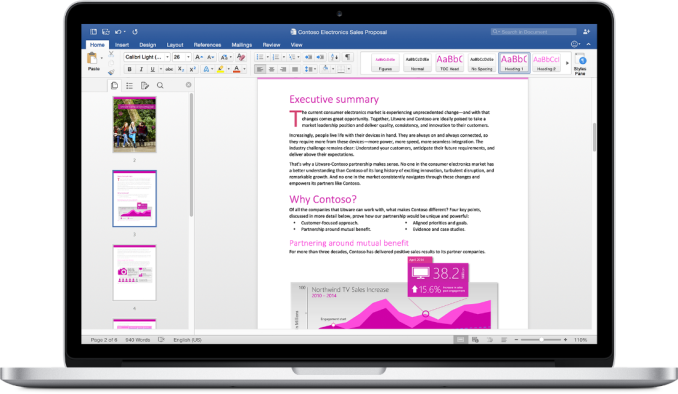
The last major release of Microsoft Office for Mac was the 2011 edition. Due to Microsoft’s naming and release timing, the release of Office 2011 actually took place in late 2010. While Microsoft has made updates to Office 2011 over the years, such as the addition of Retina display support in 2012, the applications in the software suite still look quite dated due to their use of pre-Yosemite OS X interface elements. Today, Microsoft is bringing Office for Mac visually and functionally up to par with the versions on other platforms with the release of Office 2016 for Mac.

Microsoft states that users who use Office on a Windows PC or an iPad will feel right at home with the new apps on OS X, and I’m inclined to agree. The interface doesn’t try to fit in with other parts of OS X with transparency like the previous version did with older OS X design principles, but with Office being such a ubiquitous program I appreciate Microsoft keeping the interface mostly the same across all computers, tablets, and smartphones.

In addition to the new interfaces for core Office apps like Word, Excel, Outlook, and PowerPoint, Microsoft is now including OneNote as part of the application suite. Since there was such a long gap between the original release of Office 2011 and the release of OneNote for Mac, OneNote has been offered as a separate application up until this point.

Office 2016 for Mac is available now to Office 365 subscribers, and in September it will be available for purchase as a standalone product without the need for a subscription.

Microsoft Releases Office 2016 For Mac

Microsoft Releases Office 2016 For Mac

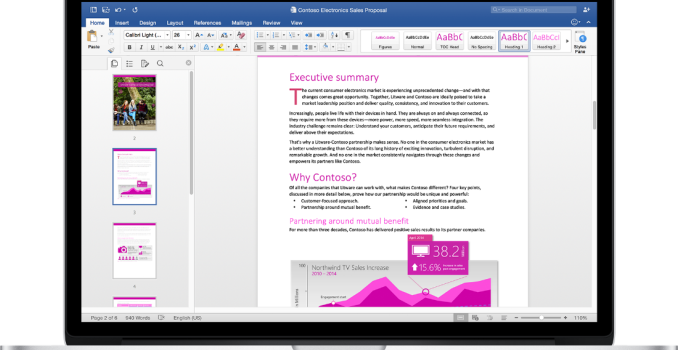
The last major release of Microsoft Office for Mac was the 2011 edition. Due to Microsoft’s naming and release timing, the release of Office 2011 actually took place in late 2010. While Microsoft has made updates to Office 2011 over the years, such as the addition of Retina display support in 2012, the applications in the software suite still look quite dated due to their use of pre-Yosemite OS X interface elements. Today, Microsoft is bringing Office for Mac visually and functionally up to par with the versions on other platforms with the release of Office 2016 for Mac.

Microsoft states that users who use Office on a Windows PC or an iPad will feel right at home with the new apps on OS X, and I’m inclined to agree. The interface doesn’t try to fit in with other parts of OS X with transparency like the previous version did with older OS X design principles, but with Office being such a ubiquitous program I appreciate Microsoft keeping the interface mostly the same across all computers, tablets, and smartphones.

In addition to the new interfaces for core Office apps like Word, Excel, Outlook, and PowerPoint, Microsoft is now including OneNote as part of the application suite. Since there was such a long gap between the original release of Office 2011 and the release of OneNote for Mac, OneNote has been offered as a separate application up until this point.

Office 2016 for Mac is available now to Office 365 subscribers, and in September it will be available for purchase as a standalone product without the need for a subscription.