Vik


Microsoft Demonstrates Android and iOS Applications Running On Windows 10

Microsoft Demonstrates Android and iOS Applications Running On Windows 10

Much to the dismay of some viewers watching at home, Microsoft’s BUILD developer conference today actually focused on technologies designed to benefit developers. However, some of the new developer technologies shown today may end up having profound impacts on Windows users. While Microsoft has never had any issues with making software available for Windows on the desktop, the same can’t be said about Windows in the mobile space. Windows Phones and tablets have suffered from a lack of applications compared to their Android and iOS counterparts, and Microsoft hasn’t been able to convince many developers to make Windows a priority for their mobile applications. Given this situation, Microsoft had to find another solution to the problem, and today at BUILD they showed what may very well be it.

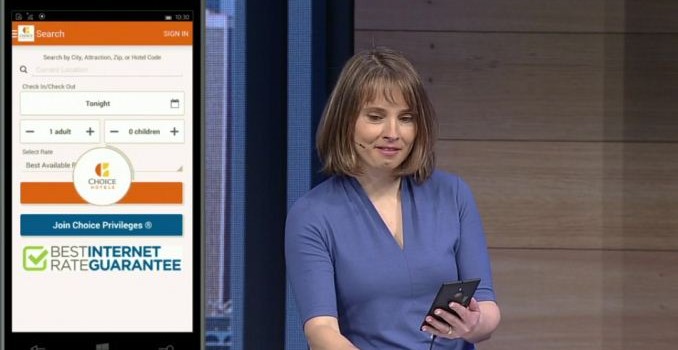
The first big announcement was Project Astoria, which enables support for running Android applications programmed in Java or C++ on Windows 10 phones. During the keynote this was described as an “Android Subsystem” within Windows. The end result is that developers can bring their Android applications over to Windows 10 phones with minimal effort. There will still be issues with applications that link into Google Play services for features like Maps and location, but there are now far fewer hurdles for developers than there have been in the past. Microsoft demonstrated this during the keynote by showing the Choice Hotels application for Android running on a Windows 10 smartphone. The demo did run into a few issues, but it was still impressive to see.

What’s even more remarkable is Microsoft’s work to allow developers to use existing code from iOS applications programmed in Objective C to make Windows 10 applications. This new initiative is called Project Islandwood, and it allows developers can take their existing applications written in Objective C, have Visual Studio convert the Xcode project into a Visual Studio solution, and compile it for Windows 10. The demo shown on stage showed an application written for the iPad being compiled to run on Windows. Not only did it work well, but the application itself was not just a basic app. Apps using UIKit and Core Animation compile fine as Windows 10 applications, and it will be very interesting to see just how far this solution can go in bringing complicated applications over to Windows.

The demonstration during the keynote was a mathematics game which utilized the UIKit framework and Core Animation, and had very complication visual effects and animation. Despite this, the demo worked even more smoothly than the Android application demonstration, and even worked with input using the mouse. Microsoft also revealed that the ability to easily bring applications programmed in Objective C to Windows 10 is not something coming in the distant future, but is a technology that exists now and has already been put to use by game company King in bringing their Candy Crush Saga game to Windows Phone.

One important thing to note is that while Project Islandwood for iOS applications allows developers to create universal Windows apps, Project Astoria is strictly for bringing Android applications to Windows 10 phones.

These two announcements from Microsoft may end up being a game changer for Windows 10 applications on the desktop and more importantly on mobile. Developers still need to be convinced to focus on Windows, but if moving applications over from iOS and Android is as easy as Microsoft has claimed then it shouldn’t be very difficult to get developers on board. Only time will tell how this ends up playing out.
Microsoft Details Improvements To The Windows Store For Users, Businesses, And Developers

Microsoft Details Improvements To The Windows Store For Users, Businesses, And Developers

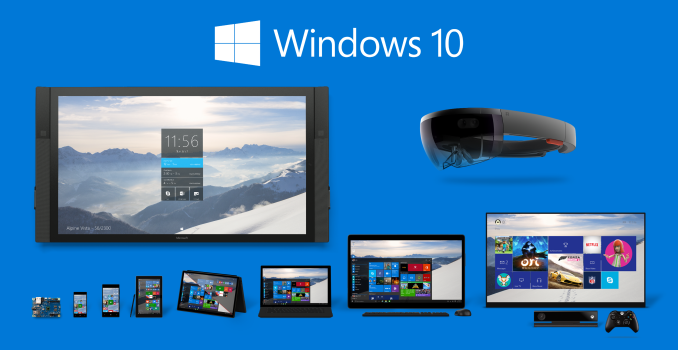
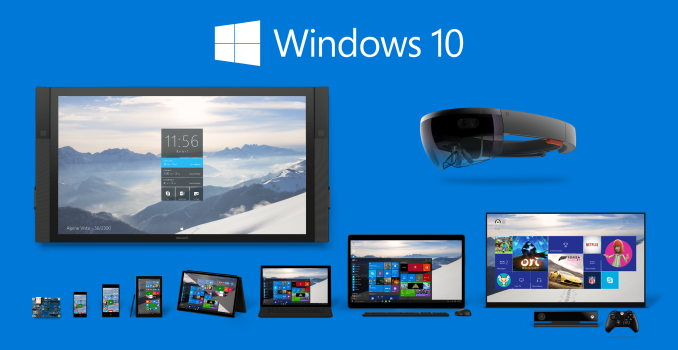
The Windows store was a large area of focus during today’s Microsoft BUILD keynote. As Microsoft expands Windows across multiple platforms and devices, part of their strategy has been enabling developers to make universal applications that will run on all Windows 10 devices. It follows that a store to distribute these applications also exists across all those devices, and so the Windows Store will be a very important area of focus for Microsoft. 

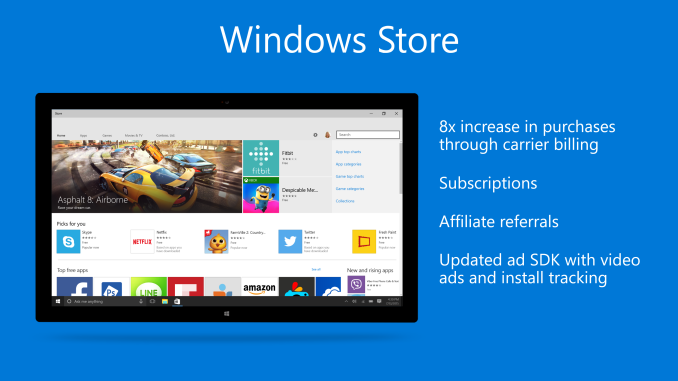
For end users, one of the new capabilities that Microsoft is touting is the wide range of options for billing. According to Microsoft, they have the larger carrier billing network of any ecosystem, with 90 carriers supported worldwide. This is a very key feature for enabling purchases in areas of the world where it is uncommon for a user to have a credit card or access to online payment services like Google Wallet and PayPal. Microsoft is also making note of how applications downloaded from the Windows Store are easy to install and uninstall, and are free from the issues like files left after uninstallation that have plagued some Windows programs for years.

For businesses, Microsoft is allowing company system admins to highlight and distribute apps in the Windows Store to employees using Windows Phone devices. Support for payment methods that are unique to businesses such as purchase orders is also being enabled.

For developers, Microsoft is highlighting a number of new features. Carrier billing is again mentioned, as it allows for developers to target a greater market of people with paid applications. Microsoft is also updating their advertising SDK to support video advertisements and tracking app installs. Support for subscriptions that can be bought via in-app purchases is also being added for applications on the Windows Store.

One final point about the Windows Store that will benefit developers is the new ability to bring .NET and Win32 applications into the store. These applications will be run sandboxed to allow for the same ease of installation and use as current applications in the store, and Microsoft has partnered with Adobe to bring Photoshop Elements to the store as an example of how other developers can do this with their existing applications.

Microsoft Details Improvements To The Windows Store For Users, Businesses, And Developers

Microsoft Details Improvements To The Windows Store For Users, Businesses, And Developers

The Windows store was a large area of focus during today’s Microsoft BUILD keynote. As Microsoft expands Windows across multiple platforms and devices, part of their strategy has been enabling developers to make universal applications that will run on all Windows 10 devices. It follows that a store to distribute these applications also exists across all those devices, and so the Windows Store will be a very important area of focus for Microsoft. 

For end users, one of the new capabilities that Microsoft is touting is the wide range of options for billing. According to Microsoft, they have the larger carrier billing network of any ecosystem, with 90 carriers supported worldwide. This is a very key feature for enabling purchases in areas of the world where it is uncommon for a user to have a credit card or access to online payment services like Google Wallet and PayPal. Microsoft is also making note of how applications downloaded from the Windows Store are easy to install and uninstall, and are free from the issues like files left after uninstallation that have plagued some Windows programs for years.

For businesses, Microsoft is allowing company system admins to highlight and distribute apps in the Windows Store to employees using Windows Phone devices. Support for payment methods that are unique to businesses such as purchase orders is also being enabled.

For developers, Microsoft is highlighting a number of new features. Carrier billing is again mentioned, as it allows for developers to target a greater market of people with paid applications. Microsoft is also updating their advertising SDK to support video advertisements and tracking app installs. Support for subscriptions that can be bought via in-app purchases is also being added for applications on the Windows Store.

One final point about the Windows Store that will benefit developers is the new ability to bring .NET and Win32 applications into the store. These applications will be run sandboxed to allow for the same ease of installation and use as current applications in the store, and Microsoft has partnered with Adobe to bring Photoshop Elements to the store as an example of how other developers can do this with their existing applications.

Microsoft Shows Off Continuum For Windows 10 Phones

Microsoft Shows Off Continuum For Windows 10 Phones

Today Microsoft revealed a number of new features relating to their various platforms at their BUILD developer conference. One of the most interesting features shown was the Continuum feature of Windows 10 phones. Microsoft has previously shown off the ability for tablets to connect to larger screens and input peripherals to act as a computer, and they have now shown those same abilities working on a smartphone. This is possible because applications developed for Windows 10 will be universal applications that can scale from your phone, to your computer, to your television.

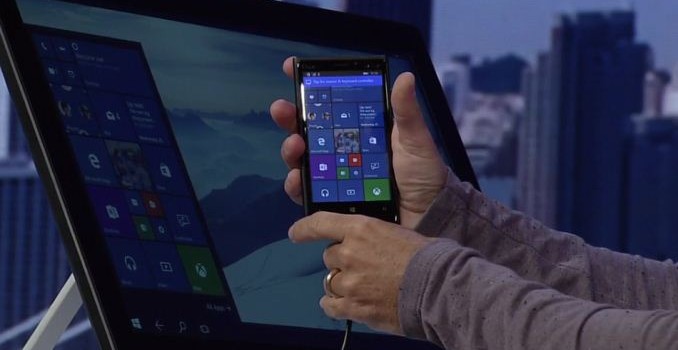
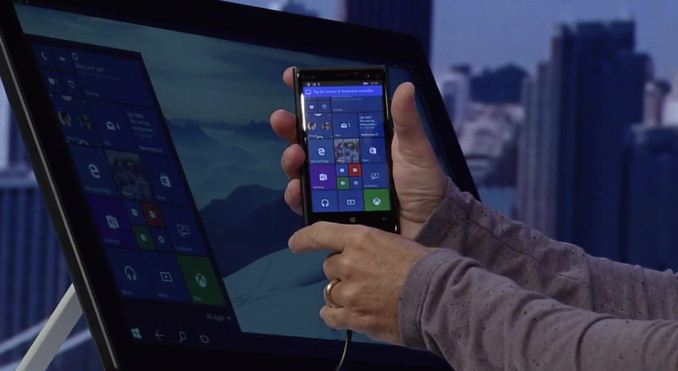
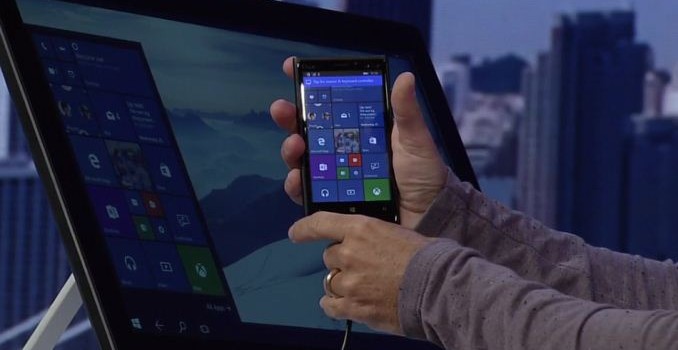
During the keynote a Windows 10 smartphone was shown connected to a large display via HDMI, as well as to a Bluetooth keyboard and mouse. This allowed the phone to essentially act as though it were a Windows 10 computer, with applications like PowerPoint and Excel scaling to use the same layout that you would see when running them on a normal desktop computer. This type of dynamic behavior extends from interface changes to input paradigm changes as well. Devices may change their preferred input mode or interface to suit the peripherals that are or are not attached to a device.

Continuum looks like it will be a very interesting feature. Users will have to wait some time to get their hands on it though, as it won’t be available in the preview release of Windows 10 that is scheduled to come out tomorrow. Microsoft has created a short video to explain a bit more about Continuum on Windows 10 phones and the potential use cases that they see for it, and I’ve embedded that video above.

Microsoft Shows Off Continuum For Windows 10 Phones

Microsoft Shows Off Continuum For Windows 10 Phones

Today Microsoft revealed a number of new features relating to their various platforms at their BUILD developer conference. One of the most interesting features shown was the Continuum feature of Windows 10 phones. Microsoft has previously shown off the ability for tablets to connect to larger screens and input peripherals to act as a computer, and they have now shown those same abilities working on a smartphone. This is possible because applications developed for Windows 10 will be universal applications that can scale from your phone, to your computer, to your television.

During the keynote a Windows 10 smartphone was shown connected to a large display via HDMI, as well as to a Bluetooth keyboard and mouse. This allowed the phone to essentially act as though it were a Windows 10 computer, with applications like PowerPoint and Excel scaling to use the same layout that you would see when running them on a normal desktop computer. This type of dynamic behavior extends from interface changes to input paradigm changes as well. Devices may change their preferred input mode or interface to suit the peripherals that are or are not attached to a device.

Continuum looks like it will be a very interesting feature. Users will have to wait some time to get their hands on it though, as it won’t be available in the preview release of Windows 10 that is scheduled to come out tomorrow. Microsoft has created a short video to explain a bit more about Continuum on Windows 10 phones and the potential use cases that they see for it, and I’ve embedded that video above.