
Vik


Google Launches The New Chromebook Pixel (2015)
Google Launches The New Chromebook Pixel (2015)

Two years ago Google released the original Chromebook Pixel to the world. To this day it has remained the most premium and expensive Chromebook ever made, with specifications that rivaled Ultrabooks more so than Chromebooks.at the time. Its display was also one of the first HiDPI displays to be put on a laptop, which is where the name Chromebook Pixel comes from. Unfortunately, Chrome OS was still in its early days when the original Pixel launched, and it suffered both from a high barrier to entry with its price, and a lack of software functionality that buyers of expensive laptops required. Since that time, Google has continually improved their cloud based applications offerings to have more features and work more seamlessly with existing file formats used by desktop software like Microsoft Office.

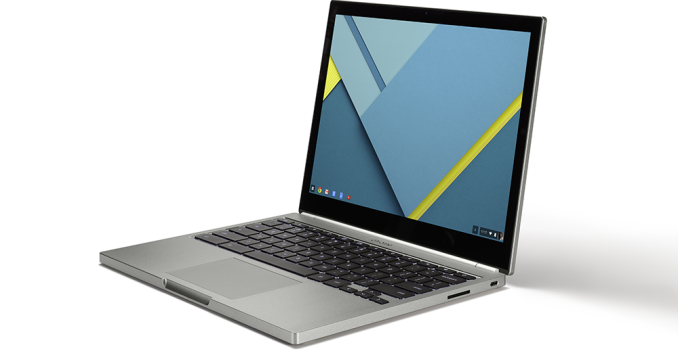
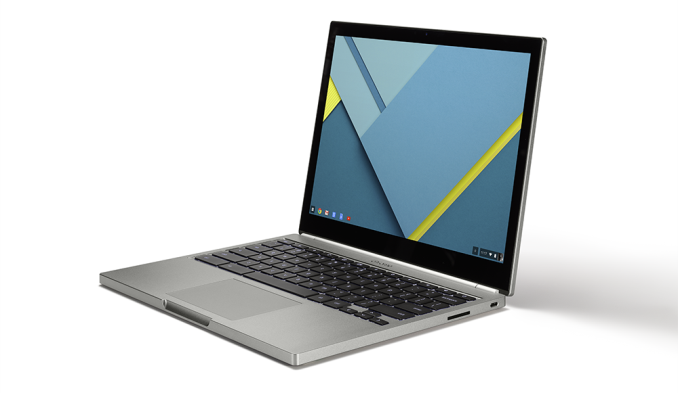
That brings us to today, with the launch of the new Chromebook Pixel. On first glance, it’s difficult to tell this new Pixel from the old one. The chassis has remained largely the same, including its dimensions and its mass. But a careful examination will reveal that this new Pixel makes some huge improvements over the original model, and adopts some new technologies that will be very important going into the future. To get an idea of how this year’s Chromebook Pixel compares to the old model, I’ve put together a chart with the key specifications of both versions below.

  Chromebook Pixel (2013) Chromebook Pixel (2015)
Dimensions 11.72 x 8.84 x 0.64″ 11.72 x 8.84 x 0.64″
Mass 1.52kg 1.52kg
CPU Core i5-3337U (2 cores + HT) Core i5-5200U (2 cores + HT)
L3 Cache 3MB 3MB
Base CPU Clock 1.8GHz 2.2GHz
Max CPU Turbo 2.7GHz 2.7GHz
GPU Intel HD 4000 Intel HD 5500
System Memory 4GB DDR3L-1600 8GB DDR3L-1600
Storage 32GB SSD 32GB
Display 12.85″ 2560×1700 IPS LCD 12.85″ 2560×1700 IPS LCD
Battery 59 Wh 59 Wh
Ports 2 x USB2, Mini DisplayPort, 3.5mm audio, 2 x USB Type-C, 2 x USB3, 3.5mm audio, SD card
Connectivity 2×2 802.11a/b/g/n + BT 3.0 2×2 802.11a/b/g/n/ac + BT 4.0
Launch Price $1299 $999

Like I said above, there are some aspects of this new Pixel that are unchanged from the original. The size, shape, and mass of the laptop remains the same, as do the the basic specifications of its display. But once you move beyond the physical aspects of the device, things become much more interesting. The first big change is to the CPU, which makes sense given that its been two years since the original Pixel was launched. This new model adopts the i5-5200U which is one of Intel’s Broadwell-U CPUs. It’s a 2.2GHz dual core part which can turbo up to 2.7GHz when required. The GPU also moves up to Intel’s HD 5500 graphics from the HD 4000 graphics on the older Ivy Bridge model. While there will be some degree of performance improvement from the new CPU, the real improvement it helps to bring is greatly improved battery life. Google’s battery life estimate for the new Pixel is 12 hours, which is a massive increase over the 5 hours of battery life estimated for the original Pixel.
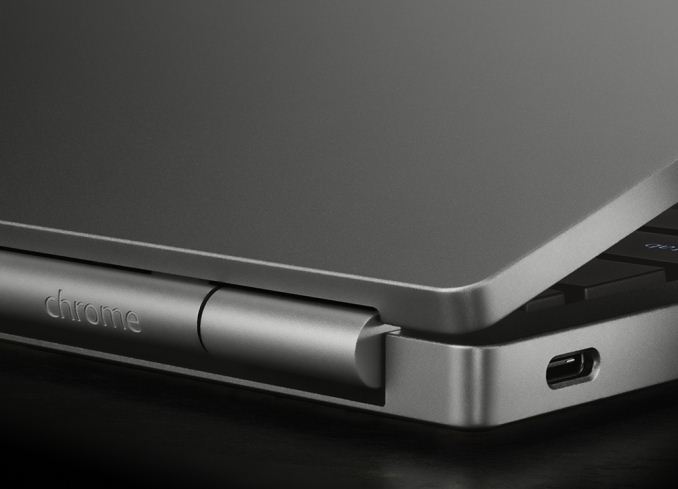
Perhaps the biggest change of all on the new Pixel is its new port configuration. The original model had two USB 2.0 ports, a Mini DisplayPort output, and your standard 3.5mm audio jack and charging port. The new Pixel does away with the dedicated Mini DisplayPort as well as the power jack, and instead replaces both of them with an incredibly versatile standard that we’re finally seeing come to market. Much like the MacBook that Apple launched two days ago, the new Chromebook Pixel features the new USB Type-C standard for both expansion, connections, and charging. However, Google has recognized the benefit of being able to both charge and connect devices simultaneously, and so they’ve included two USB Type-C ports on the Pixel. What’s also nice about the inclusion of one Type-C port on each side is that it allows the Pixel’s charger to be plugged in to whichever side of the laptop is more convenient in a given situation. 
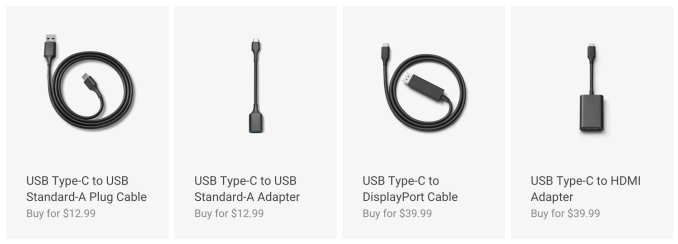
Since Type-C is so versatile, it can replace a whole range of legacy ports. Google will be selling accessories to allow the connection of older USB devices, DisplayPort monitors, and HDMI cords. Google also sells a Type-C to Standard-A cable which can be used to hook the Pixel to any existing USB charging block. You can see the prices for each adapter in the image above. In addition to the two USB Type-C ports, the Pixel also has two USB 3.0 ports, the previously mentioned 3.5mm audio jack, and an SD card reader. 

In addition to the standard Chromebook Pixel, Google will also be offering a Chromebook Pixel LS. The LS stands for “Ludicrous Speed”, and this configuration bumps the CPU to an Intel i7 processor, while doubling both the RAM and SSD storage to 16GB and 64GB respectively. Both these models will only be available in the United States and United Kingdom, with starting prices of $999 for the normal edition and $1299 for the LS edition.

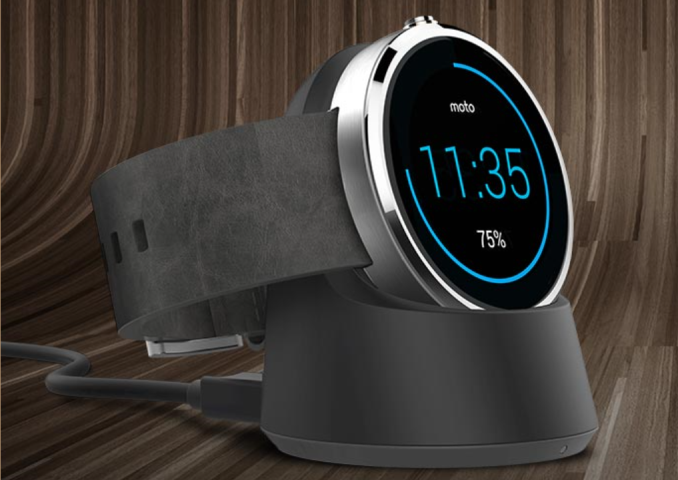
Motorola Launches Moto Maker for the Moto 360

Motorola Launches Moto Maker for the Moto 360

In August of 2013, Motorola launched an innovative web portal, Moto Maker, enabling personalization of the original Moto X immediately prior to purchase. Almost two years later, Moto Maker remains the most comprehensive offering for phone personalization in the industry. While I do not know how many Moto Xs have been sold instead of rival devices due to Moto Maker, anecdotally, the owners of customized Moto X devices always stand out.

Today, Motorola has expanded Moto Maker to include the Moto 360. Watch design preference is very personal so implementing a Moto 360 version of Moto Maker is a natural extension of an existing Motorola capability. This announcement likely also signals Motorola does not intend to replace the Moto 360 soon- despite its aging OMAP 3 processor which was not optimized for the wearable use case.

At launch, the Moto 360 was available with a black or stainless steel case. Leather bands were available in in either black or grey. Since then Motorola launched a metal band variant and allowed purchase of bands separate from the device. Bands can be installed to the Moto 360 with a jewelry tool but Motorola recommends taking the watch to a jeweler.

Todays announcement expands the total available color and material options for the case and bands and also ensures Motorola combines the desired band and case before shipping. Case choices have been expanded to three with the addition of a champagne gold finish option for an extra $30, and band choices have expanded to nine with metal commanding an extra $50. It is odd that the case’s gold finish costs an extra $30 when the same gold finish on the metal band carries no extra cost. See the selection images from Moto Maker below.


Moto Maker also allows you to select the watch face. As an Android Wear user, I find this odd. The watch face is one of the first things setup in the device pairing experience, and can be changed at any time. However, for potential buyers, this provides a previously unavailable preview of the device with many different watch faces. I realize Motorola could not include everything in Moto Maker, but simply selecting a canned watch face is a bit misleading. When you own the device, each of these faces can be further customized. For example, size and color of tick marks and/or background images can be changed.

While making selections, the center of the website updates showing a live preview of your choices. Unlike the Moto X, there is no interactive 3D view available, but instead there are 5 canned views that provide good coverage.

To give the Moto Maker for Moto 360 a spin yourself, hit the Moto Maker Design Studio.

Motorola Launches Moto Maker for the Moto 360

Motorola Launches Moto Maker for the Moto 360

In August of 2013, Motorola launched an innovative web portal, Moto Maker, enabling personalization of the original Moto X immediately prior to purchase. Almost two years later, Moto Maker remains the most comprehensive offering for phone personalization in the industry. While I do not know how many Moto Xs have been sold instead of rival devices due to Moto Maker, anecdotally, the owners of customized Moto X devices always stand out.

Today, Motorola has expanded Moto Maker to include the Moto 360. Watch design preference is very personal so implementing a Moto 360 version of Moto Maker is a natural extension of an existing Motorola capability. This announcement likely also signals Motorola does not intend to replace the Moto 360 soon- despite its aging OMAP 3 processor which was not optimized for the wearable use case.

At launch, the Moto 360 was available with a black or stainless steel case. Leather bands were available in in either black or grey. Since then Motorola launched a metal band variant and allowed purchase of bands separate from the device. Bands can be installed to the Moto 360 with a jewelry tool but Motorola recommends taking the watch to a jeweler.

Todays announcement expands the total available color and material options for the case and bands and also ensures Motorola combines the desired band and case before shipping. Case choices have been expanded to three with the addition of a champagne gold finish option for an extra $30, and band choices have expanded to nine with metal commanding an extra $50. It is odd that the case’s gold finish costs an extra $30 when the same gold finish on the metal band carries no extra cost. See the selection images from Moto Maker below.


Moto Maker also allows you to select the watch face. As an Android Wear user, I find this odd. The watch face is one of the first things setup in the device pairing experience, and can be changed at any time. However, for potential buyers, this provides a previously unavailable preview of the device with many different watch faces. I realize Motorola could not include everything in Moto Maker, but simply selecting a canned watch face is a bit misleading. When you own the device, each of these faces can be further customized. For example, size and color of tick marks and/or background images can be changed.

While making selections, the center of the website updates showing a live preview of your choices. Unlike the Moto X, there is no interactive 3D view available, but instead there are 5 canned views that provide good coverage.

To give the Moto Maker for Moto 360 a spin yourself, hit the Moto Maker Design Studio.