Vik


Apple Announces The New MacBook (2015)
Apple Announces The New MacBook (2015)

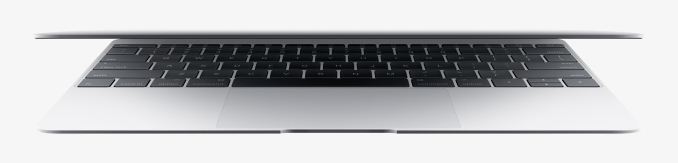
Today Apple announced a brand new MacBook laptop. This new laptop doesn’t fall under Apple’s existing MacBook Pro and MacBook Air categories, but is instead simply called the MacBook. In truth, this is actually more like the return of an old name that hasn’t been seen in some time, rather than the creation of a new product line. When the MacBook Air was introduced, consumers overwhelmingly chose it over the original MacBook line. It eventually absorbed that category of Apple’s laptops, while the Pro line remained for users who needed something with more processing power. 

  The New MacBook
Dimensions  28.05 x 19.65 x 0.35–1.31cm
Mass 920g
CPU Intel Core M-5Y70 or M-5Y71
L3 Cache 4MB
Base CPU Clock 1.1GHz or 1.2GHz
Max CPU Turbo 2.9GHz
GPU Intel HD Graphics 5300
System Memory 8GB 1600MHz LPDDR3
Storage 256GB or 512GB PCI-E SSD
Display 12″ 2304×1440 IPS LCD
Battery 39.7Wh
Ports 1 x USB Type-C, 3.5mm combo jack
Connectivity 2×2 802.11a/b/g/n/ac + BT 4.0
Price $1299 or $1599

This new MacBook was recently rumored, and there have been many different reactions from Apple fans and tech press alike. It’s certainly a departure from even the existing MacBook Air, and in many ways it seems more fitting of the Air name than the current Air does. Apple’s goal was clearly to make something thin, light, and almost appliance like. They’ve certainly succeeded, but in order to get there the MacBook makes some big changes to what is currently thought of as a notebook.
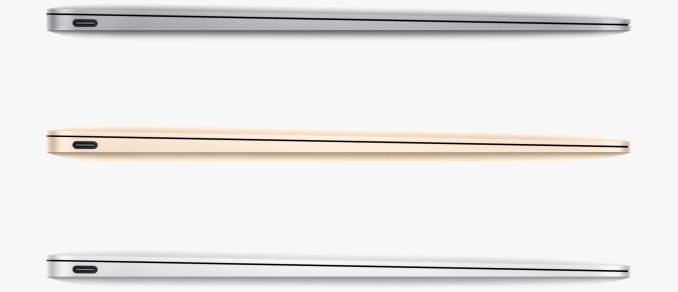
The biggest change is to physical connectivity. Macs currently come with a couple of USB ports, a couple of Thunderbolt 2 ports, a 3.5mm jack for audio, and some connector for power. The new MacBook goes in a completely different direction, ditching every single legacy port with the exception of the 3.5mm jack. Instead, the MacBook has a single USB Type-C port on the left side, and this port is the only method of connecting with other devices, as well as charging. It’s a huge departure from the current MacBooks and laptops in general, and only time will tell how well consumers respond to this change.

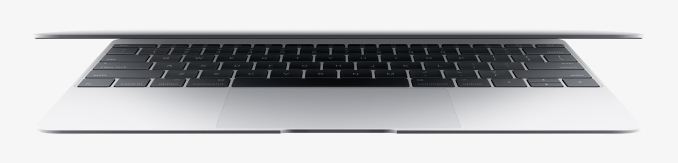
Apple’s pursuit of thinness also necessitated changes to the input devices when compared to other MacBooks. With a slimmer chassis comes less space for the key switches underneath the key caps. In order to make the keyboard on the new MacBook, Apple designed a new type of key switch which they are calling a Butterfly Switch. This new switch is 40% thinner than the scissor switches used on older MacBooks, and it eliminates the wobble that occurs when pressing on the edges of scissor switches. The trackpad has also been redesigned to use Apple’s Force Touch technology from the Apple Watch. which allows the user to press anywhere on the trackpad to click, and gives a haptic response to presses. It can also determine the force of a press to perform gestures or other actions. Both of these changes are interesting, but they do make large changes to the feel of the keyboard and trackpad. Key travel distance has certainly been reduced, and the new trackpad won’t have the clickiness of the old ones. It will be interesting to see how consumers react to these changes.

Apple’s other goal seems to have been making the new MacBook fanless. In order to do so, the new MacBook utilizes Intel’s new Core M processors. The starting configuration at $1299 uses Core M-5Y70 which has a base frequency of 1.1GHz and a turbo frequency of 2.9GHz. The 1.2GHz Core M-5Y71 is available in the $1599 model, and a 1.3GHz version is available as a build to order option on Apple’s online store. All models come with 8GB of LPDDR3 memory standard.
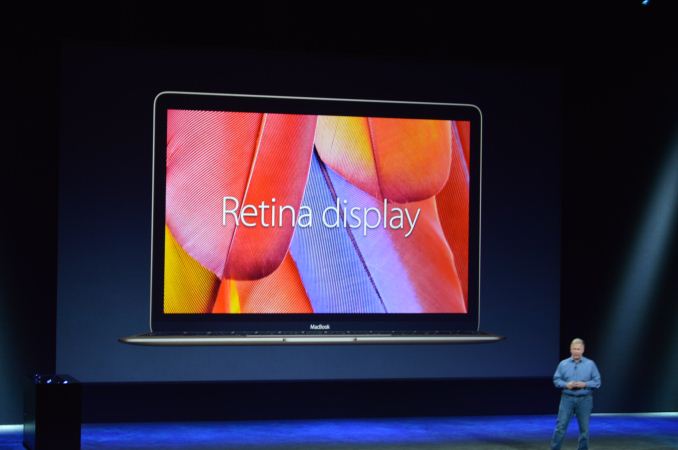
Like all of Apple’s recent products, the new MacBook comes with a Retina display. This is a 12″ 2304×1440 IPS display, which equates to 226 pixels per inch. While this new MacBook is not a MacBook Air, it’s good to see the thin and light laptop in Apple’s line finally moving both to a high resolution display as well as to an IPS panel. Assuming that Apple does the same 2x scaling that they’ve used in all of their other products, users will be given a desktop with the same area as a 1152×720 display which is actually slightly lower than the 11″ MacBook Air. Apple specifies that the scaled resolutions available are 1440×900, 1280×800, and 1024×600, although it remains to be seen how well Intel’s HD 5300 will keep up when rendering at 2880×1800 offscreen for the 1440×900 scaled mode.

This new MacBook reminds me a lot of the iPad. It has a port for charging and for interfacing with other devices via adapters, and a port for your headphones. Everything else is meant to be done wirelessly, and there’s certainly no room for user upgrades or repairs. It’s very much an appliance-like computer, and it’s something very different from any laptop Apple has ever done before. I naturally want to feel skeptical about it, but the MacBook Air was an equally dramatic shift from the norm when it was first introduced, and it eventually replaced the original MacBook line entirely. Whether or not the changes in the new MacBook become common among future laptops is up to consumers. If you want to be one of the first people to enter uncharted territory with this new MacBook, it’ll be available in just over a month, on April 10.
Apple Releases iOS 8.2 With Apple Watch Support

Apple Releases iOS 8.2 With Apple Watch Support

Today at their Spring Forward event Apple made a number of announcements. One smaller but still important update to come from the event was the release of iOS 8.2. The main purpose of iOS 8.2 is to add support for Apple Watch so that devices are ready when it begins to ship next month. It includes the new Apple Watch application, and likely many changes under the hood to prepare devices for when the Apple Watch becomes available.

The Apple Watch application can’t do very much at the moment, but what I found interesting was the fact that the pairing process for the Apple Watch involves the use of the camera. The explore button on the bottom leads to videos and images about the Apple Watch, while the App Store section is currently a placeholder until the Apple Watch actually ships and applications begin to be put on the App Store.

In addition to the new Apple Watch features, the update also fixes several bugs and improves the stability of several applications. Below is the list of major changes provided by Apple, although one should note that there are often many small bug fixes and improvements that don’t make their way onto these changelogs.

  • Apple Watch support

    • New Apple Watch app to pair and sync with iPhone, and to customize watch settings
    • New Activity app for viewing fitness data and achievements from Apple Watch; appears when Apple Watch is paired
    • Available on iPhone 5 and later
  • Health app improvements

    • Adds the ability to select the unit of measurement for distance, body temperature, height, weight and blood glucose
    • Improves stability when dealing with large amounts of data
    • Includes the ability to add and visualize workout sessions from 3rd-party apps
    • Addresses an issue that may have prevented users from adding a photo in Medical ID
    • Fixes units for vitamins and minerals
    • Fixes an issue where Health data wouldn’t refresh after changing data source order
    • Fixes an issue where some graphs showed no data values
    • Adds a privacy setting that enables turning off tracking of steps, distance and flights climbed
  • Stability enhancements

    • Increases stability of Mail
    • Improves stability of Flyover in Maps
    • Improves stability of Music
    • Improves VoiceOver reliability
    • Improves connectivity with Made for iPhone Hearing Aids
  • Bug fixes

    • Fixes an issue in Maps that prevented navigating to some favorite locations
    • Addresses an issue where the last word in a quick reply message wasn’t autocorrected
    • Fixes an issue where duplicate iTunes purchased content could prevent iCloud restore from completing
    • Resolves an issue where some music or playlists didn’t sync from iTunes to the Music app
    • Fixes an issue where deleted audiobooks sometimes remained on device
    • Resolves an issue that could prevent call audio from routing to car speakers while using Siri Eyes Free
    • Fixes a Bluetooth calling issue where no audio is heard until the call is answered
    • Fixes a timezone issue where Calendar events appear in GMT
    • Addresses an issue that caused certain events in a custom recurring meeting to drop from an Exchange calendar
    • Fixes a certificate error that prevented configuring an Exchange account behind a third-party gateway
    • Fixes an issue that could cause an organizer’s Exchange meeting notes to be overwritten
    • Resolves an issue that prevented some Calendar events from automatically showing as ‘Busy’ after accepting an invite

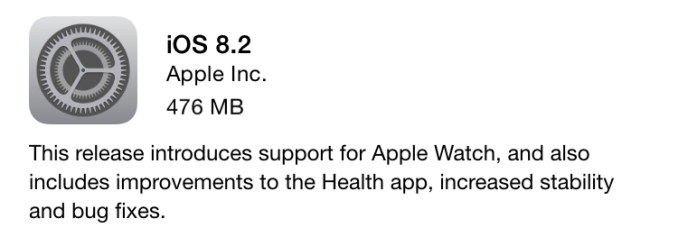
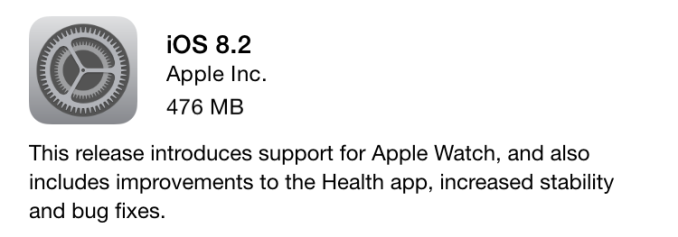
As you can see, there are a fair number of improvements in this release. The size of the update will depend on your device. On an iPhone 6, the OTA update came in at 476MB, while the release for the iPad Air 2 was only 391MB due to the fact that it doesn’t include the new Apple Watch application.

Apple Releases iOS 8.2 With Apple Watch Support

Apple Releases iOS 8.2 With Apple Watch Support

Today at their Spring Forward event Apple made a number of announcements. One smaller but still important update to come from the event was the release of iOS 8.2. The main purpose of iOS 8.2 is to add support for Apple Watch so that devices are ready when it begins to ship next month. It includes the new Apple Watch application, and likely many changes under the hood to prepare devices for when the Apple Watch becomes available.

The Apple Watch application can’t do very much at the moment, but what I found interesting was the fact that the pairing process for the Apple Watch involves the use of the camera. The explore button on the bottom leads to videos and images about the Apple Watch, while the App Store section is currently a placeholder until the Apple Watch actually ships and applications begin to be put on the App Store.

In addition to the new Apple Watch features, the update also fixes several bugs and improves the stability of several applications. Below is the list of major changes provided by Apple, although one should note that there are often many small bug fixes and improvements that don’t make their way onto these changelogs.

  • Apple Watch support

    • New Apple Watch app to pair and sync with iPhone, and to customize watch settings
    • New Activity app for viewing fitness data and achievements from Apple Watch; appears when Apple Watch is paired
    • Available on iPhone 5 and later
  • Health app improvements

    • Adds the ability to select the unit of measurement for distance, body temperature, height, weight and blood glucose
    • Improves stability when dealing with large amounts of data
    • Includes the ability to add and visualize workout sessions from 3rd-party apps
    • Addresses an issue that may have prevented users from adding a photo in Medical ID
    • Fixes units for vitamins and minerals
    • Fixes an issue where Health data wouldn’t refresh after changing data source order
    • Fixes an issue where some graphs showed no data values
    • Adds a privacy setting that enables turning off tracking of steps, distance and flights climbed
  • Stability enhancements

    • Increases stability of Mail
    • Improves stability of Flyover in Maps
    • Improves stability of Music
    • Improves VoiceOver reliability
    • Improves connectivity with Made for iPhone Hearing Aids
  • Bug fixes

    • Fixes an issue in Maps that prevented navigating to some favorite locations
    • Addresses an issue where the last word in a quick reply message wasn’t autocorrected
    • Fixes an issue where duplicate iTunes purchased content could prevent iCloud restore from completing
    • Resolves an issue where some music or playlists didn’t sync from iTunes to the Music app
    • Fixes an issue where deleted audiobooks sometimes remained on device
    • Resolves an issue that could prevent call audio from routing to car speakers while using Siri Eyes Free
    • Fixes a Bluetooth calling issue where no audio is heard until the call is answered
    • Fixes a timezone issue where Calendar events appear in GMT
    • Addresses an issue that caused certain events in a custom recurring meeting to drop from an Exchange calendar
    • Fixes a certificate error that prevented configuring an Exchange account behind a third-party gateway
    • Fixes an issue that could cause an organizer’s Exchange meeting notes to be overwritten
    • Resolves an issue that prevented some Calendar events from automatically showing as ‘Busy’ after accepting an invite

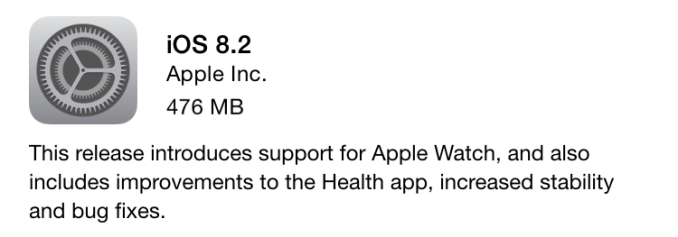
As you can see, there are a fair number of improvements in this release. The size of the update will depend on your device. On an iPhone 6, the OTA update came in at 476MB, while the release for the iPad Air 2 was only 391MB due to the fact that it doesn’t include the new Apple Watch application.

X-Gene 1, Atom C2000 and Xeon E3: Exploring the Scale-Out Server World

Most of our attention with servers has gone to the midrange (Xeon E5, Opteron 6300) and high-end (Xeon E7) platforms. But the low-end and micro server market is where most of the competition, innovation and excitement is. It’s time for some much needed analyses, based on solid real-world benchmarks.

X-Gene 1, Atom C2000 and Xeon E3: Exploring the Scale-Out Server World

Most of our attention with servers has gone to the midrange (Xeon E5, Opteron 6300) and high-end (Xeon E7) platforms. But the low-end and micro server market is where most of the competition, innovation and excitement is. It’s time for some much needed analyses, based on solid real-world benchmarks.