AMD APU Price Cuts and Bundles, October 2014
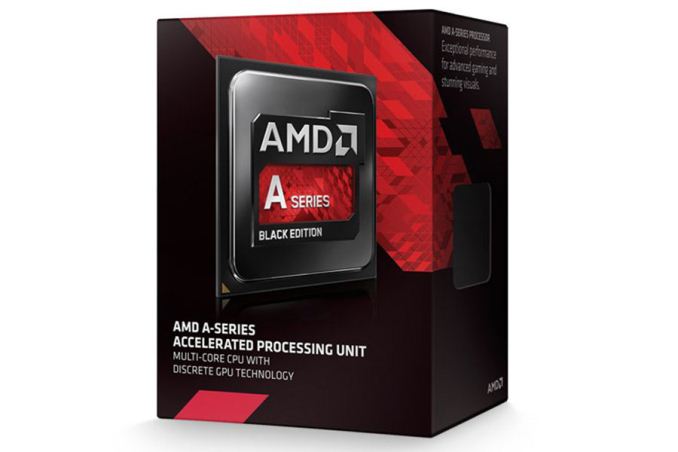
AMD officially announced price cuts on their current APU product stack yesterday, which means the cost of a “mainstream” AMD system is now $20-$30 lower than before. Here’s the quick rundown of features and pricing for the affected APUs, which include both the new Kaveri APUs as well as previous generation Richland APUs:
| AMD APU Pricing, October 2014 | ||||||
| Kaveri APUs | ||||||
| A-series APU Model | CPU/GPU Cores | CPU Clock | Graphics | GPU Clock | TDP (cTDP) | MSRP (USD) |
| A10-7850K | 4CPU + 512GPU | 3.7-4.0 | R7 | 720 | 95 (65/45) | $143 |
| A10-7800 | 4CPU + 512GPU | 3.5-3.9 | R7 | 720 | 65 (45) | $133 |
| A10-7700K | 4CPU + 384GPU | 3.4-3.8 | R7 | 720 | 95 (65/45) | $123 |
| A8-7600 | 4CPU + 384GPU | 3.1-3.8 | R7 | 720 | 65 (45) | $92 |
| A6-7400K | 2CPU + 256GPU | 3.5-3.9 | R5 | 756 | 65 (45) | $58 |
| Richland/Trinity APUs | ||||||
| A10-6800K | 4CPU + 384GPU | 4.1-4.4 | 8670D | 844 | 100 | $112 |
| A8-6600K | 4CPU + 256GPU | 3.9-4.2 | 8570D | 844 | 100 | $92 |
| A4-6300 | 2CPU + 128GPU | 3.7-3.9 | 8370D | 760 | 65 | $34 |
| A4-5300 | 2CPU + 128GPU | 3.4-3.7 | 7480D | 723 | 65 | $31 |
| A4-4000 | 2CPU + 128GPU | 3.0-3.2 | 7480D | 720 | 65 | $27 |
Obviously there are differences between the Kaveri and Richland/Trinity platforms and APUs, so keep in mind that Kaveri requires a socket FM2+ motherboard while Richland/Trinity uses socket FM2 (though there are boards that support both chips). The Kaveri graphics are also GCN based while Richland/Trinity use the older VLIW4 architecture, so you can’t simply compare the number of GPU cores and clock speed to determine which is faster. The CPU architectures are also different, Steamroller for Kaveri and Piledriver for Richland. Finally, Kaveri APUs support Configurable TDP (cTDP), which allows you to run the APU at lower power targets while potentially giving up a bit of performance in fully loaded situations.
In terms of performance, the fastest AMD APUs basically match up against the Core i3 Intel parts on the CPU side, while the GPU portion of the APUs tends to be quite a bit faster. You can legitimately run most games at moderate details with the Kaveri R7 options, while in many cases Intel’s HD 4600 will need to drop the resolution and/or quality to reach reasonable frame rates. As for Kaveri vs. Richland, the CPUs end up mostly being equal (Kaveri wins some tests and Richland wins others) while the GPU favors Kaveri.
Besides the price drops, AMD is also announcing a gaming bundle through the end of October for their A10 APUs (7850K, 7800, 7700K, 6800K, and 6790K): purchasers of one of those APUs can select one of Murdered: Soul Suspect, Thief, or Sniper Elite 3 using the code that comes inside the box. Alternatively, the code can be used to purchase Corel Aftershot Pro 2 for $5 (instead of the normal $60+).
Finally, AMD notes that the above price changes may take some time to show up at retailers. Checking Amazon and Newegg, it looks like the APUs are still priced a bit higher than the suggested prices in the above table. I’ve linked the prices, and all of the Kaveri APUs remain $15-$25 than the MSRP. The faster Richland APUs on the other hand are much closer to the above prices, but the budget APUs tend to be closer to $15 above MSRP right now. Most of the prices should sort themselves out in the coming days, but you’ll want to shop around. Note that there are other APUs that AMD did not specifically list in the price cuts, so prices may or may not decrease on those parts.