Every quarter we like to take a look at the market and offer a summary for a quick recommendation list of laptops. Although there were no new CPU or GPU launches of note that will immediately impact the Q2’17 laptop lineup, there have been quite a few announcements this week at Computex could lead to a shakeup in the next edition when those devices find their way to market.
As always, we’ll break the guide down into several segments to serve various markets, from low-cost, to mid-range, to high end.
Low-Cost Notebooks
First up is the entry-level devices, and although they may cost less than the rest, that doesn’t necessarily mean they will be short of features.
Chuwi LapBook 14.1

If you’re after a mid-size notebook at an affordable price, it’s hard to go wrong with the Chuwi LapBook 14.1. It offers a 1920×1080 IPS display, which is somewhat of a rare find in this segment of 1366×768 TN laptops. It’s based on Intel’s Apollo Lake Celeron N3450, which is four Atom Goldmont cores that can go up to 2.2 GHz. 4 GB of Dual-Channel RAM coupled with 64 GB of eMMC storage make this a surprisingly capable notebook for the price, and although it’s plastic, the material has a great texture to it. This is one of my favorite notebooks of 2017 so far, and it sells for $270 USD.
Chuwi LapBook 12.3

Another Chuwi may seem like favoritism, but this company has been releasing some very interesting PCs for price-sensitive buyers, and the LapBook 12.3 continues the trend of the 14.1 by offering a lot of bang for the buck. Obviously, the name gives away the hint that this is a smaller notebook, but the 12.3-inch display is actually the same 3:2 2736×1824 panel found in the Microsoft Surface Pro, so it offers an impressive 267 pixels-per-inch in this laptop chassis. Like the LapBook 14.1, it’s also powered by a quad-core Celeron N3450 with Intel Atom Goldmont CPU cores, but the LapBook 12.3 bumps the memory from 4 GB to 6GB, while keeping the same 64 GB of eMMC storage. It’s relatively light at 1.45 kg / 3.18 lbs, but heavier than a more expensive Ultrabook would be. This was announced in early April but Chuwi just started shipping it this week. As of this writing, it’s on for $319.99, which is 23% off the regular price which should be around the $400 range. It’s a bit of a bump up from the larger LapBook 14.1, but with a metal chassis and higher resolution display, looks like a nice device.
Chuwi LapBook 12.3
Ultrabooks
Sleek, thin, and capable, Ultrabooks have defined the laptop over the last several years. There have been significant increases to batter life, display quality, and build materials across several lines, and every company now offers at least one laptop in this category.
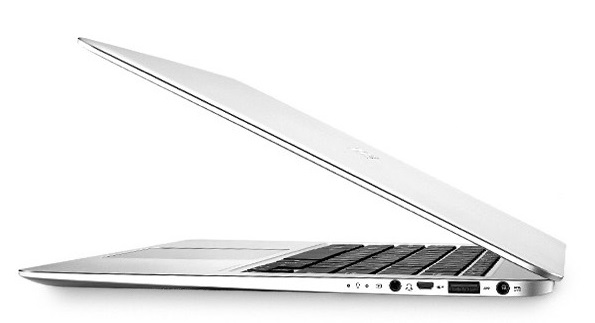
ASUS ZenBook UX330UA

ASUS has a reputation of offering more for less, and the UX330UA follows in that tradition. It features a brushed aluminum chassis packing a 13.3-inch 1920×1080 IPS display, and it weighs in at just 1.18 kg / 2.6 lbs, so it’s very portable. This is a Core i5-7200U model, with 8 GB of RAM and a 256 GB SSD. ASUS also offers a keyboard with an impressive 1.5 mm of travel, and a fingerprint reader for Windows Hello. ASUS is generally quickly onboard with new standards too, and the UX330 offers a USB-C port, although it’s a Gen 1 version.
HP Envy 13
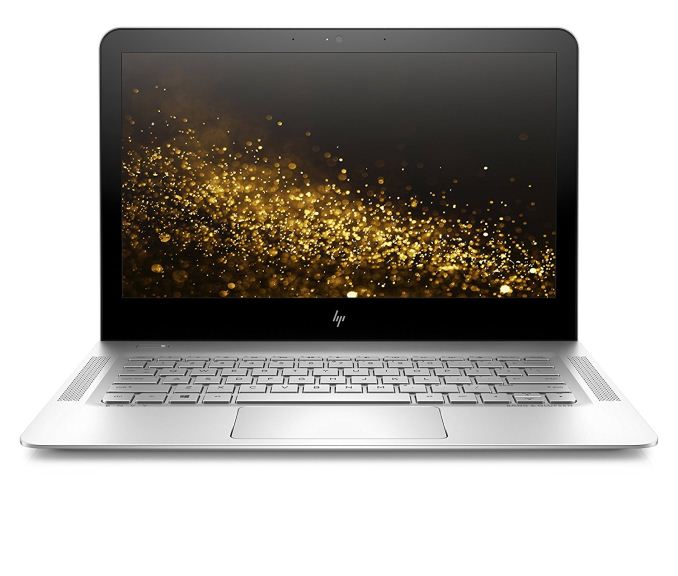
HP has really been upping their game over the last several years, and the Envy 13 is a sleek looking aluminum laptop. It’s a 1920×1080 IPS display, powered by a Core i5-7200U with 8 GB of memory and a 256 GB SSD. HP rates it for up to 14 hours of battery life, so mobility shouldn’t be an issue for the 1.5 kg / 3.3 lb notebook. Somewhat annoyingly, HP’s engineers decided to have the display lift the rear of the notebook up for “comfortable typing” but this is generally not ideal, so that’s something to consider if you prefer your keyboards flat, and your laptops to sit solidly on a table. The HP Envy 13 also includes a USB-C port, which is Gen 1 only, but still, it’s there.
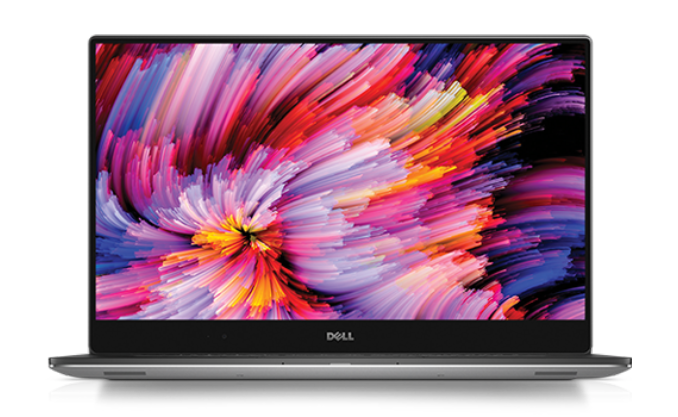
Dell XPS 13

Dell’s XPS 13 has aged well, and it still offers one of the slimmest bezels on any notebook. The latest version features Intel’s Kaby Lake processor, and if you opt for the Core i7, you get the Core i7-7560U with Iris Plus Graphics 640, but if you need to hit a lower budget, the Core i5-7200U should provide good performance as well. The base model still comes with just 4 GB of RAM, so the jump to the 8 GB / 256 GB model is likely the best target for entry if looking at the XPS 13. The highest end models come with a beautiful 3200×1800 QHD+ display, compared to the 1920×1080 panel on the base model, but the lower resolution is easier on the battery. The webcam is still in an awkward location on the bottom bezel of this notebook, thanks to the thin top bezel, so if you’re a heavy webcam user this may be enough to dissuade you from considering this otherwise excellent laptop.
HP Spectre x360

HP’s design team created a very stunning notebook in the Spectre x360, and it’s certainly not form over function. The 13.3-inch display is 1920×1080, and it’s fitted into a narrow bezel giving it an edge-to-edge screen. The dark ash and copper color scheme on the aluminum is very striking, and it’s powered by the usual Ultrabook components in the Kaby Lake U series, with up to 16 GB of DDR4 and 256 GB or 512 GB SSD options. It’s also a 2-in-1, offering a flip-around display to function as a touch device. For those that want a larger laptop in the same Ultrabook form factor, HP also offers this as a 15.6-inch model with a UHD display and GeForce 940MX graphics. The larger model is 2.0 kg / 4.41 lbs, compared to just 1.31 kg / 2.89 lbs of the smaller 13-inch model, but both are very nice looking notebooks.
Razer Blade Stealth
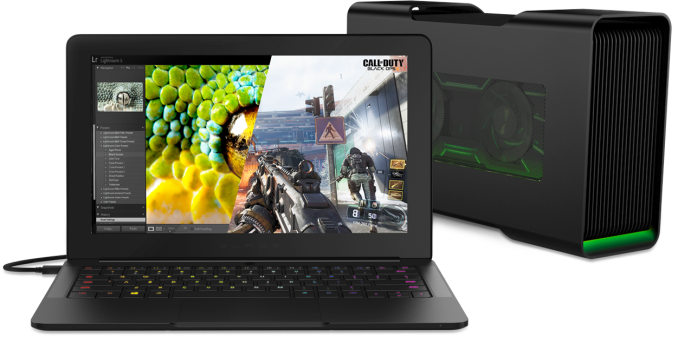
At just 12.5-inches of display, the Razer Blade Stealth offers less display than most of the other Ultrabooks, and the larger bezels mean that it’s not a lot smaller either, but Razer’s Ultrabook certainly offers some great features for a reasonable price. Razer offers both a FHD Core i5 model with a 128 GB SSD for $899 USD, or a Core i7 model with an optional UHD display and 512 GB or 1 TB of SSD storage. The UHD display is 100% Adobe RGB, which isn’t ideal since there’s no color management available, but the pixel density makes it incredibly sharp. Razer still brings its gaming roots to the table too, with an individually lit RGB keyboard, offering almost limitless combinations of color, and external graphics support, in case you want to dock this using the Thunderbolt 3 port and add a desktop graphics card. It’s a very nice, light laptop, with the Razer traditional CNC aluminum chassis.
Microsoft Surface Laptop

Although this hasn’t quite shipped yet (as of this writing), it is available for pre-order now and will ship on June 15th. Microsoft’s Surface brand has some significant advantages over much of the competition, including individually calibrated 3:2 displays, which make them much better for content creation. The Surface Laptop also has an Alcantara keyboard cover, which should offer an interesting feel to the typing experience. There is a Core i5-7200U model, or you can opt for the Core i7-7660U with Intel Iris Plus Graphics 640 with 64 MB of eDRAM and 48 Execution Units on the GPU, up from the standard 24 Execution Units of the generic U series. The display is the same size as the Surface Book, at 13.5-inches, but the resolution drops a bit to 2256×1504, compared to the 3000×2000 of the Surface Book. The lower resolution is likely partially to keep costs down, and also to keep battery life in check. The Surface Laptop weighs in at 1.25 kg / 2.76 lbs, and will be the first laptop shipping with Windows 10 S. This will be a more restrictive version of Windows 10, only allowing Windows Store apps to be installed, but Surface Laptop buyers will be able to unlock Windows 10 Pro for free for the first year. The Surface Laptop will be available in four colors, starting at $999 for the Core i5/4GB/128GB model, and up to $2199 for the Core i7/16GB/512GB version.
15.6-inch Laptops
We’ve already mentioned the HP Spectre x360, since it has a 15.6-inch version, but for some people they need a bit larger computer, with a true quad-core CPU and possibly discreet graphics. The larger notebooks have the room for the additional cooling required for the 45-Watt quad-core processors.
Dell XPS 15

Dell took the winning formula with the XPS 13 and applied it to their larger XPS 15, and the result is a great looking laptop, which has a 15.6-inch display in a smaller than normal chassis. The latest XPS 15 9560 offers quad-core Kaby Lake CPUs, along with the latest NVIDIA GTX 1050 graphics, which is a big jump in performance over what’s available in any Ultrabook. You can get a UHD display with 100% of the Adobe RGB gamut as well, although the battery life takes a big hit with that many pixels, so the base 1920×1080 offering may be better suited to those that need a bit more time away from the power outlet. The keyboard and trackpad are both excellent, just like the XPS 13, and it features the same styling cues. The XPS 15 starts at $999.
Apple MacBook Pro 15

Apple has kept the same Retina display resolution for the newest generation MacBook Pro, but improved the color gamut to cover the P3 color space instead of just sRGB. They’ve slimmed the 15-inch model down a lot, making it only four pounds, and they’ve embraced the next generation of IO with USB-C and Thunderbolt 3. Unfortunately, they’ve completely abandoned the USB-A ports though, so be prepared grab USB-C versions of any peripherals you may need.
The 15-inch MacBook launched with Skylake quad-core CPUs, and feature an AMD Polaris GPU that can drive up to six displays, or, two of the new 5K displays that were announced as well, in addition to the laptop panel. Combined with the low profile and weight, and the latest generation MacBook Pro packs a lot of performance into relatively little space.
Apple has moved to the butterfly switch keyboard on this model as well, and they’ve added a touch bar instead of the function keys. Not everyone has loved the latest MacBook Pros, but if you’re after a new macOS device, these are the best offerings right now.