News


The AnandTech Podcast: Episode 35 - Windows 10 and Skylake

The AnandTech Podcast: Episode 35 – Windows 10 and Skylake

AnandTech Podcast #35: The summer season has been busier than usual. Microsoft released Windows 10, it’s latest operating system, as a free upgrade to current Windows 7 and Windows 8 users, promising it to be the latest and greatest from Microso…

Google Announces Android Wear For iOS

Google Announces Android Wear For iOS

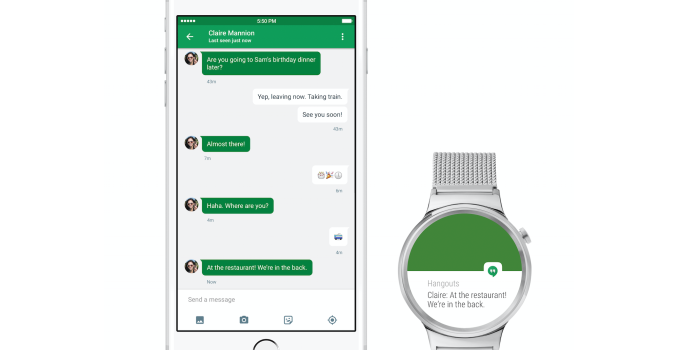
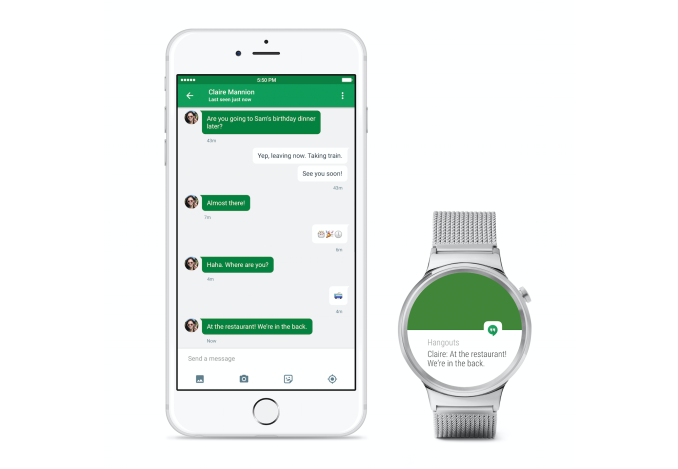
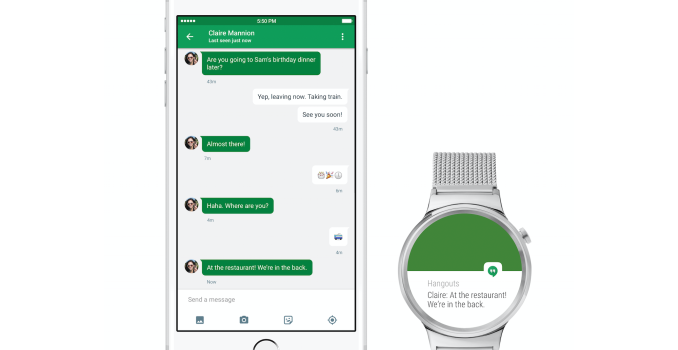
Today Google announced that Android Wear now works with iPhones in addition to Android devices. The expansion to iPhones has been long rumored for the Android Wear platform, which up until now has only worked with Android smartphones.

Using an Android Wear watch with an iPhone is fairly simple. If you own an Android Wear watch which supports iOS, you can just navigate to the Bluetooth section of the iOS settings application and pair your watch to your iPhone. Because Bluetooth 4.0 is required, Android Wear watches will only work with the iPhone 5 and above, not unlike the Apple Watch. You’ll also need to be running iOS 8.2 or newer.

Once you pair your watch with your iPhone, you’ll be able to receive notifications, make and monitor fitness goals, and receive relevant information from Google Now. You can also use the “OK Google” command to make voice searches, which is something that iOS itself has never had throughout the OS due to the limitations of iOS applications.

As of right now, Android Wear for iOS only works on the LG Watch Urbane. According to Google, all future Android Wear devices will support iOS. The wording of Google’s post indicates that iOS support won’t be coming to other existing Android Wear devices, which would be very disappointing if true. More information about this new development for Android Wear can be found in Google’s blog post in the source below.


Google Announces Android Wear For iOS

Google Announces Android Wear For iOS

Today Google announced that Android Wear now works with iPhones in addition to Android devices. The expansion to iPhones has been long rumored for the Android Wear platform, which up until now has only worked with Android smartphones.

Using an Android Wear watch with an iPhone is fairly simple. If you own an Android Wear watch which supports iOS, you can just navigate to the Bluetooth section of the iOS settings application and pair your watch to your iPhone. Because Bluetooth 4.0 is required, Android Wear watches will only work with the iPhone 5 and above, not unlike the Apple Watch. You’ll also need to be running iOS 8.2 or newer.

Once you pair your watch with your iPhone, you’ll be able to receive notifications, make and monitor fitness goals, and receive relevant information from Google Now. You can also use the “OK Google” command to make voice searches, which is something that iOS itself has never had throughout the OS due to the limitations of iOS applications.

As of right now, Android Wear for iOS only works on the LG Watch Urbane. According to Google, all future Android Wear devices will support iOS. The wording of Google’s post indicates that iOS support won’t be coming to other existing Android Wear devices, which would be very disappointing if true. More information about this new development for Android Wear can be found in Google’s blog post in the source below.
The ASUS ZenPad S (Z580CA) Review

When I think of ASUS and Android, the first thing that comes to mind is their past portfolio of Android tablets. ASUS has been making Android tablets since the first wave of Android Honeycomb tablets hit the market. Back then, ASUS’s point of differentiation from all the other Android tablets with essentially the same Tegra 2 hardware platform was their attachable keyboard dock. One could argue that ASUS really pioneered the 2-in-1 tablet form factor with their Transformer tablets. While ASUS continued to release a number of additional Transformer tablets with updated specifications for some time, it has been a while since we’ve seen any new high end tablets from the company. Recent offerings have usually been more budget oriented devices like the MeMO Pad series, or the hard to find ASUS PadFone, with the spot for a more standard tablet being left unfilled.

Today’s review takes a look at a tablet that doesn’t pick up where the Transformer series left off, but instead kicks off a new line of tablets from ASUS under the ZenPad brand. There are a few different ZenPad tablets on the market, with multiple SKUs for each product creating even more versions. The tablet I’m looking at today is the ASUS ZenPad S, and more specifically, the ZenPad S Z580CA, which is ASUS’s most high end tablet offering. To find out everything you need to know about ASUS’s flagship tablet read on for the full review.

The ASUS ZenPad S (Z580CA) Review

When I think of ASUS and Android, the first thing that comes to mind is their past portfolio of Android tablets. ASUS has been making Android tablets since the first wave of Android Honeycomb tablets hit the market. Back then, ASUS’s point of differentiation from all the other Android tablets with essentially the same Tegra 2 hardware platform was their attachable keyboard dock. One could argue that ASUS really pioneered the 2-in-1 tablet form factor with their Transformer tablets. While ASUS continued to release a number of additional Transformer tablets with updated specifications for some time, it has been a while since we’ve seen any new high end tablets from the company. Recent offerings have usually been more budget oriented devices like the MeMO Pad series, or the hard to find ASUS PadFone, with the spot for a more standard tablet being left unfilled.

Today’s review takes a look at a tablet that doesn’t pick up where the Transformer series left off, but instead kicks off a new line of tablets from ASUS under the ZenPad brand. There are a few different ZenPad tablets on the market, with multiple SKUs for each product creating even more versions. The tablet I’m looking at today is the ASUS ZenPad S, and more specifically, the ZenPad S Z580CA, which is ASUS’s most high end tablet offering. To find out everything you need to know about ASUS’s flagship tablet read on for the full review.