
News


StarTech.com TBT3TBTADAP Thunderbolt 3 to Thunderbolt Adapter Review
StarTech.com TBT3TBTADAP Thunderbolt 3 to Thunderbolt Adapter Review

Thunderbolt 3 has got off to a great start as the premium choice for high-speed external I/O – be it external GPU docks or for taking full advantage of PCIe SSDs. Unlike the first two versions of Thunderbolt (which used a mini-Display Port connector), Thunderbolt 3 opted for a USB Type-C connector. There are a number of Thunderbolt 3 devices in the market that are currently certified for use with PCs sporting a Thunderbolt 3 port. However, there are also a large number of legacy Thunderbolt / Thunderbolt 2 products that are certified for use with both PCs and Apple devices. While introducing Thunderbolt 3, Intel promised the delivery of a Thunderbolt 3 to Thunderbolt adapter for modern TB3-equipped PCs to be able to talk to the legacy devices. There has been considerable delay in getting this product to the market since that announcement, but, the adapters have now been selling for the last couple of months.

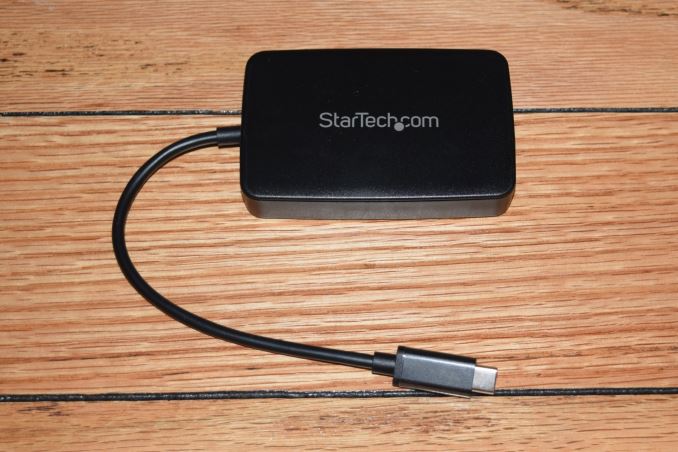
The StarTech.com  TBT3TBTADAP Thunderbolt 3 to Thunderbolt Adapter

The TBT3TBTADAP is meant for use with PCs sporting the new Thunderbolt 3 Type-C interface. It can be used to connect legacy Thunderbolt peripherals to those PCs, but, not vice-versa (i.e, one will NOT be able to use it to connect a Thunderbolt 3 peripheral to a PC equipped with a legacy Thunderbolt port).

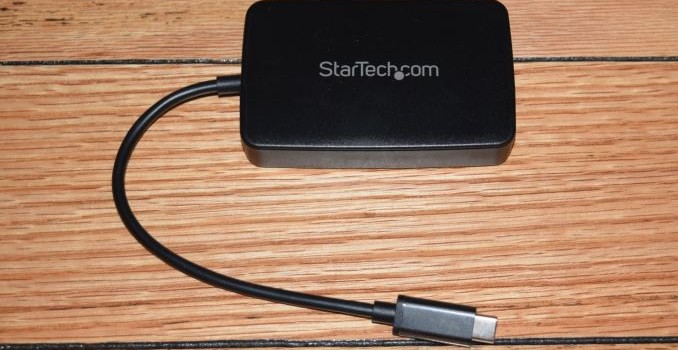
The TBT3TBTADAP package comes with the main adapter and a quick-start guide. The adapter has a permanently attached 8 in. cable with a Type-C male connector at one end. At the other end, we have a female Thunderbolt 2 port.

One of the important aspects to note is that the Thunderbolt 2 port, despite physically being a mini-DP port, doesn’t support mDP or DP monitors. It does, however, support Thunderbolt displays. The adapter can also be used at the top of a daisy chain of legacy Thunderbolt peripherals.

Usage Impressions and Evaluation Setup

Putting the TBT3TBTADAP to use is as simple as plugging in the unit into a Thunderbolt USB-C port of the PC and the legacy Thunderbolt peripheral to the adapter itself. The legacy device gets automatically recognized as a Thunderbolt peripheral on the host PC, and the Thunderbolt software (security / connection options) gets activated. It is imperative that the Thunderbolt firmware and the drivers on the host PC are up-to-date.

The main focus of our evaluation was more on the qualitative aspects, rather than providing performance numbers. Towards this, we tested out the adapter with the following hardware:

It is not possible to evaluate all legacy Thunderbolt devices, but, we personally tested and can vouch that the adapter works with the above hardware. The choice of legacy Thunderbolt peripherals was driven by the fact that the Rugged Thunderbolt is a bus-powered device, while the 2big Thunderbolt 2 is self-powered (connects to an AC wall outlet). In addition, the above configuration also allowed us to test daisy chaining by first connecting the 2big Thunderbolt 2 to the adapter, and the Rugged Thunderbolt to the second Thunderbolt port on the 2big Thunderbolt 2. These configurations worked without a hitch on both of our host PCs.

The adapter also works with Thunderbolt displays, though we didn’t evaluate that aspect ourselves. However, based on various e-tailer consumer reviews, it appears that people have reported mixed results. The root cause seems to be the host system itself. One of the most common resolutions we have seen is a hard power cycle / power on delay after upgrading the Thunderbolt firmware and drivers on the host PC.

Miscellaneous Aspects and Concluding Remarks

The StarTech.com TBT3TBTADAP adapter is an active component. It consumes power from the host system in order to operate. In order to get a quantitative feel of this aspect, we hooked up the adapter to our GIGABYTE host system using the Plugable USBC-TKEY power delivery sniffer. The power consumption was tracked starting with just the adapter connected to the host PC. After some time, the LaCie Rugged Thunderbolt SSD was connected to the adapter and the CrystalDiskMark 5.0.2 benchmarks were processed on it, with a 30-second gap between each of the workloads.

We can see that the adapter consumes 0.184 W from the host system even when there is no legacy peripheral connected to it. Once a peripheral is connected, the major component of the power draw from the Thunderbolt 3 host port is dictated by the connected device and the workload being processed on it.

Incidentally, we also confirmed that the adapter can do TRIM passthrough. This obviously depends on the the capabilities of the storage device being connected via the Thunderbolt link.

Coming to the business end of the review, we can say that the unit fulfills one of the most important requirements for Thunderbolt 3 to succeed – a way to utilize legacy Thunderbolt peripherals with Thunderbolt 3 systems. In our limited testing with a couple of host systems and couple of legacy peripherals, the adapter managed to perform without any hiccups. That said, based upon consumer reviews online, it appears that the experience is heavily dependent on the host system and the peripheral connected to the adapter. Fortunately, StarTech.com’s customer service seems to be taking a proactive role in resolving these user complaints. Based on our own issue-free experience, as well as the general feedback on various e-tailer sites, we have no hesitation in recommending the StarTech.com TBT3TBTADAP Thunderbolt 3 to Thunderbolt Adapter. It is a must-have for consumers with legacy Thunderbolt devices that need to be used with modern systems equipped with Thunderbolt 3 Type-C ports.

The StarTech.com TBT3TBTADAP Thunderbolt 3 to Thunderbolt Adapter is currently available for $79 on Amazon, and carries a 2-year warranty.
StarTech.com TBT3TBTADAP Thunderbolt 3 to Thunderbolt Adapter Review

StarTech.com TBT3TBTADAP Thunderbolt 3 to Thunderbolt Adapter Review

Thunderbolt 3 has got off to a great start as the premium choice for high-speed external I/O – be it external GPU docks or for taking full advantage of PCIe SSDs. Unlike the first two versions of Thunderbolt (which used a mini-Display Port connector), Thunderbolt 3 opted for a USB Type-C connector. There are a number of Thunderbolt 3 devices in the market that are currently certified for use with PCs sporting a Thunderbolt 3 port. However, there are also a large number of legacy Thunderbolt / Thunderbolt 2 products that are certified for use with both PCs and Apple devices. While introducing Thunderbolt 3, Intel promised the delivery of a Thunderbolt 3 to Thunderbolt adapter for modern TB3-equipped PCs to be able to talk to the legacy devices. There has been considerable delay in getting this product to the market since that announcement, but, the adapters have now been selling for the last couple of months.

The StarTech.com  TBT3TBTADAP Thunderbolt 3 to Thunderbolt Adapter

The TBT3TBTADAP is meant for use with PCs sporting the new Thunderbolt 3 Type-C interface. It can be used to connect legacy Thunderbolt peripherals to those PCs, but, not vice-versa (i.e, one will NOT be able to use it to connect a Thunderbolt 3 peripheral to a PC equipped with a legacy Thunderbolt port).

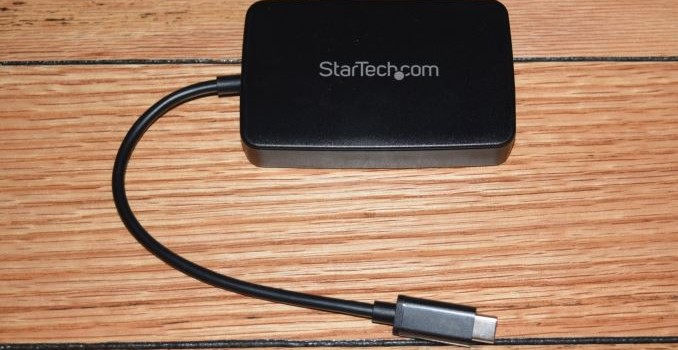
The TBT3TBTADAP package comes with the main adapter and a quick-start guide. The adapter has a permanently attached 8 in. cable with a Type-C male connector at one end. At the other end, we have a female Thunderbolt 2 port.

One of the important aspects to note is that the Thunderbolt 2 port, despite physically being a mini-DP port, doesn’t support mDP or DP monitors. It does, however, support Thunderbolt displays. The adapter can also be used at the top of a daisy chain of legacy Thunderbolt peripherals.

Usage Impressions and Evaluation Setup

Putting the TBT3TBTADAP to use is as simple as plugging in the unit into a Thunderbolt USB-C port of the PC and the legacy Thunderbolt peripheral to the adapter itself. The legacy device gets automatically recognized as a Thunderbolt peripheral on the host PC, and the Thunderbolt software (security / connection options) gets activated. It is imperative that the Thunderbolt firmware and the drivers on the host PC are up-to-date.

The main focus of our evaluation was more on the qualitative aspects, rather than providing performance numbers. Towards this, we tested out the adapter with the following hardware:

It is not possible to evaluate all legacy Thunderbolt devices, but, we personally tested and can vouch that the adapter works with the above hardware. The choice of legacy Thunderbolt peripherals was driven by the fact that the Rugged Thunderbolt is a bus-powered device, while the 2big Thunderbolt 2 is self-powered (connects to an AC wall outlet). In addition, the above configuration also allowed us to test daisy chaining by first connecting the 2big Thunderbolt 2 to the adapter, and the Rugged Thunderbolt to the second Thunderbolt port on the 2big Thunderbolt 2. These configurations worked without a hitch on both of our host PCs.

The adapter also works with Thunderbolt displays, though we didn’t evaluate that aspect ourselves. However, based on various e-tailer consumer reviews, it appears that people have reported mixed results. The root cause seems to be the host system itself. One of the most common resolutions we have seen is a hard power cycle / power on delay after upgrading the Thunderbolt firmware and drivers on the host PC.

Miscellaneous Aspects and Concluding Remarks

The StarTech.com TBT3TBTADAP adapter is an active component. It consumes power from the host system in order to operate. In order to get a quantitative feel of this aspect, we hooked up the adapter to our GIGABYTE host system using the Plugable USBC-TKEY power delivery sniffer. The power consumption was tracked starting with just the adapter connected to the host PC. After some time, the LaCie Rugged Thunderbolt SSD was connected to the adapter and the CrystalDiskMark 5.0.2 benchmarks were processed on it, with a 30-second gap between each of the workloads.

We can see that the adapter consumes 0.184 W from the host system even when there is no legacy peripheral connected to it. Once a peripheral is connected, the major component of the power draw from the Thunderbolt 3 host port is dictated by the connected device and the workload being processed on it.

Incidentally, we also confirmed that the adapter can do TRIM passthrough. This obviously depends on the the capabilities of the storage device being connected via the Thunderbolt link.

Coming to the business end of the review, we can say that the unit fulfills one of the most important requirements for Thunderbolt 3 to succeed – a way to utilize legacy Thunderbolt peripherals with Thunderbolt 3 systems. In our limited testing with a couple of host systems and couple of legacy peripherals, the adapter managed to perform without any hiccups. That said, based upon consumer reviews online, it appears that the experience is heavily dependent on the host system and the peripheral connected to the adapter. Fortunately, StarTech.com’s customer service seems to be taking a proactive role in resolving these user complaints. Based on our own issue-free experience, as well as the general feedback on various e-tailer sites, we have no hesitation in recommending the StarTech.com TBT3TBTADAP Thunderbolt 3 to Thunderbolt Adapter. It is a must-have for consumers with legacy Thunderbolt devices that need to be used with modern systems equipped with Thunderbolt 3 Type-C ports.

The StarTech.com TBT3TBTADAP Thunderbolt 3 to Thunderbolt Adapter is currently available for $79 on Amazon, and carries a 2-year warranty.
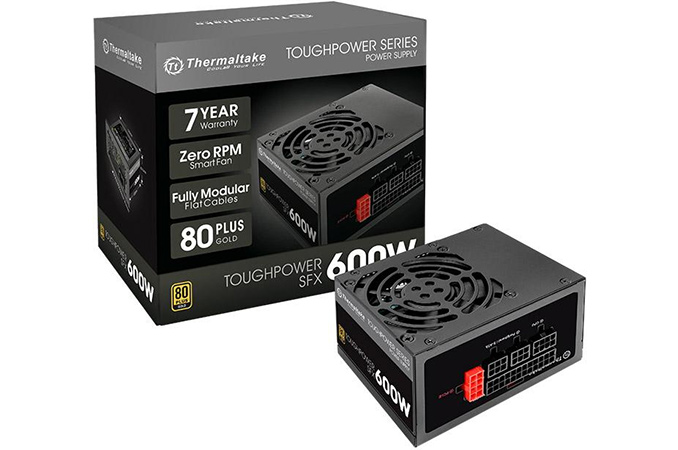
Thermaltake Releases New SFX PSUs: 450W and 600W, rated at 80 PLUS Gold

Thermaltake Releases New SFX PSUs: 450W and 600W, rated at 80 PLUS Gold

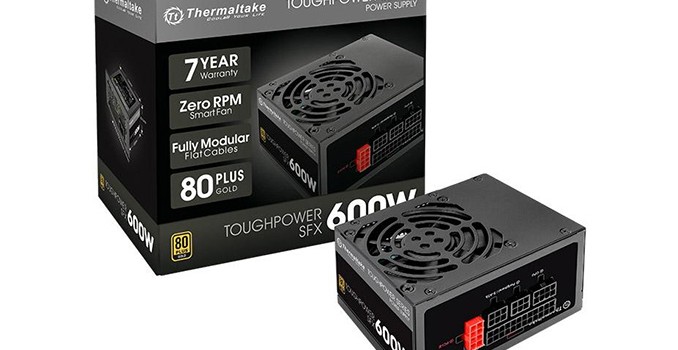
Thermaltake has introduced its first SFX power supplies designed for gaming PCs. The new Toughpower SFX series of PSUs will have two models, both of which are 80 Plus Gold rated and feature a modular design. Thermaltake, which is primarily known for its PC cases and high-power PSUs for high-end PCs, will become the fourth major PSU maker to introduce gaming-grade SFX power supplies after Corsair, FSP and SilverStone.

The Thermaltake Toughpower SFX lineup will have two SKUs rated for 450 W (STP-0450F-G) and 600 W (STP-0600F-G, STP-600AH1FEG) maximum load. Both power suppliers are compliant with SFX12V V3.3 and ATX12V V2.4 specifications as well as carry the 80 Plus Gold certification. Thermaltake advertises three key features: the 80 mm fan that does not operate at low loads, a modular design with flat-type cables to ensure easy cable management, and a seven-year warranty. Thermaltake also includes an SFX to ATX adapter bracket into the package to make its SFX PSUs compatible with Mini-ATX builds as well, which is logical since the power supplies were developed with general gaming PCs in mind and can be used for a variety of PC cases, not just for tiny ones.

The Toughpower SFX PSUs will have a similar internal design (but not exactly the same, see images below) as well as an identical set of connectors. Both power supplies feature EPS12V power connectors (one 24-pin and a 4+4-pin connector), a single PCIe 6+2-pin power connector, one SATA power connector as well as one connector for peripherals.

Thermaltake Toughpower SFX Series
Connector type Hardwired Modular
ATX 24 Pin 1
EPS 4+4 Pin 1
PCI-E 6+2 Pin 1
SATA 1
Peripherals 1

Since both PSUs have only one PCIe 6+2-pin power connector, they are compatible with modern graphic cards that use only one 8-pin PCIe auxiliary power input. Some users may feel that 600W with only one PCIe connector is very limited, and will cut out some of the most powerful small form factor GPUs.

Inside Thermaltake’s Toughpower SFX 450 W (left) and Toughpower SFX 600W (right)

Thermaltake’s Toughpower SFX PSUs should hit the market shortly, but we do not have the prices at this time.