News


Huawei Launches The P9 and P9 Plus
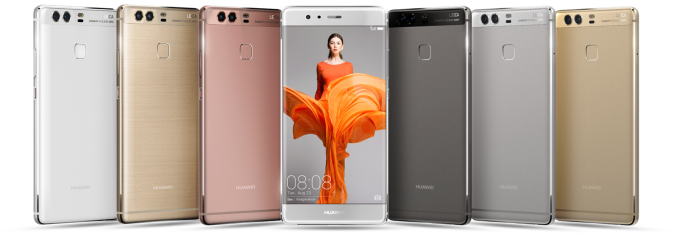
Huawei Launches The P9 and P9 Plus

Today in London, Huawei has launched the latest devices in its P-series line. The P9 and P9 Plus take cues from the previous P8 but also some hardware moves over from the Mate 8 in the form of the SoC base design. The two models come in various memory and storage variants to the EU and Asia, though some colors and high-end storage configurations will be Asia only.

The new P9 and P9 Plus are aluminium unibody designs, with the two main features being the new Kirin 955 SoC and the Dual Camera design on the rear with Leica certification. The way Huawei is using the dual camera design is different to previous dual camera smartphones from other companies – one is a color camera and the other is a black and white camera. This allows several advances over a standard one camera design.

Huawei P9 & P9 Plus
Model P9 P9 Plus
SoC HiSilicon Kirin 955
4x Cortex A53 @ 1.8GHz
4x Cortex A72 @ 2.5GHz
Mali-T880MP4 @ 900MHz (?)
RAM 3 LPDDR3 @ ? MHz / 4GB LPDDR4 @ 1333MHz
NAND
 
32GB / 64GB / 128GB (later) NAND
+  microSD
Display 5.2” 1080p IPS LCD 5.5” 1080p AMOLED
Modem 2G/3G/4G LTE Cat 6 
(Integrated HiSilicon Balong Modem)
Networks TDD LTE B38 / B39 / B40
FDD LTE B1 / B2 / B3 / B4 / B5 / B6 / B7 / B8 / B12 / B17 / B18 / B19 / B20 / B26 / B28
UMTS 850 / 900 / AWS / 1900 / 2100
( B19 / B8 / B6 / B5 / B4 / B2 / B1)
GSM 850 / 900 / 1800 / 1900
Dimensions 145.0 (H) x 70.9 (W) x 6.95mm (D)
144g weight
152.3 (H) x 75.3 (W) x 6.98mm (D)
162g weight
Camera Dual Rear Camera (RGB + Monochrome)
2x 12MP ( X × Y)
 w/ 1.25µm pixels
F/2.2 aperture,  x mm eq.
Front Facing Camera
8MP ( 3264 × 2448 ) 
Sony IMX179 1/3.2″ w/ 1.4µm pixels
F/2.4 aperture, 26mm eq.
Battery 3000mAh 3400mAh
OS Android 6.0
with EmotionUI 4.1
Connectivity  802.11a/b/g/n/ac dual-band 2.4 & 5GHz
BT 4.2, USB-C, GPS/GNSS,
DLNA, NFC
SIM Size NanoSIM +
NanoSIM (w/o microSD)
MSRP 3GB + 32GB Europe: 599€  
4GB + 64GB Europe: 649€ 4GB + 64GB Europe: 749€

Firstly, having black-and-white data means that the grey contrast of an image can be optimized depending on the shot itself. The B/W camera also has fewer color filters in the lens design, allowing for 2x light into the sensor over the color camera, giving an equivalent light data of 3x a single camera design. Thirdly, with two cameras and a separation, based on the contrast data Huawei can use an ISP to attempt triangulation of distance. This allows the integrated software to implement a simulated focal length of F/0.95 to F/16, giving bokeh type effects. This is not a true bokeh, but in the three minutes I played around with the device it did give a similar effect. Both cameras are 12MP, running 1.25 micron pixels and a base F/2.2 aperture. There is a laser autofocus on the P9, but no OIS.

The cameras are Leica certified. The partnership with Leica was announced earlier in the year, but this means that the sensors and lenses pass Leica’s internal tests for color accuracy and reproduction. At this time we were unable to find out who exactly makes each of the sensors, although when we get the device in house (hopefully after the press event today) we can find out. Leica’s partnership also extends to the software, allowing the new camera features to be used.


Gallery: Huawei P9

Both the P9 and P9 Plus have the same camera arrangement and underlying Kirin 955 SoC. This is an upgrade over the Kirin 950 we saw in the Huawei Mate 8, with increased clock speeds (+200MHz on the A72 cores to reach 2.5GHz) and upgraded ISP/DSPs in silicon. HiSilicon states that power efficiency has seen an improvement over the Kirin 950, which should result in outstanding battery life for the P9.

The difference between the P9 and P9 Plus will be in several areas. Both devices are 1920×1080 (FHD) resolution, with the P9 at 5.2-inch and the P9 Plus at 5.5-inch. The P9 Plus will use a Super AMOLED display, with the P9 being a standard IPS but with 69% DCI-P3 gamut. The DRAM/storage configurations will be different as well. The P9 will be available in 3GB/32GB and 3GB/64GB variants (LPDDR3, eMMC), with a 4GB/128GB variant coming to Asia in the future (LPDDR4). The P9 Plus by contrast will have a base 4GB/64GB model, again with a 128GB model for Asia.

The P9 Plus in all variants will feature Huawei’s Force Touch technology, as seen on the Mate S 128GB version, however we are told that the utility of the feature will have increased beyond picture zoom and weighing fruit. Also, the EU will have the Mystic Silver and Titanium Grey colors only, while Asia also gets the Rose Gold and Haze Gold variants.

Both the P9 and P9 Plus will use USB Type-C, with Asian versions supporting Dual SIM functionality. The P9 battery runs at 3000 mAh compared to the P9 Plus at 3400 mAh, with both devices listed as 1.5-day battery run time. Both devices feature the same fingerprint sensor from the Mate 8, with the P9 Plus having an IR blaster as well. Both devices (in our quick hands on) ran Huawei’s customized EMUI 4.1 interface, which is reminiscent of iOS. Both devices also support knuckle interactions, similar to the Mate S.

Pricing for the 3GB/32GB and 4GB/64GB models of the P9 comes in at 599€ and 649€, while the P9 Plus in its 4GB/64GB variant comes at 749€. The P9 should hit the shelves in April, with the P9 Plus in May. 128GB variants for Asia will be slightly later than the smaller storage implementations.


Huawei Launches The P9 and P9 Plus

Huawei Launches The P9 and P9 Plus

Today in London, Huawei has launched the latest devices in its P-series line. The P9 and P9 Plus take cues from the previous P8 but also some hardware moves over from the Mate 8 in the form of the SoC base design. The two models come in various memory and storage variants to the EU and Asia, though some colors and high-end storage configurations will be Asia only.

The new P9 and P9 Plus are aluminium unibody designs, with the two main features being the new Kirin 955 SoC and the Dual Camera design on the rear with Leica certification. The way Huawei is using the dual camera design is different to previous dual camera smartphones from other companies – one is a color camera and the other is a black and white camera. This allows several advances over a standard one camera design.

Huawei P9 & P9 Plus
Model P9 P9 Plus
SoC HiSilicon Kirin 955
4x Cortex A53 @ 1.8GHz
4x Cortex A72 @ 2.5GHz
Mali-T880MP4 @ 900MHz (?)
RAM 3 LPDDR3 @ ? MHz / 4GB LPDDR4 @ 1333MHz
NAND
 
32GB / 64GB / 128GB (later) NAND
+  microSD
Display 5.2” 1080p IPS LCD 5.5” 1080p AMOLED
Modem 2G/3G/4G LTE Cat 6 
(Integrated HiSilicon Balong Modem)
Networks TDD LTE B38 / B39 / B40
FDD LTE B1 / B2 / B3 / B4 / B5 / B6 / B7 / B8 / B12 / B17 / B18 / B19 / B20 / B26 / B28
UMTS 850 / 900 / AWS / 1900 / 2100
( B19 / B8 / B6 / B5 / B4 / B2 / B1)
GSM 850 / 900 / 1800 / 1900
Dimensions 145.0 (H) x 70.9 (W) x 6.95mm (D)
144g weight
152.3 (H) x 75.3 (W) x 6.98mm (D)
162g weight
Camera Dual Rear Camera (RGB + Monochrome)
2x 12MP ( X × Y)
 w/ 1.25µm pixels
F/2.2 aperture,  x mm eq.
Front Facing Camera
8MP ( 3264 × 2448 ) 
Sony IMX179 1/3.2″ w/ 1.4µm pixels
F/2.4 aperture, 26mm eq.
Battery 3000mAh 3400mAh
OS Android 6.0
with EmotionUI 4.1
Connectivity  802.11a/b/g/n/ac dual-band 2.4 & 5GHz
BT 4.2, USB-C, GPS/GNSS,
DLNA, NFC
SIM Size NanoSIM +
NanoSIM (w/o microSD)
MSRP 3GB + 32GB Europe: 599€  
4GB + 64GB Europe: 649€ 4GB + 64GB Europe: 749€

Firstly, having black-and-white data means that the grey contrast of an image can be optimized depending on the shot itself. The B/W camera also has fewer color filters in the lens design, allowing for 2x light into the sensor over the color camera, giving an equivalent light data of 3x a single camera design. Thirdly, with two cameras and a separation, based on the contrast data Huawei can use an ISP to attempt triangulation of distance. This allows the integrated software to implement a simulated focal length of F/0.95 to F/16, giving bokeh type effects. This is not a true bokeh, but in the three minutes I played around with the device it did give a similar effect. Both cameras are 12MP, running 1.25 micron pixels and a base F/2.2 aperture. There is a laser autofocus on the P9, but no OIS.

The cameras are Leica certified. The partnership with Leica was announced earlier in the year, but this means that the sensors and lenses pass Leica’s internal tests for color accuracy and reproduction. At this time we were unable to find out who exactly makes each of the sensors, although when we get the device in house (hopefully after the press event today) we can find out. Leica’s partnership also extends to the software, allowing the new camera features to be used.


Gallery: Huawei P9

Both the P9 and P9 Plus have the same camera arrangement and underlying Kirin 955 SoC. This is an upgrade over the Kirin 950 we saw in the Huawei Mate 8, with increased clock speeds (+200MHz on the A72 cores to reach 2.5GHz) and upgraded ISP/DSPs in silicon. HiSilicon states that power efficiency has seen an improvement over the Kirin 950, which should result in outstanding battery life for the P9.

The difference between the P9 and P9 Plus will be in several areas. Both devices are 1920×1080 (FHD) resolution, with the P9 at 5.2-inch and the P9 Plus at 5.5-inch. The P9 Plus will use a Super AMOLED display, with the P9 being a standard IPS but with 69% DCI-P3 gamut. The DRAM/storage configurations will be different as well. The P9 will be available in 3GB/32GB and 3GB/64GB variants (LPDDR3, eMMC), with a 4GB/128GB variant coming to Asia in the future (LPDDR4). The P9 Plus by contrast will have a base 4GB/64GB model, again with a 128GB model for Asia.

The P9 Plus in all variants will feature Huawei’s Force Touch technology, as seen on the Mate S 128GB version, however we are told that the utility of the feature will have increased beyond picture zoom and weighing fruit. Also, the EU will have the Mystic Silver and Titanium Grey colors only, while Asia also gets the Rose Gold and Haze Gold variants.

Both the P9 and P9 Plus will use USB Type-C, with Asian versions supporting Dual SIM functionality. The P9 battery runs at 3000 mAh compared to the P9 Plus at 3400 mAh, with both devices listed as 1.5-day battery run time. Both devices feature the same fingerprint sensor from the Mate 8, with the P9 Plus having an IR blaster as well. Both devices (in our quick hands on) ran Huawei’s customized EMUI 4.1 interface, which is reminiscent of iOS. Both devices also support knuckle interactions, similar to the Mate S.

Pricing for the 3GB/32GB and 4GB/64GB models of the P9 comes in at 599€ and 649€, while the P9 Plus in its 4GB/64GB variant comes at 749€. The P9 should hit the shelves in April, with the P9 Plus in May. 128GB variants for Asia will be slightly later than the smaller storage implementations.
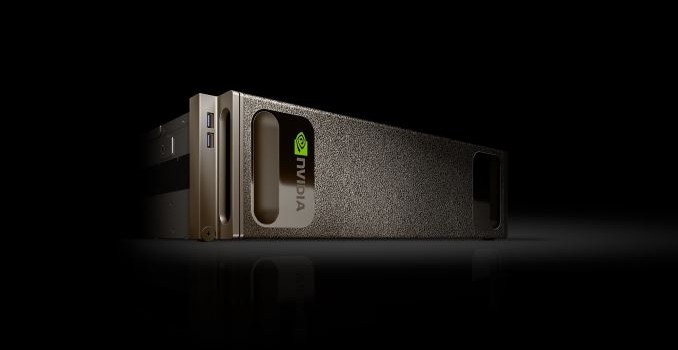
 

NVIDIA Unveils the DGX-1 HPC Server: 8 Teslas, 3U, Q2 2016

NVIDIA Unveils the DGX-1 HPC Server: 8 Teslas, 3U, Q2 2016

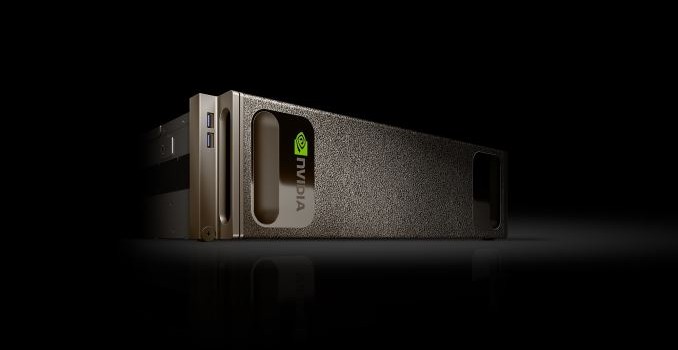
For a few years now, NVIDIA has been flirting with the server business as a means of driving the growth of datacenter sales of their products. A combination of proof-of-concept hardware configurations and going into spaces not necessarily served right…

NVIDIA Unveils the DGX-1 HPC Server: 8 Teslas, 3U, Q2 2016

NVIDIA Unveils the DGX-1 HPC Server: 8 Teslas, 3U, Q2 2016

For a few years now, NVIDIA has been flirting with the server business as a means of driving the growth of datacenter sales of their products. A combination of proof-of-concept hardware configurations and going into spaces not necessarily served right…

Vivaldi Web Browser Launches With Version 1.0: Built For Power Users Of The Web

Vivaldi Web Browser Launches With Version 1.0: Built For Power Users Of The Web

Today, Vivaldi has gone from a beta project to a production web browser with the official launch of version 1.0. After more than a year in public development, the team led by Opera Software co-founder Jon Stephenson von Tetzchner is ready to release their take on the modern browser with this first release. They are calling it a new browser for the web’s most demanding users, and they are trying to build an approach that focuses on the tasks that people want to do on the web.

The company has looked at the approaches by the other major browser makers, and seen a move towards simplification of their interfaces. With Vivaldi, the team wants to bring back features that have been dropped over the years, as well as create new functionality that doesn’t exist today, or perhaps needs extensions added to the browser to work. I use Microsoft Edge and Google Chrome as my two primary browsers, and both of them have been lacking for me in different ways, so I took the final release version of Vivaldi for a brief spin.

Vivaldi is built on the Blink layout engine, which is part of the Chromium project and the layout engine used by Google’s Chrome browser. But Vivaldi adds a lot of functionality right out of the gate, with a wide range of features consolidated into the basic install, and with the ability to customize the browser to your own liking as one of the key goals of the project.

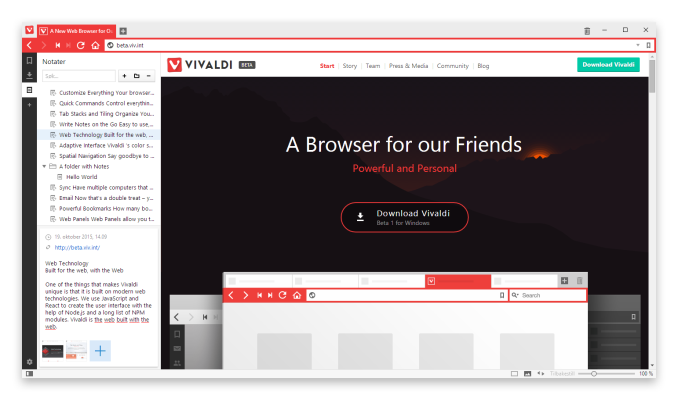
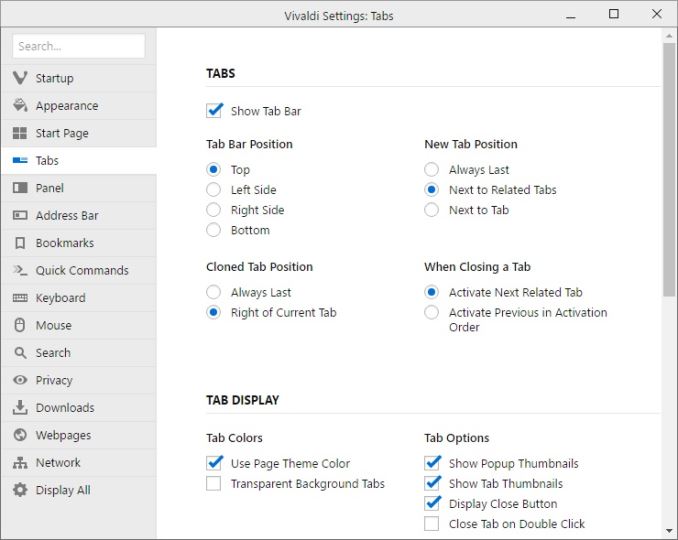
The customizability is apparent from the first install. Right away the install asks several questions about tab layout, looks, and more, before diving into the web itself. Once up and running, you can go into the settings and configure a huge array of options, including changing the tab locations, startup, appearance, and privacy. There are literally too many settings to go through here, but the end result is quite a bit of choice for the end user, and that’s a good thing.

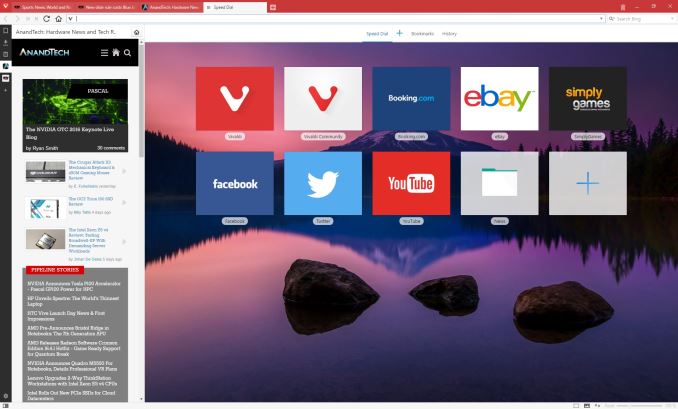
Vivaldi also has some great features for managing the web and customizing your workflow. It includes Tab Stacks, and you can set that up by just dragging a tab onto another one, and then you can access each stacked tab with keyboard shortcuts or by clicking the top of the stack. It also has Tab Stack Tiling, allowing you to display multiple pages at the same time, with multiple tab stacks. You can also set websites up as Web Panels, giving you a smaller slice of the website pinned to the side. This works great for things like Twitter, and lets you monitor it while having another page up in the main area. Mobile responsive sites will also nicely collapse into these web panels.

Vivaldi also features the ability to save web sessions, and you can then open the entire session at once to get back to work quickly. If you need to jot something down quickly, it features built-in notes as well. Navigation can be done quickly with a fast forward and rewind function, with fast forward taking you to the next logical page of the site you are on, and rewind takes you back to the first page you browsed to if you’ve gone to several pages on a site.

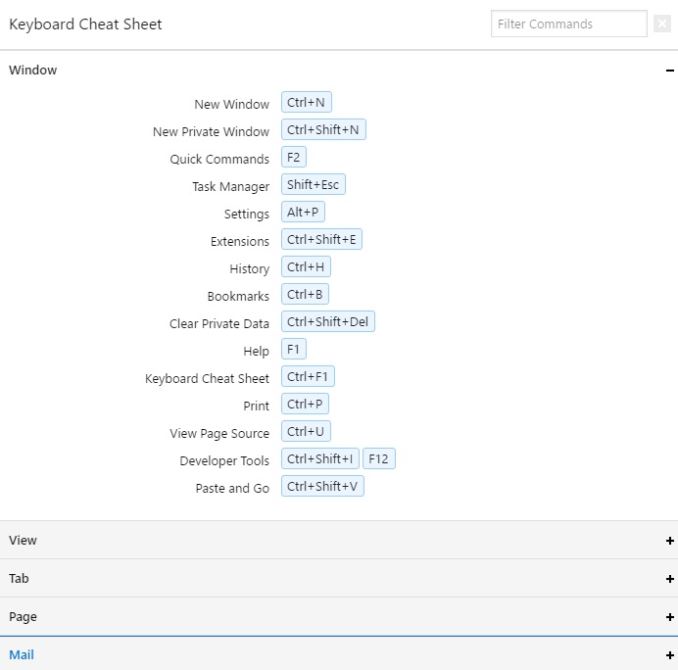
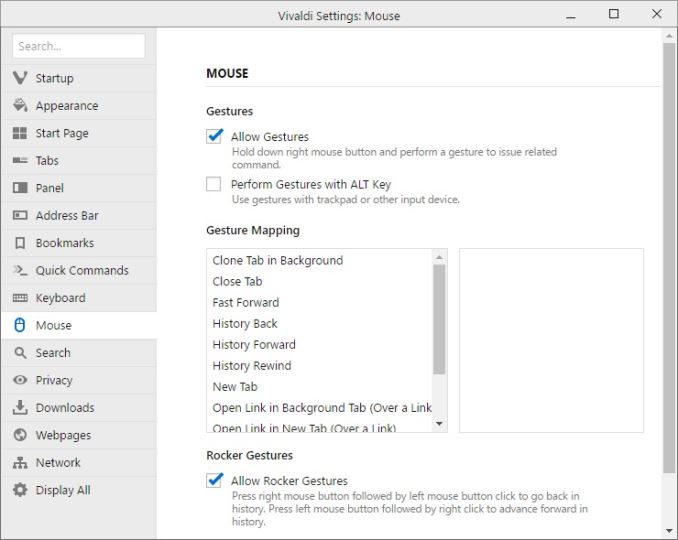
Since this browser is built for the power user, it also features a large list of keyboard shortcuts to keep your hands ready for typing, and in addition it also supports a pretty big list of mouse gestures, which can be accessed by holding the right mouse button. For example, you can go back and forward with just a mouse gesture by holding the right mouse and gesturing left or right. For those with a trackpad, you can optionally enable holding the Alt key to enable the same features on a trackpad.

The user interface for Vivaldi is built around the same web technologies that it renders, such as HTML 5, node.js, and more. The interface can do nifty things like automatically change colors based on the page you are on.

One of the nicest little features I’ve already noticed is that Vivaldi will show you the size of a web page in the address bar as it loads, giving you a nice little glimpse at just how much data you are pulling in on a single page.

I’ve tested Vivaldi on a high DPI display, and both the installer and browser itself seems to adapt very well to higher resolution displays, at least on Windows. It wasn’t always the case earlier in the preview stages for the browser, so the team has done some nice work to get this sorted out.

I’m not sure if the world is ready for yet another web browser, but the Vivaldi product seems to pack in a pretty impressive set of features, along with a nice looking interface with plenty of customizability. As someone who has been somewhat disappointed in the browsers I’ve been using, Vivaldi is going to get some screen time on my PCs and we’ll see how it handles day to day use. Being based on Blink should be a good start for things like page layout and performance, but with more functionality built in than you get out of the box on Chrome.

If you want to give Vivaldi a spin, check it out here:

https://vivaldi.com/