News


The Dell XPS 15 9550 Review: Infinity Edge Lineup Expands

It was roughly a year ago that we had a chance to review Dell’s XPS 13, which was the first laptop from Dell to feature the Infinity Edge display. In addition to making the laptop look as much like a bezel-less display as possible, it also let D…

Samsung Begins to Ship 15.36 TB SSD for Enterprise Storage Systems

Samsung Begins to Ship 15.36 TB SSD for Enterprise Storage Systems

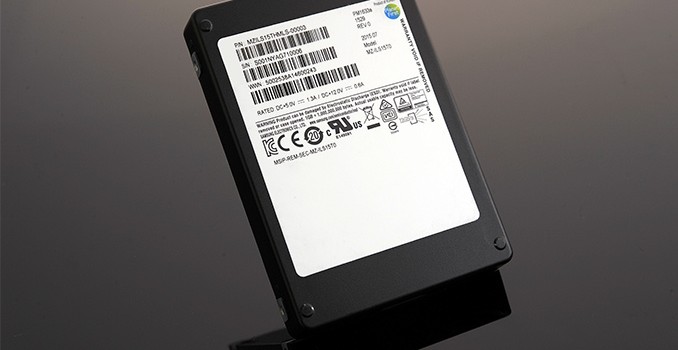
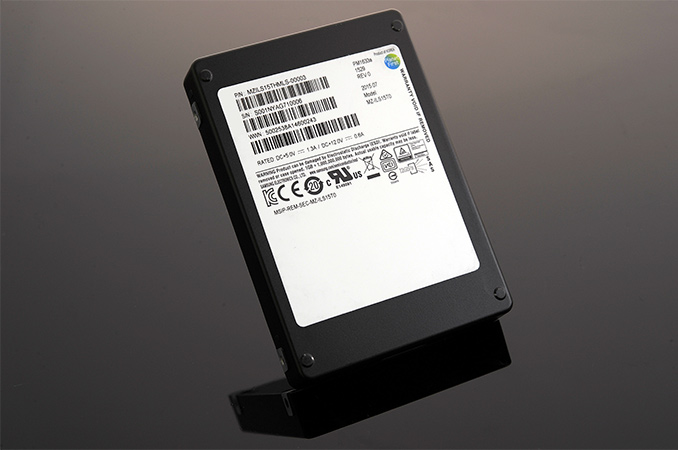
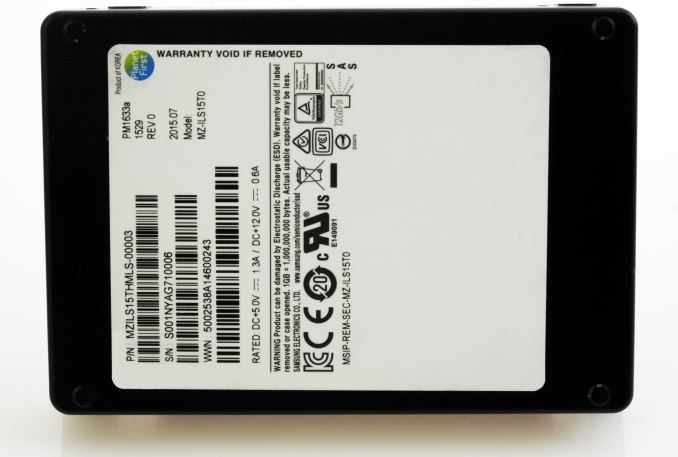
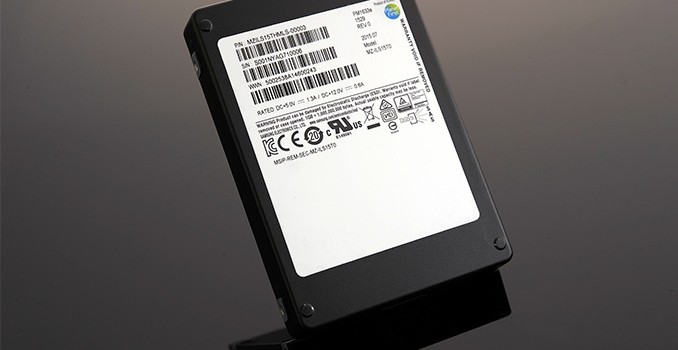
Samsung on Thursday introduced its new lineup of high-capacity SSDs for enterprises. The new Samsung PM1633a family of drives includes the world’s first SSD that can store 15.36 TB of data and which leaves behind even the leading-edge hard drives. The solid-state drive not only offers the world’s highest-capacity, but also boasts with increased reliability and high performance. The manufacturer is already shipping the new SSDs to select customers.

The Samsung PM1633a 15.36 TB SSD can deliver up to 1200 MB/s sequential read performance and features random read and write speeds of up to 200,000 and 32,000 IOPS respectively, according to the manufacturer. The 15.36 TB SSD supports 1 DWPD (drive writes per day) throughout the period of several years (unfortunately, Samsung does not specify of how many), which indicates very high endurance. The new solid-state storage solution features SAS-12 Gb/s interface and is compatible with servers that support drives in 2.5”/15 mm form-factor. Samsung does not reveal power consumption of the PM1633a 15.36 TB SSD, but based on power requirements the SSD can consume up to 13.7W.

Samsung PM1633a SSD Specifications
  15.36 TB
Controller Samsung proprietary controller
NAND Samsung’s 256 Gb 48-layer TLC NAND
DRAM Cache 16 GB DDR3 SDRAM
Sequential Read 1200 MB/s
Endurance 1 DWPD (Drive Writes Per Day)
Interface and Form-Factor 2.5″/15mm SAS-12 Gbps

The PM1633a drives are based on Samsung’s new proprietary controller that can concurrently access large amounts of high-density NAND flash with the help of a special firmware. Thanks to the new controller, the PM1633a SSDs are even faster than the PM1633 drives unveiled last August (sequential read and write speeds of up to 1100MB/s and 1000MB/s, up to 160/18 thousand random read/write IOPS). Typically, high-capacity SSDs do not offer truly high performance because of peculiarities of their internal architecture, but Samsung has managed to develop a controller that weds performance and capacity.

The Samsung PM1633a SSDs utilize the company’s third-generation 256 Gb TLC 3D V-NAND memory chips. The 256 Gb dies are stacked in 16 layers and form a single 512 GB package. Samsung uses 32 of such packages to build its most spacious SSD, leaving around 1 TB of NAND for overprovisioning. The giant drive also features 16 GB of DRAM cache to ensure smooth performance. The Samsung PM1633a 15.36 TB will be the second product to use the company’s 48-layer TLC 3D V-NAND after the Portable SSD T3. Eventually, Samsung will further expand usage of this flash memory.

The advantages of 15.36 TB SSDs in the server space are hard to overestimate. There are 2U servers that can fit in 48 SAS3/12G storage devices (1, 2). Each of such machines can store 737.28 TB of data (if fully populated with Samsung’s new PM1633a SSDs), whereas a 42U cabinet featuring 21 of such servers will be able to store 15482 TB of data (15.4 PB). By contrast, storage capacity of a standard 42U storage rack based on 360 3.5” 10TB HDDs is around 3600 TB.

Samsung did not reveal the price of its 15.36 TB SSD, but is probably in the range of several thousands of dollars.

Later this year Samsung plans to add drives with 7.68 TB, 3.84 TB, 1.92 TB, 960 GB and 480 GB into its PM1633a lineup.

Samsung Begins to Ship 15.36 TB SSD for Enterprise Storage Systems

Samsung Begins to Ship 15.36 TB SSD for Enterprise Storage Systems

Samsung on Thursday introduced its new lineup of high-capacity SSDs for enterprises. The new Samsung PM1633a family of drives includes the world’s first SSD that can store 15.36 TB of data and which leaves behind even the leading-edge hard drives. The solid-state drive not only offers the world’s highest-capacity, but also boasts with increased reliability and high performance. The manufacturer is already shipping the new SSDs to select customers.

The Samsung PM1633a 15.36 TB SSD can deliver up to 1200 MB/s sequential read performance and features random read and write speeds of up to 200,000 and 32,000 IOPS respectively, according to the manufacturer. The 15.36 TB SSD supports 1 DWPD (drive writes per day) throughout the period of several years (unfortunately, Samsung does not specify of how many), which indicates very high endurance. The new solid-state storage solution features SAS-12 Gb/s interface and is compatible with servers that support drives in 2.5”/15 mm form-factor. Samsung does not reveal power consumption of the PM1633a 15.36 TB SSD, but based on power requirements the SSD can consume up to 13.7W.

Samsung PM1633a SSD Specifications
  15.36 TB
Controller Samsung proprietary controller
NAND Samsung’s 256 Gb 48-layer TLC NAND
DRAM Cache 16 GB DDR3 SDRAM
Sequential Read 1200 MB/s
Endurance 1 DWPD (Drive Writes Per Day)
Interface and Form-Factor 2.5″/15mm SAS-12 Gbps

The PM1633a drives are based on Samsung’s new proprietary controller that can concurrently access large amounts of high-density NAND flash with the help of a special firmware. Thanks to the new controller, the PM1633a SSDs are even faster than the PM1633 drives unveiled last August (sequential read and write speeds of up to 1100MB/s and 1000MB/s, up to 160/18 thousand random read/write IOPS). Typically, high-capacity SSDs do not offer truly high performance because of peculiarities of their internal architecture, but Samsung has managed to develop a controller that weds performance and capacity.

The Samsung PM1633a SSDs utilize the company’s third-generation 256 Gb TLC 3D V-NAND memory chips. The 256 Gb dies are stacked in 16 layers and form a single 512 GB package. Samsung uses 32 of such packages to build its most spacious SSD, leaving around 1 TB of NAND for overprovisioning. The giant drive also features 16 GB of DRAM cache to ensure smooth performance. The Samsung PM1633a 15.36 TB will be the second product to use the company’s 48-layer TLC 3D V-NAND after the Portable SSD T3. Eventually, Samsung will further expand usage of this flash memory.

The advantages of 15.36 TB SSDs in the server space are hard to overestimate. There are 2U servers that can fit in 48 SAS3/12G storage devices (1, 2). Each of such machines can store 737.28 TB of data (if fully populated with Samsung’s new PM1633a SSDs), whereas a 42U cabinet featuring 21 of such servers will be able to store 15482 TB of data (15.4 PB). By contrast, storage capacity of a standard 42U storage rack based on 360 3.5” 10TB HDDs is around 3600 TB.

Samsung did not reveal the price of its 15.36 TB SSD, but is probably in the range of several thousands of dollars.

Later this year Samsung plans to add drives with 7.68 TB, 3.84 TB, 1.92 TB, 960 GB and 480 GB into its PM1633a lineup.

Microsoft Reveals Additional Details About HoloLens and Begins to Take Pre-Orders

Microsoft Reveals Additional Details About HoloLens and Begins to Take Pre-Orders

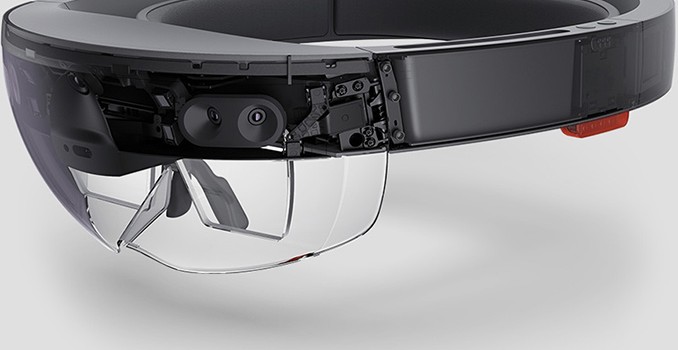
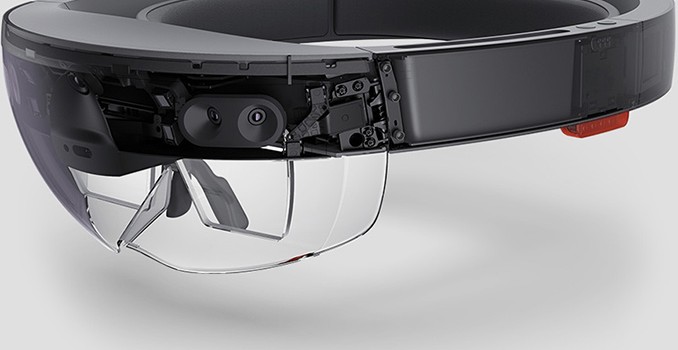
Microsoft this week began to accept applications for pre-orders for its HoloLens augmented reality device. Right now, the company offers HoloLens only to software developers looking to build applications for this new environment.Interested developers will have to pay $3000 per unit for this development kit, which is a hefty sum. Moreover, additional technical specifications of HoloLens revealed by Microsoft give us a bit of insight into what is inside this augmented reality wearable.

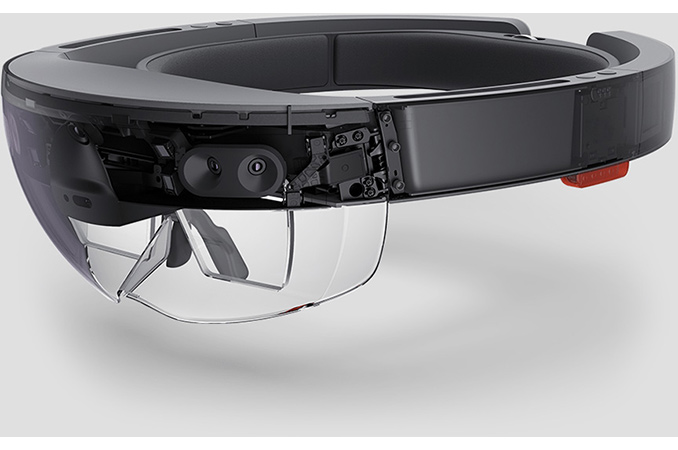
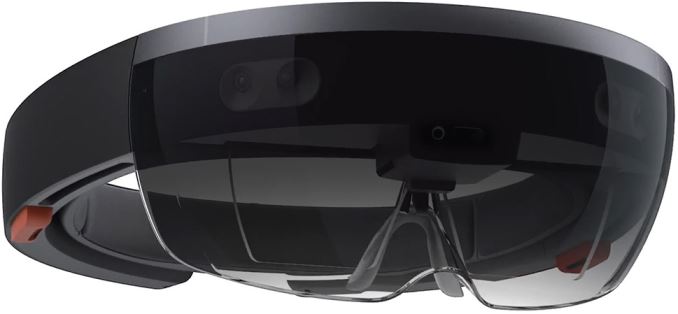
The Microsoft HoloLens is custom-built wearable personal computer running Windows 10 operating system. The HoloLens is based on an undisclosed 32-bit Intel processor and a custom-designed Microsoft holographic processing unit (HPU) that processes data from multiple sensors. In fact, the list of HoloLens’ sensors is very impressive: the device features one 2 MP video camera, an inertial measurement unit (which means, a set of accelerometers, gyroscopes and maybe even a magnetometer), one depth camera, four environment understanding cameras, four microphones, an ambient light sensor as well as mixed reality capture IC. Since the mixed-reality headset does not use any markers or extra cameras to track movement that are located outside of itself, a sophisticated set of sensors inside it is absolutely required.The HoloLens can track gaze, understand gestures and voice commands thanks to its sensors and underlying software.
The device is equipped with 2 GB of RAM (1GB for the processor and 1GB for the HPU) as well as 64 GB of NAND flash storage. The HoloLens can connect to the Internet or other devices using Wi-Fi 802.11ac and Bluetooth 4.1 LE wireless technologies. In addition, the device is equipped with a Micro-USB 2.0 port, a 3.5 mm audio jack and a surround sound system. The HoloLens can operate for two or three hours on one charge, which is not a lot, but its unlikely you would be wearing this around for a work day. It can also charge while in use, tethering it somewhat but allowing developers to test applications on it as they work.
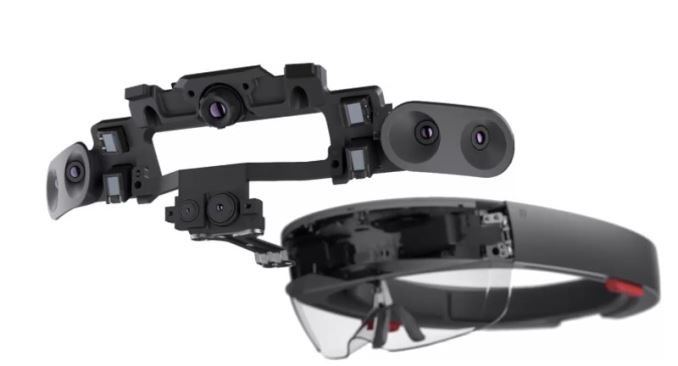
The AR headset from Microsoft uses its advanced sensors to track the position and orientation of the user’s head relative to their surroundings. The system attempts to predict position where the user’s head will be in at the exact moment and applies holograms accordingly. Microsoft makes a number of recommendations to software makers how to ensure that the hologram is added to the right place at the right time, but the system constantly monitors not only data from sensors, but also adjusts the length of the rendering pipeline.

The HoloLens uses two see-through holographic lenses (each of which consists of three layers — red, green and blue) with an optical projection system to generate multi-dimensional full-color holograms. Maximum resolution that the HoloLens can render is 1268×720 (per eye), which is why actual holograms have a limited field of view. The holographic content is put at two meters distance from the viewer because Microsoft believes that this is optimal for eyes and will not cause any strain. Since augmented reality is not about maximum resolution, Microsoft puts a lot of focus on quality of each hologram because it is crucial for its usability. According the company, the lenses support holographic density of up to 2.5K radiants (the more radiants and light points there are, the brighter and richer the hologram). But while the quality is very important for AR, to ensure smooth framerate (at least 60 fps) Microsoft suggests to lower resolution of images to 634×360 in certain cases.
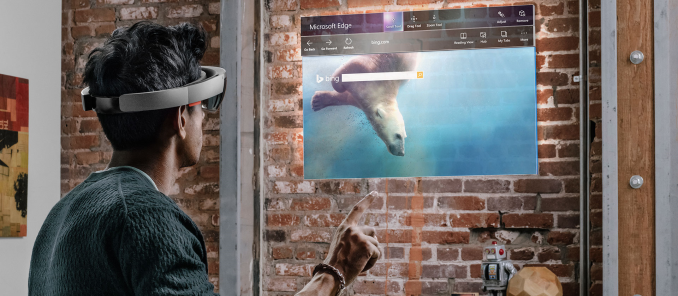
Because Microsoft’s HoloLens is a fully-fledged wearable PC, it has its own limitations. The CPU is certainly going to be low powered to allow it to be used mounted on a wearable, possibly Quark or Atom, but Microsoft is not disclosing this yet. Since storage of the wearable PC cannot be upgraded, Microsoft caps maximum allocated size for one application to 900 MB. Finally, the software giant warns that because certain applications may require too much processing power, the system-on-chip of the HoloLens can overheat. To prevent that, HoloLens will shut down the application if temperatures hit certain levels. Consequently, even if a developer managed to create something that uses all the resources of HoloLens, it is not guaranteed that their app will actually work in all circumstances, at least with this developer kit.

So far, Microsoft has developed a limited list of applications for HoloLens to show off capabilities of the AR to developers. The list of productivity apps includes Skype, HoloStudio and Actiongram, whereas the list of entertainment programs includes HoloTour, RoboRaid, Young Conker and Fragments. With only a limited number of programs that support holographic experience, it makes sense that this is a developer kit and not a public release.

Also, the original demos of Hololens used what Microsoft called an “Air Tap” to do selections. This was not that difficult to pick up on, but to make this easier they will be offering a Bluetooth connected hand held device to let you do the clicking with that, rather than having to do the gesture. Since the Hololens supports Windows 10 and Bluetooth, there is likely opportunity here for more peripherals to do other tasks as well.

The Microsoft HoloLens Development Edition will only be available to software developers in the United States and Canada initially. The developers have to participate in the Windows Insider program. To buy the HoloLens, programmers will have to share their ideas regarding their applications with Microsoft. If the software giant likes the idea, its author will get a chance to buy the AR device. The software giant plans to ship the first batch of HoloLenses to chosen developers on March 30, 2016. When additional devices are manufactured, Microsoft will invite more applicants to purchase to the HoloLens. Interested developers may apply for a Microsoft HoloLens device here.

Sources: Microsoft, PC World.

Microsoft Reveals Additional Details About HoloLens and Begins to Take Pre-Orders

Microsoft Reveals Additional Details About HoloLens and Begins to Take Pre-Orders

Microsoft this week began to accept applications for pre-orders for its HoloLens augmented reality device. Right now, the company offers HoloLens only to software developers looking to build applications for this new environment.Interested developers will have to pay $3000 per unit for this development kit, which is a hefty sum. Moreover, additional technical specifications of HoloLens revealed by Microsoft give us a bit of insight into what is inside this augmented reality wearable.

The Microsoft HoloLens is custom-built wearable personal computer running Windows 10 operating system. The HoloLens is based on an undisclosed 32-bit Intel processor and a custom-designed Microsoft holographic processing unit (HPU) that processes data from multiple sensors. In fact, the list of HoloLens’ sensors is very impressive: the device features one 2 MP video camera, an inertial measurement unit (which means, a set of accelerometers, gyroscopes and maybe even a magnetometer), one depth camera, four environment understanding cameras, four microphones, an ambient light sensor as well as mixed reality capture IC. Since the mixed-reality headset does not use any markers or extra cameras to track movement that are located outside of itself, a sophisticated set of sensors inside it is absolutely required.The HoloLens can track gaze, understand gestures and voice commands thanks to its sensors and underlying software.

The device is equipped with 2 GB of RAM (1GB for the processor and 1GB for the HPU) as well as 64 GB of NAND flash storage. The HoloLens can connect to the Internet or other devices using Wi-Fi 802.11ac and Bluetooth 4.1 LE wireless technologies. In addition, the device is equipped with a Micro-USB 2.0 port, a 3.5 mm audio jack and a surround sound system. The HoloLens can operate for two or three hours on one charge, which is not a lot, but its unlikely you would be wearing this around for a work day. It can also charge while in use, tethering it somewhat but allowing developers to test applications on it as they work.

The AR headset from Microsoft uses its advanced sensors to track the position and orientation of the user’s head relative to their surroundings. The system attempts to predict position where the user’s head will be in at the exact moment and applies holograms accordingly. Microsoft makes a number of recommendations to software makers how to ensure that the hologram is added to the right place at the right time, but the system constantly monitors not only data from sensors, but also adjusts the length of the rendering pipeline.

The HoloLens uses two see-through holographic lenses (each of which consists of three layers — red, green and blue) with an optical projection system to generate multi-dimensional full-color holograms. Maximum resolution that the HoloLens can render is 1268×720 (per eye), which is why actual holograms have a limited field of view. The holographic content is put at two meters distance from the viewer because Microsoft believes that this is optimal for eyes and will not cause any strain. Since augmented reality is not about maximum resolution, Microsoft puts a lot of focus on quality of each hologram because it is crucial for its usability. According the company, the lenses support holographic density of up to 2.5K radiants (the more radiants and light points there are, the brighter and richer the hologram). But while the quality is very important for AR, to ensure smooth framerate (at least 60 fps) Microsoft suggests to lower resolution of images to 634×360 in certain cases.

Because Microsoft’s HoloLens is a fully-fledged wearable PC, it has its own limitations. The CPU is certainly going to be low powered to allow it to be used mounted on a wearable, possibly Quark or Atom, but Microsoft is not disclosing this yet. Since storage of the wearable PC cannot be upgraded, Microsoft caps maximum allocated size for one application to 900 MB. Finally, the software giant warns that because certain applications may require too much processing power, the system-on-chip of the HoloLens can overheat. To prevent that, HoloLens will shut down the application if temperatures hit certain levels. Consequently, even if a developer managed to create something that uses all the resources of HoloLens, it is not guaranteed that their app will actually work in all circumstances, at least with this developer kit.

So far, Microsoft has developed a limited list of applications for HoloLens to show off capabilities of the AR to developers. The list of productivity apps includes Skype, HoloStudio and Actiongram, whereas the list of entertainment programs includes HoloTour, RoboRaid, Young Conker and Fragments. With only a limited number of programs that support holographic experience, it makes sense that this is a developer kit and not a public release.

Also, the original demos of Hololens used what Microsoft called an “Air Tap” to do selections. This was not that difficult to pick up on, but to make this easier they will be offering a Bluetooth connected hand held device to let you do the clicking with that, rather than having to do the gesture. Since the Hololens supports Windows 10 and Bluetooth, there is likely opportunity here for more peripherals to do other tasks as well.

The Microsoft HoloLens Development Edition will only be available to software developers in the United States and Canada initially. The developers have to participate in the Windows Insider program. To buy the HoloLens, programmers will have to share their ideas regarding their applications with Microsoft. If the software giant likes the idea, its author will get a chance to buy the AR device. The software giant plans to ship the first batch of HoloLenses to chosen developers on March 30, 2016. When additional devices are manufactured, Microsoft will invite more applicants to purchase to the HoloLens. Interested developers may apply for a Microsoft HoloLens device here.

Sources: Microsoft, PC World.