Vik


Alienware 13 R3: Quad-Core CPU, GeForce GTX 1060, QHD OLED, VR Ready
Alienware 13 R3: Quad-Core CPU, GeForce GTX 1060, QHD OLED, VR Ready

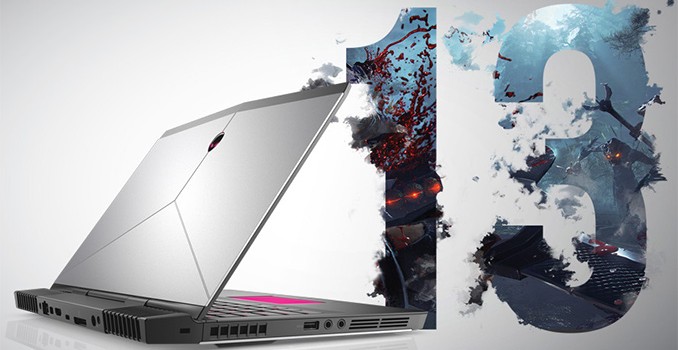
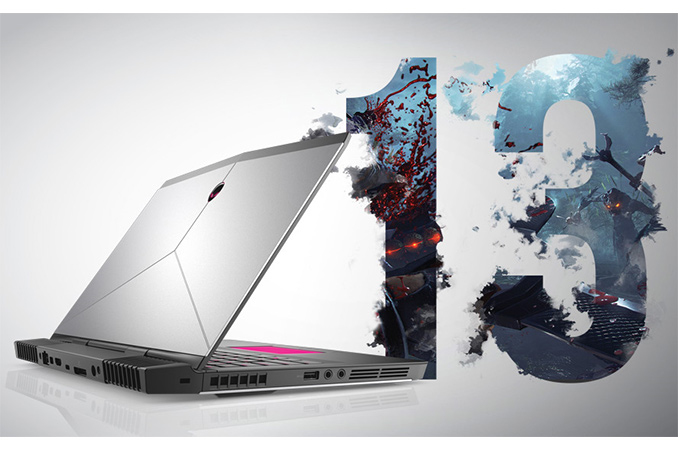
Alienware last week introduced the third generation of its 13” gaming notebooks. The manufacturer describes its new Alienware 13 R3 machines as the world’s first 13-inch laptops capable of handling VR workloads and equips them with appropriate hardware, such as quad-core Intel Core CPU, NVIDIA’s GeForce GTX 1060 GPU, high-end SSDs and the appropriate ports. To appeal to traditional gamers, Alienware also offers an optional QHD OLED display with its 13” notebooks.

Dell’s boutique PC division introduced its first 13” gaming laptop, the Alienware 13, in late 2014. While the system was relatively powerful, its performance was not maxed out (a dual-core CPU, a low-end GPU, and an HDD in an entry-level configuration) and its key selling point was support for the Graphics Amplifier, an external box for video cards. The second-generation Alienware 13 released in 2015 got considerably faster graphics, but it still used dual-core CPUs, which can provide insufficient performance for come games. The manufacturer decided to improve the performance density of its third-generation compact gaming notebook significantly, which is why the Alienware 13 R3 comes with a quad-core Intel Core i5/i7 CPU and a rather powerful 16nm GPU. Moreover, the key selling point of the PC is not its eGFX support (it is still supported), but compliance with minimum requirements for VR gaming set by Oculus VR.
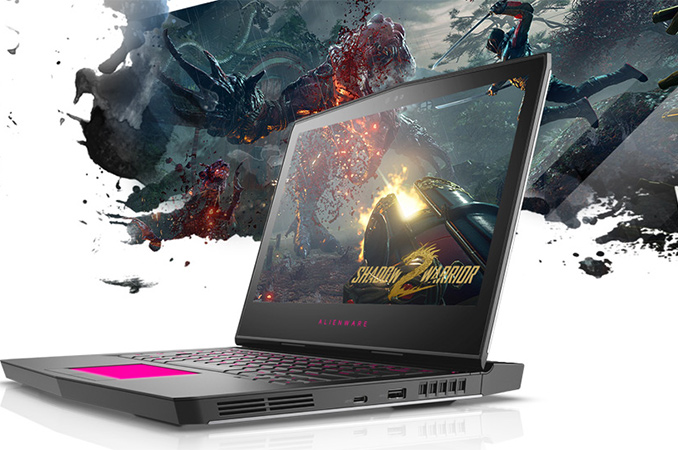
Alienware offers four Alienware 13 R3 models based on the 45W Intel Core i5-6300HQ or the 45W Intel Core i7-6700HQ and all models will feature NVIDIA’s GeForce GTX 1060 GPU with 6 GB of GDDR5 memory. The systems come equipped with 8 or 16 GB of DDR4 SDRAM (upgradeable to 32 GB), one or two SATA or PCIe SSDs (upgradeable to 2 TB of storage), Rivet Networks’ Killer 1435 802.11ac 2×2 WiFi + Bluetooth 4.1 and E2400 GbE controllers, an HD webcam with IR presence detection and so on. On the connectivity front, the Alienware 13 R3 supports Thunderbolt 3, USB-A, USB-C, mDP 1.2, HDMI 2.0 ports, 3.5 mm audio jacks as well as a Graphics Amplifier port. To further appeal to gamers, the Alienware 13 R3 has improved audio sub-systems (with larger speaker boxes), a TactX keyboard with n-key rollover and ‘optimized key shape’ as well as AlienFX lighting that uses fiber-optic guides.

Alienware 13 R3 (2016)
  i5-6300 HQ
dkcwe01h
i5-6300 HQ
dkcwe02h
i7-6700 HQ
dkcwe03h
i7-6700 HQ
dkcwe04h
CPU Intel Core i5-6300HQ
4C/4T
2.30/3.20 GHz
6 MB LLC
HD Graphics 530
45 W
Intel Core i7-6700HQ
4C/8T
2.60/3.50 GHz
6 MB LLC
HD Graphics 530
45 W
dGPU NVIDIA GeForce GTX 1060
6 GB of GDDR5 at 8 GT/s
1280 SPs
80 texture units
48 ROPs
192-bit memory bus
DRAM Installed 8 GB
DDR4-2133
(8 GB × 1)
16 GB
DDR4-2133
(8 GB × 2)
8 GB
DDR4-2400
(8 GB × 1)
8 GB
DDR4-2400
(8 GB × 1)
Upgradeable 32 GB
DDR4-2133
(16 GB × 2)
32 GB
DDR4-2400
(16 GB × 2)
32 GB
DDR4-2400
(16 GB × 2)
32 GB
DDR4-2400
(16 GB × 2)
Display Type TN IPS OLED OLED
Resolution 1366×768 1920×1080 2560×1440
Brightness 200 cd/m² 300 cd/m² 400 cd/m²
Contrast   unknown 100,000:1
Touch +
Storage
(2x M.2)
Installed 180 GB SATA 256 GB PCIe 512 GB PCIe
Upgradeable 1 TB PCIe + 1 TB PCIe SSD
Battery 76 Wh
Wireless Connectivity Rivet Networks Killer 1435
802.11ac 2×2 WiFi + Bluetooth 4.1
Ports Thunderbolt 3 × 1 (Type-C)
USB 3.1 × 1 (Type-C)
USB 3.0 × 2 (Type A)
GbE × 1 (Killer E2400)
mDP 1.2 × 1
HDMI 2.0 × 1
 3.5 mm audio × 2
Graphics Amplifier × 1
Camera Windows Hello
Tobii Eye Tracking
Dimensions 390 × 259 × 23.3 mm
15.35 × 10.2 × 0.92 inches
Weight 2 kg
5 lbs
Price $1200 $1500 $1800 $2100

From a performance point of view, the Alienware 13 R3 meets the minimum requirements set by Oculus VR for games compatible with the Oculus Rift VR headset. However it’s worth noting from a connectivity point of view that not everything is simple. The system only has two USB Type-A ports, whereas the Oculus VR headset needs three USB 3.0 ports and one USB 2.0 for Xbox One controller. This would suggest the need for USB hubs (or USB ports on the Graphics Amplifier — it has four of them).

A note on the camera – Dell actively promotes both the use of a Windows Hello capable camera system (presumably using Intel’s RealSense) as well as the integration of Tobii’s eye-tracking software. Up until this implementation we had seen Tobii’s eye-tracking implementation using special sensors, but it sounds as if the R13 can still do this with the Windows Hello capable system. We would imagine that it might not be as accurate, or be more computationally expensive, but it can be an interesting feature nonetheless.

Up next are displays. The configurations featuring Intel Core i5 CPUs come with a TN HD (1366×768) or a touch-sensing IPS FHD (1920×1080) panel. Meanwhile, the Core i7-based laptops can boast with QHD OLED panels (2560×1440) with touch support, 400 nits brightness and 100,000:1 contrast. All Alienware 13 R3 notebooks are equipped with a 76 Wh lithium-ion battery (up from 51 Wh inside the A13 R2), but the supplier did not mention battery life of different configurations.
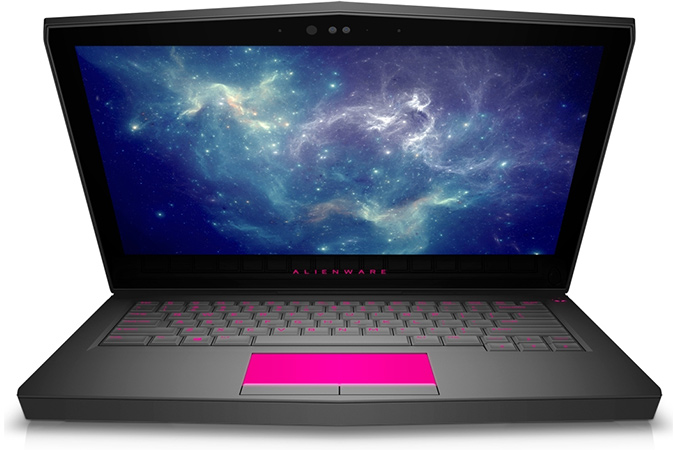
The new Alienware 13 R3 laptops are already available in the U.S. They will hit Europe next week and China later this month. The most affordable version (Core i5-6300HQ, GeForce GTX 1060, 8 GB RAM, 180 GB SSD, HD TN display, etc.) costs $1200, whereas the premium model (Core i7-6700HQ, GeForce GTX 1060, 16 GB RAM, 512 GB PCIe SSD, QHD OLED display, etc.) is available for $2100. All configurations of the Alienware 13 R3 can be customized to better meet the needs of their owners. Moreover, since the A13 R3 laptops support external graphics (there is no word whether they support TB3-based eGFX or have to use the Graphics Amplifier exclusively), they can be upgraded over time.

Related Reading:

Alienware 13 R3: Quad-Core CPU, GeForce GTX 1060, QHD OLED, VR Ready

Alienware 13 R3: Quad-Core CPU, GeForce GTX 1060, QHD OLED, VR Ready

Alienware last week introduced the third generation of its 13” gaming notebooks. The manufacturer describes its new Alienware 13 R3 machines as the world’s first 13-inch laptops capable of handling VR workloads and equips them with appropriate hardware, such as quad-core Intel Core CPU, NVIDIA’s GeForce GTX 1060 GPU, high-end SSDs and the appropriate ports. To appeal to traditional gamers, Alienware also offers an optional QHD OLED display with its 13” notebooks.

Dell’s boutique PC division introduced its first 13” gaming laptop, the Alienware 13, in late 2014. While the system was relatively powerful, its performance was not maxed out (a dual-core CPU, a low-end GPU, and an HDD in an entry-level configuration) and its key selling point was support for the Graphics Amplifier, an external box for video cards. The second-generation Alienware 13 released in 2015 got considerably faster graphics, but it still used dual-core CPUs, which can provide insufficient performance for come games. The manufacturer decided to improve the performance density of its third-generation compact gaming notebook significantly, which is why the Alienware 13 R3 comes with a quad-core Intel Core i5/i7 CPU and a rather powerful 16nm GPU. Moreover, the key selling point of the PC is not its eGFX support (it is still supported), but compliance with minimum requirements for VR gaming set by Oculus VR.

Alienware offers four Alienware 13 R3 models based on the 45W Intel Core i5-6300HQ or the 45W Intel Core i7-6700HQ and all models will feature NVIDIA’s GeForce GTX 1060 GPU with 6 GB of GDDR5 memory. The systems come equipped with 8 or 16 GB of DDR4 SDRAM (upgradeable to 32 GB), one or two SATA or PCIe SSDs (upgradeable to 2 TB of storage), Rivet Networks’ Killer 1435 802.11ac 2×2 WiFi + Bluetooth 4.1 and E2400 GbE controllers, an HD webcam with IR presence detection and so on. On the connectivity front, the Alienware 13 R3 supports Thunderbolt 3, USB-A, USB-C, mDP 1.2, HDMI 2.0 ports, 3.5 mm audio jacks as well as a Graphics Amplifier port. To further appeal to gamers, the Alienware 13 R3 has improved audio sub-systems (with larger speaker boxes), a TactX keyboard with n-key rollover and ‘optimized key shape’ as well as AlienFX lighting that uses fiber-optic guides.

Alienware 13 R3 (2016)
  i5-6300 HQ
dkcwe01h
i5-6300 HQ
dkcwe02h
i7-6700 HQ
dkcwe03h
i7-6700 HQ
dkcwe04h
CPU Intel Core i5-6300HQ
4C/4T
2.30/3.20 GHz
6 MB LLC
HD Graphics 530
45 W
Intel Core i7-6700HQ
4C/8T
2.60/3.50 GHz
6 MB LLC
HD Graphics 530
45 W
dGPU NVIDIA GeForce GTX 1060
6 GB of GDDR5 at 8 GT/s
1280 SPs
80 texture units
48 ROPs
192-bit memory bus
DRAM Installed 8 GB
DDR4-2133
(8 GB × 1)
16 GB
DDR4-2133
(8 GB × 2)
8 GB
DDR4-2400
(8 GB × 1)
8 GB
DDR4-2400
(8 GB × 1)
Upgradeable 32 GB
DDR4-2133
(16 GB × 2)
32 GB
DDR4-2400
(16 GB × 2)
32 GB
DDR4-2400
(16 GB × 2)
32 GB
DDR4-2400
(16 GB × 2)
Display Type TN IPS OLED OLED
Resolution 1366×768 1920×1080 2560×1440
Brightness 200 cd/m² 300 cd/m² 400 cd/m²
Contrast   unknown 100,000:1
Touch +
Storage
(2x M.2)
Installed 180 GB SATA 256 GB PCIe 512 GB PCIe
Upgradeable 1 TB PCIe + 1 TB PCIe SSD
Battery 76 Wh
Wireless Connectivity Rivet Networks Killer 1435
802.11ac 2×2 WiFi + Bluetooth 4.1
Ports Thunderbolt 3 × 1 (Type-C)
USB 3.1 × 1 (Type-C)
USB 3.0 × 2 (Type A)
GbE × 1 (Killer E2400)
mDP 1.2 × 1
HDMI 2.0 × 1
 3.5 mm audio × 2
Graphics Amplifier × 1
Camera Windows Hello
Tobii Eye Tracking
Dimensions 390 × 259 × 23.3 mm
15.35 × 10.2 × 0.92 inches
Weight 2 kg
5 lbs
Price $1200 $1500 $1800 $2100

From a performance point of view, the Alienware 13 R3 meets the minimum requirements set by Oculus VR for games compatible with the Oculus Rift VR headset. However it’s worth noting from a connectivity point of view that not everything is simple. The system only has two USB Type-A ports, whereas the Oculus VR headset needs three USB 3.0 ports and one USB 2.0 for Xbox One controller. This would suggest the need for USB hubs (or USB ports on the Graphics Amplifier — it has four of them).

A note on the camera – Dell actively promotes both the use of a Windows Hello capable camera system (presumably using Intel’s RealSense) as well as the integration of Tobii’s eye-tracking software. Up until this implementation we had seen Tobii’s eye-tracking implementation using special sensors, but it sounds as if the R13 can still do this with the Windows Hello capable system. We would imagine that it might not be as accurate, or be more computationally expensive, but it can be an interesting feature nonetheless.

Up next are displays. The configurations featuring Intel Core i5 CPUs come with a TN HD (1366×768) or a touch-sensing IPS FHD (1920×1080) panel. Meanwhile, the Core i7-based laptops can boast with QHD OLED panels (2560×1440) with touch support, 400 nits brightness and 100,000:1 contrast. All Alienware 13 R3 notebooks are equipped with a 76 Wh lithium-ion battery (up from 51 Wh inside the A13 R2), but the supplier did not mention battery life of different configurations.

The new Alienware 13 R3 laptops are already available in the U.S. They will hit Europe next week and China later this month. The most affordable version (Core i5-6300HQ, GeForce GTX 1060, 8 GB RAM, 180 GB SSD, HD TN display, etc.) costs $1200, whereas the premium model (Core i7-6700HQ, GeForce GTX 1060, 16 GB RAM, 512 GB PCIe SSD, QHD OLED display, etc.) is available for $2100. All configurations of the Alienware 13 R3 can be customized to better meet the needs of their owners. Moreover, since the A13 R3 laptops support external graphics (there is no word whether they support TB3-based eGFX or have to use the Graphics Amplifier exclusively), they can be upgraded over time.

Related Reading:
AOC Launches the AG352QCX: 35-Inch 200 Hz 2560×1080 Curved Display with Adaptive-Sync

AOC Launches the AG352QCX: 35-Inch 200 Hz 2560×1080 Curved Display with Adaptive-Sync

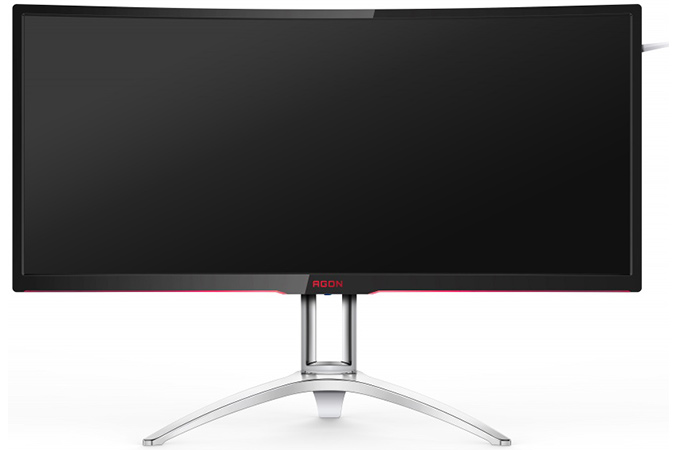
This week AOC has introduced its new AGON-branded curved display for gamers that boasts a 200 Hz refresh rate. The ultra-wide AG352QCX monitor has an MVA panel and a pretty high contrast ratio and a WFHD resolution. In addition, the AG352QCX supports AMD’s FreeSync and VESA’s Adaptive-Sync technologies.

The AOC AGON AG352QCX is based on a 35” MVA panel with 2560×1080 resolution and 21:9 aspect ratio. General specifications of the display are fairly typical: 300 nits brightness, 2000:1 contrast ratio, 178°/178° viewing angles, 16.7 million colors and a 4 ms response time (grey-to-grey) and so on. Meanwhile, the key selling points of the monitor are its 2000R curvature (which is rare, typically we see 1600R/3000R), support for a 200 Hz refresh rate as well as support for AMD’s FreeSync and VESA’s Adaptive-Sync technologies. The FreeSync works in a range between 30 and 200 Hz, thus supporting low framerate compensation feature (LFC) and offering smooth gameplay across different genres.

In a bid to appeal to gamers with different PCs, the AGON AG352QCX supports five types of input technologies, including DisplayPort 1.2a, HDMI 2.0, MHL, DVI and D-Sub connectors. To take advantage of the full 200 Hz refresh rate and range via FreeSync, the DP 1.2a input should be used. In other cases, only 50-146 Hz scanning frequencies are supported.

AOC’s AGON Curved Display with a 200 Hz Refresh Rate
  AGON AG352QCX
Panel 35″ MVA
Native Resolution 2560 × 1080
Refresh Rate Range 30-200 Hz (DP)
50-146 Hz (Other)
Response Time 4 ms
Brightness 300 cd/m²
Contrast 2000:1
Viewing Angles 178°/178° horizontal/vertical
Curvature 2000R
Pixel Pitch 0.32 mm
Inputs 1 × DP 1.2
1 × HDMI 2.0
1 × DVI
1 × D-Sub
USB Hub 2-port USB 3.0 hub,
one port supports fast charging
Audio 5 W × 2
audio in/out ports
Power Consumption Up to 60 W

What is a bit surprising is that the AGON AG352QCX also has two built-in 5 W speakers, which is not common for gaming monitors. Typically the justification here is that who like to play games usually use standalone speakers or headphones, however perhaps AOC is targeting a wider market.

While AOC’s AG352QCX display is listed at the company’s website, the manufacturer does not reveal when the product is set to be available as well as its price. The listing itself naturally indicates that the specifications of the monitor have been finalized and are not going to change significantly. However, it does not indicate mass production or actual shipments. We will probably see it pop up at the CES trade show in January.

Related Reading:

AOC Launches the AG352QCX: 35-Inch 200 Hz 2560×1080 Curved Display with Adaptive-Sync

AOC Launches the AG352QCX: 35-Inch 200 Hz 2560×1080 Curved Display with Adaptive-Sync

This week AOC has introduced its new AGON-branded curved display for gamers that boasts a 200 Hz refresh rate. The ultra-wide AG352QCX monitor has an MVA panel and a pretty high contrast ratio and a WFHD resolution. In addition, the AG352QCX supports AMD’s FreeSync and VESA’s Adaptive-Sync technologies.

The AOC AGON AG352QCX is based on a 35” MVA panel with 2560×1080 resolution and 21:9 aspect ratio. General specifications of the display are fairly typical: 300 nits brightness, 2000:1 contrast ratio, 178°/178° viewing angles, 16.7 million colors and a 4 ms response time (grey-to-grey) and so on. Meanwhile, the key selling points of the monitor are its 2000R curvature (which is rare, typically we see 1600R/3000R), support for a 200 Hz refresh rate as well as support for AMD’s FreeSync and VESA’s Adaptive-Sync technologies. The FreeSync works in a range between 30 and 200 Hz, thus supporting low framerate compensation feature (LFC) and offering smooth gameplay across different genres.

In a bid to appeal to gamers with different PCs, the AGON AG352QCX supports five types of input technologies, including DisplayPort 1.2a, HDMI 2.0, MHL, DVI and D-Sub connectors. To take advantage of the full 200 Hz refresh rate and range via FreeSync, the DP 1.2a input should be used. In other cases, only 50-146 Hz scanning frequencies are supported.

AOC’s AGON Curved Display with a 200 Hz Refresh Rate
  AGON AG352QCX
Panel 35″ MVA
Native Resolution 2560 × 1080
Refresh Rate Range 30-200 Hz (DP)
50-146 Hz (Other)
Response Time 4 ms
Brightness 300 cd/m²
Contrast 2000:1
Viewing Angles 178°/178° horizontal/vertical
Curvature 2000R
Pixel Pitch 0.32 mm
Inputs 1 × DP 1.2
1 × HDMI 2.0
1 × DVI
1 × D-Sub
USB Hub 2-port USB 3.0 hub,
one port supports fast charging
Audio 5 W × 2
audio in/out ports
Power Consumption Up to 60 W

What is a bit surprising is that the AGON AG352QCX also has two built-in 5 W speakers, which is not common for gaming monitors. Typically the justification here is that who like to play games usually use standalone speakers or headphones, however perhaps AOC is targeting a wider market.

While AOC’s AG352QCX display is listed at the company’s website, the manufacturer does not reveal when the product is set to be available as well as its price. The listing itself naturally indicates that the specifications of the monitor have been finalized and are not going to change significantly. However, it does not indicate mass production or actual shipments. We will probably see it pop up at the CES trade show in January.

Related Reading:

BenQ Announces the ZOWIE XL2540: 24-Inch 240 Hz Full-HD Display 'for e-Sports'

BenQ Announces the ZOWIE XL2540: 24-Inch 240 Hz Full-HD Display ‘for e-Sports’

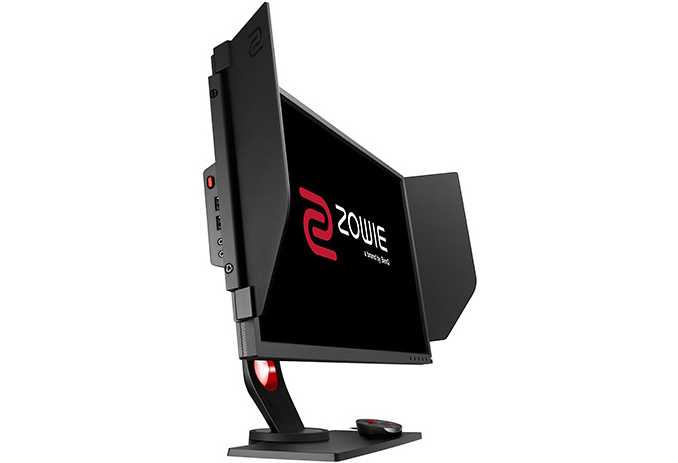
BenQ this week introduced its new display aimed specifically at professional gamers. The new monitor belongs to the ZOWIE family of BenQ’s products designed for e-Sports and features Full-HD (1920×1080) resolution as well as a refresh rate as high as 240 Hz. In addition to support for ultra-high refresh rates, the display also has other features developed specifically for gamers.

The BenQ ZOWIE XL2540 monitor has a 24.5” TN panel with a typical resolution for this size (1920×1080), support for 16.7 million (6-bit + FRC) colors as well as a typical contrast ratio for mainstream screens (1000:1). The monitor stands out when it comes to its brightness – 400 cd/m2 (400 nits) is a bit higher compared to what we usually see on TN-based devices and a refresh rate of 240 Hz to ensure as fast gameplay as possible. It is noteworthy that despite positioning, the ZOWIE ZL2540 does not support any dynamic refresh rate technology (either G-Sync, FreeSync or Adaptive-Sync). 

When it comes to connectivity, the ZOWIE XL2540 excels many products on the market as it can use DisplayPort 1.2, HDMI and DVI-DL (naturally, DVI does not support 240 Hz refresh rate) to connect to host PCs (nowadays many monitors are only equipped with DP and HDMI inputs). Also, it has a three-port USB hub. The display also has a built-in 55 W power supply.

BenQ ZOWIE XL2540
  ZOWIE XL2540
Panel 24.5″ TN
Native Resolution 1920 × 1080
Maximum Refresh Rate 240 Hz
Response Time 1 ms (gray-to-gray)
Brightness 400 cd/m²
Contrast 1000:1
Viewing Angles 160°/160° horizontal/vertical
Inputs 1 × DP 1.2
1 × HDMI 2.0
1 × DVI-D DL
USB Hub 3-port USB hub
Audio audio in/out ports
Power Consumption Typical unknown
Maximum 55 W

In addition to ultra-high refresh rates as well as improved brightness, the ZOWIE XL2540 supports several features specifically for e-Sports professionals: the Black eQualizer that increases brightness of dark areas without oversaturating the bright areas, an option to quickly increase color vibrancies, a special external controller to rapidly activate different settings and profiles as well as a light-shielding hood (which BenQ calls a way to help gamers to focus on their games).

The manufacturer does not announce pricing as well as availability timeframe for its ZOWIE XL2540 just yet. The only thing that BenQ tells us at the moment is that the display will be demonstrated at trade shows from late November. Since BenQ does not produce its own panels, the ETA of the ZOWIE XL2540 depends completely on the company’s suppliers. Moreover, when the panels are available, the display will have to compete against similar products by other makers, such as the ASUS PG258Q (which has G-Sync) which has similar specifications, perhaps indicating it is the same panel.

Related Reading: