Apple Releases iOS 8.3 With A New Emoji Keyboard, Bug Fixes, and Improved Performance
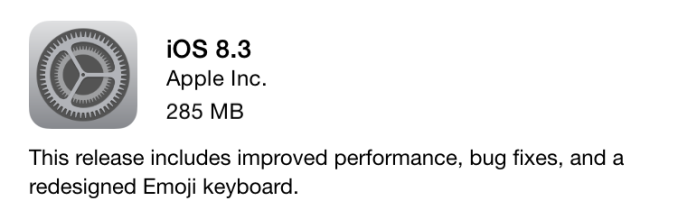
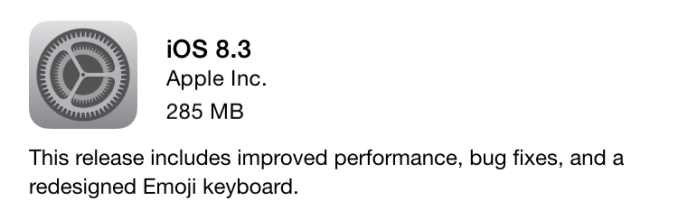
Today Apple publicly released iOS 8.3 for all devices that are capable of running versions of iOS 8. The update is a fairly substantial one that brings various improvements in performance, bug fixes, and new features to iOS. While the changes are too long to cover in detail, there are a few points worth highlighting in this release.

The first part of the release worth noting is Apple’s new emoji keyboard. This update has two sides to it. The first is that Apple has redesigned the emoji section of the keyboard to fit in better with the overall design principles of iOS. The second part is the inclusion of over 300 new types of emoji, with an emphasis on improving the diversity among emoji characters. As you can see above, certain emoji on the keyboard can be long pressed on to reveal a menu with various different options for skin and hair color.
On top of the new emoji keyboard, iOS 8.3 finally brings iCloud Photo Library out of beta. While it was a key feature of iOS 8, iCloud Photo Library has been officially designed as a beta since the original iOS 8 launch late last year. Despite it finally moving out of beta, Photo Stream is still an option for users who have a library that won’t fit in Apple’s measly 5GB of free storage.
iOS 8 also brings a number of improvements in performance, as well as bug fixes. I haven’t had much time to verify any claims of improved performance, but iOS has generally performed well in most areas to begin with. One area that is notably absent from Apple’s list of areas with improved performance is the Music app, which continues to have serious issues with scrolling performance in both the list view and cover flow view even on Apple’s latest devices.
Apple’s full list of changes in iOS 8.3 is below. Apple historically does not list every single improvement on these lists, but this list looks to be fairly substantial.
- Improved performance for:
– App launch
– App responsiveness
– Messages
– Wi-Fi
– Control Center
– Safari tabs
– 3rd-party keyboards
– Keyboard shortcuts
– Simplified Chinese keyboard - Wi-Fi and Bluetooth fixes
– Fixes an issue where you could be continuously prompted for login credentials
– Addresses an issue where some devices disconnect intermittently from Wi-Fi networks
– Fixes an issue where hands-free phone calls could become disconnected
– Fixes an issue where audio playback could stop working with some bluetooth speakers | - Orientation and rotation fixes
– Addresses an issue that sometimes prevented rotating back to portrait after having rotated to landscape
– Improves performance and stability issues that occurred when rotating the device between portrait and landscape
– Fixes an issue where device orientation appeared upside down after pulling the iPhone 6 Plus from your pocket
– Resolves an issue that sometimes prevented apps from rotating to correct orientation after switching apps in multitasking - Messages fixes
– Addresses issues that caused group messages to sometimes split
– Fixes an issue that sometimes removed the ability to forward or delete individual messages
– Resolves an issue that sometimes prevented a preview from appearing when taking a photo in Messages
– Adds the ability to report junk messages directly from the Messages app
– Adds the ability to filter out iMessages that are not sent by your contacts - Family Sharing fixes
– Fixes a bug where certain apps would not launch or update on family members’ devices
– Fixes a bug that prevented family members from downloading certain free apps
– Increased reliability for Ask to Buy notifications - CarPlay fixes
– Fixes an issue where Maps could come up as a black screen
– Fixes an issue where the UI could be incorrectly rotated
– Fixes an issue where the keyboard could appear on the CarPlay screen when it shouldn’t - Enterprise fixes
– Improves reliability of installing and updating enterprise apps
– Corrects the time zone of Calendar events created in IBM Notes
– Fixes a problem that could cause web clip icons to become generic after restarting
– Improves reliability of saving the password for a web proxy
– Exchange out-of-office message can now be edited separately for external replies
– Improves recovery of Exchange accounts from temporary connection problems
– Improves compatibility of VPN and web proxy solutions
– Allows use of physical keyboards to log into Safari web sheets, such as for joining a public Wi-Fi network
– Fixes an issue that caused Exchange meetings with long notes to be truncated - Accessibility fixes
– Fixes an issue where using the back button in Safari causes VoiceOver gestures to not respond
– Fixes an issue where VoiceOver focus becomes unreliable in draft Mail messages
– Fixes an issue where Braille Screen Input cannot be used to type text in forms on webpages
– Fixes an issue where toggling Quick Nav on a Braille Display announces that Quick Nav is off
– Fixes an issue keeping app icons from being moveable on home screen when VoiceOver is enabled
– Fixes an issue in Speak Screen where speech will not start again after pausing - Other improvements and bug fixes
– Introduces a redesigned Emoji keyboard with over 300 new characters
– iCloud Photo Library has been optimized to work with the new Photos app on OS X 10.10.3 and is now out of beta
– Improves the pronunciation of street names during turn-by-turn navigation in Maps
– Includes support for Baum VarioUltra 20 and VarioUltra 40 braille displays
– Improves the display of Spotlight results when Reduce Transparency is turned on
– Adds Italic and Underline format options for iPhone 6 Plus landscape keyboard
– Adds the ability to remove shipping and billing addresses used with Apple Pay
– Additional language and country support for Siri: English (India, New Zealand), Danish (Denmark), Dutch (Netherlands), Portuguese (Brazil), Russian (Russia), Swedish (Sweden), Thai (Thailand), Turkish (Turkey)
– Additional dictation languages: Arabic (Saudi Arabia, United Arab Emirates) and Hebrew (Israel)
– Improves stability for Phone, Mail, Bluetooth connectivity, Photos, Safari tabs, Settings, Weather and Genius Playlists in Music
– Addresses an issue where Slide to Unlock could fail to work on certain devices
– Addresses an issue that sometimes prevented swiping to answer a phone call on the Lock screen
– Addresses an issue that prevented opening links in Safari PDFs
– Fixes an issue where selecting Clear History and Website Data in Safari Settings did not clear all data
– Fixes an issue that prevented autocorrecting “FYI”
– Addresses an issue where contextual predictions did not appear in Quick Reply
– Fixes an issue where Maps did not enter night mode from hybrid mode
– Resolves an issue that prevented initiating FaceTime calls from a browser or 3rd-party app using FaceTime URLs
– Fixes an issue that sometimes prevented photos from properly exporting to Digital Camera Image folders on Windows
– Fixes an issue that sometimes prevented an iPad backup from completing with iTunes
– Fixes an issue that could cause Podcast downloads to stall when switching from Wi-Fi to cellular networks
– Fixes an issue where remaining time on timer would sometimes incorrectly display as 00:00 on Lock screen
– Fixes an issue that sometimes prevented adjusting call volume
– Fixes an issue that caused the status bar to sometimes appear when it shouldn’t