News


HP Expands DaaS Offerings: Apple Devices, HP VR Solutions, and Tech Café Market
HP Expands DaaS Offerings: Apple Devices, HP VR Solutions, and Tech Café Market

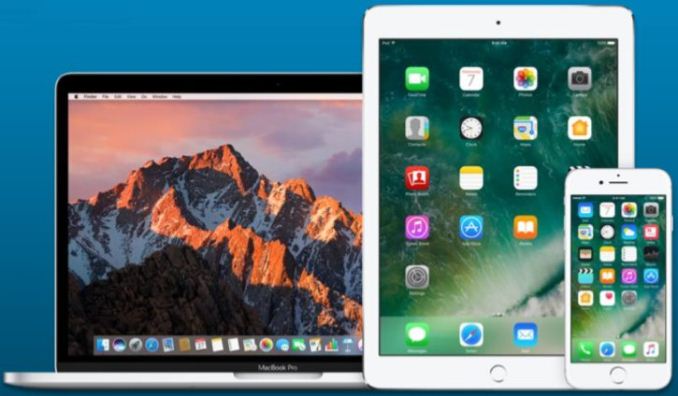
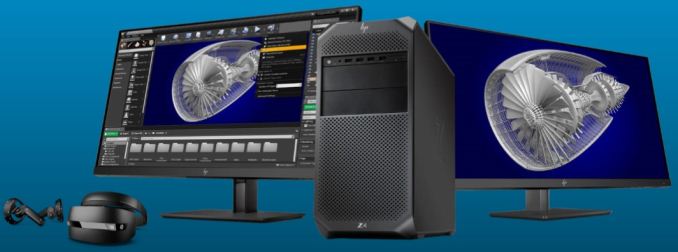
Today, HP announced a new set of Device as a Service (DaaS) offerings for customers and channel partners. Notably, this includes the reveal of DaaS offerings for Apple devices, where HP will provide support for iPhone, iPad, Mac, and other Apple equipment. Along with expansion through Apple products, HP is also expanding their DaaS services to cover their own VR solutions. This includes the Z4 Workstation and the HP Windows Mixed Reality VR headset. HP aims to cover major customer pain points by unifying diverse fleets of different device types and OSes and free up IT resources.

HP DaaS program for Apple will cover dozens of SKU and include multiple versions of each device. Apple coverage includes accidental damage protection as well as next day onsite repair or replacement which can minimize downtime for the user increasing productivity. Part of this plan includes specialized endpoint management. These  HP experts are able to deploy applications, provision Wi-Fi access, and set and enforce security policies taking a load off internal IT resources. They are also able to find and protect data on devices that may have been lost or stolen. HP also offers optional services covering the entire device lifecycle from design and planning, as well as configuration and deployment services.  
HP is also expanding its real-time hardware analytics and proactive device management capabilities. The analytics are able to capture data including health monitoring (device to component level), security status reports as well analytics and reports for IT planning. Monitoring points such as CPU and Memory utilization, temperatures, battery and HDD life, Windows BSOD and software errors, and security policy compliance are some of the items which are monitored and analyzed. Some of the data can be used to proactively fix or update devices when a trend is recognized. HP says they have nearly 40 Million devices reporting non-PII (Personally Identifiable Information) into their analytics. HP is able to use this data to be able to spot trends and more quickly resolve issues with data collected from both the client level and the entire ‘data lake’ as HP called it. 

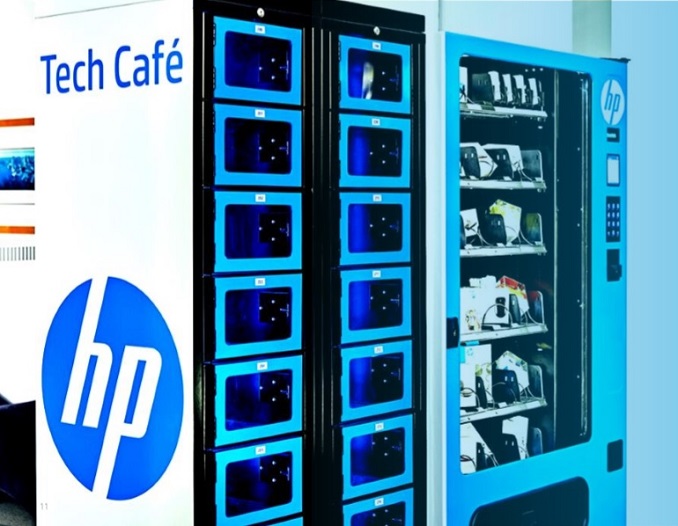
In addition to expanding the available devices and how they are managed, HP also introduced the Tech Cafe Market Enhanced. The Tech Café is an end-to-end smart vending and storage solution able to provide end-users immediate access to accessories and peripherals. A 24/7 locker for device swaps is available for quick exchange of devices for repair or new deployment. End users are able to easily access accessories or new devices directly from the lockers without a dedicated IT resource saving time and improving customer experience. HP can also manage ordering, stock replenishment, and reporting for the clients again with an aim to free up IT resources.
HP’s DaaS update continues to point the service in the direction of a complete end-to-end solution for commercial environments who would like to reduce expenses by essentially renting hardware, while still getting quality IT support for the ever-increasing amount of devices today’s workers have. Customers are able to get everything needed from hardware to lifecycle services intended to improve efficiency and free up IT resources. HP’s key value proposition is to deliver a lower total cost of ownership for getting the right product in the user’s hands. The rollout for DaaS programs for Apple is in North America now with plans to expand out to India and the Asia-Pacific region in the coming months. Both the new Z4 workstation and the HP Windows Mixed Reality headset is available now. 
Related Reading:

Intel Adds Mobile Core i3-8130U to Lineup: Increased Cache and Turbo

Intel Adds Mobile Core i3-8130U to Lineup: Increased Cache and Turbo

Intel on Tuesday introduced the Core i3-8130U, its first mobile 8th Generation Core i3 processor. The new chip features two cores operating at a high frequency and supports Turbo Boost 2.0 technology to make them even faster when power and temperatures permit. The CPU also gains an L3 cache size increase over its predecessors, stepping up to 2MB of inclusive L3 cache per core. However, the new processor is listed as only $16 cheaper than one above it in Intel’s stack, the quad-core Core i5-8250U, posing questions about its appeal to the end-user.

The Core i3-8130U

The Intel Core i3-8130U has two cores with Hyper-Threading, operating at 2.2 GHz base frequency and speeding up to 3.4 GHz in Turbo Boost 2.0 mode; the chip is outfitted with 4 MB of L3 cache and has a 15 W TDP. Previous-generation mobile ULV Core i3 processors came with 3 MB of L3 cache and did not feature Turbo mode, by comparison. The addition of Turbo comes at a different cost, as it would appear that Intel has reduced the base frequency to compensate: the default frequency of the previous generation Core i3-7130U was 2.7 GHz, whereas the new Core i3-8130 is at 2.2 GHz. There is also the added complication that Turbo frequency boosting depends on multiple factors, such as chassis design and cooling performance.

When it comes to graphics and memory, the new CPU features the UHD Graphics 620 iGPU (GT2) as well as a dual-channel memory controller supporting LPDDR3-2133 or DDR4-2400. From silicon point of view, we are dealing with a Kaby Lake Refresh 2+2 design, and the main difference with the original Kaby Lake is the addition of native support of HDMI 2.0, HDCP 2.2, and possible minor fixes.

Intel Mobile Core i3 and Core i5 Processors
  Core i5-8250U Core i3-8130U Core i3-7130U
CPU Cores/Threads 4/8 2/4
Frequency Base 1.6 GHz 2.2 GHz 2.7 GHz
Dual-Core Turbo ? 3.4 GHz 2.7 GHz
Single-Core Turbo 3.4 GHz 3.4 GHz 2.7 GHz
TDP (PL1) @ Base Frequency 15 W
Instantaneous Turbo Power (PL2) 44 W ? 19 W
Configurable TDP-up Freq. 1.8 GHz
Configurable TDP-up 25 W
L3 Cache 6 MB 4 MB 3 MB
Graphics GPU UHD 620 HD 620
EUs 24 EUs
Base Freq. 300 MHz
Turbo Freq. 1.1 GHz 1 GHz
DRAM Support LPDDR3-2133
DDR4-2400
128-bit
DDR3L-1600
LPDDR3-1866
DDR4-2133
128-bit
Price at Launch $297 $281 $281
Launch Timeframe Q3 2017 Q1 2018 Q2 2017

Intel positions the Core i3-8130U as its lowest-cost offering for the latest mainstream notebooks and 2-in-1 PCs. The processor is listed at $281 in 1000-unit quantities, which is only $16 cheaper than the price of the quad-core Core i5-8250U. Historically, RCPs of Intel’s higher-end mobile Core i3 products have matched (or almost matched) prices of the company’s entry mobile Core i5 offerings, so there is nothing new here.

However, the difference between 7th Generation mobile Core i3 and Core i5 was negligible and pricing of these CPUs just reflected that. By contrast, today we are dealing with a $297 quad-core Core i5-8250U operating at 1.6-3.4 GHz as well as a $281 dual-core Core i3-8130U operating at 2.2-3.4 GHz. Despite the clock speed difference, we would expect many modern workloads that are multi-threaded to give the i5-8250U a significant advantage over the i3-8130U.  In any case, at $281, the new CPU is currently the most affordable 8th Generation mobile Core processor and it will enable PC makers to build slightly cheaper versions of their latest laptops or 2-in-1s. 

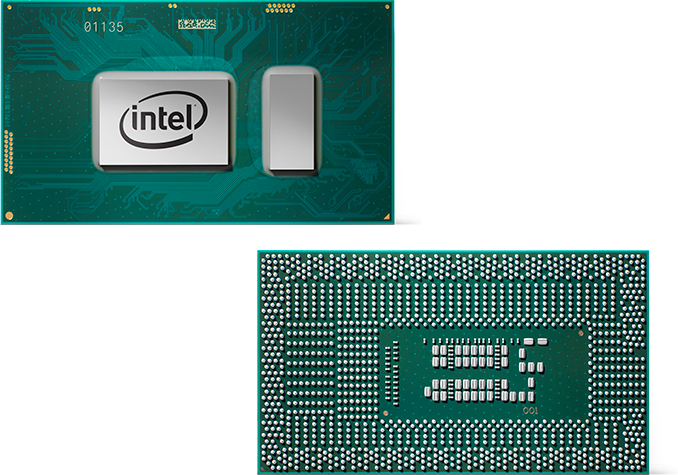
Note: The image above depicts Intel’s 8th Generation Core i7 SoC. The 8th Generation Core i3 SoC may look differently.

Related Reading

The Latest High-Capacity M.2: The Samsung 860 EVO 2TB SSD, Reviewed

The Samsung 860 EVO is the mainstream side of Samsung’s new generation of consumer SATA SSDs, though our 2TB M.2 drive is a bit of a niche product. Like the 860 PRO, the new 860 EVO provides the necessary improvements to keep up with today’s competition, but Samsung is still setting prices like they’re the only ones with a high-performance TLC drive.

AMD Releases Radeon Software Adrenalin Edition 18.2.2 & Inaugural Ryzen Desktop APU WHQL Drivers

AMD Releases Radeon Software Adrenalin Edition 18.2.2 & Inaugural Ryzen Desktop APU WHQL Drivers

This week, AMD released Radeon Software Adrenalin Edition 18.2.2, a smaller patch bringing support for the just-launched Kingdom Come: Deliverance, as well as performance optimizations for Fortnite and PlayerUnknown’s Battlegrounds (PUBG). Purely game-focused, 18.2.2 documents no new bugfixes or issues. And alongside Monday’s launch of AMD Ryzen 5 2400G and Ryzen 3 2200G, AMD has put out the inaugural Windows 10 WHQL drivers specific to those two new APUs.

Released just yesterday, Kingdom Come: Deliverance is a CryEngine-powered first-person single player historical RPG, thematically reminiscent of Mount and Blade and The Witcher. The developers, Warhorse Studios, have stated their desire to focus on realism, story, open-world freedom, and hardcore combat mechanics, the latter of which is not too surprising considering the Operation Flashpoint and ARMA pedigree of Warhorse Studio’s team members.

For Kingdom Come: Deliverance, AMD cites their 18.2.2 testing to show up to 3% faster 1440p performance for the Radeon RX Vega 56 and up to 4% faster 1080p performance for the Radeon RX 580 compared to Radeon Software Adrenalin Edition 18.2.1. As it so happens, Warhorse Studios marks down the Radeon RX 580 as the recommended AMD GPU requirement, with the Radeon HD 7870 as the minimum.

As for Fortnite and PUBG, AMD compares Radeon Software Adrenalin Edition 17.12.1 performance to 18.2.2, claiming 1440p improvements for the Radeon RX Vega 56 up to 3% faster for Fortnite and up to 5% faster for PUBG. Meanwhile, for the Radeon RX 580 at 1080p, AMD cites up to 6% faster performance in Fortnite and up to 7% faster performance in PUBG.

Wrapping things up on the 18.2.2 side, there has been no documented bugfixes and the list of open issues remain identical to 18.2.1:

  • FreeSync intermittently engages during Chrome video playback incorrectly, resulting in playback flicker.
  • Radeon Overlay hotkey fails to bring up the overlay or causes a Radeon Host Application crash intermittently on a limited number of gaming titles.
  • FreeSync may rapidly change between min and max range when enabled causing stutter in fullscreen games on multi display system configurations.
  • When Enhanced Sync is enabled on some FreeSync connected displays, flickering occurs with the performance metrics overlay.
  • Water textures appear to be missing in World of Final Fantasy.
  • A random system hang may be experienced after extended periods of use on system configurations using 12 GPU’s for compute workloads.
  • The GPU Workload feature may cause a system hang when switching to Compute while CrossFire is enabled. A workaround is to disable CrossFire before switching the toggle to Compute workloads.

Radeon Software for New Ryzen Desktop APUs

Released as “Radeon Software for Ryzen Desktop Processors with Radeon Vega Graphics,” the inaugural public graphics drivers are WHQL certified and are documented as version 17.40.3701 (Windows Driver Store Version 23.20.827.0). The update applies only to the Ryzen 5 2400G and Ryzen 3 2200G, and notes the following:

  • RAID drivers are not included in display driver packages. Users wishing to use RAID should navigate to the amd.com APU chipset driver page to find and install RAID drivers.
  • AMD has noted a potential system crash while running certain OpenCL applications like Linpack-DGEMM & Indigo benchmark. AMD is currently testing a solution to this issue and an updated driver will be released very shortly. Please visit amd.com for updates.
  • 3DMark Firestrike may experience an application hang during GT2 test.

Additionally, AMD has put up a support page for issues with system boot-up failure on configurations with some 2nd generation Ryzen desktop processors (CPUs & APUs) and AM4 motherboards. Unsurprisingly, AMD notes that the likely cause in this scenario is a motherboard that has not been updated to the latest BIOS with APU support, but offers a boot kit solution under warranty if this is not the root cause.

The updated drivers for AMD’s desktop, mobile, and integrated GPUs are available through the Radeon Settings tab or online at the AMD driver download page. More information on these updates and further issues can be found in the respective Radeon Software Adrenalin Edition 18.2.2 release notes and Radeon Software for Ryzen Desktop Processors with Radeon Vega Graphics release notes.