News


Hands On With the Apple iPhone SE
Hands On With the Apple iPhone SE

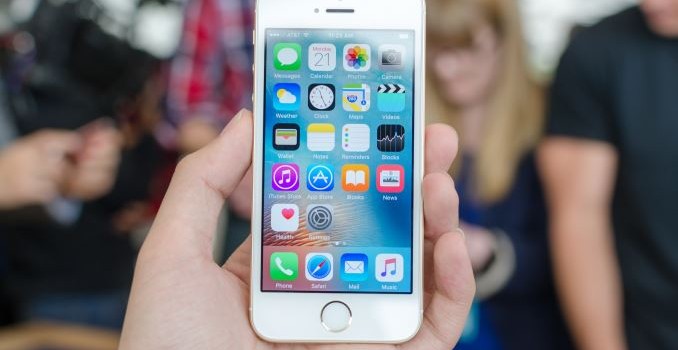
It’s probably not a secret at this point that a number of people were disappointed when Apple seemed to move away from the 4” form factor with the iPhone 6. It turns out that there’s a sizeable market for a smaller iPhone, so rather than letting the 4” size die away quietly Apple has introduced the 4” iPhone SE for those that want a smaller iPhone without having to buy something that is relatively out of date.

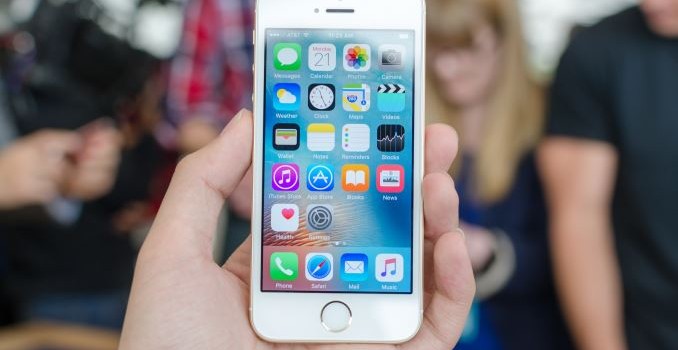
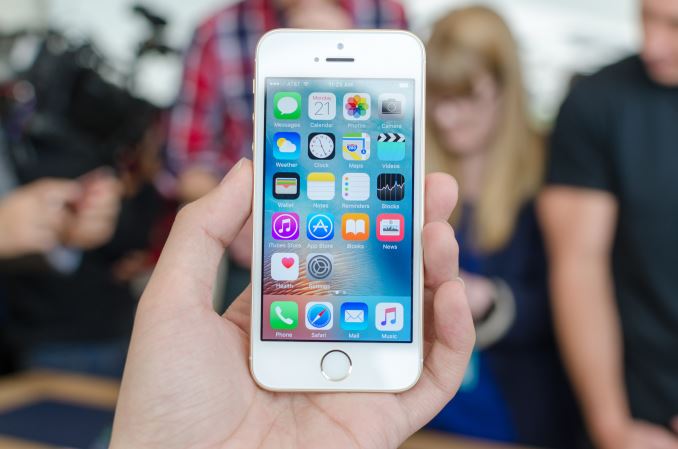
In the hand, the iPhone SE basically feels identical to the iPhone 5s. The design is pretty much the same with its lack of camera hump and sharp lines, but rather than polished chamfered edges Apple has elected to keep the chamfer sand-blasted matte. The weight of the phone is also noticeably less than the iPhone 6 or iPhone 6s, which is due to the lack of 3D Touch and the smaller size of the device. The display also looks to be quite similar to the iPhone 5s.

Other than this, I don’t really have a lot to say because it feels almost exactly like an iPhone 6s otherwise. As a heavy 3D Touch user, the lack of 3D Touch is noticeable, especially when playing back Live Photos. But other than that performance is similarly fast and I didn’t see any obvious problems, however many of these under the hood changes are going to be quite difficult to notice in the space of a few minutes as they’re quite subtle.

Although not quite in the realm of a hands-on, the main area of note here is the price as Apple has basically released a cheaper version of the iPhone 6s in a smaller size. In developing countries it seems that the cheaper iPhones are often the most popular, so it’s interesting to see how Apple has effectively upped the value of this version of the iPhone in a very big way. To get close to the 399 USD price point of the new iPhone SE, previously you had to get a phone 2 generations old with a relatively outdated SoC, so it’s impressive to see that now for the same price you can get something that has the latest and greatest in almost every way save for modem and size.

It’s also worth noting that Apple is basically completely uncontested in this part of the market. Although there are a lot of budget phones out there using 4″ screens to hit their respective price point, Apple seems to be the only OEM still playing in the 4” display size space for high-end phones. There are a few Android OEMs trying to keep phones at the 4.5-4.7” segment (i.e. iPhone 6s size) with similarly high-end specs, but no Android OEM is trying to sell a 4” phone with high-end hardware. It’ll be interesting to see what kind of effects this has on sales, although I’m not entirely sure that Android OEMs are going to be following Apple’s lead here as a smaller device makes battery efficiency more critical due to scaling effects.
Hands On With the Apple iPhone SE

Hands On With the Apple iPhone SE

It’s probably not a secret at this point that a number of people were disappointed when Apple seemed to move away from the 4” form factor with the iPhone 6. It turns out that there’s a sizeable market for a smaller iPhone, so rather than letting the 4” size die away quietly Apple has introduced the 4” iPhone SE for those that want a smaller iPhone without having to buy something that is relatively out of date.

In the hand, the iPhone SE basically feels identical to the iPhone 5s. The design is pretty much the same with its lack of camera hump and sharp lines, but rather than polished chamfered edges Apple has elected to keep the chamfer sand-blasted matte. The weight of the phone is also noticeably less than the iPhone 6 or iPhone 6s, which is due to the lack of 3D Touch and the smaller size of the device. The display also looks to be quite similar to the iPhone 5s.

Other than this, I don’t really have a lot to say because it feels almost exactly like an iPhone 6s otherwise. As a heavy 3D Touch user, the lack of 3D Touch is noticeable, especially when playing back Live Photos. But other than that performance is similarly fast and I didn’t see any obvious problems, however many of these under the hood changes are going to be quite difficult to notice in the space of a few minutes as they’re quite subtle.

Although not quite in the realm of a hands-on, the main area of note here is the price as Apple has basically released a cheaper version of the iPhone 6s in a smaller size. In developing countries it seems that the cheaper iPhones are often the most popular, so it’s interesting to see how Apple has effectively upped the value of this version of the iPhone in a very big way. To get close to the 399 USD price point of the new iPhone SE, previously you had to get a phone 2 generations old with a relatively outdated SoC, so it’s impressive to see that now for the same price you can get something that has the latest and greatest in almost every way save for modem and size.

It’s also worth noting that Apple is basically completely uncontested in this part of the market. Although there are a lot of budget phones out there using 4″ screens to hit their respective price point, Apple seems to be the only OEM still playing in the 4” display size space for high-end phones. There are a few Android OEMs trying to keep phones at the 4.5-4.7” segment (i.e. iPhone 6s size) with similarly high-end specs, but no Android OEM is trying to sell a 4” phone with high-end hardware. It’ll be interesting to see what kind of effects this has on sales, although I’m not entirely sure that Android OEMs are going to be following Apple’s lead here as a smaller device makes battery efficiency more critical due to scaling effects.
Hands On With the Apple 9.7 Inch iPad Pro

Hands On With the Apple 9.7 Inch iPad Pro

Over the past few months I’ve been able to spend some quality time with the iPad Pro and I’ve found that while the iPad Pro isn’t quite a computer replacement in the sense that you should toss your laptop out, it is the first tablet that can actually justify itself relative to a phablet. With the 9.7” iPad Pro, Apple has been able to take the elements of the iPad Pro 12.9” that differentiated it from Android tablets and previous iterations of the iPad, and fit it in a smaller form factor.

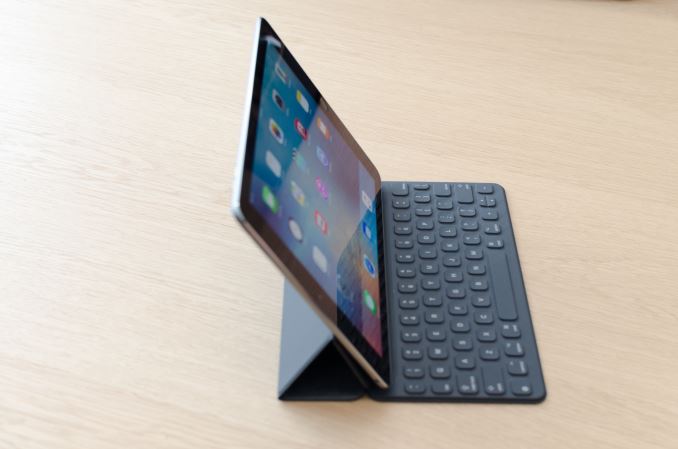
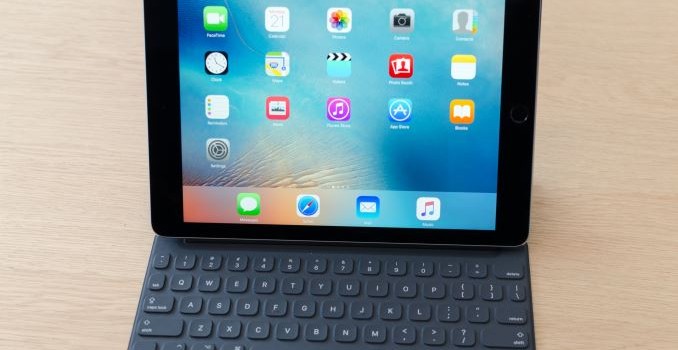
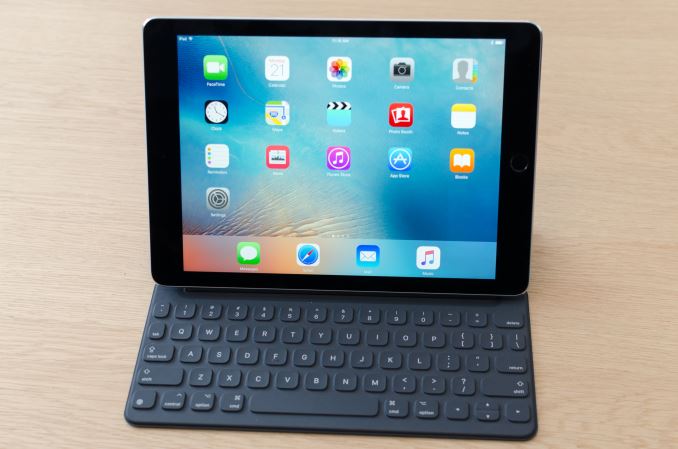
The main points of differentiation that make this device more than an iPad Air 3 include the Apple Pencil, Smart Keyboard, and speakers. The Apple Pencil behaves identically relative to the larger device, but the smaller display size makes it feel more cramped. Other than this, the feel of the tip on the glass is identical, as is the pressure sensitivity, tilt sensitivity, and latency.

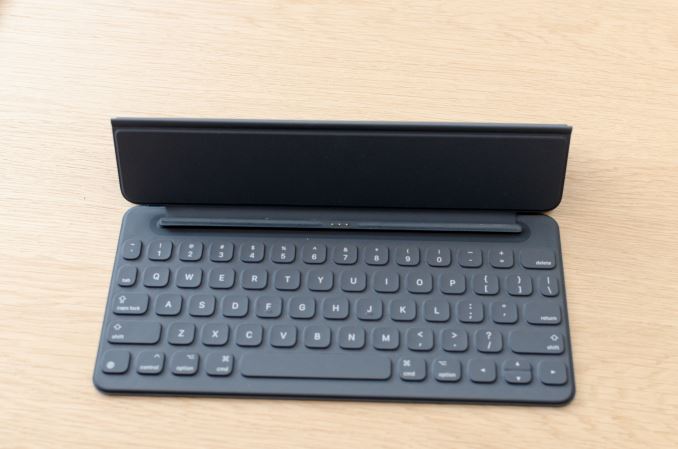
The Smart Keyboard for this version of the iPad Pro is significantly smaller than the version for the 13” iPad Pro. Right away it felt like it was a lot less comfortable to type on this iteration of the iPad Pro as a result as I couldn’t just rely on sheer muscle memory to place my fingers in the right place every time. However with some practice I was able to keep a typing pace that was pretty much identical, although it was relatively easy to make mistakes relative to a laptop keyboard because the keys are smaller so there’s less tolerance for errors in finger placement. With practice, like a smartphone keyboard, I’m sure it’ll be possible to type as quickly as you would on a laptop but I wasn’t able to reach that level of practice over the course of the two or so minutes I could spend with the keyboard.

Other than the size issue, everything else feels basically identical to the larger iteration of the Smart Keyboard. Those that love mechanical keyboards for their travel and tactile feedback will probably be disappointed by the feel, but I tend to bottom out keys no matter what keyboard I’m typing on so to me the relatively shallow travel of the keys was not a problem when it came to typing at a respectable rate.

Of course, the speakers are also shared with the iPad Pro, but in this case I wasn’t really able to test them properly as the hands on environment is rather chaotic and loud. I wouldn’t be surprised to know that the same speaker protection ICs are shared with the larger version of the iPad Pro for logistics reasons, but I wasn’t able to confirm that this is the case at the event. Similarly, the camera was not properly tested at the event as it wasn’t possible to do a proper comparison in the hands on environment.

The one other notable change that the 9.7” iPad Pro brings is True Tone display, which adjusts color temperature of the display based upon ambient light conditions. It turns out that this is something that you can toggle on and off on the fly, and the result that it produces seems to be designed to make the display more consistently neutral while other Apple mobile devices tend to end up with a colder white balance in most conditions. I didn’t see a toggle for color gamut, so it’s likely that the iPad Pro 9.7” is using either color management to enable a wider gamut on the fly or just displaying a wider color gamut all the time. To figure out which way Apple went here we’ll need to try a review unit, but given just how much emphasis Apple has placed on their displays I would be surprised if Apple wasn’t employing color management.

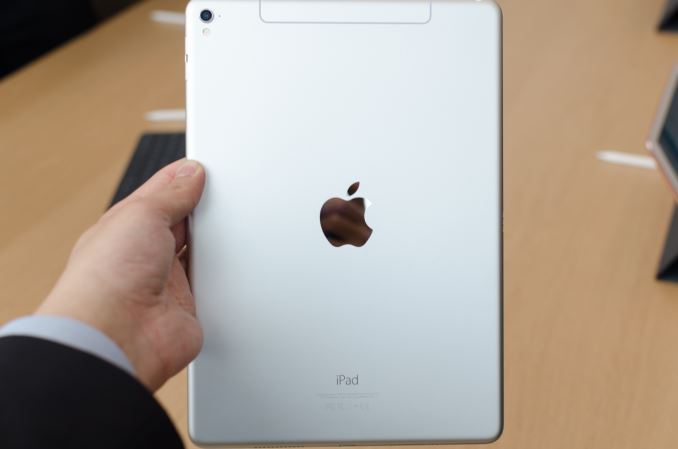
Other than these points of differentiation, the iPad Pro 9.7” pretty much feels like any other iPad. However, there are a few notable changes to the design, including a camera hump to handle the 12MP camera and replacing the large plastic RF window on the LTE variants with an external aluminum antenna and insulating plastic to separate it from the rest of the chassis. It’s appreciably lighter than the iPad Pro 13”, but feels pretty much identical to the iPad Air 2 in terms of size and weight.

Overall, if you liked the 13” iPad Pro but didn’t want to deal with the extra size or weight, it looks like this will be exactly what you’re looking for.

Hands On With the Apple 9.7 Inch iPad Pro

Hands On With the Apple 9.7 Inch iPad Pro

Over the past few months I’ve been able to spend some quality time with the iPad Pro and I’ve found that while the iPad Pro isn’t quite a computer replacement in the sense that you should toss your laptop out, it is the first tablet that can actually justify itself relative to a phablet. With the 9.7” iPad Pro, Apple has been able to take the elements of the iPad Pro 12.9” that differentiated it from Android tablets and previous iterations of the iPad, and fit it in a smaller form factor.

The main points of differentiation that make this device more than an iPad Air 3 include the Apple Pencil, Smart Keyboard, and speakers. The Apple Pencil behaves identically relative to the larger device, but the smaller display size makes it feel more cramped. Other than this, the feel of the tip on the glass is identical, as is the pressure sensitivity, tilt sensitivity, and latency.

The Smart Keyboard for this version of the iPad Pro is significantly smaller than the version for the 13” iPad Pro. Right away it felt like it was a lot less comfortable to type on this iteration of the iPad Pro as a result as I couldn’t just rely on sheer muscle memory to place my fingers in the right place every time. However with some practice I was able to keep a typing pace that was pretty much identical, although it was relatively easy to make mistakes relative to a laptop keyboard because the keys are smaller so there’s less tolerance for errors in finger placement. With practice, like a smartphone keyboard, I’m sure it’ll be possible to type as quickly as you would on a laptop but I wasn’t able to reach that level of practice over the course of the two or so minutes I could spend with the keyboard.

Other than the size issue, everything else feels basically identical to the larger iteration of the Smart Keyboard. Those that love mechanical keyboards for their travel and tactile feedback will probably be disappointed by the feel, but I tend to bottom out keys no matter what keyboard I’m typing on so to me the relatively shallow travel of the keys was not a problem when it came to typing at a respectable rate.

Of course, the speakers are also shared with the iPad Pro, but in this case I wasn’t really able to test them properly as the hands on environment is rather chaotic and loud. I wouldn’t be surprised to know that the same speaker protection ICs are shared with the larger version of the iPad Pro for logistics reasons, but I wasn’t able to confirm that this is the case at the event. Similarly, the camera was not properly tested at the event as it wasn’t possible to do a proper comparison in the hands on environment.

The one other notable change that the 9.7” iPad Pro brings is True Tone display, which adjusts color temperature of the display based upon ambient light conditions. It turns out that this is something that you can toggle on and off on the fly, and the result that it produces seems to be designed to make the display more consistently neutral while other Apple mobile devices tend to end up with a colder white balance in most conditions. I didn’t see a toggle for color gamut, so it’s likely that the iPad Pro 9.7” is using either color management to enable a wider gamut on the fly or just displaying a wider color gamut all the time. To figure out which way Apple went here we’ll need to try a review unit, but given just how much emphasis Apple has placed on their displays I would be surprised if Apple wasn’t employing color management.

Other than these points of differentiation, the iPad Pro 9.7” pretty much feels like any other iPad. However, there are a few notable changes to the design, including a camera hump to handle the 12MP camera and replacing the large plastic RF window on the LTE variants with an external aluminum antenna and insulating plastic to separate it from the rest of the chassis. It’s appreciably lighter than the iPad Pro 13”, but feels pretty much identical to the iPad Air 2 in terms of size and weight.

Overall, if you liked the 13” iPad Pro but didn’t want to deal with the extra size or weight, it looks like this will be exactly what you’re looking for.

Apple Releases iOS 9.3

Apple Releases iOS 9.3

Along with the iPhone SE and 9.7″ iPad Pro, today’s Apple event came with an official release of iOS 9.3. iOS 9.3 has been in beta for quite some time now, with there being both a developer and a consumer beta stream. While 9.3 isn’t a major point release, it is significantly larger than most of the minor iOS updates that are released, with there being both new features and bug fixes included.

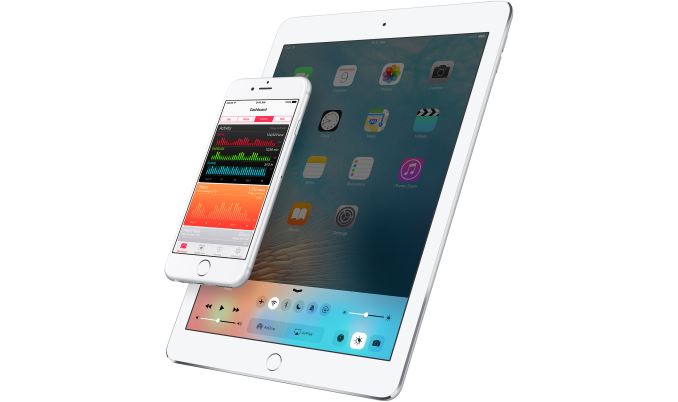
For many users the most significant feature in iOS 9.3 is Night Shift. For anyone who uses or has has heard of f.lux, Night Shift is basically Apple’s version of the same thing for iOS. It alters the white balance of your display to reduce the blue component of luminance. There have been various studies on the negative effects of exposure to blue shifted lighting on a person’s ability to sleep, and with iOS devices generally having slightly blue shifted white points this can pose a genuine issue for users reading on their iPhone or iPad before going to bed.

Night Shift has a few options. You can forcibly enable or disable it from the settings app or from Control Center, and you can also set it to enable on a schedule. There’s also a slider that controls how far the white point is shifted toward red, with the warmest setting being about as far as you can go without disrupting usability.

Another notable iOS 9.3 feature is support for Touch ID in the Notes application. With the Notes app seeing more use and potentially storing more sensitive data after the release of the iPad Pro, being able to protect the content inside using Touch ID is a useful feature to have.

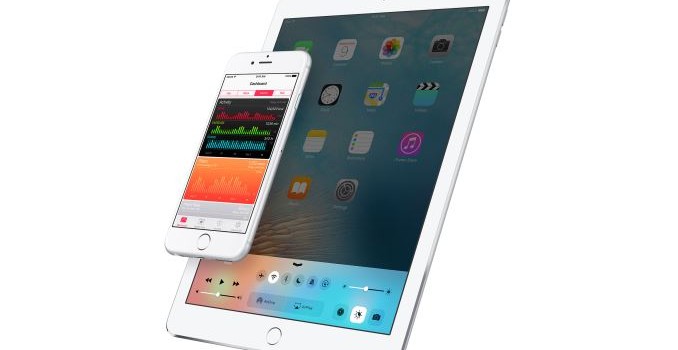
The Health app sees some changes as well. It now integrates deeper with the Activity application that gathers data from the Apple Watch, and includes a new dashboard pane that summarizes your exercise info from the Activity app. Previously the Health app would simply pull information from the Activity app and populate its own data sections, and better integration of the two apps is probably overdue. Apple has also added sliders in certain sections that can reveal featured apps that integrate and aggregate data in the Health app.

For iPhone 6s and 6s Plus users, iOS 9.3 adds 3D Touch support from the home screen for a few additional applications, including Weather, App Store, Health, Compass, Settings, and Stocks. 3D Touch support for Weather is a nice addition, and I was surprised by the omission when the 6s first launched.

iOS 9.3 will be coming to compatible iOS devices today. It will be supported on all devices that support iOS 9, which includes all iPads from the iPad 2 onward, and all iPhones from the iPhone 4s onward.